Assembly, the one that resembles other brands, whether by name (formerly Copilot, confused with Microsoft Copilot) or by logo (doesn’t it look just like Adidas’ logo?).
Jokes aside, Assembly is a pretty solid client portal software option, but, even the best ones can be subbed, right?
Whether it would be because of the price (spoiler alert, it’s pretty high) or the minimalistic options all around (especially when it comes to customizing our client portal), there are several reasons why you could look for an Assembly alternative.
And if you are looking for the right client portal software to replace Assembly (Copilot), you’re in the right place, because we’ve tested many similar tools to find the best options.
What is Assembly?
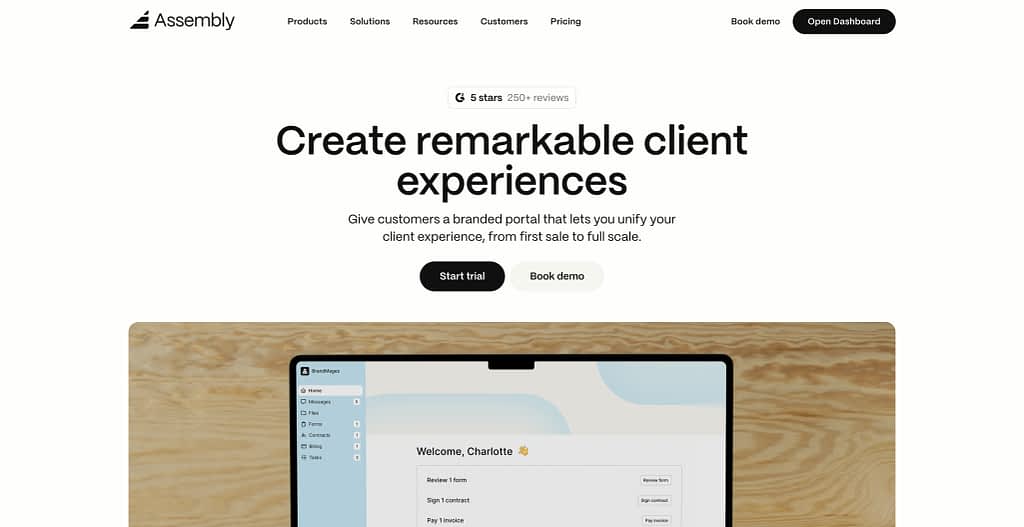
Assembly, formerly Copilot, headquartered in New York City, was founded in 2020 by Marlon Misra and Neil Raina.
Two years later, in 2022, Assembly raised a $10M Series A and in 2025, they’ve officially rebranded from Copilot to Assembly.
As the company says in one of their blog posts,
“We’re changing our name because for the next stage of our journey we want to have one that better reflects our values. Just kidding. Thanks to Microsoft Copilot, GitHub Copilot, and ‘Copilot’ becoming a shorthand for any AI helper, whenever someone in our community recommends us, we’ve become impossible to find.“
Given the extreme popularity of Microsoft Copilot, “copilot” became almost equal to AI overall, making customers and potential customers of both platforms confused. Btw, we highly recommend Marlon’s (one of the co-founder) post on Twitter (X), sharing some of the most interesting cases of support questions they got from users thinking they’re actually Microsoft Copilot.
But the co-founders did more with the re-brand than just a simple name change, they also introduced…you guessed it, AI features they’ve been running away from.
And although the AI assistant is still in its early form, it works quite nicely, with the only disadvantage to it being how difficult it is to find for the first time. It can generate draft messages for you or even take simple actions within Assembly, such as drafting new invoices.
Okay, so if the new AI features are actually quite useful (Pikachu surprise face), what is wrong with Assembly? In other words, why would you go out of your way to look for an Assembly/Copilot alternative?
Remember, AI is not all there is to tools right now.
What are Assembly’s Client Portal Software Key Limitations?
Assembly (Copilot) has its strengths, as well as its weaknesses, but it’s not too bad of a platform.
In our opinion (and yes, we’ve tested Assembly), it’s a pretty good client portal software. For one, it’s quite minimalistic, so it’s easy to get around the platform and the learning curve won’t come back to bite us.
For two, every feature is working as expected. Shocker, we know.
Assembly also brings on a cool opportunity with its Automations feature, allowing us to create all kinds of n8n-like workflows within our processes.
But it has its cons, and the biggest one in our opinion is…the price.
Assembly Is Expensive
So let’s start with the fact that Assembly is pretty dang expensive for what it offers and when compared with similar customer portal tools.
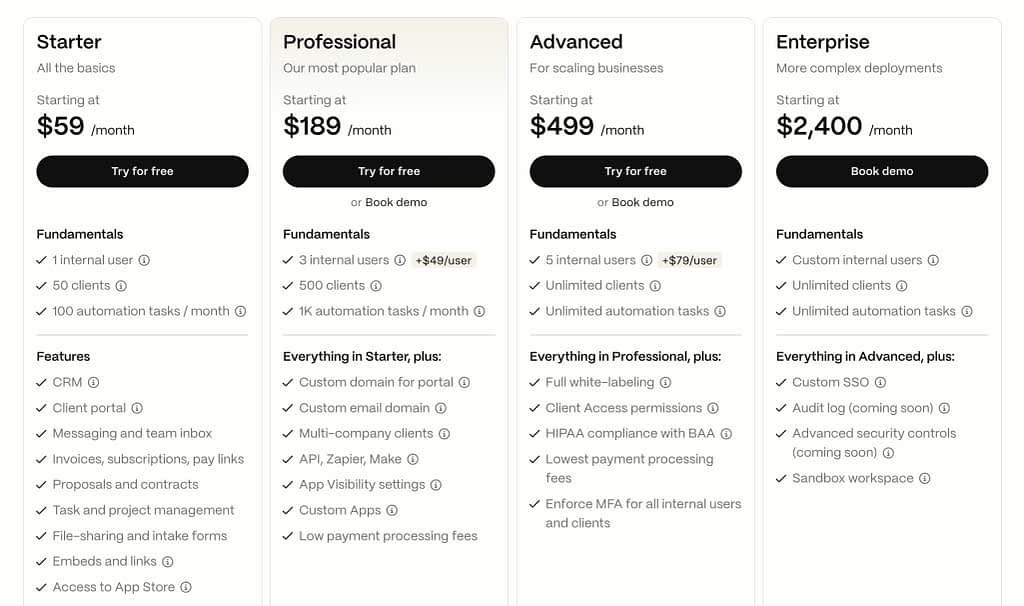
Be prepared for limits as to how many clients you can bring on the client portal depending on the subscription plan you choose, limited customization options in paid plans, pricey plans overall, no free plan at all, sandbox environment being available only in the highest plan, and more.
Slightly Limited Branding/Customization
Remember what we’ve said about Assembly being very minimalistic and the fact that it helps you learn the tool much quicker?
Well, it’s still true, but the minimalism is not always a good thing.
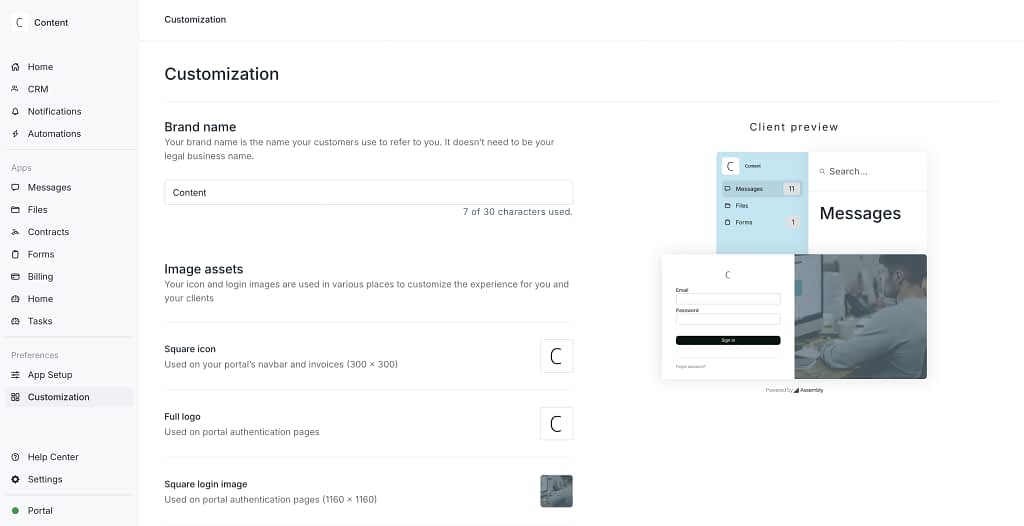
Assembly provides all the must-have customization options, including:
- changing the portal’s colors,
- changing the font,
- changing the client portal name,
- adding your own image assets,
- adding logos,
- setting the URL to a custom domain,
- changing the email domain to a custom one,
- embedding external applications
- or changing the metadata.
What we’re missing from the platform is the more subtle settings, like changing the notifications settings for clients.
Plus, full white labeling, completely removing Assembly’s branding is available only at the third pricing tier, starting at $399/month.
Can’t Test Out The Store Or Selling Services
One con that really stuck out when testing Assembly was the fact we couldn’t properly test out the store or selling services without setting up a payout account (connecting a bank account) first.
Unfortunately, there’s no way to work around this issue, so you’re left guessing whether the checkout experience is actually smooth for the end customer.
Fees, Payouts, and Some More Fees
The issues with testing out services have actually led us into another rabbit hole of payments overall. In Assembly, that simple matter is not actually too simple.
For one, there’s some fees you have to take into account. Some you can pass onto customers to pay (like credit card fees, for example, additional 1.5% for international credit cards), others, not so much.
The following fees (see table below) cannot be passed onto customers and are related to invoices, subscriptions, and the store we can create in the Assembly app. Moreover, these fees differ based on the pricing plan we choose to subscribe to.
| Plan | Invoice fee | Subscription fee | Store fee |
|---|---|---|---|
| Starter | 0.5% | 0.9% | 1.5% |
| Professional | 0.4% | 0.7% | 1% |
| Advanced, Enterprise | 0.3% | 0.5% | 0.7% |
This solution reminds us of HoneyBook (the client portal/project management platform that allows only US and Canada-based businesses to use it).
What’s also worth highlighting, and which is a major con in our opinion, is the fact that Assembly collects all the money first, to then issue payouts to businesses using its platform.
As we can assume, such a solution (not receiving the money directly, but having Assembly be the money intermediary) can lead to issues with delays or having to wait for a specific amount of money to be made in order to even make the payout at all, to finally often having to pay another round of fees for said payout.
10 Assembly (Copilot) Client Portal Alternatives (2025)
Whatever your reason is for looking for the best Assembly alternative, don’t worry. We’ve prepared a full list of 10 best client portal software options to substitute Assembly for you, along with a complete comparison table.
But, if you don’t feel like reading it all, here are the top 3 picks for Assembly (Copilot) alternative for your next customer portal software.
| Feature / Platform | Assembly (Copilot) | Zendo | SPP | ManyRequests |
|---|---|---|---|---|
| Starting Price | $59/mo | Free | $129/mo | $29/mo |
| Max Price / Enterprise | $2,400/mo | $199/mo | $1,500/mo | $99/mo |
| Free Plan | ❌ | ✅ | ❌ | ❌ |
| Unlimited Clients | ❌ | ✅ | ✅ | ✅ |
| Selling Services | ✅ | ✅ (more flexible, add-ons, custom services) | ✅ (one-time, recurring, bulk, variants) | ✅ (one-time, recurring, subscriptions, free trials) |
| Subscriptions | ✅ | ✅(most robust features for one-off, custom, and subscription services) | ✅ | ✅ |
| Quotes | ❌ | ✅ | ❌ | ❌ |
| Invoices | ✅ | ✅ | ✅ | ✅ |
| Real-time Messaging | ✅ | ✅ (with internal notes, status, task integration) | ❌ (email-based) | ✅ |
| Client Portal Customization | ✅ (limited white-labeling on high-tier plans) | ✅ (multiple portals, custom onboarding) | ✅ | ✅ |
| Sandbox / Testing | ✅ (Enterprise only) | ✅ (from free plan) | ✅ (top-tier only) | ❌ |
| Analytics / Reporting | ❌ | ❌ | ✅ | ✅ |
| Discounts | ❌ | ✅ | ✅ | ✅ |
| AI Features | ✅ (draft messages, perform simple actions) | ❌ | ❌ | ✅ (limited AI messaging, other features in development) |
| Best For | Small teams who value minimalism, but can pay the price | Solos, sMBs and enterprises wanting powerful features at a reasonable price | Agencies scaling with team seats & analytics | Agencies wanting full-featured client portals at lower cost, but don’t mind some small roadblocks in UI |
1. Zendo
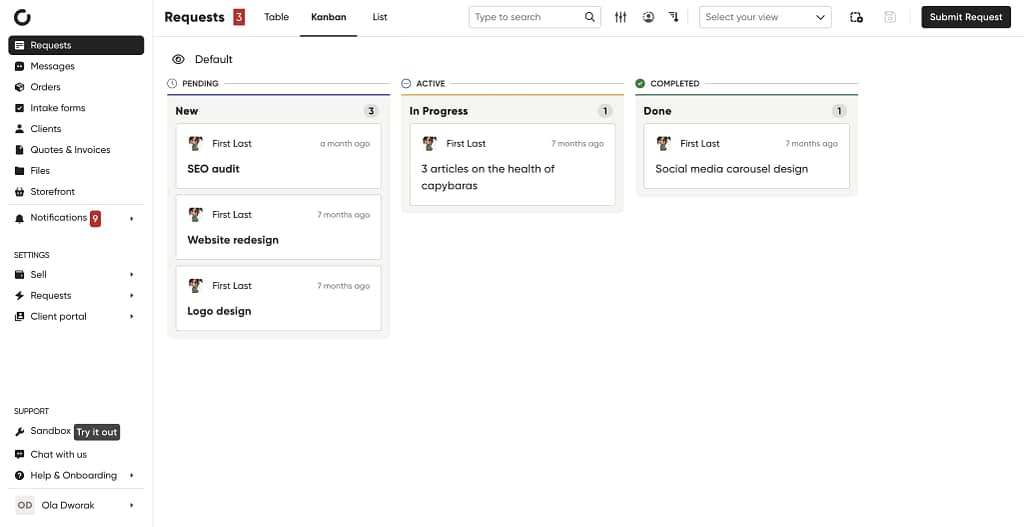
Zendo is a modern client portal software solution that very similarly to Assembly bets on combining a space to manage your customers, talk with them in real time, but also sell different kinds of services and manage that side of business, all on one platform.
Zendo Pricing
Zendo is 4.9 times cheaper than Assembly with pretty much the same features offered for a fraction of the price.
Our platform keeps its pricing pretty simple with several nods to the user, starting with its fully functional free forever plan, which is not available in Assembly.
Zendo offers a free forever plan that’s fully functional, including unlimited clients and a sandbox environment from the start, making it easy for solos and small teams to get started. In contrast, Assembly’s entry tier starts at $59/month and comes with limits on clients and automation tasks.
Then, Zendo’s pricing scales simply. $49/month for growing teams and $199/month for unlimited users, whereas Assembly charges per seat and jumps sharply at higher tiers, reaching $499/month and up to $2,400/month for enterprise.
Take a look at the exact pricing and features offered in the table below.
| Plan | Price | Who It’s For | Seats Included | Highlights |
| Essential | Free 🎉 | Solos, freelancers, early-stage businesses testing the waters | 1 internal user | Unlimited clients & requestsSell productized + custom servicesRecurring billing + one-offs Basic white labelCustom statuses & workflowsQuotes & invoices0% transaction fees |
| Pro | $49/month (+$19 per extra internal user) | Growing businesses leveling up features + automation | 2 internal users | Advanced white label Custom domain & branded emailExternal appsSidebar customization Client organizations/teams Rewardful & Zapier integrationsAdvanced tax system (coming soon) |
| Max | $199/month | Established businesses needing full control & unlimited team capacity | Unlimited internal users | Remove Powered by ZendoPublic API access (coming soon) |
G2 rating
Zendo boasts an absolutely perfect G2 rating with 4.9/5 stars as our official score that’s combined with 5-star reviews only.
Zendo Features vs Assembly
| Feature | Assembly | Zendo |
| Selling services | ✅ | ✅ |
| Subscriptions | ✅ | ✅ |
| Add-ons | ❌ | ✅ |
| Sale prices | ❌ | ✅ |
| Subscription highlights | ❌ | ✅ |
| Quotes | ❌ | ✅ |
| Invoices | ✅ | ✅ |
| Real-time messages | ✅ | ✅ |
| Impersonation | ❌ | ✅ |
| Files | ✅ | ✅ |
| Order forms | ❌ | ✅ |
| Intake forms | ✅ | ✅ |
| Contracts | ✅ | ❌ |
| Client portal customization | ✅ | ✅ |
| External apps | ✅ | ✅ |
| Individual client portals | ❌ | ✅ |
| Sandbox | ✅ (but only in the Enterprise plan, starting at $2400/mo) | ✅ |
| Client onboard | ❌ | ✅ |
As we’ve mentioned when going over Zendo’s pricing, in Zendo users get access to practically the same set of features, in some areas offering even more. But just because we’re checking the same boxes, doesn’t mean the features are the same.
In our opinion, Assembly is like the base version of Zendo. The features are minimalistic, working well, but not super advanced.
To put that into perspective, let’s do a side-by-side comparison of some of the core features between Assembly and Zendo to really show the difference.
Starting with…
Selling one-time services and subscriptions
Both Assembly and Zendo make it possible to sell different types of services, however, one does it better than the other.
For one, with Assembly we’re limited to selling either one-off (defined) services or recurring (subscriptions). With Zendo, we get to sell one-off, productized services, subscriptions, but also completely custom services for undefined projects, and free services as well.
For two, product customization. In Assembly, as far as the customization goes we can only add the product name, description, image, and the price.
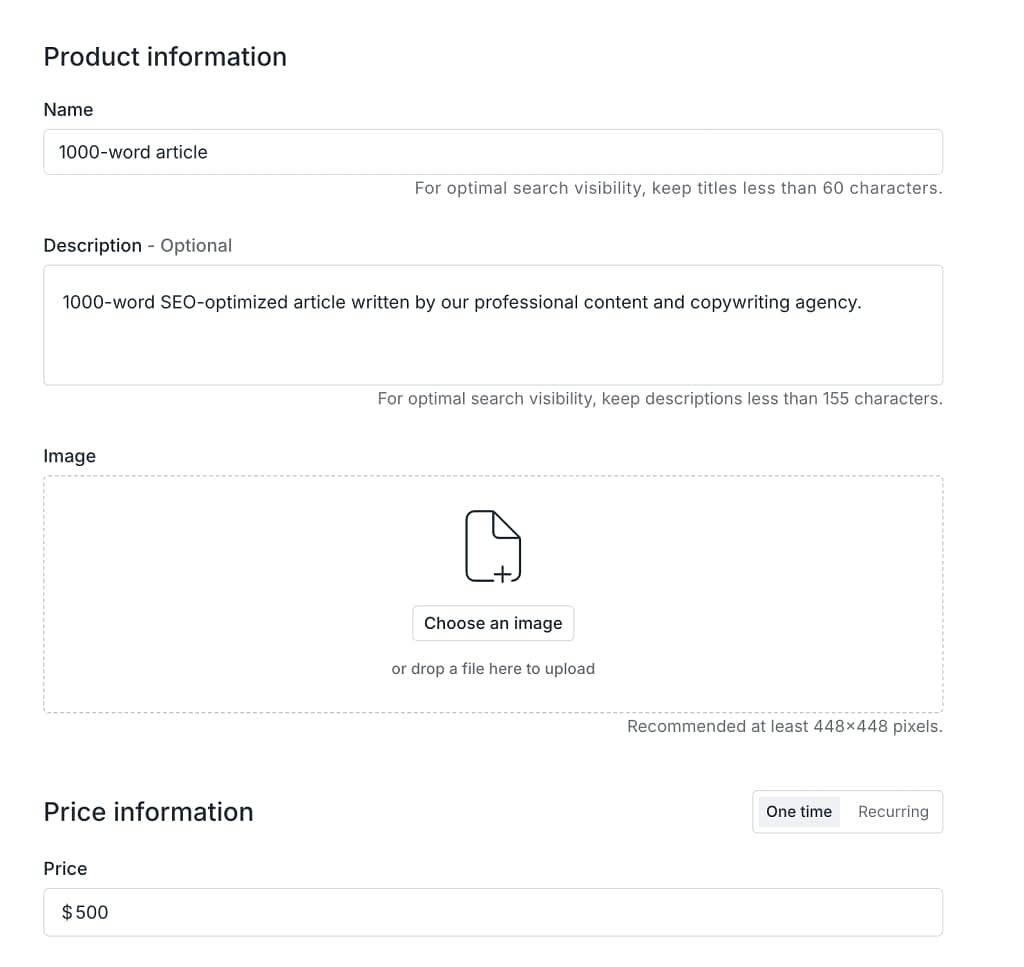
In Zendo, you get to customize a lot, and add different things for different types of services. For example:
- for subscription-based services, you can add different packages for customers to choose from with different prices,
- highlight best subscription packages with a different color and ribbon copy of your choice, like ‘Best deal’, or ‘Most popular’,
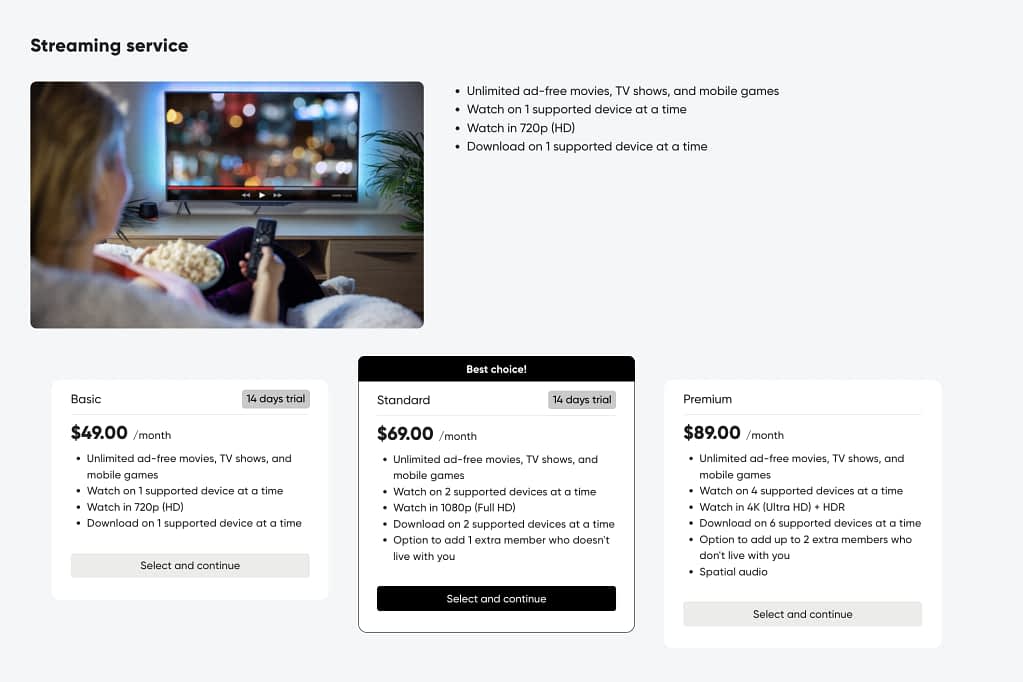
- add different billing cycles and varies prices, like monthly, annual, quarterly,
- you can set up request limits for subscription-based services, which is especially useful for any ‘unlimited’ packages, offering a set number of requests that can be active at the same time for each client,
- for productized, one-off services, you can add different items that constitute your service,
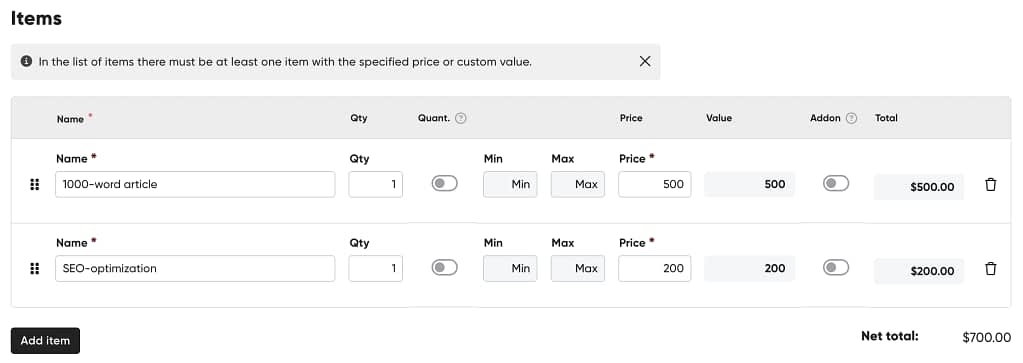
- you can add a set minimum or maximum amount of a given item to be purchased,
- you can mark selected items as add-ons and vary the price of items within the productized service,
- you can add a dedicated order form for each individual service,
- and so much more.
For three, Zendo, opposed to Assembly, gives you the option to sell custom services with customers filling out an order form where they describe the project they’ve had in mind, so that you can later estimate the costs and issue a quote.

Same goes for the storefront we can create on both platforms.
In Zendo, because of the customizable order forms and the many options in service customization, the storefront is much more complex.
In Assembly, it’s pretty minimalistic.
Moreover, you can’t properly test selling features unless you fully connect it with your bank account. So we’re not fully sure what the checkout process looks like for the end customer.
Which brings us to the next point.
Sandbox, testing, and free trial
The free trial in Assembly is 14 days long, with no credit card required, just as it is in Zendo.
However, Assembly’s is not as flexible. Just as we’ve mentioned above, you can’t fully test out the platform unless you connect it with your bank account (which is probably connected with the fact that Assembly acts as an intermediary between you and the money you’ve earned from selling services.)
But the testing issue is not just about the limited free trial. It’s also about a shared feature between the two platforms: the Sandbox.
Sandbox (in both software platforms) is a dedicated testing environment, in which you basically get a second workspace to test out new services, a new look of your client portal, or a new workflow you’ve just thought of.
To give you broader context into what the problem is, we must mention that in Zendo, the Sandbox environment is available right from the Essential (free forever) plan and is available on the free trial just as well. In Assembly, the Sandbox environment is a fully premium feature, available only in the Enterprise plan, which starts at $2400 per month!
Client portal and customization
Next, we’re going to take a closer look at another core set of features: everything surrounding building your very own client portal.
Here, Zendo and Assembly are pretty much neck and neck. In both platforms, you get to customize the order of the client portal elements, add your own logo, embed external applications, and more.
However, there are a few more subtle features offered by Zendo that are not available in Assembly.
For one, you can create custom onboarding experiences for your customers in Zendo. Adding a custom welcome note, an onboarding checklist with tasks, a dedicated image, and more.
The best part?
You get to create different onboarding experiences for different customers depending on the service they’ve purchased. For example, add bonus resources for high-end customers.
For two, in Zendo you can create more than one client portal and then set up which customers should be able to access it. Embed a unique set of external applications for one customer segment, propose a different client portal layout for another customer segment, and more.
In Assembly, you get to decide which customers should be able to access the client portal you’ve created, but you can’t add more than one client portal variation.
A cherry on top for Zendo is getting to create dedicated client portals even for your team members!
Real-time chat and request view
Lastly, let’s compare an equally important feature, client communication.
And again, Assembly comes with a well-working, but basic solution. Their real-time messages work actually in real-time, as opposed to the many client portal or project management solutions we’ve tested before where usually you have to reload the page to see new messages.
In Zendo, the chat functionality is also fully real-time, but it’s again, more advanced.
In regular messages, you get to not only chat with customers, but also create internal notes for your team, and add files both team and customer can view.
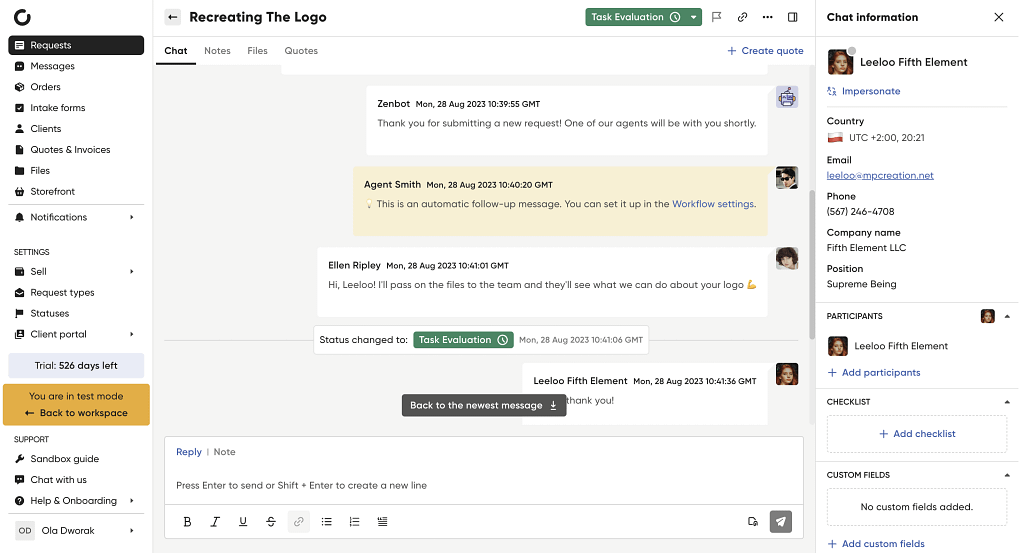
In chats connected with specific requests customers can submit (for example, their orders or requests within subscriptions), you get to do and see a whole lot more:
- view and change the status of a given request (you can create custom status and attach them to specific workflows within services),
- create new quotes for customers,
- work on task checklists,
- check on the request and intake form information for a quick reminder of the most important details,
- impersonate customers to help them perform and action or double-check on their POV,
- give customers a way to easily complete payments through the request’s chat window,
- and more.
When to choose Zendo?
If you don’t want to overpay for similar or even more basic features in Assembly, choose Zendo.
You’ll get much more for less.
2. SPP
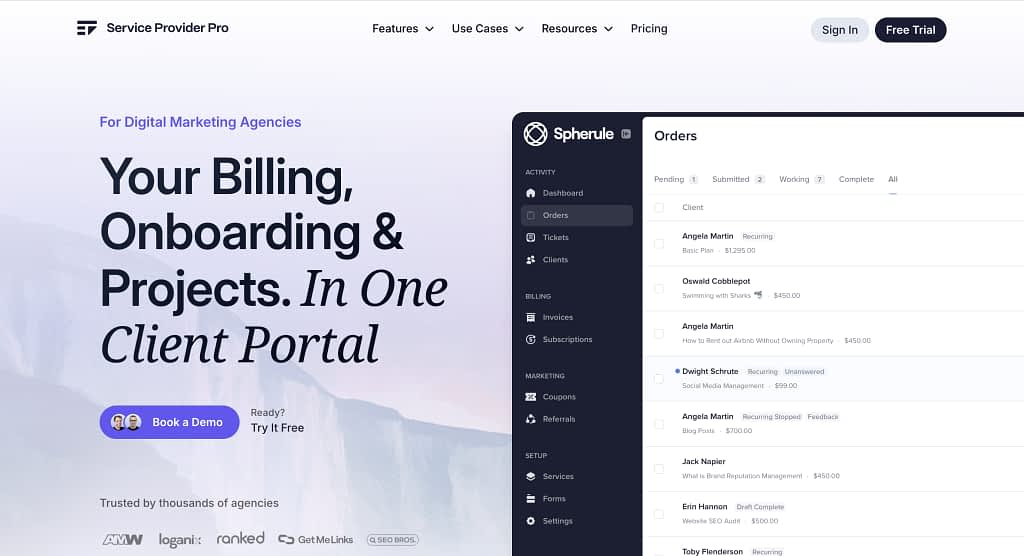
SPP or Service Provider Pro is another client management software that gives you the option to sell services, manage clients, and organize your project work all on one platform.
SPP Pricing
When compared with Assembly, SPP generally costs more upfront but includes more team seats and unlimited clients, making it better suited for agencies that expect to scale.
Assembly starts cheaper, but adds per-user costs and its higher tiers jump sharply—$499/month and up to $2,400/month—which can get expensive as needs grow.
Take a look at the full SPP pricing in the table below.
| Plan | Price | Who It’s For | Seats Included | Highlights |
|---|---|---|---|---|
| Basic | $129/month (billed monthly) | Small shops + early agencies getting started with client portals | 5 team members | Unlimited clientsCustom domain & branding |
| Pro | $299/month (billed monthly) | Established agencies wanting deeper control + collaboration | 10 team members | Client-side teams Template editorService white-labeling |
| Plus | $1,500/month (billed monthly) | High-volume, enterprise-level agencies investing in scale + reliability | 50 team members | Priority Slack supportRemove Powered by SPP Additional test workspace Developer APIUptime SLA |
G2 rating
SPP’s G2 rating is currently at 4.7/5 stars with 5 and 4-star ratings. Users on G2 mark it as good especially for its ease of use, efficiency, and customer support. In turn, complaining about integration issues, expensive pricing, and update issues.
SPP Features vs Assembly
SPP and Assembly follow a similar feature pattern, with subtle differences here and there.
| Feature | Assembly | SPP |
|---|---|---|
| Selling services | ✅ | ✅ |
| Subscriptions | ✅ | ✅ |
| Quotes | ❌ | ❌ |
| Invoices | ✅ | ✅ |
| Real-time messages | ✅ | ❌ (email-based messaging) |
| Impersonation | ❌ | ❌ |
| Files | ✅ | ✅ |
| Forms | ✅ | ✅ |
| Contracts | ✅ | ❌ |
| Client portal customization | ✅ | ✅ |
| External apps | ✅ | ✅ |
| Discounts | ❌ | ✅ |
| Sandbox | ✅ | ✅ |
| Analytics | ❌ | ✅ |
But to really seal the deal, we’re going to compare some of the features in more detail.
At least try so, because we’ve experienced some…
Free trial issues
When it comes to the free trial, Assembly (although a little limited) wins over SPP.
Both offer 14-day long free trials with no credit card required, however, SPP allows in work emails only.
Then, even after typing in a work email, signing up was still not available, making it difficult to properly test out the platform for this article. However, we have used SPP before and can rely on that experience just as well.
So let’s start with the core of the platform: selling services.
More services options
Just as Zendo, SPP gives you more options in terms of service selling than Assembly does.
With SPP, you can offer services in several formats depending on how you work.
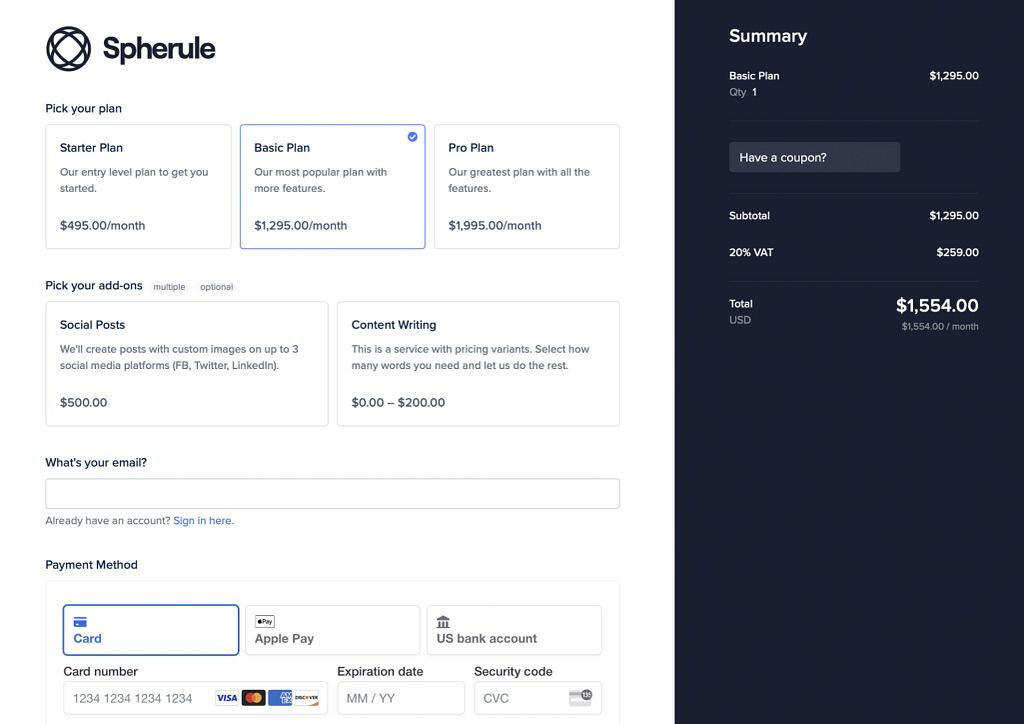
One-time services with fixed pricing, within which you get to create variants if you want to give clients multiple options to choose from.
For ongoing work, recurring services allow you to define billing frequency, trial periods, and setup fees. And if you handle larger orders or agency-style work, bulk purchasing lets clients submit quantities through a simple spreadsheet upload.
Just like with Assembly, you get to issue an invoice after the client makes a purchase. But again, with SPP we’re met with more features than what Assembly offers. For example, creating discounts.
Custom client portal
SPP does not disappoint in terms of customizing the client portal either, with pretty much the same options as those available in Assembly.
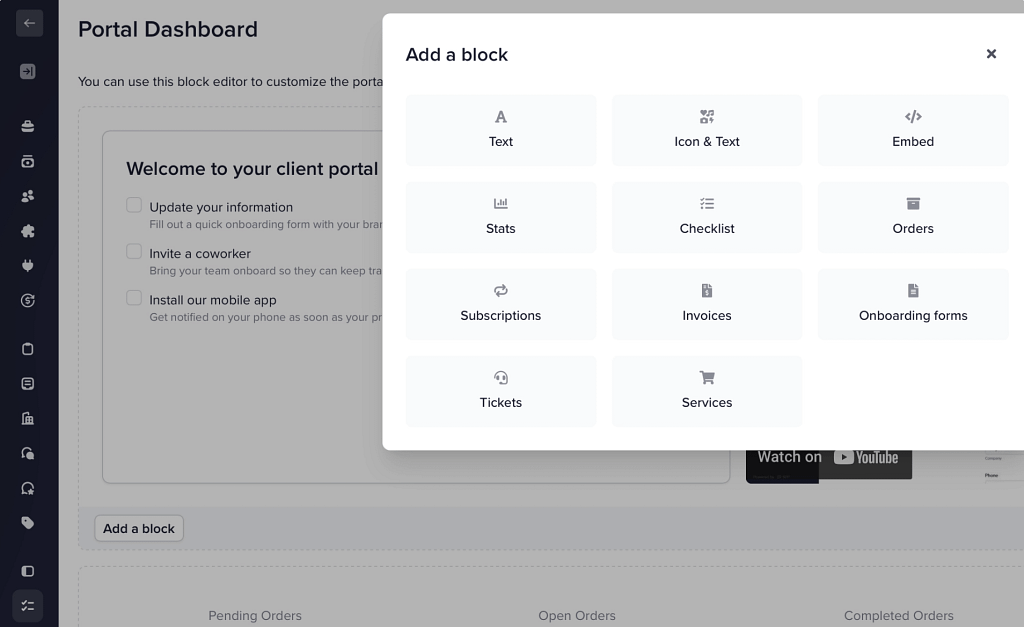
The platform lets you brand the portal with your own logo, color palette, and navigation layout. You can upload regular and inverse logo variations (ideally PNG or SVG, around 336×140), adjust the color scheme using HEX values, and tweak the sidebar menu by adding or removing links, assigning Font Awesome icons, or connecting pages you’ve built in the template editor.
Language settings make it possible to reword interface text or translate the client portal into other languages.
But, what’s important to notice is that some of this setup requires manual input—especially if you’re creating custom language lines or translating sidebar items.
Analytics
Lastly, a functionality worth mentioning that’s available in SPP is…analytics.
SPP includes built-in analytics that give you a clear view of revenue, client value, and team performance, something many client portals don’t offer.
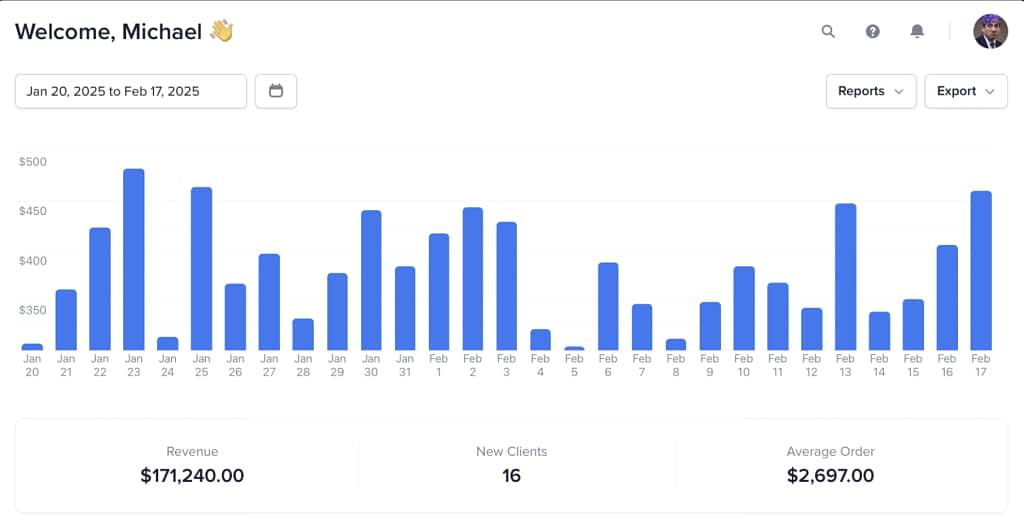
You can break down income by service, client, or coupon, track order completion across team members, monitor response times, and view workload distribution to see who can take on more tasks.
It also shows client lifetime value for spotting upsell opportunities, all without exporting data or maintaining your own spreadsheets.
💡Oh, and remember the Sandbox shenanigans in Assembly? SPP decided to also include the Sandbox/dedicated testing environment only in its most expensive subscription plan. Seems to be a trend.
When to choose SPP?
SPP (Service Provider Pro) is a good option for agencies that expect to scale and need more team seats and unlimited clients from the start. Its pricing is higher upfront compared with Assembly, but it avoids per-user costs and offers advanced features like discounts, analytics, and flexible service-selling options (one-time, recurring, bulk orders, and service variants).
SPP also provides a customizable client portal, including branding, sidebar layout, and language settings, though some of these require manual setup. Its analytics dashboard gives insights into revenue, client value, team performance, and workload distribution—features many platforms don’t include.
Overall, SPP is best suited for agencies that prioritize team collaboration, detailed analytics, and extensive service-selling options, and are willing to invest more upfront for scalability and flexibility.
3. ManyRequests
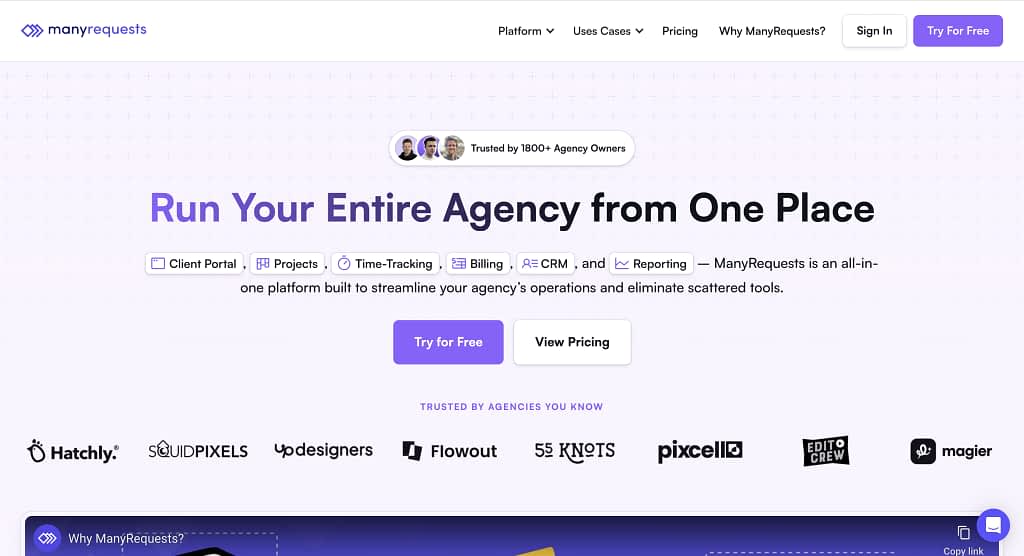
ManyRequests is the third top Assembly alternative that’s extremely aligned with what Assembly offers.
Built specifically for agency owners, it combines a client portal, request management, checkout forms, and integrations into a single platform. At its core, ManyRequests is a full-stack SaaS for productized services, letting you create booking forms, manage orders, and streamline client workflows without juggling multiple tools.
ManyRequests Pricing
ManyRequests and Assembly both provide client portal and agency management tools, but they differ in pricing and scale.
ManyRequests starts at $29/month with unlimited clients, scaling to $99/month for full features and additional seats.
Assembly begins at $59/month but limits clients and automation tasks on lower tiers, with costs rising quickly as users and features are added, even up to $2,400/month for Enterprise.
See full ManyRequests’ pricing below.
| Plan | Price | Who It’s For | Seats Included | Highlights |
|---|---|---|---|---|
| Starter | $29/month | Agencies just getting started | 1 included (up to 2, +$20/seat) | Client portal, time-tracking, projects, billing, CRM, reporting, unlimited clients, custom domain |
| Core | $59/month | Established agencies looking to scale | 1 included (+$20/seat) | Design/video/website proofing, Zapier integration, extensions |
| Pro | $99/month | Full-featured solution for most agencies | 1 included (+$30/seat) | Customize email notifications, custom roles, advanced reporting, option to remove “Powered by”, additional integrations, webhooks |
G2 rating
ManyRequests does not have too many reviews submitted on G2. In fact, at the time of writing this article, the platform had just one review of 4.5/5 stars, therefore constituting its whole rating to that number.
Because it’s just one review, let’s quote it directly:
“We have been using manyrequests for almost a year now for our client projects and its one of the best project management system and a client portal we have used so far, it has almost all the customization options we require, time tracking, checklists, ticketing and feedback from our clients, which helps us to combine everything in one place.
It’s a bit costlier compared to other options, because to remove the branding on the portal we have to remove a lot per year as we want to fully whitelabel the client portal, it would be great if we have the same option in the core plan.”
ManyRequests Features vs Assembly
| Feature | Assembly | ManyRequests |
|---|---|---|
| Selling services | ✅ | ✅ |
| Subscriptions | ✅ | ✅ |
| Quotes | ❌ | ❌ |
| Invoices | ✅ | ✅ |
| Real-time messages | ✅ | ✅ |
| Impersonation | ❌ | ✅ |
| Discounts | ❌ | ✅ |
| Storefront | ✅ | ✅ |
| Files | ✅ | ✅ |
| Forms | ✅ | ✅ |
| Contracts | ✅ | ❌ |
| Client portal customization | ✅ | ✅ |
| External apps | ✅ | ✅ |
| Sandbox | ❌ | ❌ |
| Analytics and reporting | ❌ | ✅ |
At times confusing onboarding
ManyRequests is a platform that’s fairly easy to use and easy to sign up to (we’re not met with any credit card details or work emails required).
However, the onboarding was not all roses. We’ve run into a few confusing parts, such as the platform requiring a URL of our website and not letting us through without it or the pretty complex onboarding video we were met with that starts explaining the platform showing how to add custom CSS (not too beginner-friendly if you ask us.)
Luckily, it’s all fixed later, because the platform is pretty intuitive and even includes some cue-led explanations.
So, let’s mark this as a very slight inconvenience and now move on to the meat and potatoes of the platform…selling services.
Selling services
ManyRequests provides a flexible, agency-focused billing system that integrates directly with your client portal and services, similar to Assembly, but more extensive.
For example, you can bill hourly, per request, or via subscriptions, with support for one-time and recurring invoices. Clients can manage their own subscriptions, pause or renew services, and track usage or balances directly in the portal.
Automated invoicing and payment reminders streamline collections, while Stripe-native integration ensures secure, PCI-compliant payments.
Multi-currency support, tax settings, and invoice notes help agencies maintain accurate, client-friendly billing without extra tools. Just as Zendo, and just as SPP, ManyRequests offers much more than Assembly in terms of service selling.
Even going after the subtlest of features, similarly to Zendo, offering adding a free trial to your subscription services or enabling customers to pause and renew their subscription whenever needed.
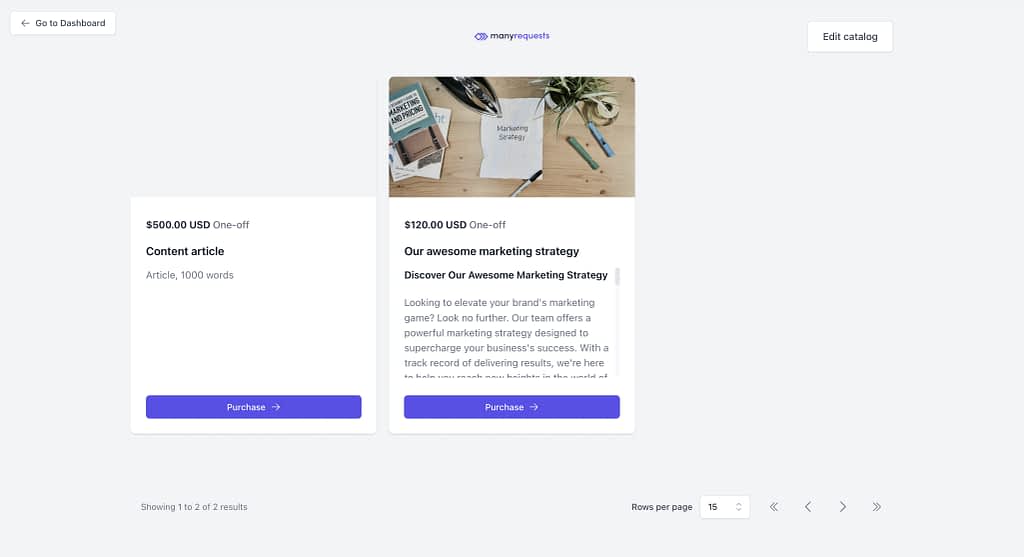
Moreover, just like in Zendo, ManyRequests allows for test purchases in the Service Catalog.
Order forms
Order forms are pretty customizable with many different fields you can choose from when creating yours.
The fields to add include simple ones like image, description, or a dropdown, but also file upload, multiple selection, or FAQ.
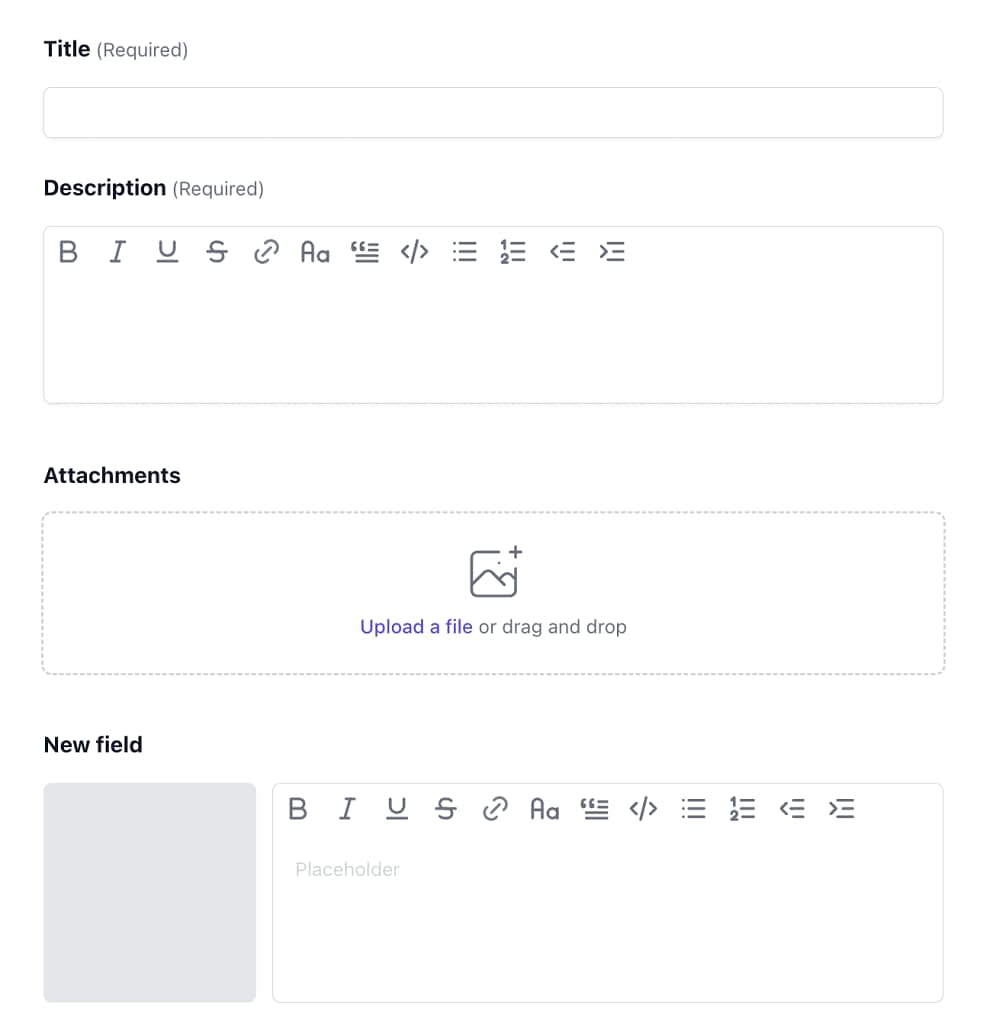
The only complaint we have here is the fact that creating the form is not super intuitive because of the hidden options. The form looks much better on preview than it does creating it.
But at least, as opposed to Assembly, the platform allows for form customization at all.
Messages and AI features
ManyRequests also offers a real-time chat with a simple messaging module allowing you to chat with customers.
It’s pretty minimalistic and simple (very similar to that of Assembly), apart from one feature: AI rewrites.
And unfortunately, this AI feature is not a hit.
Instead of rewriting the content of your message in a better way, it’s going to reply to the message you’ve typed in, as if it was something said by the customer (which would be a nice feature), but it’s not posed as such.
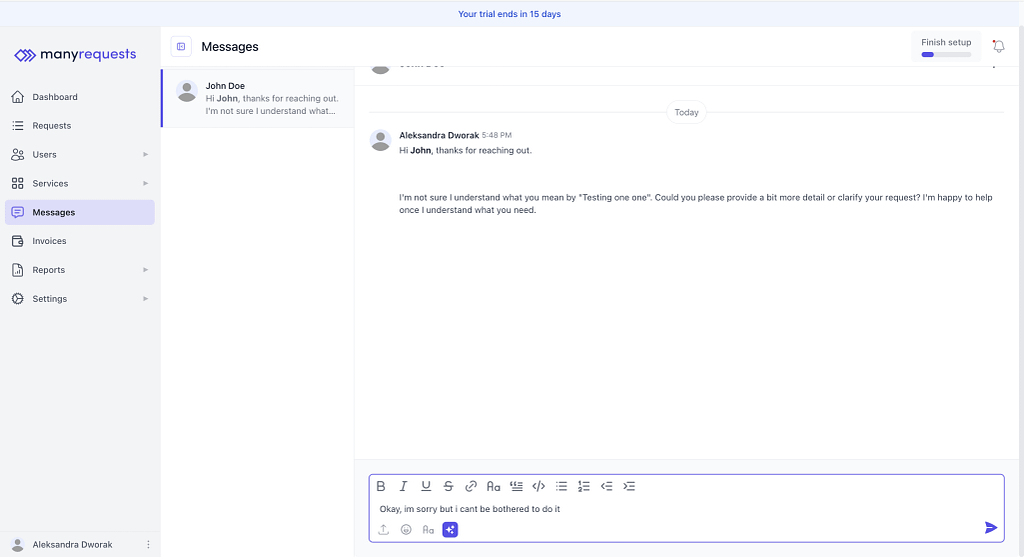
For example, we’ve written: “Sorry, can’t be bothered to do it” and expected ManyRequests’ AI to say it politely, but instead it gave us: “No problem at all, John! Thanks for letting me know. If you change your mind or need anything else in the future, feel free to reach out.”
When you take a look at ManyRequests’ pricing, you’ll see that the platform’s Product Managers are working on a whole new set of AI features. Hopefully, they’ll be much better than the AI rewrites, because Assembly’s AI assistant was pretty dang good and actually helpful.
When to choose ManyRequests?
ManyRequests is a much more affordable alternative to Assembly, offering a comparable—and in some areas more extensive—set of features. Even giving users the option to take a look at their client portal analytics and reporting.
It also includes a full client portal, service selling with subtle options like free trials and discounts, customizable order forms, real-time messaging, and reporting/analytics that Assembly lacks.
The UI is generally clean and intuitive, though some areas can be confusing and a few features don’t always work as expected. Overall, it’s a strong choice for agencies looking for a full-featured platform at a significantly lower cost.
If You Need More Options: 7 Additional Challengers
4. Clinked
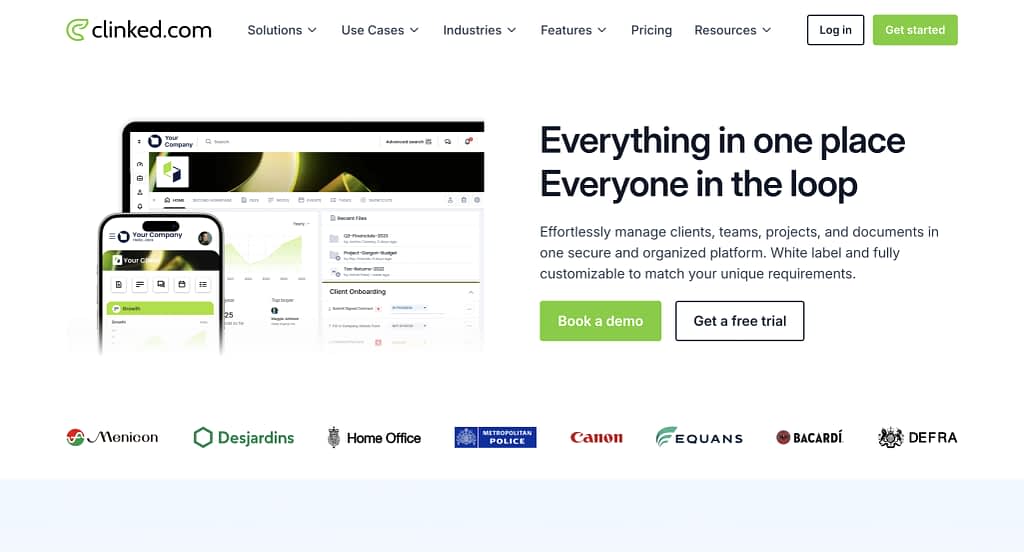
Clinked is a client portal and collaboration platform designed for teams that want secure file sharing, project collaboration, and client communication all in one place. It’s aimed at agencies and professional services looking for a clean portal experience.
Clinked Pricing
- Lite: $119/month: 100 members, 100 GB storage, unlimited guests, white-label portal
- Standard: $299/month: 100 members, 1 TB storage, tasks, shared calendar, chat, custom domain
- Premium: $599/month: 250 members, 3 TB storage, white-label emails, Kanban boards, document watermarking
- Enterprise: custom: 1000+ members, 5 TB+ storage, SSO, mobile app, dedicated support
Why could it be a good Assembly alternative?
Clinked provides strong client portal customization, secure file sharing, team collaboration tools, and robust communication features. The platform scales with teams and storage needs, making it easy to manage multiple clients and projects in one place.
What it’s lacking?
Clinked doesn’t support selling services, subscriptions, or recurring billing directly through the portal. It also lacks advanced automation features that Assembly offers. It’s more of a client portal/project management platform that you should combine with Stripe and a website for selling services.
5. Softr
Softr is a no-code platform that lets you build custom client portals, internal tools, and apps using blocks connected to databases like Airtable, Google Sheets, Notion, and more. It’s ideal for agencies or teams that want a highly flexible portal without coding and focus heavily on databases.
Softr Pricing
- Free: $0/month: 1 published app, 10 users, 5,000 database records, 500 workflow actions
- Basic: $59/month: 3 apps, 20 users, 50,000 records, 2,500 workflow actions, custom domain
- Professional: $167/month: unlimited apps, 100 users (+$10/extra 10 users), 500,000 records, 10,000 workflow actions, remove Softr branding, advanced blocks (charts, calendar, e-signature)
- Business: $323/month: 500 users, 1M records, 25,000 workflow actions, global data restrictions, advanced integrations
- Enterprise: custom: SSO, custom invoicing, dedicated support, training
Why could it be a good Assembly alternative?
Softr allows agencies to create fully customized client portals connected to real-time data sources, with advanced workflows, analytics, and portal branding options. Its no-code approach gives flexibility that traditional client portals like Assembly can’t match.
What it’s lacking?
Again, Softr isn’t built specifically for selling services or managing subscriptions; billing and invoicing require external integration. Real-time client messaging, automation for service selling, and pre-built agency features are more limited compared to Assembly.
6. SuiteDash
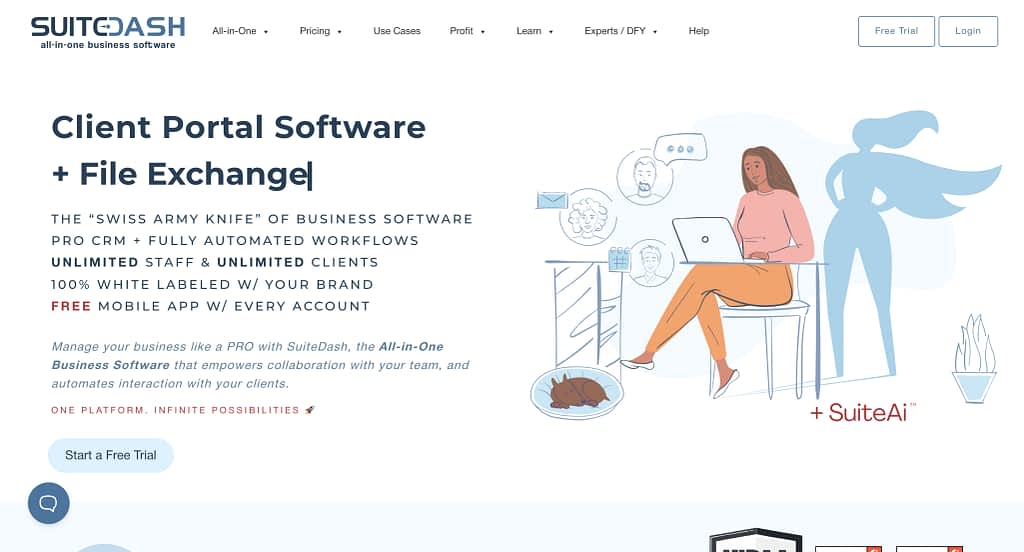
SuiteDash is an all-in-one platform for agencies and small businesses, combining CRM, client portals, project management, file storage, email marketing, and automation tools into a single platform. It’s designed to let teams manage clients, workflows, and billing without juggling multiple apps.
SuiteDash Pricing
- Start: $19/month: unlimited clients, unlimited team members, unlimited portals, extreme white-labeling, 100GB storage
- Thrive: $49/month: everything in Start plus client-side live chat, advanced menus, deal pipelines, 500GB storage
- Pinnacle: $99/month: everything in Thrive plus automation toolkit, onboarding flows, LMS, task dependencies, 2TB storage
- Free Trial: 14 days, full-featured
Why could it be a good Assembly alternative?
SuiteDash offers full client portal capabilities with extreme white-labeling, unlimited clients, and a built-in CRM. Its all-in-one nature reduces the need for separate tools for project management, client communication, and file storage.
What it’s lacking?
SuiteDash’s focus is more on internal workflows and client management than advanced service-selling or subscription features. Its pricing is fixed per plan rather than per user, which may be less flexible for very small teams, and some advanced automation features are only available at higher tiers.
7. HoneyBook
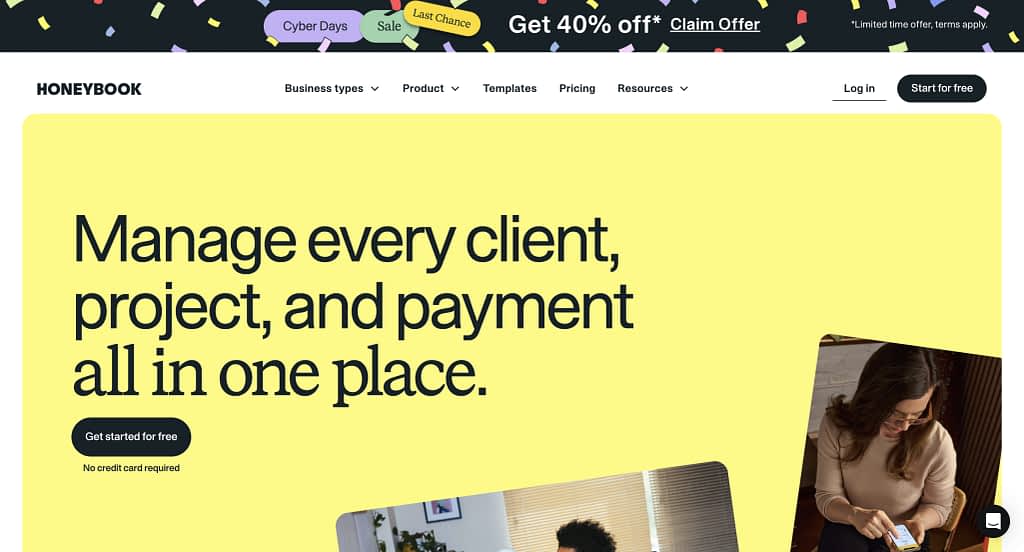
HoneyBook is primarily a project management and client management platform that also allows agencies and freelancers to sell services. It focuses on proposals, contracts, invoices, and client workflows, offering customized service catalogs and PDF-based offers.
HoneyBook Pricing
- Starter: $36/month: unlimited clients/projects, invoices & payments, proposals & contracts, client portal, basic reports, up to 2 live lead forms
- Essentials: $59/month: adds scheduler, automations, QuickBooks integration, up to 2 team members, remove “Powered by HoneyBook,” up to 10 live lead forms, SMS reminders
- Premium: $129/month: unlimited team members, priority support, multiple companies, advanced reports, unlimited live lead forms
- Free Trial: available
Why could it be a good Assembly alternative?
HoneyBook provides a strong client/project management system with invoicing, proposals, and service selling. Its PDF-based service offers and catalogs make presenting services professional. If productized services are not something you’re after, this could be a solid choice.
What it’s lacking?
The messaging system can feel unintuitive, and while the platform is powerful, HoneyBook is limited to US and Canada-based businesses. Service selling is less flexible than platforms like ManyRequests or Zendo, focusing more on custom offers than built-in subscriptions or automated billing.
8. Ahsuite
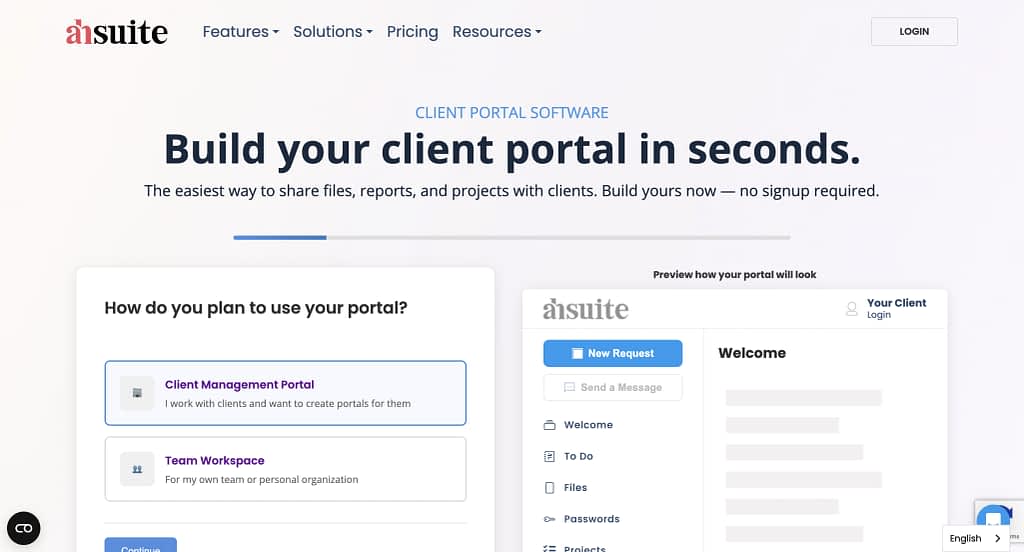
Ahsuite is a client portal and project collaboration platform designed for freelancers, small teams, and agencies. It lets you share files, assign tasks, send messages, and create secure client-facing portals. While lightweight, it offers features to scale with your business and supports client billing, white-labeling, and team management at higher tiers.
Ahsuite Pricing
- Starter: Free: embed anything in a client portal, assign tasks, share files, send messages, up to 10 portals
- Grow: $8/month: everything in Starter, unlimited portals
- Professional: $17/month: Starter + client billing, journals, password manager, personal profile, access to internal user network
- Agency: $29/month: Professional + white-label with custom domain, ability to add private sub-users ($8/mo each)
Why could it be a good Assembly alternative?
Ahsuite provides a simple, intuitive client portal experience with task management, messaging, and secure file sharing. Its scalable pricing and higher-tier features, such as client billing and white-labeling, make it suitable for growing teams or agencies that want a polished, client-facing portal without the complexity of heavier project management software.
What it’s lacking?
Ahsuite has minimal automation and workflow capabilities compared with tools like Assembly. While excellent for simple client portals and file sharing, it may not fully replace a more robust project management system for bigger needs, which is also very much reflected in its simple and rather affordable pricing.
9. 17hats
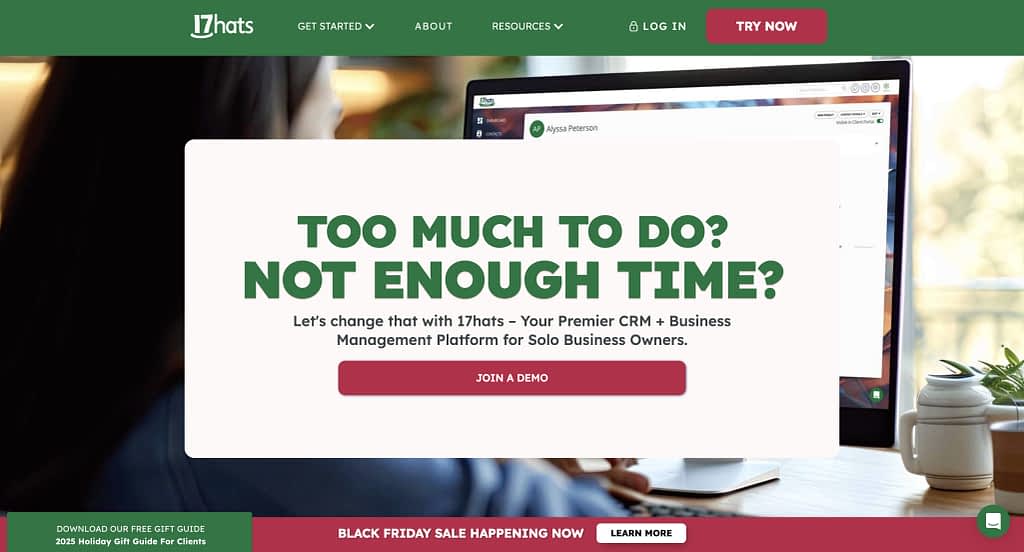
17hats is a project management platform tailored to creative service businesses, particularly photographers. It offers task checklists, workflows, online scheduling, invoicing, questionnaires, and client management, with some automation features. While powerful, it’s best suited for businesses that can take advantage of its creative-industry templates.
17hats Pricing
In the past we wrote a whole article on how 17hats pricing is the most complex thing on planet Earth.
They might have seen it because now…it’s all features and 3 ways to pay for them. The simplest pricing structure ever.
You can go with:
- Monthly: $60/month
- Yearly: $600/year (save $120)
- Bi-Yearly: $800/two years (save $400)
- Free Trial: 7 days
Why could it be a good Assembly alternative?
17hats provides all-in-one project, client, and workflow management for creative service businesses. Its task management and pre-made workflow templates are excellent for handling complex projects. Scheduling, forms, and invoicing are also included.
What it’s lacking?
17Hats has minimal onboarding and an unintuitive dashboard, making it harder to get started. Scheduling setup is complex and somewhat hidden, and the client portal is limited, one of the most outdated we’ve seen. Client communication relies entirely on email, with no integrated chat. Moreover, as we’ve mentioned, 17hats is tailored to photographers, DJ-s, wedding planners (perfect for creative agencies), and so are its templates and workflows, which may be a con for those not working in such industries.
10. Scoro

Scoro is an all-in-one work management and project management platform designed for professional services and creative teams. It combines project planning, time tracking, financial management, and reporting to give businesses full visibility over tasks, budgets, and team performance.
Scoro Pricing
- Core: $23.90/user/month: projects, calendars, task lists & boards, Gantt charts with dependencies, contacts & customers, quotes, bills & invoices, dashboards, default labor cost, detailed work reports
- Growth: $38.90/user/month: everything in Core, plus project budgets & templates, quoted vs actual tables, retainer management, recurring tasks, role-based labor cost, time off, multiple currencies, triggers & actions, utilization report, detailed financial reports
- Performance (Recommended): $59.90/user/month: everything in Growth, plus planner, timesheet, task matrix, quote estimation matrix, price lists, cost & profit forecasts, revenue recognition & forecast, sales pipeline & report, team performance report, supplier management
- Enterprise: Custom pricing: everything in Performance, plus company budgets & forecasts, time locking, approval flows, WIP report, multi-account reporting, periodization of invoice lines, single sign-on, user provisioning, FTP integration
Why could it be a good Assembly alternative?
Scoro is a strong Assembly alternative because it combines project management, time tracking, financial oversight, and reporting in a single platform. Teams can manage projects from planning to billing, track task progress, monitor budgets, forecast revenue, and optimize resource utilization—all in one place. Its robust dashboards and reporting capabilities provide full visibility over workflows, making it ideal for service-based businesses that need detailed oversight and data-driven insights. But it can also be a double-edged sword.
What it’s lacking?
Scoro’s feature depth comes with complexity, which can be intimidating for smaller teams or freelancers. Setting up projects, automations, and financial workflows can require significant time and training. While it excels in resource planning, reporting, and profitability tracking, it may be overkill for teams that need a lightweight or simple project management solution. It’s especially not on par with those wanting to just sell productized services with a sprinkle of a good client portal on the side.
What Is the Best Assembly (Copilot) Alternative?
Looking for an Assembly (formerly Copilot) alternative? You’re not alone. Assembly’s a solid client portal, but it’s pricey, a bit minimalistic, and some features—like testing the store or advanced customization—can be tricky.
Lucky for you, there are plenty of options. Zendo and ManyRequests give you more flexibility and features at a lower cost, while SPP is great for agencies that need more team seats and analytics.
Lighter options like Ahsuite or 17hats work if you just need simple portals, task management, and client communication. And if you want full-on project, finance, and reporting power, Scoro’s got you covered, though it can feel a bit overwhelming.
Basically, whether you want something simple, flexible, or all-in-one, there’s a client portal out there that beats Assembly on price, features, or both.
Here, you can give Zendo, the #1 Assembly alternative a try completely for free.
What is a professional client portal, and why should you use one?
A professional client portal is a secure client portal where you can centralize communication, manage client interactions, and handle tasks like invoicing, project tracking, and document sharing. Businesses benefit because it improves overall client experience, helps manage customer expectations, and provides a secure space for client information. Platforms like Assembly or Zendo act as a client portal solution that streamlines collaboration and strengthens client relationships.
What client portal features should I look for when choosing the right client portal?
When choosing the right client portal, prioritize client portal features like a branded portal, portal builder, real-time messaging, file sharing, custom client dashboards, and analytics. Features that allow you to manage client interactions, collect client feedback, and provide a secure client portal will elevate the overall client experience.
Can a client portal tool enhance customer experience and client feedback?
Absolutely. A client portal tool or customer portal software options allow clients to submit requests, track projects, and communicate in one secure space for client activities. By centralizing this process, you can capture client feedback (especially so if you embed an additional survey tool), adjust services, and deliver a better overall client experience, meeting client expectations while maintaining a professional, branded portal.
Is Assembly (Copilot) the best fit for every business?
While tools like Copilot (Assembly) offer a streamlined professional client portal, it may not be the best choice for everyone. Some may be looking for advanced customization, multiple client dashboards, or extensive client portal features. Users may prefer alternatives like Zendo, SPP, or ManyRequests, which offer often more powerful, yet more affordable features.