Client reporting isn’t the most exciting part for marketing professionals. Collecting relevant data and turning it into strategic insights, while necessary for the client’s benefit, can be a time-consuming challenge: pulling data from multiple sources, finding outdated information, or struggling with inconsistent metrics that make it hard to present a clear understanding of performance. This can severely delay the client reporting process, resulting in lost time, money, and morale.
But the thing is worth it. According to the AgencyAnalytics study, 70% of agency leaders consider client reporting “extremely important” for creating or sustaining long-term relationships.
Report to the client or not? That’s not the question. The question is:
What can be done to ensure effective client reporting?
And it all comes down to proper foundations. If your way of collecting data is messy or you use the wrong key performance indicators, you might find yourself in trouble when trying to sum it all up.
Thankfully, there are plenty of tools nowadays that can automate the process of report generation, which starts with keeping your data in order. Such all-in-one tools can make a world of difference for running marketing agencies, where every penny counts.
What Is Client Reporting?
Client reporting is all about providing clients with a document that summarizes the ongoing project, including its current status, performance, and results. Ideally, it should include:
- Key metrics that measure the progress of achieving business goals through marketing efforts (such as conversion rates or customer acquisition cost).
- Outcomes and tangible results, from acquired leads and increased sales to improved engagement and other measurable business gains.
- Timelines and deadlines to keep clients informed of upcoming milestones and delivery dates.
- Budget updates tthat show clients how money is being spent and what resources are left.
- Issues and concerns to build trust and uphold transparency; this way, no one will be surprised by sudden setbacks.
As to how often reports should be created, that’s entirely up to you and your client’s needs. They can be delivered regularly on a schedule (which should be easy to automate!), after completing each milestone, or only when the client asks for it. In the end, effective client reporting is all about your customer, so the frequency should be adjusted to their needs.
💡 According to AgencyAnalytics’ report, 58% of agencies send out client reports monthly.
In the same vein, the content of the report should also be adjusted; some clients appreciate clear-cut numbers and statistics, while others prefer a more narrative approach that explains results and key insights.
Why Client Reporting Is Important?
Effective reporting brings benefits like establishing long-term trust and confirming that clients’ investments are paying off. Let’s elaborate on these points more.
- Building trust and transparency. Keeping clients in the loop and not hiding a single thing shows you’re reliable and trustworthy. This way, you also show you genuinely care about your client’s business, treating it with proper care and respect. Ultimately, it can lead to better customer retention.
- Proving you’re the right investment. Well-made custom reports serve as proof that every penny spent on you as a service provider is worth it. And the more you charge, the better your reports should be!
- Proving marketing-business alignment. Are your marketing efforts making waves, but they don’t translate into ROI? A client report can easily show the effectiveness of your strategy, once and for all.
💡 According to Harvard Business Review, such misalignment can cost businesses $1 trillion per year.
- Gaining new perspective. Having the broad, full picture of the current situation can lead to better-informed decisions; we’re often caught up in the daily tasks so much that it’s difficult to say if we’re moving in the right direction.
- Catching issues before they wreak havoc. Similarly, summarizing all the marketing data can make it easier to spot problems, such as wildly ineffective marketing campaigns or other sudden dips in performance.
In other words, a client report is clear evidence that the marketing strategy is on the right track. Investing money in campaigns that don’t bring any sensible results is an easily avoidable mistake that can be quickly corrected — unless that train wreck goes unnoticed.
Client Reporting for Agencies — Best Practices To Follow
What should you keep in mind when creating client reports?
Context is Everything
Throwing a bunch of numbers together and calling it a report isn’t the way to go. Any marketing KPIs that you share should be explained — is this number considered a good one, according to industry benchmarks? What external factors might be influencing the results, such as seasonality or changes in customer behavior? And does the current trend indicate sustainable growth or just a short-term spike?
Similarly, all data should be accompanied by the business context. Numbers on their own don’t tell the whole story; they make sense only when connected to what’s actually happening in the company. For example, a website’s high traffic sounds great in theory. But does it lead to an increase in sales? Do you get more leads from your content? Or, in a reverse case scenario — should low traffic be a huge cause for concern, when it delivers many leads at the same time?
Moreover, the right context can change any bad data into promising one. For example, a sudden drop in website traffic might look alarming at first, but if it coincides with a new Google update or a successful migration to a new platform, then there’s nothing to worry about.
It’s also just as important to show data over time; a single data point can be misleading, while a clear timeline reveals trends and patterns. Tracking performance week by week or quarter by quarter helps better understand cause and effect, leading to more informed decisions.
Ease Your Client’s Concerns
A client report shouldn’t just dryly report the state of the current project — it should also ease the mind of your client, showing they can trust the project is in the right hands.
Are they particularly worried about the limited budget? Are they scared of not meeting the deadlines? Did they show any apprehension about specific decisions, such as adopting a new technology or changing the project scope?
If yes, then you should use the client report to prove that all the decisions were the right ones. Put more emphasis on the troubling aspects, assuaging any fears and dispelling doubt. Highlight how potential risks were identified and managed, show the progress made against key milestones, and reinforce the rationale behind each major choice. By doing so, the report becomes not just a status update, but a tool for building trust and confidence in your team’s expertise.
Looks Matter
We don’t really like to admit it, but yes — looks do matter.
While the data speaks for itself, the way you present it also leaves an impression. You can use the visuals to bring attention to the most important information, highlight successes, and make numbers memorable.
Above all, it’s a chance to make your brand stand out, from including your logo to showcasing brand colors. Not only does it make you look professional, but also your clients will feel appreciated; after all, aesthetically pleasing slides take some effort to put together (and they don’t have to know you have a bunch of premade templates to pick from!).
Your clients might not remember each and every data you present — but they’ll remember the modern, polished look of the presentation for sure.
And if you don’t want to bother that much, at least make sure your client report doesn’t include typos and grammar mistakes, difficult-to-read fonts, and overused stock photos.
Automation is Your Friend
The more you automate, the more time you save. But not only that; the mental load of having to remember everything that’s left to do also gets smaller, decreasing stress and allowing you to focus on the things that matter most.
You can automate many parts of the client reporting process, including collecting and saving data, setting up reminders of when to start the project, and using premade templates to speed up the creative part.
And the best thing is that effective automation doesn’t even have to be complicated; setting up recurring tasks that show up on your client reporting tool weekly or monthly, with an already prepared checklist, documents, and assets, is simple enough. Yet it’s crucial in ensuring you never forget a step.
💡 In „The checklist manifesto”, Atul Gawande demonstrates how a simple idea of a safe surgery checklist helped minimize the number of errors during complex procedures. It can be applied to a desk job just as well; hoping we’ll remember every detail in the heat of the moment is too much!
Clear Ownership
Sadly, we tend to underestimate how much care should go into the smaller tasks. Even if they’re important in the grand scheme of things — such as client reporting — we tend to neglect them due to how little time they take compared to everything else. Which, in the end, can lead to a situation where the ownership isn’t clear and people don’t know who’s actually responsible for it.
In that case, the “I thought you were handling that!” exclamation can be quite common. And it can turn out to be an unexpected start of a disaster, where teammates realize no one has actually prepared the client report, assuming someone else was on it.
That’s why even the smaller project requires clear ownership and accountability. Who’s expected to deliver relevant information? Who prepares the visuals? Who puts together the client report? Who proofreads it?
Never leave those things to chance, hoping someone will take initiative on their own.
And if that’s too bothersome — good client reporting tools come with the option to assign tasks automatically!
Collect Feedback
Last but not least, never stop iterating your processes. But to do that, you need to know any points of friction, error-prone elements, and most importantly — client’s expectations.
It also requires curiosity. Constantly asking questions about what could have been done better, both in terms of the process and the end product. If there was a delay, what caused it? If the client kept asking for clarification, what should have been presented better? If there was any mismatch with the numbers, is it a sign of a bigger issue with your data sources?
All in all, asking your clients and team members for feedback will help you uncover issues that aren’t necessarily obvious from your own perspective, but which can lead to increasingly bigger consequences over time — from burnout and low morale to unimpressed stakeholders and client churn.
Key Challenges of Client Reporting and How to Tackle Them
What are the most common pain points and bottlenecks in the client reporting process?
Scattered Data
Client report is all about data. But collecting it can be a cumbersome process, especially if it’s scattered all over the place, across different tools and platforms. It gets even worse when the data is hoarded by specific team members, which is often the case when access to certain tools is restricted.
What happens in that case scenario? People lose time trying to track down relevant data, which doesn’t help in creating a consistent narration throughout the client report. Due to the hurry, it may even lose its value, not living up to its potential.
Solution
Using a marketing reporting software or a client reporting tool, which can be integrated with Google Analytics, Google Search Console, or any other solution responsible for data collection, helps aggregate all data in one place.
Badly Managed Data Sources
But what if the data is low quality in the first place?
While technology is here to help us out, it often brings more complexity to our lives. Setting up reporting tools correctly is no easy task, often requiring specialized training or courses. And even then, the newest updates can shake things up. In that case, it’s easy to imagine how a wrong setup can lead to unreliable real-time reports that people are basing their business decisions on.
That’s why it’s so important to ensure your multiple data sources do their jobs well enough. Otherwise, you might be working under false assumptions.
Solution
Make sure your data sources are clearly set up, properly connected, and actually maintained — not just once, but regularly. Assign clear ownership so someone’s always keeping an eye on things and can step in when something goes off track. Automating parts of the process, like data syncing or validation, can also save time and prevent small mistakes from snowballing.
Lack of Standardization
If you want to make your client reports consistent as well as make it easy to compare different data sets, you need to standardize them. Without clear formats, naming conventions, and agreed-upon important metrics, every report can end up telling a slightly different story. This can lead to a gross misinterpretation of results. Moreover, team members may waste time trying to figure out differences instead of acting on insights, and clients could lose trust in the reliability of your reporting altogether.
Solution
Define a shared reporting framework — what data matters, how it’s measured, and how it’s presented. Create templates and style guides that everyone follows, so reports look and feel the same no matter who prepares them. This not only saves time but also makes it so much easier to hand over tasks or onboard new employees.
Client Reporting Software for Agencies — Tools You May Need
Now that we’re familiar with best practices and challenges of client reporting, let’s talk about the practicalities: what type of agency reporting software and other tools could be useful in improving the client reporting process?
Agency Reporting Tool To Generate Reports: Swydo or Databox
First of all, you need a client reporting tool to generate the reports. But picking one isn’t an easy task — they all come with their own strengths and weaknesses, as well as different budget requirements.
Moreover, you can also find solutions that fall into the ‘all-in-one’ category, solving more problems than just the creation of automated reports. So it’s up to you whether you’d like one tool to do everything for you, or you’d rather create your own, interconnected system, that’s more tailored to your unique needs and workflows.
For example, Swydo, on top of covering the reporting needs, also helps monitor metrics from Google Ads, Meta, LinkedIn, and other popular platforms. Combined with instant notifications, you’ll never be caught unaware by drastic shifts.
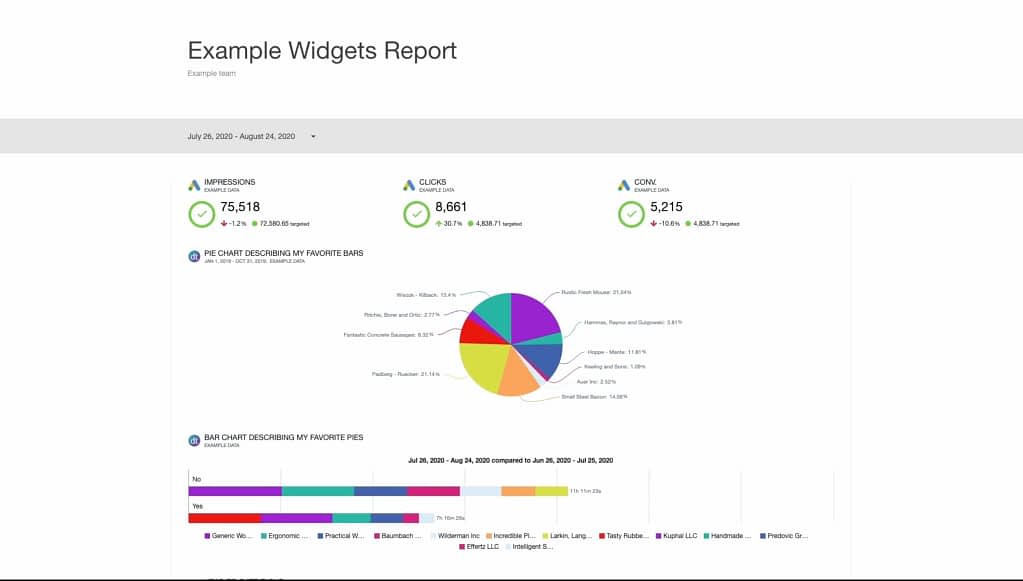
Swydo also includes data visualization in various forms, from area and bar charts to bubble maps, pie charts, and tree maps, among others. This gives you plenty of options to present your data, highlighting increases and comparisons.
Another good example is Databox, which comes with customizable templates and narrative-ready layouts that can be easily reused for other projects as well. Most importantly, it automatically updates your created reports with the right data, ensuring they stay up-to-date at all times. You can also set up your reports to be sent automatically as a Slack or email message, so that you don’t have to remember to do it on your own — and such little things are always the first to be forgotten.
Client Portal to Populate Reports Among Clients: Zendo
Client Portal can also turn out to be a good investment for agencies, especially for those looking to strengthen their client relationships.
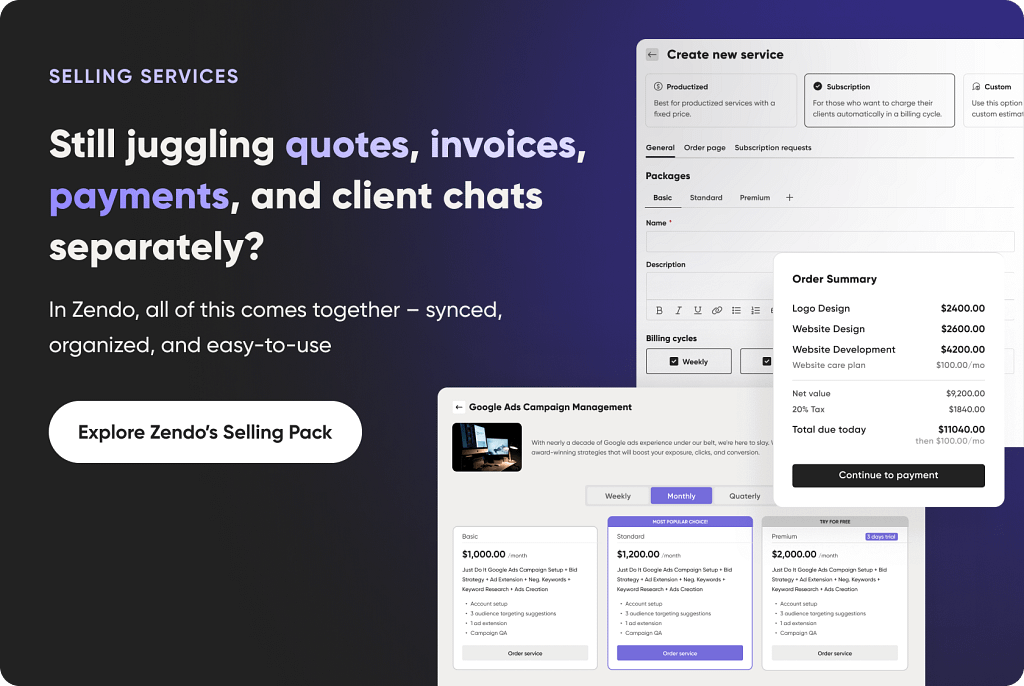
But what is it in the first place? A Client Portal is a space for teams and clients to work together. Clients can log in to their own accounts, check on the status of their own projects, submit new orders or assign tasks, finalize payments, view reports, accept or reject quotes, and exchange messages. This way, clients feel like they’re part of the team, taking control of their investment and tracking the overall progress. They’re never left in the dark, wondering what’s going on — and they never have to bother anyone with email messages to learn anything new. In a word: self-service approach at its best.
A good example of such a tool is Zendo. Created with selling and delivering custom, productized, and subscription-based services in mind, it eases all the burdens of both internal and client communication. How, you may ask?
First of all, it avoids email messaging as much as possible. Instead, each submitted request creates its own conversation thread, which makes it possible for team members and clients to talk to each other freely. Moreover, all shared data — invoices, quotes, images, video files — gets automatically saved, so that nothing gets lost in the flow.
You can also reach out to clients outside of requests. You can fire off individual messages or send whole announcements to as many people as you want, which is great for important updates or holiday notifications!
Clients can also check on the progress of their project anytime they want. They can view all the requests in the Table, Kanban, or List format; see which ones are waiting for payment, revisit already completed projects, or quickly jump into those still in progress.
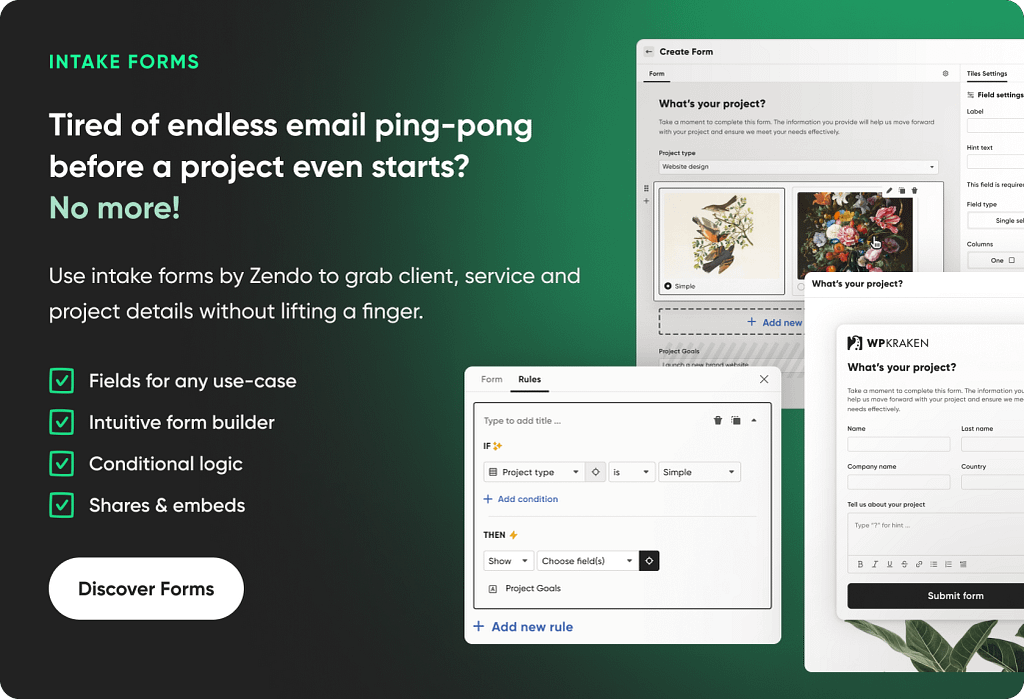
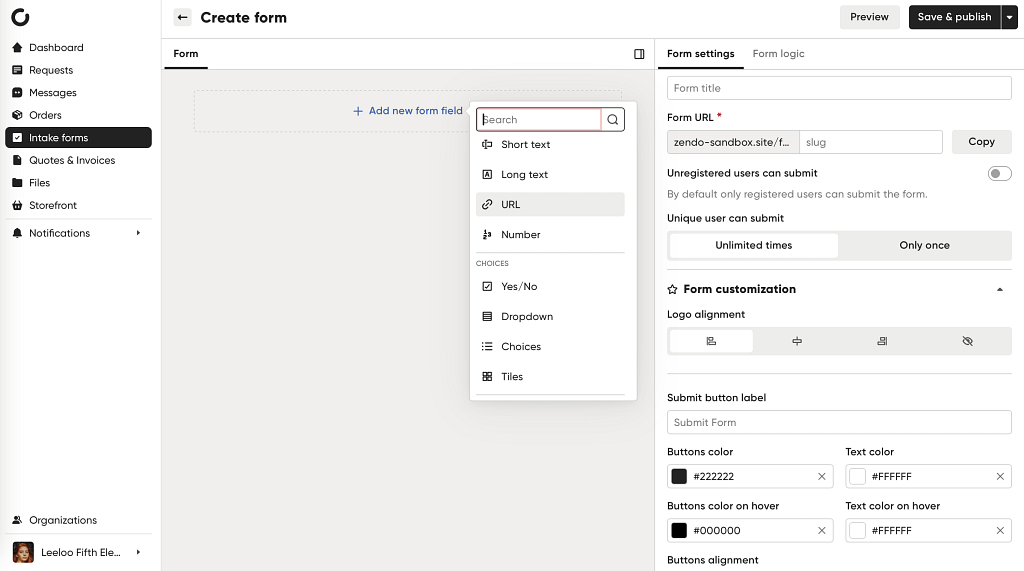
Another point in Zendo’s favor lies in customizable intake forms, which help collect all important information from clients. You can prepare ones to be filled out when making an account, or later on, once your client’s all settled in.
Intake forms can include open and close-ended questions, single and multiple choices, and even data and color picker. Clients can be asked to paste relevant URLs, upload images, or leave a rating. The end result can be used to learn all about your clients’ likes and dislikes, so that you can perfectly tailor all resources made for them.
Data Visualization Tools to Highlight Trends: Fluorish
If you really want to wow your clients, you might want to consider a separate data visualization tool. While it’s not necessary — after all, a proper client reporting tool should handle that part — it can leave an impression and help when dealing with complex data that’s otherwise difficult to present well.
Flourish is a good, user-friendly example. On top of static presentation of client data, you can create dynamic, interactive visuals, such as animated 3D maps, bar race charts, zoomable hierarchies, or even chord diagrams. You can also spice your reports up with word clouds, 3D viewers, audio, marker maps, quizzes, countdowns, cards, and interactive SVGS — turning your client report into a whole performance.
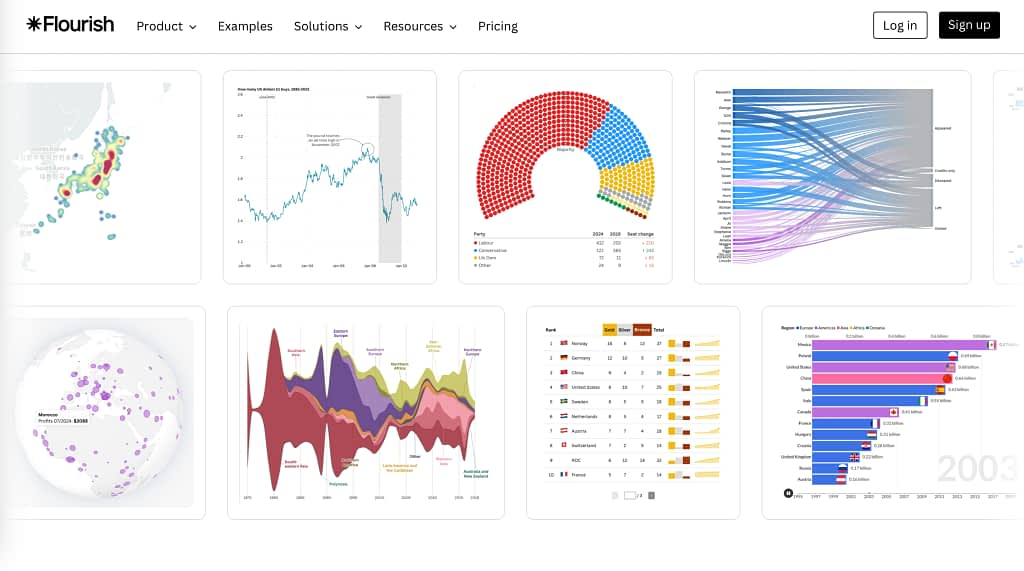
Flourish isn’t only helpful in visualizing data for client reports; you can also present survey results, sports data (such as NFL stats or Olympics data), election results, or create a storytelling experience to maximize engagement.
Most importantly, using this tool doesn’t require any coding knowledge. As long as you have your data ready to go, you can start exploring the new possibilities without having to install any software.
Data Integration Tool to Manage Your Sources: Adverity
The bigger your agency, the bigger the challenge; the increasing number of clients and projects requires keeping your data in top-notch order. While for smaller companies proper data management is a good practice, it turns into a necessity for bigger ones — and especially when you want to introduce complex automations and AI capabilities.
If your data is scattered across different platforms and there’s no way to migrate it all to one place, then you should consider a data integration tool ASAP.
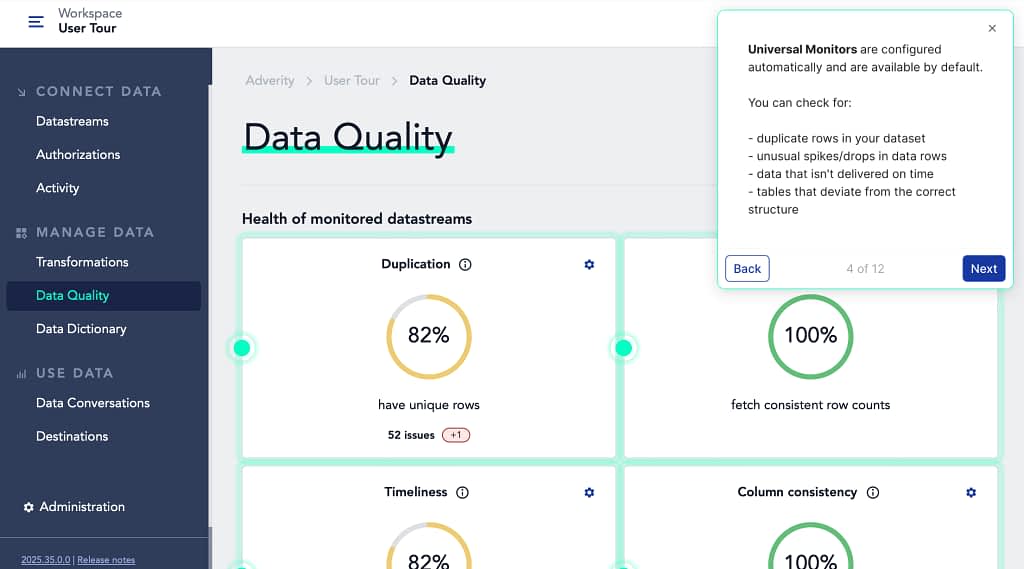
Such a solution is used to aggregate data across multiple sources. For example, adverity is a powerful tool that specializes in collecting marketing data from over 350 platforms, including Ahrefs, Harvest, Salesforce, Clickup, Google Campaign Manager, Amazon Athena, Adobe Experience Platform, Appsflyer, and more.
But such a tool doesn’t stop at simply collecting data; it also helps with data standardization and governance. Without it, you’ll get heaps of messy data that’s difficult to use, especially if you want to analyze it in-depth or use it for machine learning purposes. But even for everyday, much simpler use, standardization helps avoid errors and inconsistencies.
Communication Tool to Collect Feedback: Slack or Miro
Last but not least: communication. From simply exchanging messages to sharing feedback and brainstorming, you need a proper tool that facilitates transparent collaboration and keeps conversation history for future use and reference; that’s especially handy when dealing with returning clients!
And sure, you can stick to email messaging. But there are several issues with that approach:
- Our email inboxes are flooded more than ever. Unless someone organizes their inbox correctly, important messages easily get lost among spam.
- Long conversations are notoriously difficult to read through, especially if you’re including new people in the thread midway.
- People hardly stick to one conversation thread, creating new ones when it feels more convenient; now imagine trying to recover one piece of information by having to sift through five different threads. A nightmare!
That’s why using a separate communication tool makes life so much easier, trusting that all the important data is easily accessible at all times. You can choose something simple and familiar like Slack — where you can bookmark messages, jump on a quick huddle, or create as many channels as you’d like — or pick Miro, which is great for collaborative sessions, brainstorming, generating new ideas, and running retro meetings.
Key Takeaways
Marketing agency reporting, while seems simple at the start, can grow into a complex task that sadly gets neglected amid other priorities. But its importance cannot be emphasized enough — it’s how you present yourself and your brand to clients, proving your worth.
Investing in different tools for customer reporting — or an all-in-one solution — can turn a chance of impressing clients into a given. With automation capabilities, rich integrations, and internal communication channels, you can make the marketing results shine with much less effort and time, especially once you take advantage of customizable templates.
The only barrier? Budget requirements. It’s up to you to decide how much you’re willing to spend on something that’s fairly difficult to measure. But thankfully, all tools require different investments, and some of them don’t require any at all; for example, Zendo has an entirely free plan that allows one user to learn the platform in their own time. It takes just a few minutes to sign up!
FAQ
What are Key Elements of Client Report?
The key elements of a client report focus on aligning insights with the client’s goals, clearly presenting campaign performance, marketing results, and providing actionable insights. You can also create interactive elements — such as reporting dashboards or visual summaries — that allow clients to explore data intuitively and gain new perspectives. Together, these components ensure transparency, support data-driven decision-making, and strengthen the partnership between the agency and the client.
How to Create Report For Client?
To create a client report, start by ensuring data integrity across all marketing platforms and website reporting tools, so the information is accurate and consistent. Next, organize the insights gathered into a clear narrative that shows performance, trends, and opportunities. Finally, design branded reports that reflect the client’s identity and professionalism — just that makes the report both credible and visually engaging.
How Can I Automate Client Reporting?
Automated client reporting can be achieved by connecting all marketing channels into one system that collects raw data and performs data aggregation automatically. This lets you create custom dashboards and reports that highlight key features such as performance trends, ROI metrics, and audience insights —saving time while ensuring accuracy and consistency across every client report.