Would you like to have strong business relationships that keep your income stable for years to come?
Better spoil your clients rotten, then.
Nowadays, delivering good results isn’t always enough. Answering questions promptly, assuaging any doubts, and keeping clients in the loop has become a vital part of business, as competitors race to outdo each other in the customer experience field.
Thankfully, there are some quick and easy wins to earn your clients’ trust and appreciation. One of them is investing in a Client Portal.
Client Portals come in many shapes and colors, but in short, they’re a customized and personalized space for your clients to communicate with you, check in on their projects, finalize payments, and place new orders, among other things. It’s a great way to enforce transparency and nurture trust by deeply involving your clients and making them part of your internal processes.
Currently, there are many available client portal software platforms on the market. Some are geared towards specific industries, while others are more universal. Some can be set up in minutes, while others come with a steep learning curve. There’s an option for everyone, no matter the business type, budget, or time frame.
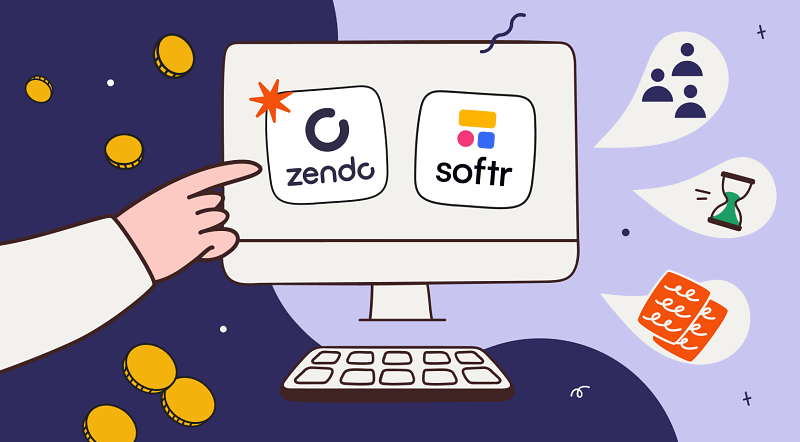
One such option is Softr.
Softr: The No Code Platform For The Demanding
Softr is a no-code app builder of a drag-and-drop type that can be used to create custom internal tools, such as Client, Vendor, and Employee Portals, Team Intranet, Knowledge Base, CRM, and more. It was launched back in 2019 by Artur Mkrtchyan and Mariam Hakobyan, and now its estimated annual revenue is $8.2M.
When it comes to reviews, Softr can boast of a 4.7/5 rating based on 528 reviews on G2, and a 4.7/5 rating based on 62 reviews on Capterra.
Strengths & Weaknesses
Based on the reviews, there are common pros & cons mentioned that paint us a clearer picture of what Softr is really all about. Let’s first juxtapose them in the table, and then dive a bit more into it to give you a more general view of the platform.
| Strengths | Weaknesses |
|---|---|
| ✅ Intuitive and user-friendly interface | ❌ Advanced design and functionality changes feel restrictive without custom code |
| ✅ Extensive library of pre-built templates | ❌ Requires external data sources like Airtable or Google Sheets |
| ✅ Easy integration with popular tools | ❌ Dependency on third-party services for workflows and automation |
| ✅ Low learning curve | ❌ Slower performance when dealing with large datasets and complex data structures |
| ✅ Coding skills are not required | ❌ Gets expensive as the user base or number of records grows |
Who can unlock Softr’s biggest benefits? Based on the analyzed reviews and user feedback, it seems that the following groups, in particular.
👉 Those who want to find a compromise between a custom solution and a ready-made platform.
👉 Those who already use tools like Airtable or Google Sheets, and rely on them for their workflows.
👉 Those who appreciate having full control over their workflows and internal processes, adjusting them whenever the need arises.
👉 Those who don’t like paying for features they don’t use on a daily basis.
👉 Those who want to launch MVPs or prototypes to quickly validate ideas.
But that leaves out lots of people who look for a variation on that idea. While having many customization options available at the drop of a hat opens new possibilities, it can get tiring (not to mention time-consuming) to do a correct setup.
On the other side of the coin, Softr doesn’t quite work for:
🚫 Those who prefer a completely out-of-the-box solution with little to none setup.
🚫 Those who don’t want to spend too much time on tweaking the customization options.
🚫 Those who don’t need complex internal tools and want to kickstart their business ASAP.
If you like the modern, professional look of Softr, but want something far more simpler, you can look for Soft alternatives — one of them being Zendo.
Zendo, The Best Alternative to Softr
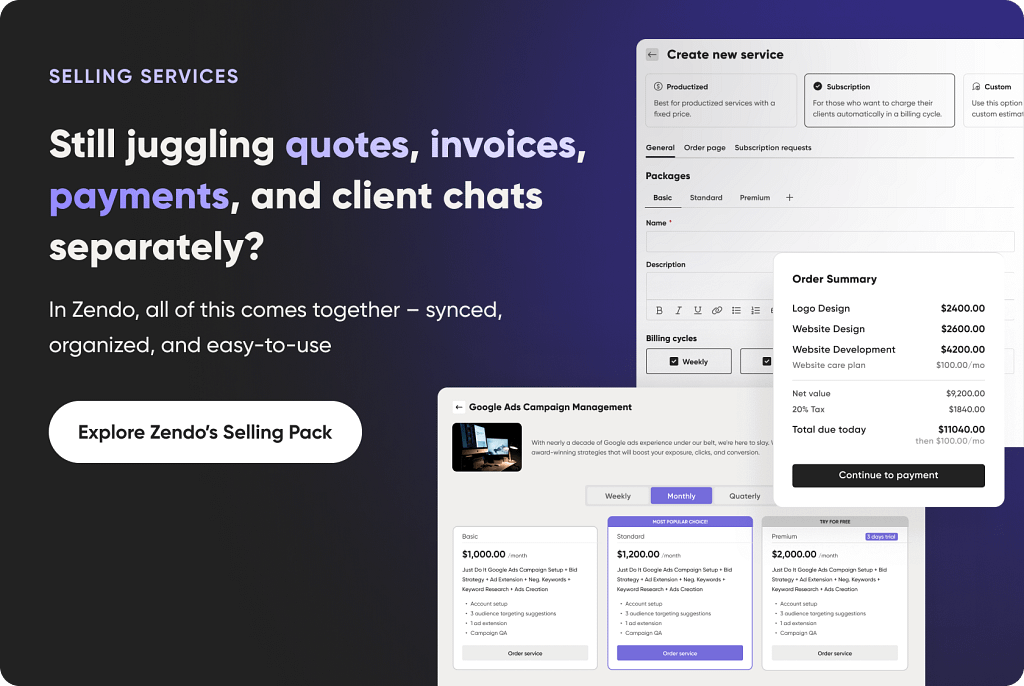
Zendo is a Client Portal that doubles as a project management software for selling productized, custom, and subscription-based services. It facilitates teamwork and helps collaborate with clients much more closely by centralizing communication, data sharing, and service management. With it comes transparency, so crucial in building trust and strengthening business relationships.
And while that may sound nice, do you have to suffer through an unpleasant user interface and little to none customization options, as it often happens with out-of-the-box-tools?
Not at all!
Visual Interface & Customization Options
Thankfully, Zendo is a fairly new solution — launched in 2021 after the success of its in-house prototype, WP Kraken. This means that the visual side of Zendo follows the latest design trends, offering a clean, modern, and minimalistic look. There’s no clutter that would distract users and overwhelm them with too many glaring buttons to count.
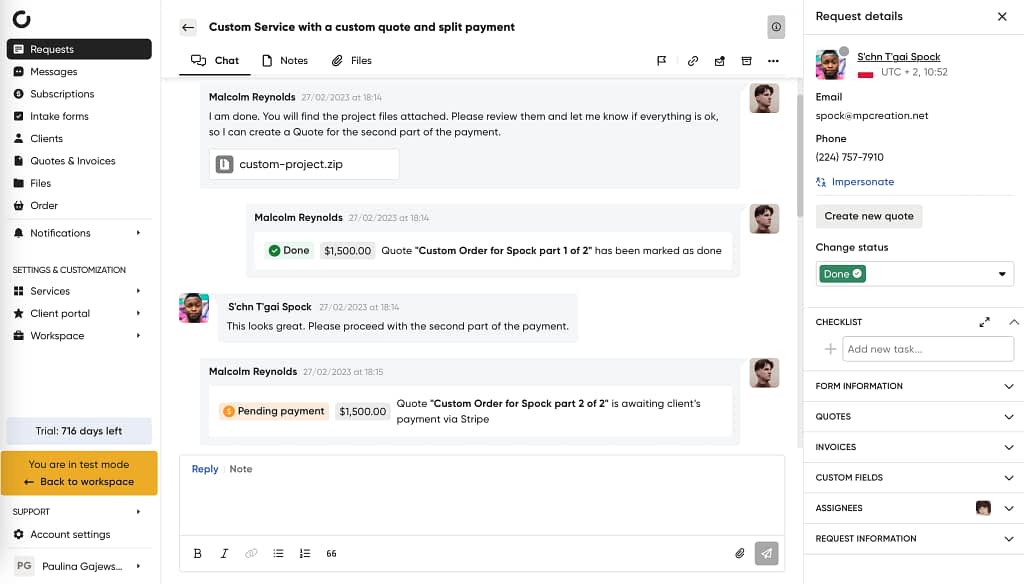
At the same time, Zendo offers ways to make the workspace truly yours.
First of all, you can choose to erase every inch of Zendo’s branding from your workspace, which, in other words, is called white-labeling. You can replace logos with your own, pick your accent colors, and set up your unique custom domain, so that no one is aware you’re using a third-party provider. This will make you look all the more professional.
On top of that, you can also customize the sign-up and login page, as well as the chatbot that’s responsible for sending automated messages; you can pick its name and avatar to make just the right impression.
If that’s not enough, you can enter CSS & JavaScript code to create custom components and modify the appearance of the customer portals. And for those who lack the coding expertise, Zendo offers to build entirely custom, advanced features in an Enterprise plan. A perfect fit for agencies looking for outstanding white label capabilities.
Client Dashboard: Center of Operations
Clients really don’t like waiting for replies. A study conducted by a marketing expert Jay Baer found that two-thirds of customers consider speed just as important as price. So if you care about improving customer experience, you should try to ensure immediate responses to any questions.
But that doesn’t mean you have to pay someone to watch the inbox 24/7 — you can take a smarter approach and ensure your clients’ questions are answered without any of your input.
How to do that?
- Set up automated messages that inform clients what’s going to happen next and when you’ll get in touch again — and then keep your word,
- Give them access to all the data pertaining to the project, so that they don’t have to ask you for any files,
- Give them access to any documents, including the already filled-out ones, such as client and project intake forms, questionnaires, contracts, and more,
- Allow them to place their own orders without any help, removing you as the middleman from the purchasing process,
- Allow them to finalize any payments on their own, whenever it’s convenient to them,
- Equip them with a knowledge base that includes the most common questions and issues.
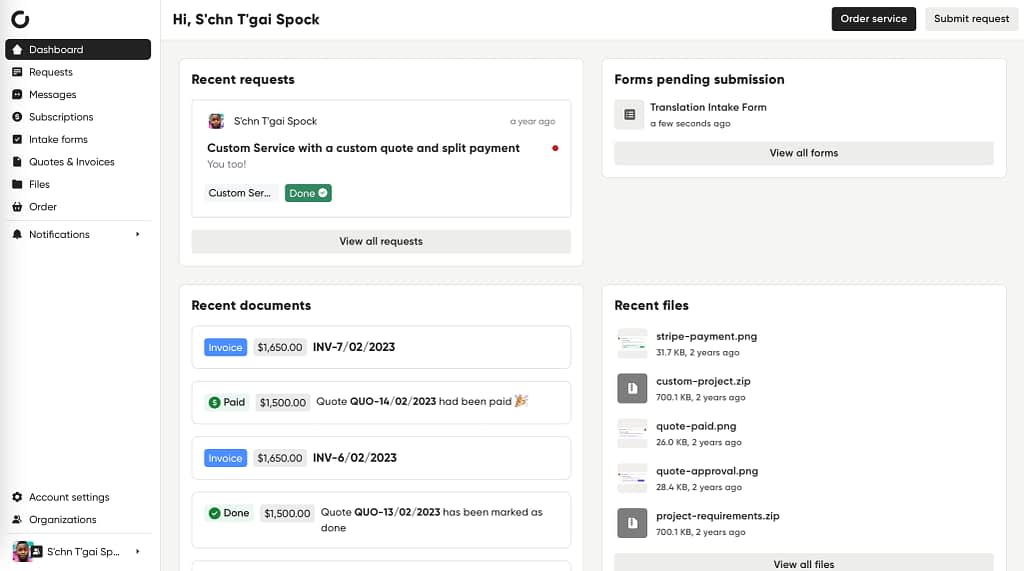
And that’s what can be achieved in Zendo! It’s a reliable source of truth for past and current projects, storing all the data for as long as you need. Your clients can simply log in to the Client Portal, navigate to the dashboard, and easily access whatever they need, whenever they need it.
While your clients might still reach out with urgent questions, it will significantly reduce their number, allowing you to focus on delivering outstanding results instead of answering messages.
Simple Yet Thorough Onboarding
An average client doesn’t have that much time to figure out a completely new platform on their own. You can book a meeting with them to explain all the ins and outs, but conflicting schedules might unnecessarily delay the project’s kickoff. Is there a better way to get clients familiar with their new project management tool?
In Zendo, the answer lies in the onboarding feature.
It’s fairly simple; you can add pre-built components to the client’s dashboard to properly welcome them, using formatable text, checklists, and images.
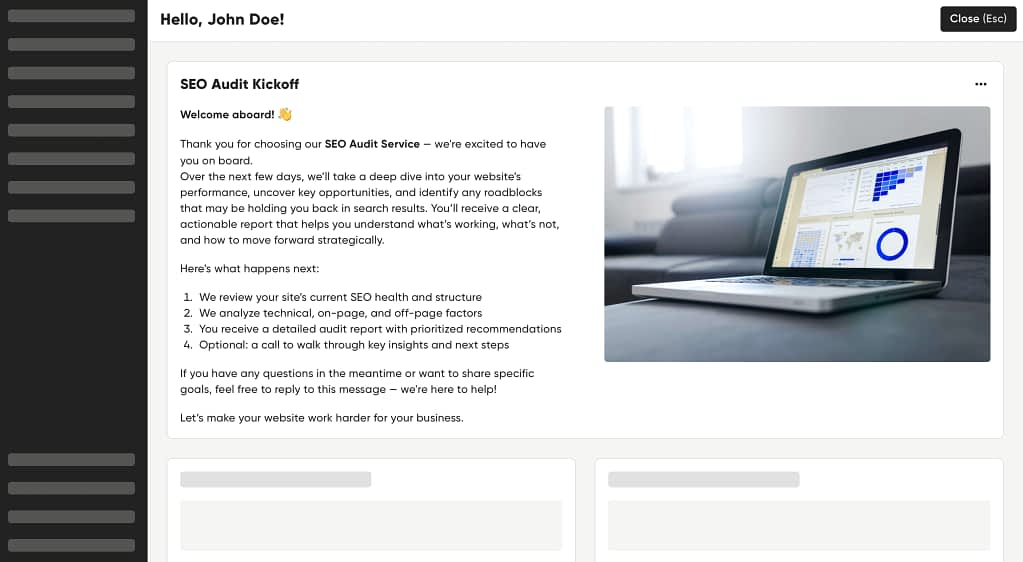
There are several ways you can use the onboarding feature:
- You can create a generic onboarding for all new clients that explains how to make the best use of the Client Portal;
- You can create a dedicated onboarding for clients who order a specific service, explaining the milestones of the project;
- You can create a personalized onboarding for returning clients; a welcoming message and a throwback to past projects will make a good second impression!
Moreover, you can personalize sidebars so clients only see what’s relevant to them; no point in overwhelming them with too many tabs. You can give them different names (“START HERE” will be a pretty self-explanatory title) and select different icons.
But you’re not limited to Zendo’s default tabs — you can add your own, either to external sites or to different apps.
Would you like your client to have access to one specific Figma board? No problem! A YouTube video that shows the project’s progress? Sure thing! Or maybe you want to boast a clean, organized database you’ve built in Airtable? Why not!
Last but not least, you can customize the colors of the sideboard to switch things up!
💡 You can also do the same for your team: you can create different sidebars for different roles. For example, you can set up more tabs for your Managers in comparison to your Agents, to account for more administrative tasks.
Service Catalog: The Quickest Self-Checkout
Self-checkouts have become extremely popular since their inception in 1984, thanks to the simplicity and seamlessness of the shopping experience. And no wonder — this kind of self-service is more often than not faster, removes the need for small talk, and allows customers to stay in control.
Is that any different when it comes to the online experience? We don’t think so.
Allowing clients to place their own orders, make any necessary adjustments, pick add-ons, and describe their dream results in detail shortens the purchase process to the bare minimum. No more back-and-forth emails where clients keep changing their minds or leave frustrated when replies take too long. They can analyze the submission form for as long as they need, and at the same time, gain a better understanding of your services.
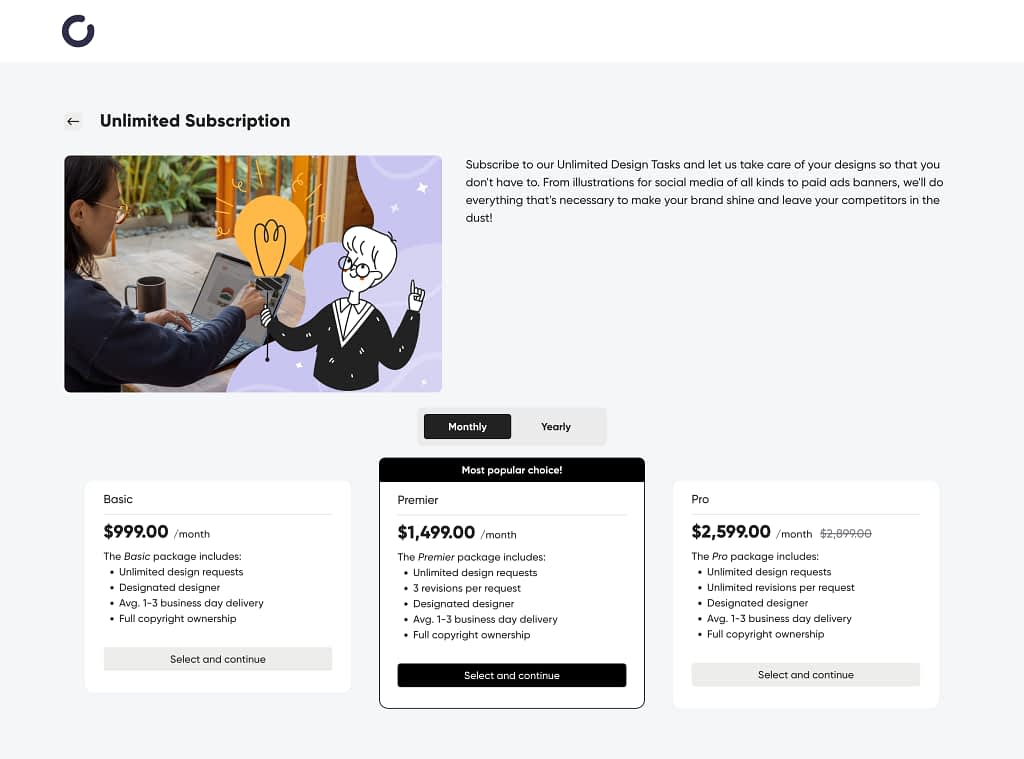
In Zendo, there are different types of services that you can offer:
- Productized: where the prices are already set for specific services, such as logo design, illustration, article translation, a UX/UI audit, SEO optimization of a website; to add some variety, you can also offer add-ons. In this case, clients can pay for the service upfront;
- Custom: where the final price needs to be estimated based on the filled-out Order Form, after clients have described the project’s scope. In this case, clients can pay for the service later, after you issue them an invoice on the platform itself — no need for extra emails;
- Subscription-based: where the prices depend on the chosen subscription package. Clients can choose the convenient way of payment, be it weekly, monthly, or yearly. They can also choose from different bundles for extra variety;
- Free: there’s also the option to introduce a free service, which can be used for general inquiries and technical support.
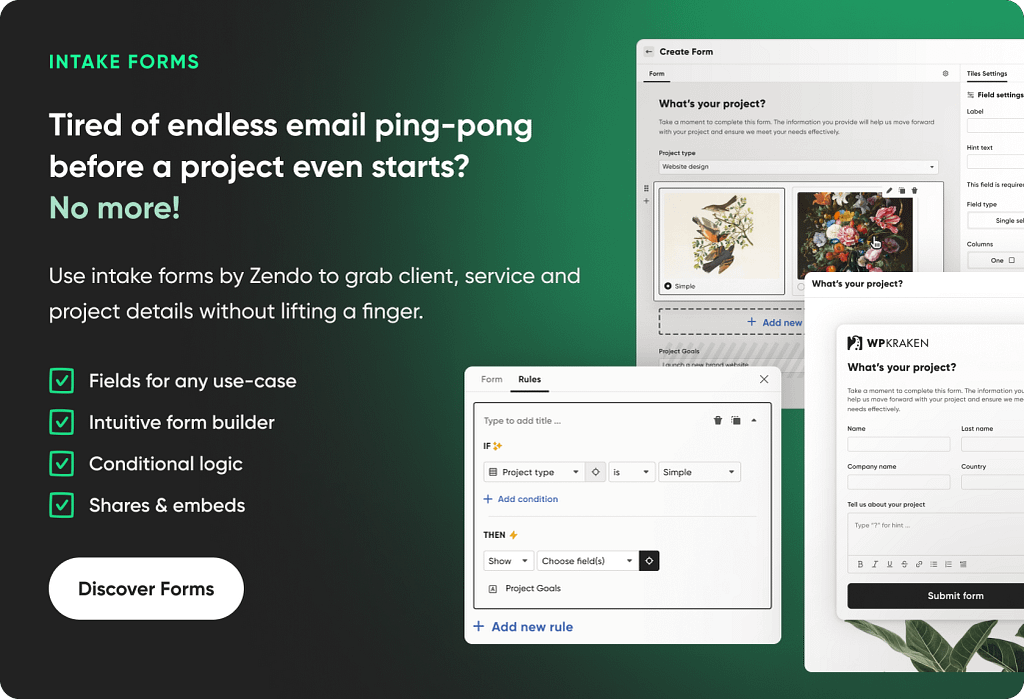
All the service types can be accompanied by customizable Order Forms, which are completely optional. They may consist of mandatory and optional questions of different forms: short answers, long answers, single-select, and multi-select. Your clients can also upload any files (for example, design assets or inspirational moodboards) and paste relevant URLs (e.g. to their website). When filled out properly, you gain a comprehensive understanding of your client’s brand and needs, allowing you to nail down their expectations, or maybe even surpass them.
Workflow Automation: Adding The Magical Touch
The ultimate dream — you chill out in a cafe or maybe even at the beach, while the work you get paid for happens by itself.
While we’re not quite there yet, there are already many ways of automating repetitive tasks. And Zendo definitely enables users to kick back and relax, at least from time to time.
For example:
- You can set up automatic follow-up messages for new and completed requests;
- You can set up triggers, so that a specific action prompts the status change of a request. For example, once a quote is paid, the status automatically changes to „Paid”;
- You can set up invoices to be issued automatically after the payment has been confirmed.
But the widest range of possibilities can be unlocked with the Zapier integration, which connects over 8,000 apps, including such household names like Slack, Notion, Google Drive, SalesForce, DropBox, MailChimp, Facebook, Shopify, or Gmail.
This allows you to automate processes not only throughout the platform but also across your entire system of complex web applications without the need for any extensive coding knowledge. With Zapier, sky’s the limit.
If you like to, for example, collect business data and heavily rely on Microsoft Excel or Airtable, you can automatically update your files whenever new information appears in Zendo. Or, if you’re inseparable from your Instagram account, you can set up notifications every time a new request gets submitted. And if you’re not quite ready to say goodbye to emails, you can kick off a series of different email sequences to old clients, depending on their activities on the Client Portal.
And those are still rather simple examples. Nothing’s stopping you from creating an extremely convoluted sequence of steps to automate business processes.
Spoil Your Teammates While At It
So far, we’ve talked about making your clients happy. But your teammates probably deserve the same treatment!
First of all, there are different roles & permission levels that define the Zendo experience, especially when combined with customizable sidebars mentioned before. They ensure that everyone sees what they need to see and nothing more — for example, the most passive role (Watcher) can only view the requests they’ve been assigned to, with no way to spy on the billing details of the platform. Agents, who are far more active, can deal with clients, but they can’t make any changes to automated workflows or the Service Catalog, for example. Managers and Admins can make such adjustments on top of managing team members, inviting new ones, and changing their roles.
Portal users can also impersonate other ones (as long as they don’t have a higher permission level), which means you can temporarily take over their account. This is particularly useful in the following scenarios:
- When a teammate goes on a sudden sick leave. Normally, you’d have to ask them to write a whole handover report on what to do in their stead. Then, you’d have to take over their communication with clients. Or you can just impersonate them, catch up on their projects, and carry on like nothing ever happened.
- When a project gets more complicated. Imagine the situation — a small project turns into a huge, chaotic mess that’s way above your pay grade or diplomacy skills. You can of course invite another user to the conversation, or you can allow them to impersonate you and continue in your name.
- When troubleshooting is needed. Bugs happen! Something might not be working right, or a user might be feeling lost or confused on a new platform. In these cases, you can impersonate that user to help them solve any issues.
💡 You can also impersonate clients. Of course, you won’t be able to make any payments on their behalf, but you can help them navigate the site to find what they’re looking for.
Zendo: Empower Your Clients
Zendo puts the strongest emphasis on transparent collaboration, both with clients and within your team. It’s a breath of fresh air in comparison to a typical project management tool that’s usually made with either freelancers or huge enterprises in mind. But Zendo is a perfect fit for small and medium businesses, no matter if they’re just starting out or looking to scale.
Sign up for the trial period using this link!
Are There Other Softr Competitors To Consider?
If Zendo doesn’t suit your business for one reason or another, are there any other options to enhance productivity and impress your clients with a superior experience?
Softr vs Bubble: Quick Comparison
For those who like to control every minute detail of their internal tool, Bubble can be an interesting alternative. It’s an AI-powered no-code platform with a drag-and-drop design that can be used for building web applications and custom mobile apps, which wasn’t possible with Softr. It also works well with advanced data management and content structuring, thanks to its built-in database and custom logic options.
You can start creating your product from scratch, or you can pick a template from a rich gallery, which includes: SaaS platforms, gaming apps, portfolio sites, project management hubs, blogs, marketplaces, and others.
With such key features like built-in database and logic functionality, we can say with full confidence that Bubble offers far more possibilities than Softr. But on the downside, it has a much steeper learning curve, especially if you’re unfamiliar with visual programming.
Glide vs Softr: Quick Comparison
Glide is another no-code app builder for custom web apps that streamline business operations, such as managing customers, tracking inventory, or data visualization. It’s well-known for being intuitive and easy to learn (it also has a drag-and-drop interface!), so in that regard, it’s more similar to Softr than Bubble. But when compared to Softr, its customization options are far more limited, forcing users to choose between different pre-built components. While they all look clean and modern, those who have a unique design in mind will have to make some compromises.
Glide is also mobile-friendly, which is an important factor to consider when creating public-facing web apps — after all, an average American spends 5 hours and 16 minutes per day on their phone. Chances are, your clients won’t be any different.
Best Softr Alternative: A Ready-Made Client Portal or Another No-Code Platform?
In the end, it all comes down to your exact needs and realistic possibilities, considering the budget, available time, and technical expertise.
Choose Zendo if:
- You need a Client Portal to sell your services;
- You want a ready-made solution that can be fully set up in less than a day, with an option to integrate custom code to extend app functionality.
Choose Bubble if:
- You need a complex, interconnected system to fit your unique business idea;
- You’re already familiar with the visual programming language and don’t mind the steep learning curve.
Choose Glide if:
- You need a custom system that’s even easier to set up than Softr, but without writing code;
- You don’t mind using pre-built components that offer limited customization options.
But don’t trust a random article on the internet — the best thing to do is to test out your chosen software yourself. After all, only you can decide if you like the solution. Thankfully, most tools offer a way to test them, including Zendo; it comes with an entirely free plan with no time limits, allowing you to discover all the nooks and crannies of the platform on your own terms.