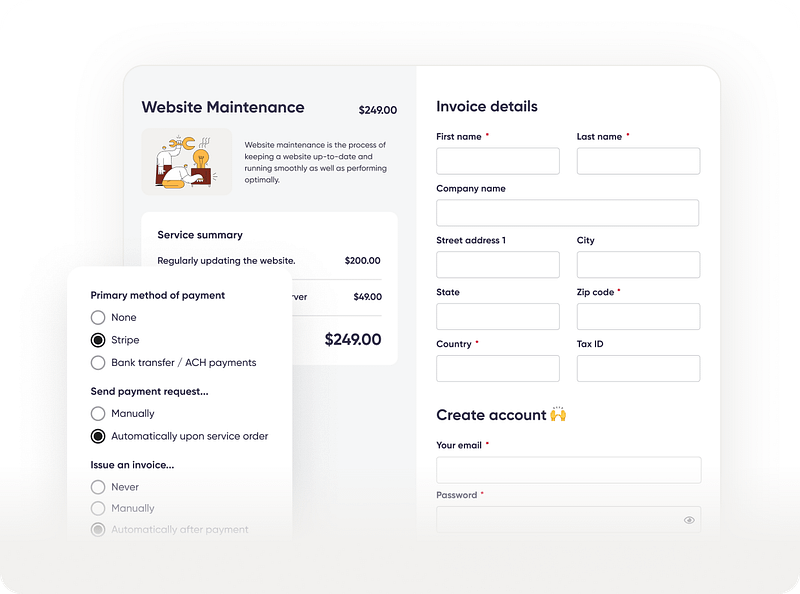

Zendo allows you to sell productized, subscription and custom services. Collaborate and collect payments. Create quotes and invoices. Eliminate multiple tools and enjoy the simplicity.
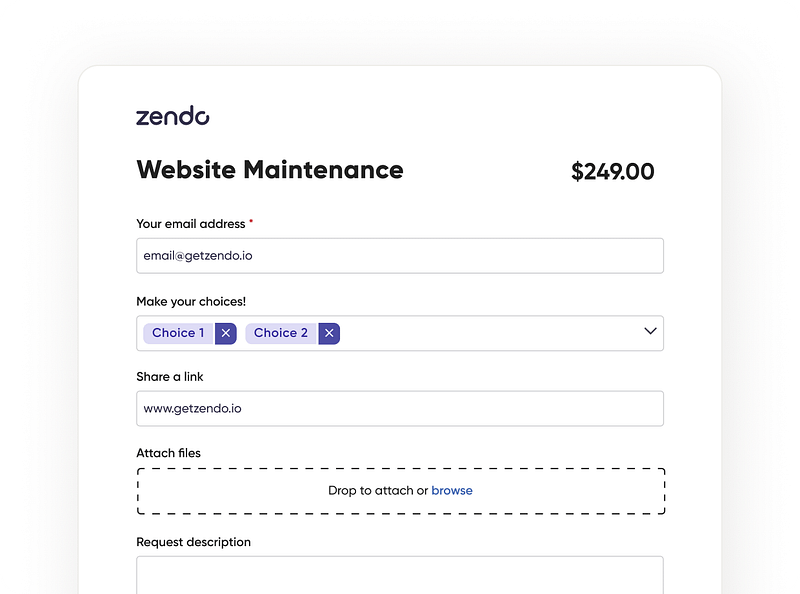
Each service can have a unique, fully customizable Order Form. Each form has its unique URL so you can link it to a button on your website. You can add an unlimited number of custom input fields to gather all the data you need.
A good client portal should let you access all the must-have features, grouped in such a way to come as intuitive as possible. Zendo features include:
Sell Services
Communicate & Collaborate
Collect Payments
Full Context
Sell Services
Customizing your Service Catalog for every Service Type to receive the necessary information upfront. For example, you can add a budget, urgency, or any other required field.
Create and sell services. Choose from three distinct service types: Productized, Subscription, and Custom.
Keep your clients updated at every step of the process via built-in statuses. Create unlimited number of statuses and customize them.
Automate the boring stuff. Quotes, Invoices, and Payment Requests can be sent automatically by Zendo.
Communicate & Collaborate
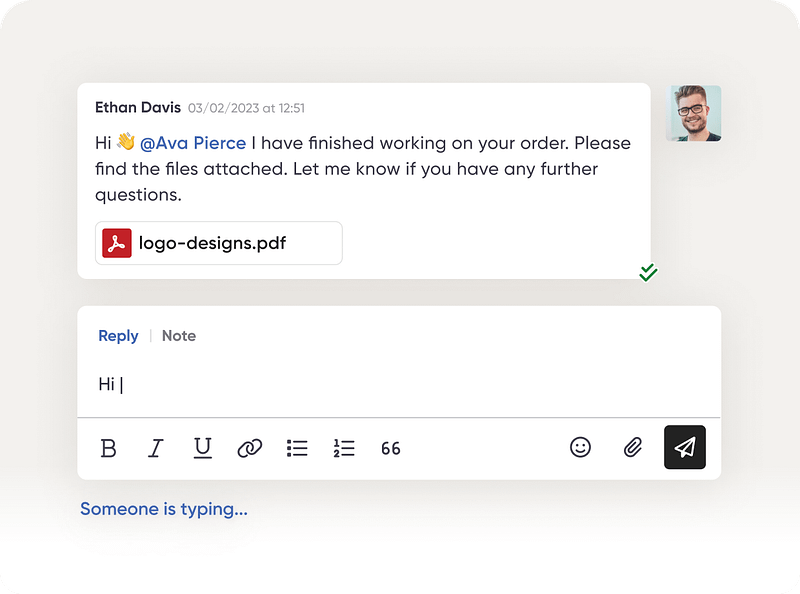
Communicate with your client in a modern way through a real-time chat experience –no more emails, tickets and comments.
Stay connected with your clients. Your clients can answer you by replying to email notifications. Event the Quotes and Invoices are emailed to them as PDFs.
Working with clients has never been easier. Step into a modern communication hub and forget about the Reply All bullshit. No more emails, forwards, CCs, and BCCs.
Store important information close by. Create an unlimited number of custom fields. They can be used for example, to track progress or gather additional information about a job or a customer.
Collect Payments
Offer the right payment method for your clients. Zendo supports instant payments (powered by Stripe) and bank transfers.
Payments on customer terms. Easily configure your services to support up-front, split, or on-delivery payments.
Collect payments right in the communication feed. Zendo makes payments frictionless. Clients can pay you with just one click with Stripe checkout.
Notify clients about pending payments. When a new payment request comes, a client will be notified to take action –no more chasing clients to collect payments.
Full Context
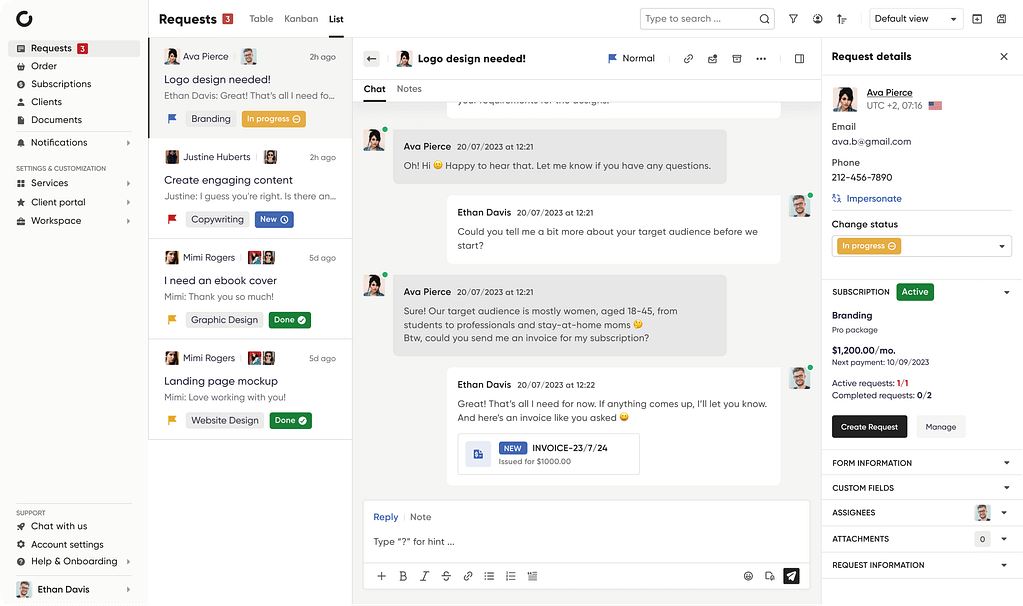
Everything is on the record. Client profile stores all the information about each of your customers. Their basic information, history, orders, and past requests are right there where you need them.
List, Table or Kaban view of client requests and orders –see at a glance the history of clients interactions with you.
Store important information close by. With Service workflows, you can create an unlimited number of custom fields. Use them to store important information about a service or request.
Gather all the necessary data. Fully customize Order Forms for each Service. Add unlimited number of custom input fields.
Make Zendo Your Own With White Label
Zendo comes with white label features so you can make the platform look and feel like your own.
Customize Branding
Upload your logo to brand your workspace, emails, documents. Set your accent color to personalize the workspace.
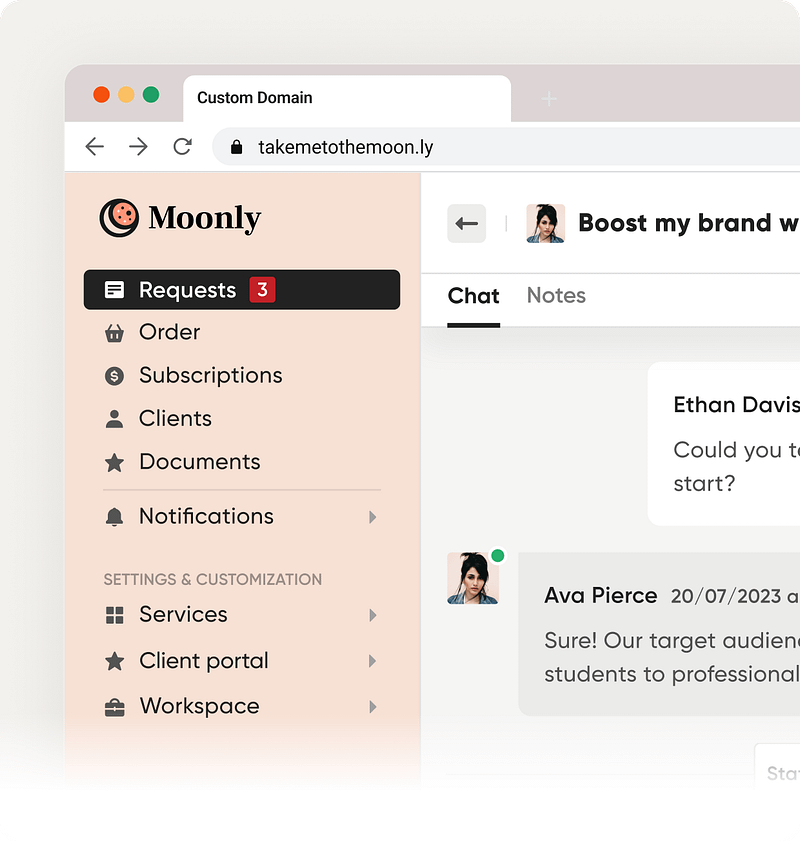
Custom Domain
Zendo lets you set up a custom domain for your workspace. You can match your brand’s domain and look professional.
Remove “powered by Zendo”
Remove the Zendo branding completely and make the platform look your own.
Comments, Tickets, or Emails?
We say a hard NO!
Zendo lets you communicate in a modern way through a real-time chat experience.
Working with your teammates and clients has never been easier. Forget about the Reply All bullshit. No more emails, forwards, CCs, and BCCs.
Innovatiana, an AI data labeling business from France, joined arms with Zendo to conquer the challenges of scattered information and communication — a common side effect of using too many apps at once. Discover what happens when you move your business to just one platform, and what successes follow!
Ultimately what we find so appealing about Zendo is it looks easy to use and seems to offer everything we want. At the end of the day, we want a platform that is super simple to use and can take away some of the more laborious tasks, thus freeing us up to do what we do best - design.
Mark (designloom.co)
Got to say, this is by far the best platform. Really impressed with the features and usability of it!
- Michael Grier
What I do like about Zendo is the ease of use, simplicity, and agency dashboard experience.
- Zac Smith
This platform looks absolutely fantastic. I’ve just had a play around now, and it looks like exactly what I need for my business.
Looks absolutely top-notch by the way! 🎉
- Emi Lecret
I found Zendo interesting to sell productized services, collect payments easily and having a tool to communicate with clients, collect invoices, etc. all in one place!
- Alvin Locic
Your product seems to fit my needs the most!
Start Selling & Delivering Services In Minutes, Not Months
(function() {
// Global page view and session tracking for UAEL Modal Popup feature
try {
// Session tracking: increment if this is a new session
// Check if any popup on this page uses current page tracking
var hasCurrentPageTracking = false;
var currentPagePopups = [];
// Check all modal popups on this page for current page tracking
if (typeof jQuery !== 'undefined') {
jQuery('.uael-modal-parent-wrapper').each(function() {
var scope = jQuery(this).data('page-views-scope');
var enabled = jQuery(this).data('page-views-enabled');
var popupId = jQuery(this).attr('id').replace('-overlay', '');
if (enabled === 'yes' && scope === 'current') {
hasCurrentPageTracking = true;
currentPagePopups.push(popupId);
}
});
}
// Global tracking: ALWAYS increment if ANY popup on the site uses global tracking
// Current page tracking: increment per-page counters
if (hasCurrentPageTracking && currentPagePopups.length > 0) {
var currentUrl = window.location.href;
var urlKey = 'uael_page_views_' + btoa(currentUrl).replace(/[^a-zA-Z0-9]/g, '').substring(0, 50);
var currentPageViews = parseInt(localStorage.getItem(urlKey) || '0');
currentPageViews++;
localStorage.setItem(urlKey, currentPageViews.toString());
// Store URL mapping for each popup
for (var i = 0; i < currentPagePopups.length; i++) {
var popupUrlKey = 'uael_popup_' + currentPagePopups[i] + '_url_key';
localStorage.setItem(popupUrlKey, urlKey);
}
}
} catch (e) {
// Silently fail if localStorage is not available
}
})();