A client portal software is a secure digital platform that allows businesses to share files, communicate, and collaborate with clients in one centralized and branded space. It replaces endless email threads, scattered files, and messy communication channels with a single, organized hub where your clients can easily access everything they need.
We’ve already talked lot about the importance of having a proper client portal solution when running a service-based business. From its many benefits to must-have features, or exploring the best solutions available on the market.
But what if you’re just starting out?
Maybe you don’t have a large client base yet, or you’re simply trying to cut down on costs in this tough economy.
Should that mean giving up on offering clients a seamless and branded experience? Absolutely not. 🙅♀️
Even with a tight budget, you don’t have to abandon the idea of having your own secure client portal. Coming to the rescue are free client portal tools that actually work—and no, we’re not talking about short-lived free trials.
In this article, we’re going to test out the best fully free client portal software platforms available on the market. We’ll go over their strengths, limitations, and unique features to help you choose the right one for your business, without spending a cent.
What Does It Mean That A Client Portal Software Is Free?
First, let’s establish what does it mean that a client portal is free?
Free client portal software is a tool or platform with at least one fully functional plan offered at no cost and without time limits. Simple, right?
Yes, it is! But still, the internet is flooded with companies falsely advertising their free trials as “free client portals”. That’s misleading and unfair. A free trial does not equal a free tool. ❌
Obviously, no one is going to offer a free plan without any limitations. However, some tools are more limited than others.
Like this one Reddit user says about using Notion as their free client portal software:
“I have been using Notion to create client portals where they can get access to documents, track the projects, etc. I am on the free plan and have exhausted my block limit. There is no way I am paying $20 per workspace, especially if I’m handling multiple clients. I tried using Asana but even I wan confused. Just want something that is simple and not costly.”
So, for example, Zendo, SuperOkay, or Softr are actually free customer portal software, while ManyRequests, Zoho Desk, SPP, and many others offer trials, but they are not free. That’s because when the trial ends, you have to pull out your wallet… Unless you decide to go away, of course.
Fortunately, the client portal software platforms listed in this article come with a fully functional free plan, and we’ll test & review all of them.
5 Best Free Client Portal Software To Try In 2026
Once we’ve cut out the tools that aren’t actually free and those that weren’t as good, we’ve found 5 best free client portal software platforms that are actually worth your attention.
5 Best Client Portal Software: Summaries
And if you’re in a hurry, don’t worry.
We’ve got you covered with a rundown of this article, sharing the conclusions and most essential information on each tool discussed below.
Zendo (⭐ 4.9 on G2)
Zendo stands out for its unlimited clients, portals, and requests on the free plan—a rarity among competitors. It’s modern, intuitive, and combines client portal features with service selling and productization tools. A great all-in-one centralized platform for freelancers and agencies.
Aligned (⭐ 4.7 on G2)
Aligned lets you build sleek client “rooms” for projects, making collaboration visually engaging and easy to track. It’s intuitive and modern but capped at 4 rooms on the free plan, with minor reliability quirks. Best for sales teams & B2B service providers managing deals.
Softr (⭐ 4.7 on G2)
Softr is a no-code builder powered by databases like Airtable, Google Sheets, Google Drive. It’s flexible and template-rich but limited to one portal and 10 users on the free plan. Think of it as a customizable “Lego set” for portals. Best for DIY builders who want flexibility over structure.
Ahsuite (⭐ 4.8 on G2)
Ahsuite offers solid embedding and task management with up to 10 free client portals. However, the interface feels dated and unintuitive. Best for teams needing basic, embed-friendly client portals.
SuperOkay (⭐ 4.7 on G2)
SuperOkay looks polished and includes templates, document sharing, and SEO settings, but it’s highly restrictive—only one client on the free plan—and not the most intuitive to use. Best for testing premium client portal features on a small scale.
Pricing Comparison
Even though we’re only focusing on the free plans each client portal software platform offers, we think that it’s equally important to take a peek at the paid plans.
After all, if you decide to upgrade some day, the tool you want to go for should be reasonably priced. Take a look at the pricing tiers offered by the best 5 client portals we’ve analyzed.
| SuperOkay | Ahsuite | Aligned | Zendo | Softr | |
|---|---|---|---|---|---|
| Tier 1 | FREE | FREE | FREE | FREE | FREE |
| Tier 2 | $12 | $8 | $35 | $49 | $59 |
| Tier 3 | $38 | $17 | $60 | $199 | $167 |
| Tier 4 | $146* | $29 | custom | — | $323 |
| Tier 5 | — | — | — | — | custom |
*SuperOkay—only the very last pricing tier gives us unlimited clients, whereas in Zendo you get them right from the free forever plan.
It’s also worth noting that all the tools mentioned offer significant discounts when going for annual billing. For example, Zendo with its 25% sale for the Pro and Max plans.
Feature Comparison
Besides a detailed review of each tool, we’ve also prepared a more helicopter-like comparison of all the features we get in the free plans of the 4 client portal software platforms discussed.
Feel free to take a look at the table below.
| Feature / Platform | Zendo | Aligned | Softr | Ahsuite | SuperOkay |
|---|---|---|---|---|---|
| G2 Rating | ⭐ 4.9 | ⭐ 4.7 | ⭐ 4.7 | ⭐ 4.8 | ⭐ 4.7 |
| Unlimited Clients | ✅ | ❌ (4 rooms) | ❌ (10 users) | ✅ (10 portals) | ❌ (1 client) |
| Ease of Use | ✅ | ✅ | ✅ | ❌ | ❌ |
| Modern UI | ✅ | ✅ | ✅ | ❌ | ✅ |
| Customization | ✅ | ✅ | ✅ | ❌ | ✅ |
| Templates | ✅ | ✅ | ✅ | ❌ | ✅ |
| Real-Time Chat | ✅ | ❌ | ❌ | ❌ | ❌ |
| Task Management | ❌ | ✅ | ✅ | ✅ | ✅ |
| File Sharing / Embeds | ✅ | ✅ | ✅ | ✅ | ✅ |
| Service/Product Selling | ✅ | ❌ | ❌ | ❌ | ✅ |
| Client Portal Analytics | ❌ | ✅ | ❌ | ❌ | ❌ |
| Portal Limit (Free) | ♾️ | 4 | 1 | 10 | 1 |
| Overall Intuitiveness | ✅ | ✅ | ✅ | ❌ | ❌ |
| Best For | Service pros & agencies | B2B sales teams | No-code builders | Simple client sharing | Small-scale testing |
Free Client Portal Software Tools: Detailed Reviews
If you can spare 15 minutes, dive into a detailed review of each client portal software that includes a free plan. We’ll focus on key features, pros & cons and ratings.
#1 Zendo
Zendo is a client portal software that originated back in 2021, by the hand of Jakub Gaj. Zendo is a customizable tool that offers a fully functional free forever plan, not limiting its features as harshly as the other tools on our list.
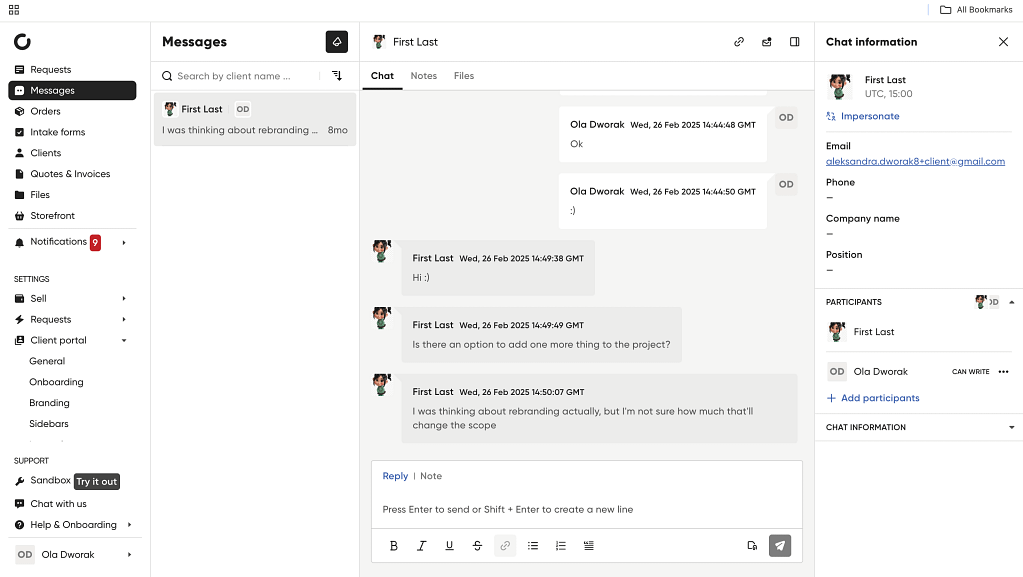
Most importantly, it gives you unlimited clients & unlimited client portals, meaning you can use it fully no matter if you’re just starting out or are already running a successful business. But Zendo also doesn’t disappoint in terms of features. It offers collaboration tools for you and your clients, like its real-time chat, as well as various features for selling & productizing services.
G2 rating: 4.9 ⭐
Our Experience With Zendo
Zendo is a complete client portal software that offers many features on its free forever plan. But does that mean that it gets complicated or difficult to use?
Not at all.
It’s one of the most intuitive platforms on this list with a modern UI and an intuitive setup that practically moves you forward by itself.
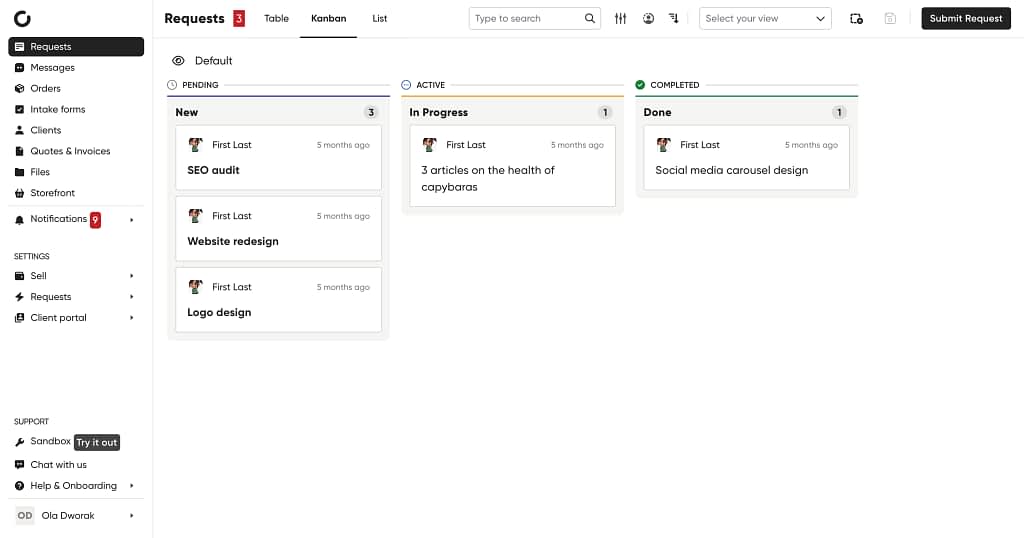
Now, as far as the regular client portal features go, Zendo gives you the ability to create an unlimited amount of password-protected portals where your clients can safely share and view sensitive information, including:
- Access projects, requests, and orders,
- See their quotes and invoices,
- Order new services and start subscriptions,
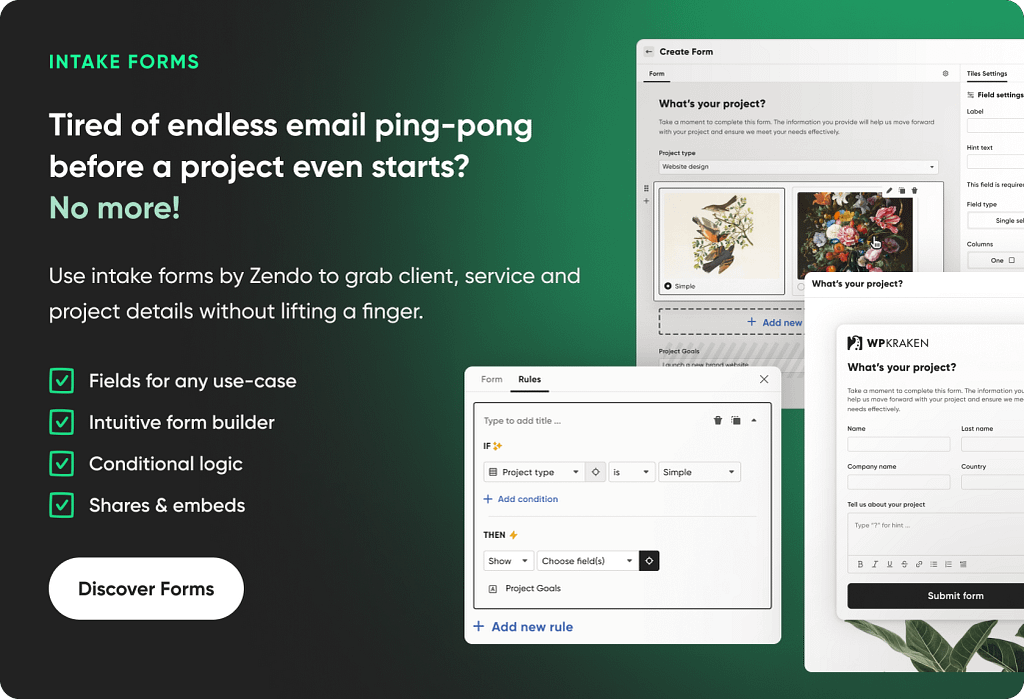
- Fill out intake forms and upload files,
- Submit requests within subscriptions and projects,
- Chat in a real-time messages tab,
- And more.
If you wish to upgrade from the free plan, you’ll be able to create a fully custom branded client portal that reflects your brand identity changing the UX copy, adding external apps, like YouTube, Figma, or Calendly, adding different pages, changing the colors, logos, order of the elements on the sidebar, and more.
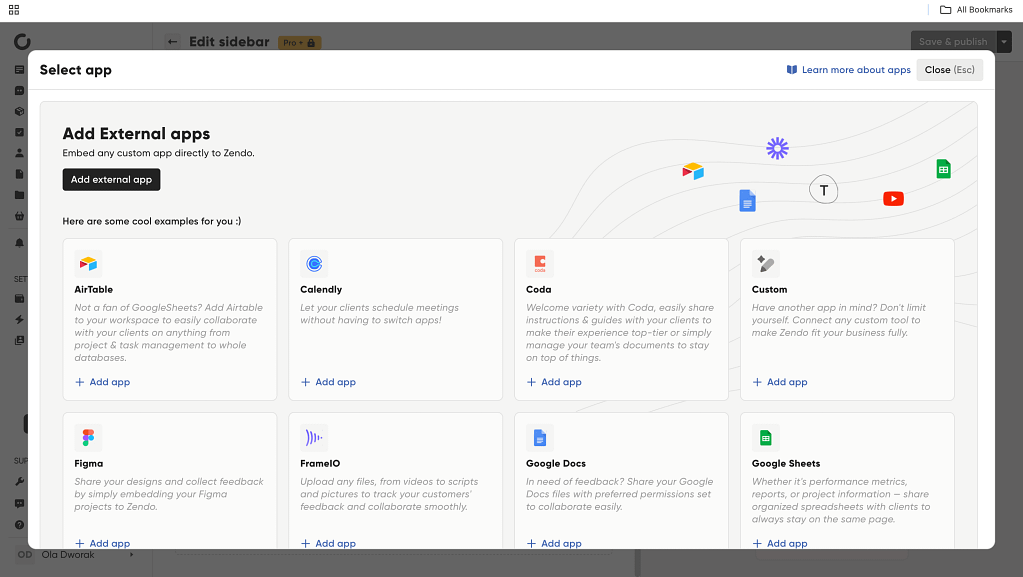
But that doesn’t mean that the free plan doesn’t include any branding changes. You can still add your logos, change the colors, add your own images, create a whole Service Catalog, or add your own knowledge base link for your clients.
All in all, Zendo is the tool to choose if you want to forgo the client or project limitations and combine a client portal software platform with service selling & productization.
Zendo’s Free Plan Includes
- Unlimited clients, client portals & requests,
- Productized & custom services,
- Sharing important documents,
- Recurring billing cycles & one-offs,
- White-label features,
- Custom statuses & workflows,
- Quotes & invoices to check pending payments and complete them,
- Custom fields,
- No transaction fees,
- Custom views,
- Intake and Order Forms,
- Payments,
- Real-time chat.
Pros & Cons
| Pros | Cons |
|---|---|
| Unlimited clients & client portals | Embedding external apps and advanced client portal customization comes in the paid plans |
| Unlimited requests | — |
| Includes professional service selling & productization, including subscriptions | — |
| Clients get personal dashboards | — |
| Includes real-time chat for client communication | — |
| Customizable login page | — |
| Is modern-looking & intuitive | — |
#2 Aligned
Aligned is yet another client portal software platform that decided to include a free plan in its offer. This solution focuses on project management & client portal building, with virtual data rooms.
Founded in 2021 by Gal AgaGal Deitsch, and Yotam Sela, Aligned targets a B2B audience who wants to improve their overall sales & deal management. For us, Aligned seems like the perfect project management software with a great individual client portal builder.
G2 Rating: 4.7 ⭐
Our Experience With Aligned
Remember the rooms in online text-based RPG games? Aligned decided to bring the nostalgia back.
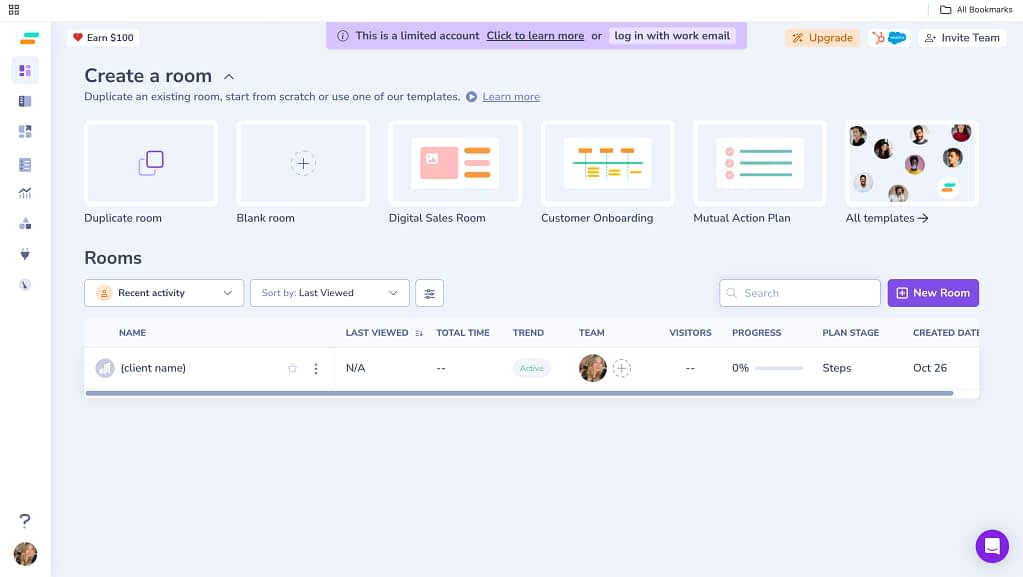
This tool is all about building “rooms” for clients. And the rooms are actually client portals, specific for each client or project. You can customize them in terms of design, functions, and clients’ access.
Moreover, Aligned comes with modern-looking templates that ease our setup.
Adding to the more modern design is also the intuitiveness that Aligned brings as a tool overall, especially when just starting the account with onboarding cues and videos.
It makes it easy to create client-specific pages with embedded files, project tasks, comments, and anything in between.
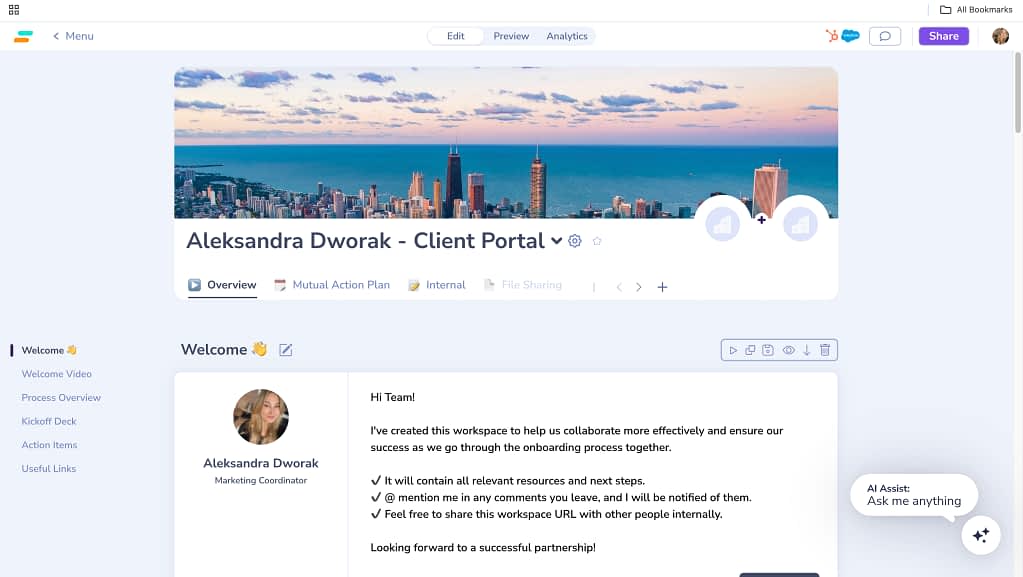
Setting up each room is the easiest we’ve seen this far, we simply add the elements we wish to include as we go, kind of like building a no-code landing page. We also get an easily-accessible preview of our client portal and an Analytics page to view client engagement, customer interactions, and more.
There are small things we could pick at that weren’t as satisfying. For example, the client portal preview returned an error a few times while testing.
Moreover, there’s a limit of 4 rooms only on the free plan, which makes it quite limited.
Lastly, some aspects of the platform may be considered unprofessional. For example, there’s confetti flying upon tasks marked as completed in the Plan section, which is visible to clients. Although we personally very much appreciate the confetti, some businesses may not find it fitting.
Aligned’s Free Plan Includes
- 4 rooms (client portals) per seat,
- Room analytics,
- Personal domain, which is simply the root name that goes before .teamaligned.com in your client portal’s URL (not connecting your own website),
- Secured room share (email & password protection).
Aligned’s Pros & Cons
| Pros | Cons |
|---|---|
| Includes templates | Is limited to 4 client portals created |
| Is very intuitive | Client portal preview is not always working as expected |
| Looks modern | May be considered unprofessional, for example, because of flying confetti upon marking tasks as completed |
| Embedding files is the best we’ve seen thus far | — |
#3 Softr
Softr is a bit of a different kind of client portal software—and that’s what makes it so fun to use. Instead of being a traditional, fixed platform, Softr lets you build your own client portal using an easy drag-and-drop interface for a seamless experience. Think of it as the “Lego set” of client portals.
It’s powered by your existing data (like Airtable, Notion, or Google Sheets), which means you can create anything from a sleek client dashboard to a custom project hub, no coding required. And yes, Softr does offer a free forever plan, which is surprisingly generous for what it can do.
G2 Rating: 4.7 ⭐
Our Experience With Softr
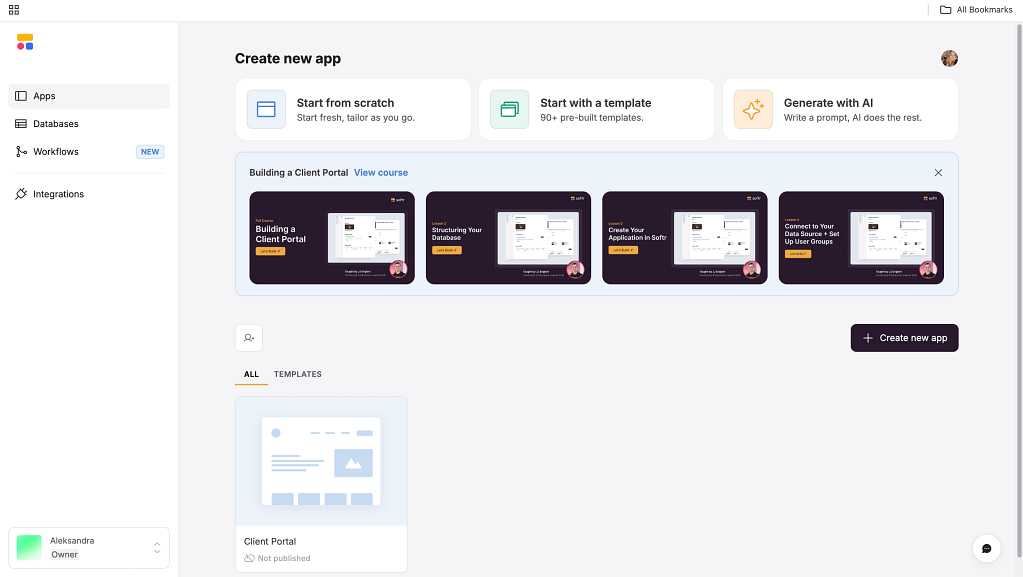
When we first tried Softr, we weren’t sure what to expect. It’s not a ready-made client portal like Flowlu or Zendo—it’s more of a platform you shape yourself. But after playing around with the templates (and there are plenty!), we realized it’s not at all confusing.
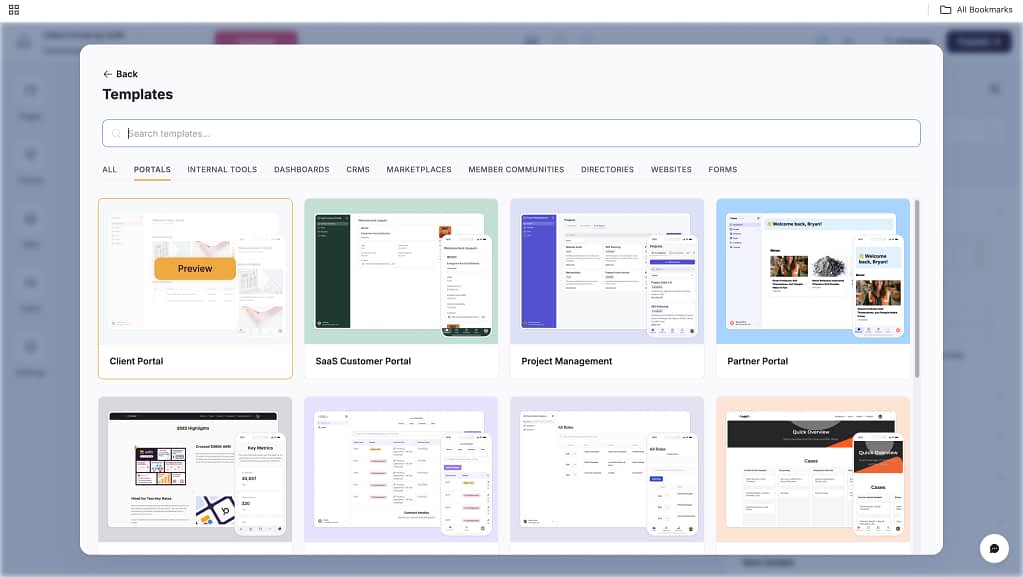
Building a client portal in Softr was pretty simple and the fact that we get to build from databases is even better. You won’t have to re-type client’s information or manually enter projects.
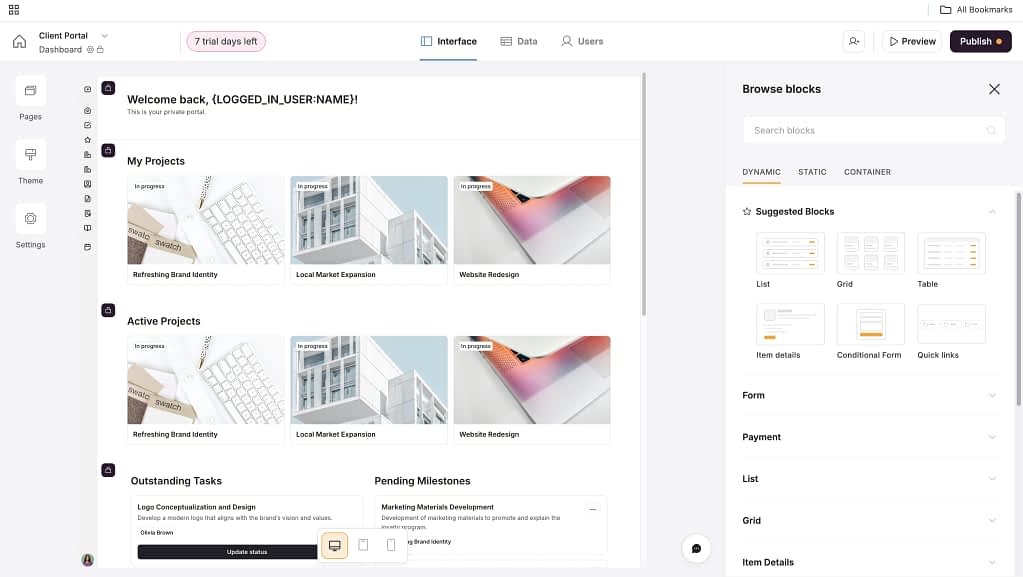
We also appreciate the fact that there’s an easy way to preview our client portal on different devices, from desktop to mobile.
But the biggest con of Softr is definitely how limited it is. On the free plan, we’re allowed to publish only one client portal with 10 users. So not only the client portal has to fit every client we’ll add, we can add just 10 of them overall.
Softr’s Free Plan Includes
- 1 published app
- 10 app users
- 2 user groups
- 5,000 Softr Database records
- 500 Softr Workflow actions/month
- 500 AI features credits/month
Softr’s Pros & Cons
| Pros | Cons |
|---|---|
| Works well with databases, like Airtable & Google Sheets | Branding can’t be removed on free plan |
| Clean and modern interface | We’re limited to one client portal published and 10 customers using it |
| Great templates for client portals, CRMs, and dashboards | — |
#4 Ahsuite
Ahsuite was already featured on our blog in the category of the best client portal software in general, but this tool also offers a free plan to use. Ahsuite was founded back in 2021 by a trio of Kevin Frei, Aaron Hazelett, and Sudhir Kumar.
Ahsuite is a customer portal software builder that focuses on sharing different data for different clients by creating custom pages. They also offer iframe embeds, so you can easily integrate created pages (and portals behind them) into your website.
G2 rating: 4.8 ⭐
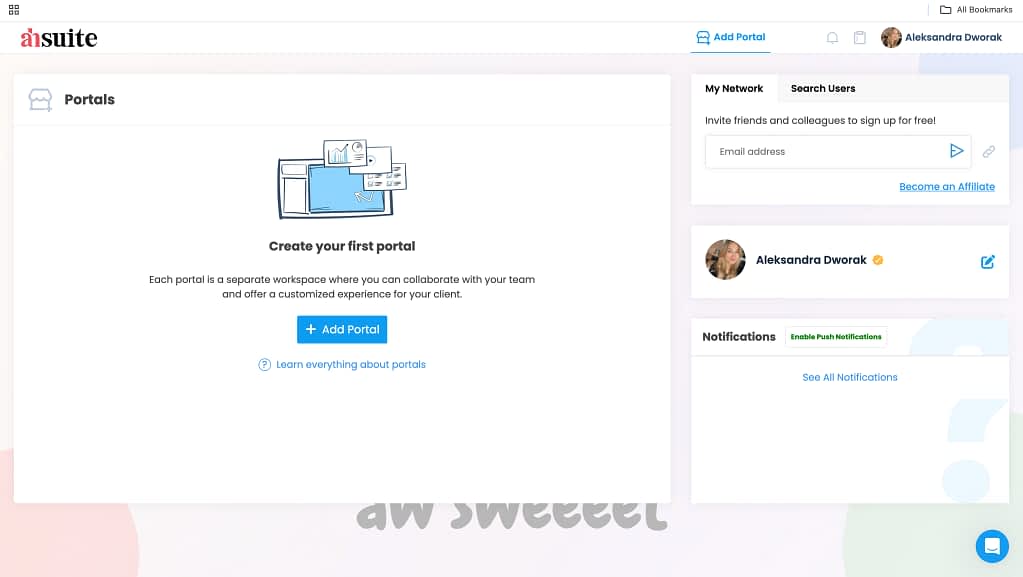
Our Experience With Ahsuite
Ahsuite is a pretty unintuitive platform, especially when you actually dig into building your own client portal. The amount of different options and fields comes across as overwhelming.
The settings and operational part of using Ahsuite to manage clients and projects is just not really efficient. Moving between portals is confusing, Ahsuite is forcing us to use AI for portal building, the messages from conversations don’t show up in real-time, and we could keep the list going.
But there are two things that are pretty good about Ahsuite: embedding files and applications & its free plan offer.
The embedded files look good and we get to create even up to 10 client portals for free.
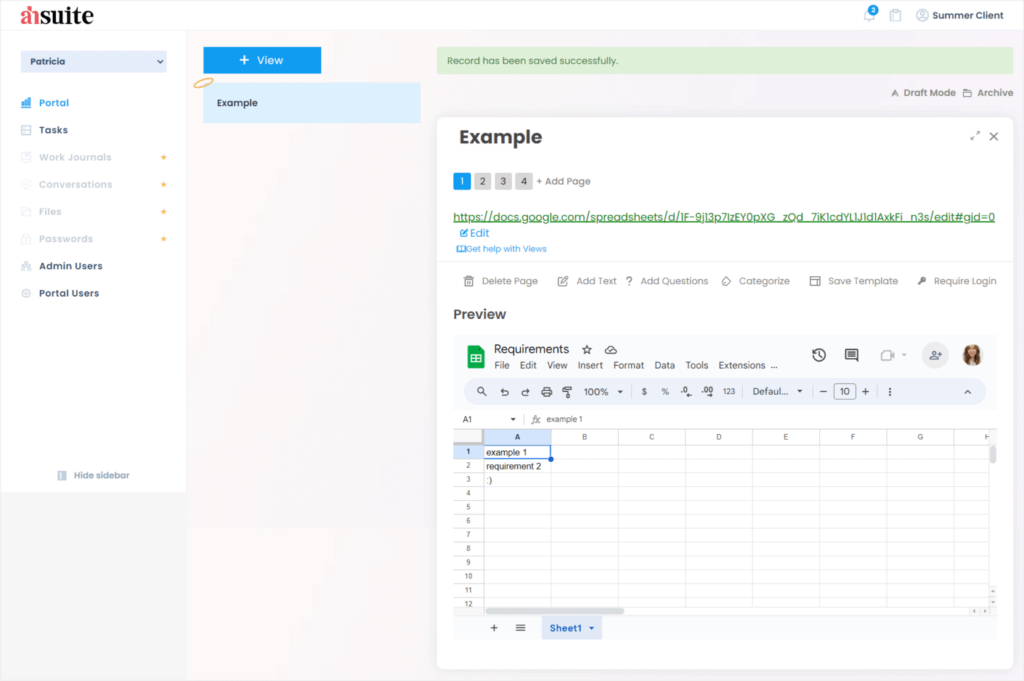
The iFrame embeds are what grabs our attention the most using Ahsuite, but this tool also offers simple task management in its free version.
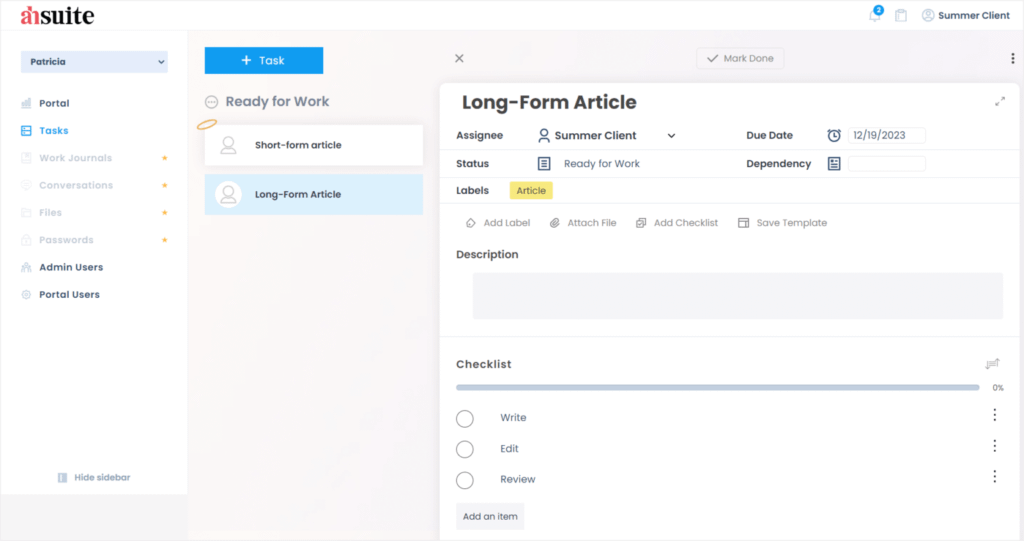
And again, besides the fact that it’s a bit unintuitive, we appreciate the free task management.
Important site note: because pages and portals created with Ahsuite hold sensitive client data, it is important to utilize strong access controls. Ahsuite comes up here with many options. Of course, If built-in solutions are not enough, you can always enable more protection by integrating top-tier security managers like NordPass vs. Lastpass. They a safeguard business logins.
Ahsuite’s Free Plan
- Embedding anything in a client portal
- Assigning tasks
- Sharing files
- Sending messages
- Creating up to 10 client portals
Ahsuite’s Pros & Cons
| Pros | Cons |
|---|---|
| Allows embedding | Is not intuitive |
| Includes tasks | The UI is outdated and confusing |
| Allows for 10 client portals created for free | Limited features |
| — | Lack of client portal templates |
#5 SuperOkay
SuperOkay was founded in 2017 by the joined forces of Radu Ceucă & Maria Constantinescu in London, UK. As of now, SuperOkay remains a platform that eases project management and client portal creation.
With different projects we can create for our clients and the templates SuperOkay offers, it may stand as a strong candidate in our personal client portal Hunger Games.
The biggest con, though: just one client can be added to the client portal on the free plan (so not really functional without paying more.)
G2 rating: 4.7 ⭐
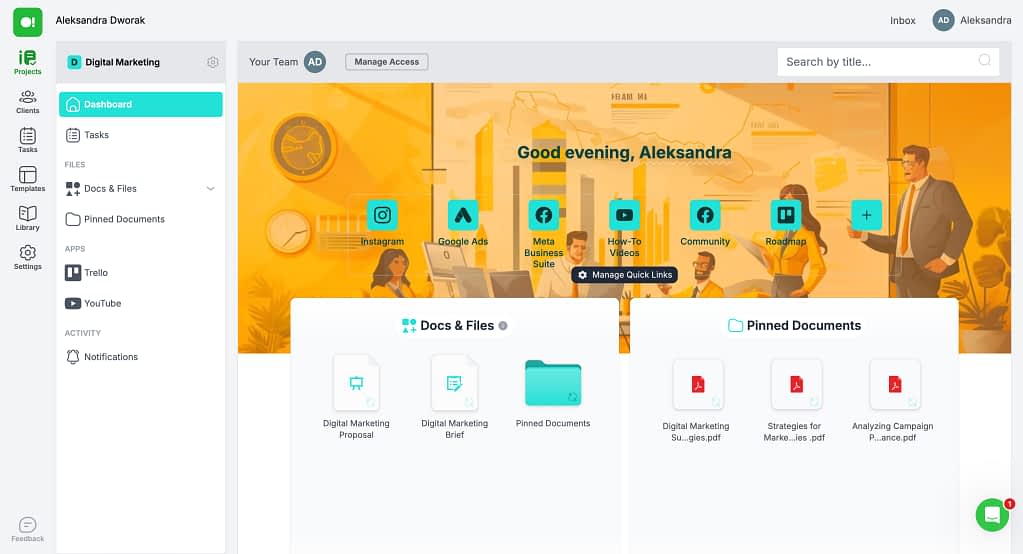
Our Experience With SuperOkay
Our first impression was… super okay, but the longer we were using SuperOkay, it turned out to be… not so okay anymore.
Although we get a nice onboarding experience with different templates we can start with and product introduction with all the information, using the tool after finishing customer onboarding is when it all goes downhill.
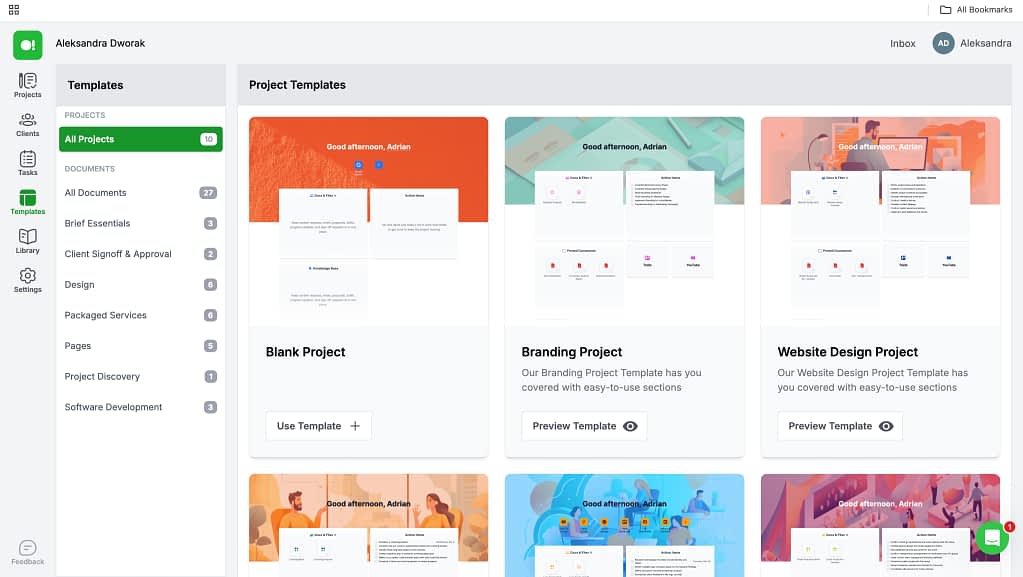
Turns out that SuperOkay is not intuitive at all even though it’s pretty modern-looking.
For one, the important settings are scattered all over the place, which we’ve seen before and hated and the whole tool is not intuitively connected. Instead, it seems we’re working with separately-living blocks.
Things like adding a client to to the project we’ve created or making a service package we’ve already added actually visible is where things get messy. Because even though the UX copy says: “Add your packaged services and they will appear on the portal dashboard.” when we do exactly that, the packages are nowhere to be seen.
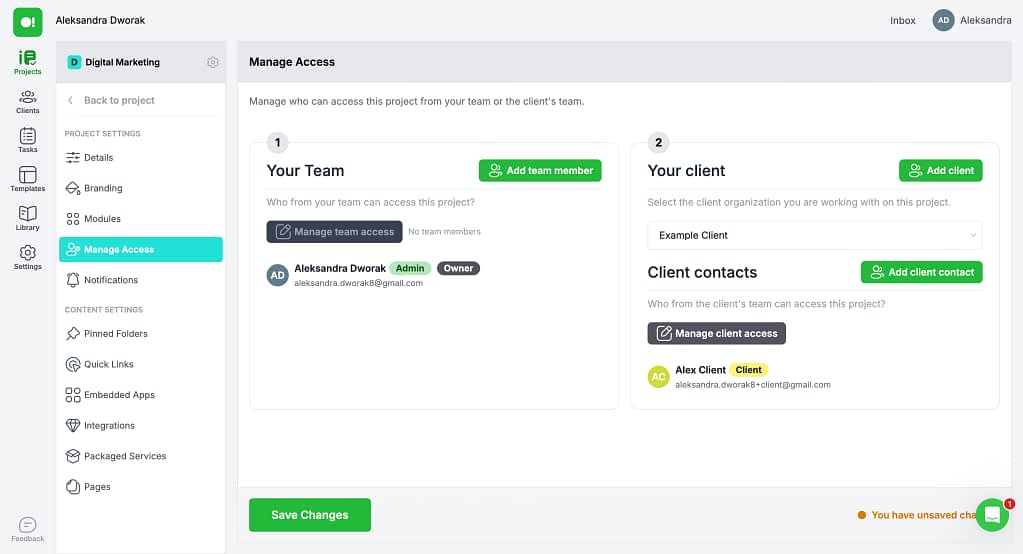
For two, some features are premium, aka, reserved for the paid plans, but are not labeled as such causing frustration when trying to use them.
The client does not get any information they’ve been added to our portal either, which led us into another settings rabbit hole search to find how you can actually share the client portal. Finally found it and it turns out you have to share the login link with the customer yourself.
On the bright side, SuperOkay goes really into detail with the client portal page we can create allowing us to even optimize it for SEO (adding a meta title, meta description, or custom favicon and cover images.)
Free Plan Includes
- 1 Client
- 1 Client Contact
- No Team Members
- 1 Packaged Service
- 1 Page
- 0.5GB of Storage
- 1 Project
- 10 Documents
- 10 Quick Links
- 10 Tasks to track progress of your projects
- 10 Embedded Apps
- File Storage and Sharing
- Task Management
- Smart Document Builder
- Client Collaboration Portal
- Project and Document Templates
- Live Customer Support: 12h/day
SuperOkay Pros & Cons
| Pros | Cons |
|---|---|
| Includes templates | Is very limited (allows us to work with only one client, 10 documents, etc.) |
| Includes packaged & billable services | Is not intuitive at all |
| Allows you to optimize the client portal for SEO | Sharing the client portal is pretty difficult |
| — | Features don’t work as expected |
The Final Choice Belongs To You
The client portal market turns out to be pretty generous. We get 5 fully functional free client portal software options we can go for without spending a penny.
After testing all five platforms, aka, our favorite tools, it’s clear that each free client portal tool shines in different areas, and your ideal choice depends on what you value most.
If you want a complete, no-limits solution, with advanced features easily available, Zendo is the top pick. Its unlimited clients, intuitive setup, and built-in service selling features make it perfect for freelancers and agencies who want everything under one roof.
Aligned offers the most polished, sales-oriented approach. Its “rooms” are ideal for B2B teams managing deals and client relationships, though the free plan’s four-room cap keeps it best for smaller pipelines.
For those who love flexibility and creativity, Softr stands out. It’s essentially a no-code builder for custom client portals, great for makers who want to connect data and design from scratch.
Ahsuite might not win on looks, but it’s a practical choice for those who value embedding, file sharing, and simplicity over fancy UI. Meanwhile, SuperOkay looks modern and offers nice customizable templates but is too limited on the free plan for everyday use—better suited for testing premium features before committing.
In the end, the best free client portal software depends on your priorities:
- Choose Zendo if you want an all-in-one platform with little to no restrictions to share documents, projects, chat with customers, receive orders and requests, and more, no matter how many existing and new clients you take on under a fully user friendly interface.
- Pick Aligned if your focus is sales, project visibility, and data dashboards for analytics.
- Go with Softr if you love new features and building things your own way.
- Try Ahsuite if you just need a simple space and essential features to share and manage client files.
- Experiment with SuperOkay if you’re exploring client portals on a small scale.
Whatever you choose to be the best customer portal software, remember that the best tool is the one that fits your workflow, team size, and the kind of customer experience you want to deliver while providing a completely secure environment for both you and your customers.

Frequently Asked Questions
Are There Any Free Client Portal Software?
Despite what you may be thinking, there actually are a few fully free client portal options out there. In this article, we’ve analyzed five best options in terms of the features offered, ease of use, and more. We’ve tested SuperOkay, Ahsuite, Aligned, Softr, and Zendo, to choose the best solution.
Why Would You Use A Free Client Portal Software?
Using a free client portal software not only resuscitates your budget, especially as a small business, but also very much helps to improve client management, client experience, enhance client relationships, organize customer data, ease document management, and more. With features that ease file sharing, communication, and task tracking, both sides of the business can stay up-to-date, avoiding any unnecessary back-and-forth of the usual email clutter providing clients an easier way to reach their goals.
Which Free Client Portal Software Is The Best?
Zendo, Softr, and Aligned are the best client portal software that offer a free plan because of the low learning curve, the modern designs we get, and the features we can operate for free. For example, Zendo gives you unlimited clients and the possibility to easily follow client interactions with a real-time chat. SuperOkay was way too limited, allowing us to add only 1 client (heavy account management needed here), whereas Ahsuite turned out to be less intuitive and way less modern-looking than the competition.