Work requests can pile up faster than coffee cups on a Monday morning, right?
But proper service request management software helps teams capture, track, and complete requests efficiently, turning chaos into organized, measurable, and scalable workflows.
Future Market Reports predicts that the value of the market for this type of software will grow to $3,245.40 million in 2032. Unsurprisingly, North America will have the largest share (over 35%).
If handling requests efficiently is what you’re after, check out the eight best service request management software platforms for 2026 and beyond, in different niches and use cases.
What is Service Request Management?
Service Request Management (SRM) is the process of intaking, tracking, prioritizing, and fulfilling service requests in a structured, repeatable way, with the latter part of this description being what truly makes it.
The service request management process is used across IT, HR, legal, finance, marketing, creative, and internal support teams, turning ad-hoc “Can you help with this?” requests into an organized process.
But besides just a request ticket within an internal team, service requests can also be orders from customers that are also often shared in a standardized way.
What is Request Management Software?
A Request Management Software is any SaaS platform that helps us manage and optimize the above-described requests and associated processes.
Depending on the exact software options and types, the service request management tool you choose may differ in the exact features it offers (which you’ll see in the top software platforms we’ll describe in this article.)
Why Do You Need Service Request Software? Key Benefits
Service request software helps teams capture, track, and manage incoming requests in one place.
It automates workflows, improves accountability, and prioritizes work, while providing visibility into progress, performance, and any and all roadblocks.
This all leads to boosts in efficiency, reduced errors, and essentially, enabling teams to deliver faster, more consistent results no matter if you’re selling one-off graphic designs or managing a SaaS product as a CPO.
8 Best Service Request Management Tools in 2026
See exactly what we’re talking about with real-life examples of top service request management software platforms in 2026.
Cherry-picked, just for you.
1. Best Service Request Management Software Overall: Zendo
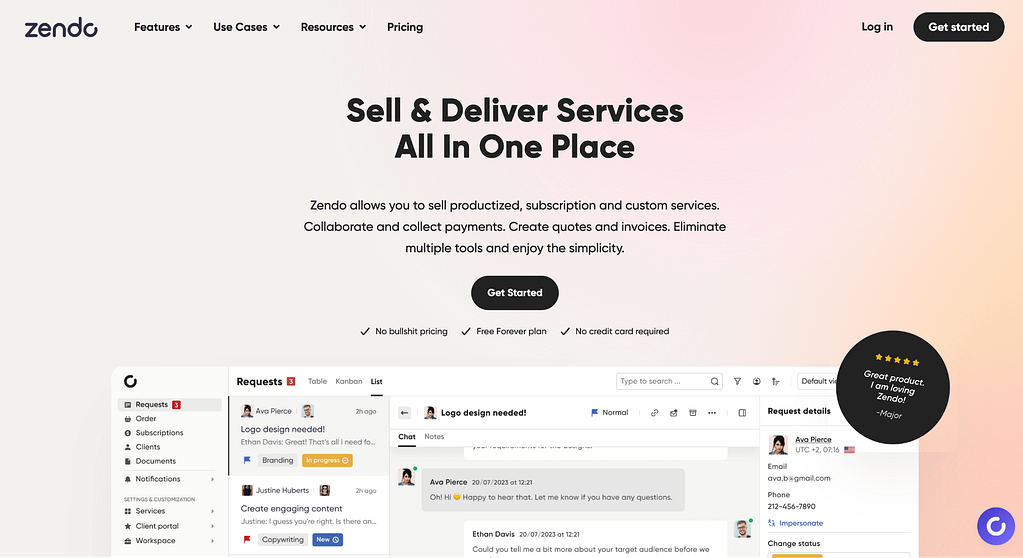
Zendo is a service request management and client portal platform built specifically for service-based businesses that want to sell, manage, and deliver work in one place without juggling multiple tools.
G2 rating: 4.9/5 stars
Pros and Cons of Zendo
| Pros | Cons |
|---|---|
| Ease of use | Limited design |
| Customer Support | Complex setup |
| Client communication and CRM capabilities | Difficult customization |
As far as benefits go, users on G2 mention ease of use and getting up to speed quickly with Zendo. Like this user here:
“Zendo has provided me with a complete back-office solution for my Productised Service business. I can now launch a service and onboard a customer within minutes.” G2 review
Customer Support team is also praised:
“All features work seamlessly and Customer Support is helpful” G2 review
CRM, client communication, and overall communication functionalities are also mentioned throughout Zendo’s G2 reviews, with users marking it as ‘the best CRM’ and saying:
“It provides the feature to manage the leads and helps to interact with them and communicate with them.” G2 review
Complex setup and difficult customization are some of the downsides of the platforms mentioned in G2 reviews, like this user saying:
“Its implementation is complex and takes time.” G2 review
Zendo’s Key Features
Now, Zendo’s feature set is designed around one core idea: managing service requests should feel simple, contextual, and client-friendly without sacrificing time or efficiency. When a user submits a request, both sides should know exactly what to do.
Its functionality spans across request intake, team collaboration, client communication, and payments, all within a single platform.
Service Request Management with Full Context
Every request in Zendo is built around two central components: a real-time chat and a detailed request panel. All conversations, decisions, approved quotes, invoices, files, and updates live in one place, creating a single source of truth for both internal teams and clients.
Flexible Request Views (List, Table, Kanban)
Teams can manage requests using multiple view styles depending on how they work:
- List view for fast client interactions and frequent back-and-forth,
- Table view for structured overviews and filtering,
- Kanban view for visual workflow tracking.
Custom Order Forms & Structured Intake
Zendo allows teams to create fully customizable order forms for each service. These forms capture all required information upfront—such as budget, urgency, scope, or attachments—and convert submissions directly into structured requests.
Service Catalog with Multiple Service Types
You can also create and sell services using three distinct models:
- Productized services with fixed scope and pricing,
- Subscription services with recurring billing,
- Custom services tailored to individual client needs.
Built-In Client Portal (White-Labeled)
Most importantly, Zendo includes a fully branded self-service portal where customers can:
- Submit and track requests,
- Communicate via real-time chat,
- Share and retrieve files,
- Approve quotes and invoices,
- Make payments,
- View service statuses and progress.jir
Real-Time Communication (No Email Chaos)
Instead of comments, tickets, or endless email threads, Zendo uses a modern chat-based communication model. All messages are tied directly to the relevant request, ensuring zero context switching for both clients and teams.
Request Statuses & Workflow Tracking
You get to create unlimited custom statuses to reflect their exact workflow. Status changes can be automated and are visible to clients, reducing the need for manual updates and follow-ups while keeping expectations aligned.
Team Collaboration & Permissions
Multiple team members can be assigned to a single request, enabling shared ownership and collaboration. In turn, with role-based permissions, sensitive requests and financial data are only accessible to the right people.
Zendo Pricing
Zendo offers simple pricing with a Free Forever Essential plan, making it easy to get started without any risk. Then, paid plans scale as your business grows:
- Essential – Free forever: includes 1 internal user, unlimited clients and requests, productized and custom services, recurring and one-off billing, quotes and invoices, custom fields, workflows, views, and basic customization.
- Pro – $49/month: built for growing teams, includes 2 internal users (additional users at $19/month), advanced white-labeling, custom domain and email, external apps, client organizations, and Zapier integration.
- Max – $199/month: designed for established businesses, offering unlimited internal users, full white-label experience, and priority access to upcoming features like the public API.
- Enterprise – from $999/month: custom pricing for businesses needing tailored features or advanced requirements.
Best for
Zendo is best suited for service-based businesses that want an all-in-one platform to manage client requests, service delivery, communication, and payments in one place.
2. Best Work Request Management Software (ClickUp)
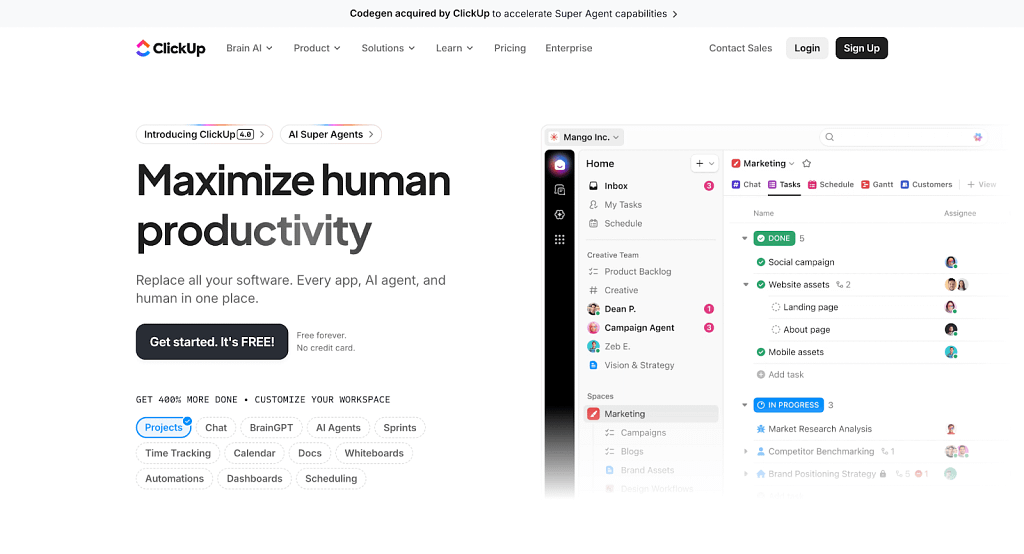
ClickUp is an all-in-one work management platform that excels at centralizing work requests and turning them into trackable, actionable tasks. With customizable request forms, automation, and multiple task views, ClickUp is especially popular with teams that want flexibility.
On their G2 page, the platform’s description reverts to “Converged AI Workspace” that brings together humans, AI, all your work apps and data in one place.
G2 rating: 4.7/5 stars
Pros and Cons of ClickUp
Based on G2 reviews submitted by ClickUp users, the platform has a few clear pros and cons.
| Pros | Cons |
|---|---|
| Ease of use | Missing and limited features |
| Task management | Learning curve |
| Project management | Slow loading |
For pros, users mention its ease of use (mentioned across over 3900 reviews).
But also, highlighting its task management and project management features (mentioned across a total of nearly six thousand reviews). For example, one user said this:
“ClickUp centralizes everything—tasks, documents, dashboards, communication, and automation—in one place. The level of customization is one of its biggest strengths: views, statuses, automations, custom fields, and permissions can all be shaped exactly to fit the way our team works.” G2 review
In turn, for things marked as potential limitations or cons, users are also quite agreeable, mentioning a few core things.
For one, it’s either missing (over 1900 reviews) or limited features (over 1100 reviews). With users saying things like:
“I would like to see the ability to add folders within folders, or generally some better roadmapping tools that allow for better OKR tracking and long term strategic planning. The existing structure works well for project and operational tracking but does not allow for a very easy way to manage roadmaps in the same way that a tool like AHA! does.” G2 review
For two, it’s the steep learning curve (mentioned in over 1600 reviews).
Lastly, slow loading has also been mentioned quite a few times (across over a thousand reviews to be exact), with users pointing out:
“The platform is powerful, but sometimes its flexibility means there’s a bit of a learning curve during initial setup. A few features can feel overwhelming at first, and certain pages occasionally load slower than expected.” G2 review
Key Features of ClickUp
The key features of ClickUp on its main platform cover:
- Tasks & Subtasks: break down any request or project into customizable tasks, subtasks, and checklists.
- Request Forms: capture structured work requests.
- Multiple Views: manage work using List, Board (Kanban), Gantt, Calendar, Timeline, Table, and more.
- Dashboards & Reporting: track request volume, progress, workload, and performance in real time.
- Automations: eliminate manual work with rule-based task assignment, status updates, and notifications.
- Chat & Comments : collaborate in real time with built-in chat, task comments, and mentions.
- Time Tracking & Estimates: track time spent on requests and plan workloads more accurately.
- Goals & Milestones: align work requests with measurable objectives and key milestones.
Worth mentioning is also ClickUp’s built-in AI, ClickUp Brain, which is deeply embedded across the platform to reduce manual work and speed up execution. It uses full workspace context to generate tasks, summaries, docs, stand-ups, meeting notes, and answers automatically, right where work happens.
ClickUp Pricing
ClickUp uses a tiered, scalable pricing model for individuals through large enterprises.
- Free Forever: a pretty generous free plan, with unlimited tasks, docs, boards, calendars, sprints, and 24/7 support.
- Unlimited ($10/user/month): removes usage limits and adds unlimited storage, integrations, custom fields, forms, and time tracking.
- Business ($19/user/month): built for growing teams, with advanced dashboards, automations, reporting, workload management, and security controls.
- Enterprise (custom pricing): designed for large organizations, offering SSO/SCIM, advanced permissions, compliance (including HIPAA), data residency, and dedicated onboarding.
ClickUp AI is an optional add-on.
Best for
ClickUp is best for teams managing a high volume of work requests who want one flexible platform to intake, organize, and execute work at scale.
It’s a strong fit for operations, IT, product, marketing, and creative teams that rely on structured workflows.
3. Best Legal Request Management Software (Clio)
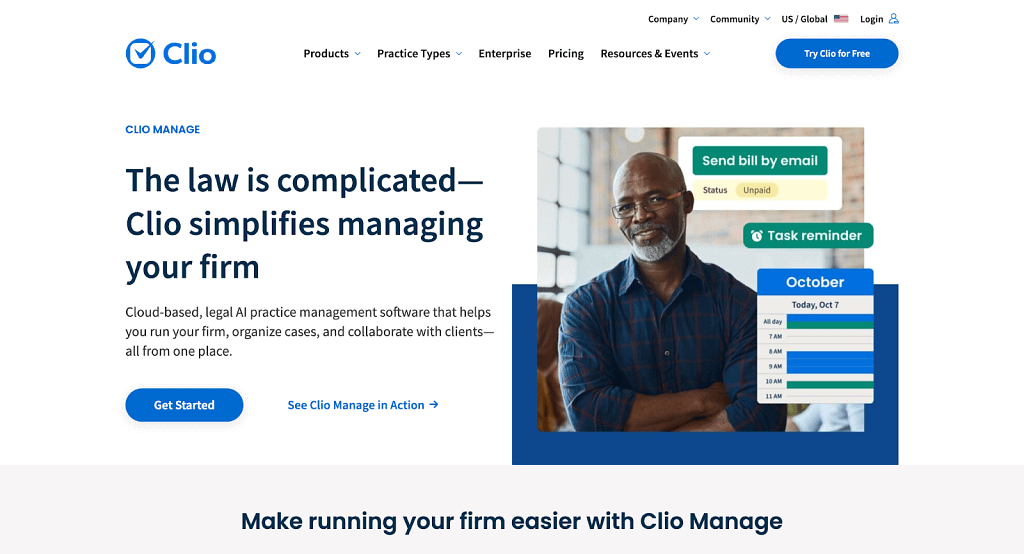
Clio is a leading cloud-based legal practice management platform designed to help law firms and legal teams centralize client requests, case work, billing, documents, and communications in one secure system.
G2 rating: 4.7/5 stars
Pros and Cons of Clio Manage
Let’s now dive a little deeper into what makes Clio a good solution to handle any formal request vs what we should bear in mind when choosing this specific platform.
| Pros | Cons |
|---|---|
| Ease of use | Missing features |
| Document management | Limitations |
| Efficiency | Billing issues |
As benefits of the Clio Manage, lots of users (mentioned across nearly 300 reviews) speak of the platform’s ease of use and efficiency.
But besides these two major points, core features are also praised, including document management (mentioned across over 90 reviews), with users saying:
“I’m particularly excited about the document automation feature, which promises to streamline the processing of 30 to 40 documents, making our workflow more efficient.” G2 review
As downsides, missing features and limitations are the two top-mentioned cons (spotted across over 130 reviews). Example limitation users are mentioning location settings:
“I find it limiting that Clio Manage is only set up for one location, which poses a challenge for my firm that operates across multiple offices. Specifically, for billing purposes, I would prefer the capability to input firm information based on the specific location a client visited, rather than being restricted to a single central office configuration.” G2 review
Which sorta takes us to the point, which covers billing issues specifically (mentioned across 35 reviews), with users saying:
“Clio Manage is primarily oriented towards hourly billing, which doesn’t align with our flat fee structure. The reporting capabilities are not tailored to meet our needs, as they focus more on hourly billing. The current payment scheduling options in Clio Manage are limited.” G2 review
Key Features of Clio Manage
The key features of Clio Manage are:
- Case & Matter Management: organize all case details, deadlines, notes, and communications in one place.
- Time Tracking & Billing: log billable hours, generate invoices, and streamline payments.
- Document Management: store, organize, and access legal files with version control.
- Calendar & Deadline Tracking: manage court dates, appointments, and deadlines across teams.
- Integrations: connect with tools like QuickBooks, email, cloud storage, and payment systems.
- Automations & Workflows: automate repetitive tasks and reminders (in higher plans).
- Reporting & Analytics: get insights into firm performance, profitability, and more.
Clio Manage Pricing
Clio offers flexible, per-user monthly plans with free training, live support, and worry-free data migration. All plans can be tried for free and canceled anytime.
- EasyStart: $59/user/month: best for small firms moving from spreadsheets. Core tools for time tracking, billing, documents, e-signatures, and client communication.
- Essentials: $99/user/month: for growing firms. Adds matter and document templates, client portal, and 250+ integrations.
- Advanced: $139/user/month: for more complex operations. Includes workflow automation, custom reporting, live onboarding, and priority support.
- Expand: $169/user/month: built for firm growth. Includes Clio Grow (CRM) to capture leads, automate intake, and track marketing ROI.
Best for
Clio is best suited for small to mid-sized law firms and legal teams that want an all-in-one, cloud-based system to manage client requests, cases, billing, documents, and communications in one place.
4. Best IT Request Management Software (Jira)
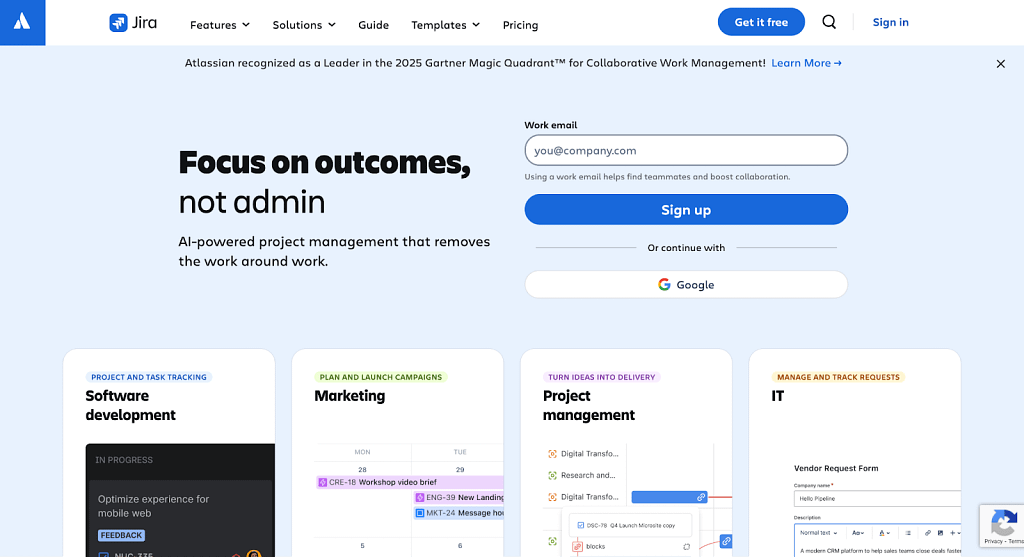
Jira Service Management (often simply called Jira) is Atlassian’s powerful IT service management and request-tracking platform.
It centralizes service requests, tasks, incidents, problems, service desk requests, and change management into customizable queues, workflows, and Service Level Agreements—making it a go-to choice for IT teams that want deep configurability.
G2 rating: 4.3/5
Pros and Cons of Jira
When you take a look at real reviews submitted by Jira users on G2, you’ll quickly learn that most cons of Jira revolve around some form of complexity, while pros revolve more so around its specific features and automation capabilities.
| Pros | Cons |
|---|---|
| Ease of use | Steep learning curve |
| Ticket management | Difficult to use |
| Automation | Complex UI |
But that doesn’t mean that ease of use is not at all mentioned throughout the reviews. In fact, 37 reviews say something positive about Jira’s ease of use. Like this user, saying:
“Clear and easy to use, and I can quickly determine whether a work is finished or still in progress.” G2 review
When it comes to specific features, ticket management and automation are most-often mentioned (across 50 reviews total), with users saying:
“What I like best about Jira Service Management is how seamlessly it helps manage IT support tickets through customizable workflows, automation, and SLAs.” G2 review
Jira Key Features
Jira’s core project and request management features focus on structured planning, cross-team coordination, and visibility at scale, with key features being:
- Flexible Issue & Task Management: Jira allows teams to break work into issues, subtasks, and forms with customizable fields, statuses, and workflows.
- Multiple Work Views: work can be tracked using boards, lists, timelines, calendars, and backlogs.
- Automation & Workflow Rules: Jira includes rule-based automation for status changes, assignments, notifications, and approvals.
- Request Intake via Forms: built-in forms allow teams to standardize incoming requests and incident management, as well as automatically convert them into issues.
Jira Pricing
Jira offers per-user pricing that scales from small teams to large enterprises resolving service requests.
- Free (up to 10 users): unlimited projects, tasks, dashboards, 100 automation runs/month, 2 GB storage.
- Standard – $7.91/user/month: adds roles, permissions, external collaboration, 1,700 automation runs/month, 250 GB storage.
- Premium – $14.54/user/month: cross-team planning, dependency management, unlimited storage, 24/7 support, advanced automation.
- Enterprise – Custom: full analytics, unlimited automation, multi-site support, advanced security, 24/7 enterprise support.
Best for
Jira is best for IT and technical teams that manage a high volume of structured requests and need strong workflow control, automation, and permissions.
5. Best Support Request Management Software (Zendesk)
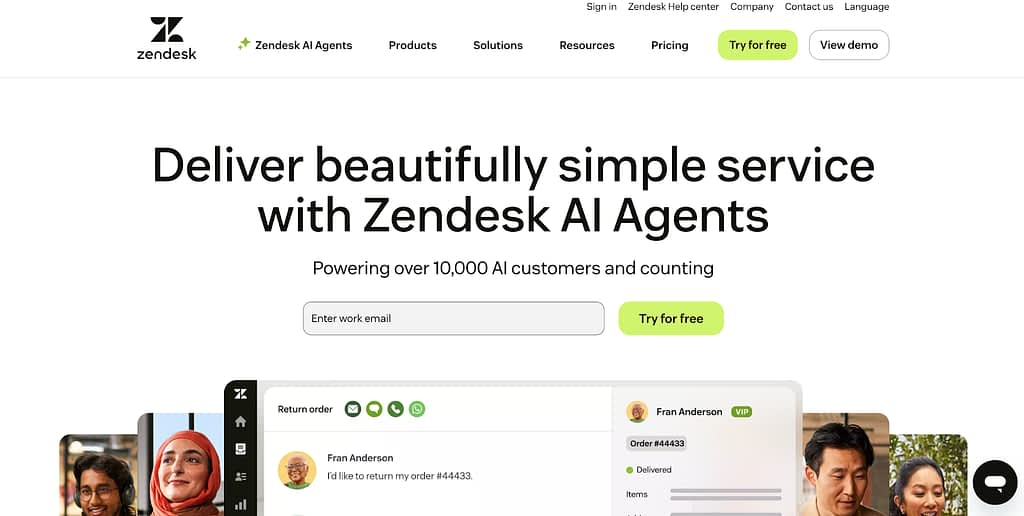
Zendesk is a customer service and support request management platform designed to help organizations manage customer inquiries across multiple channels.
It centralizes tickets, conversations, automation, and reporting into a single system, with a strong focus on scalability and ease of adoption.
G2 rating: 4.3/5 stars
Pros and Cons of Zendesk
| Pros | Cons |
|---|---|
| Ease of use | Missing or limited features |
| Features | Learning curve |
| Customer Support | Limited customization |
Ease of use is mentioned in over 500 G2 reviews of Zendesk, with users mentioning specifically:
“What I like best about Zendesk Support Suite is its ease of use and how quickly new agents can adapt to it.” G2 review
With ‘features’ being a dedicated benefit on G2, users mention varied functionalities of the platform, for example:
“I especially appreciate its powerful automation features, customizable ticket workflows, and multi-channel support, which help streamline communication across email, chat, and social media.“ G2 review
Apart from those two main benefits, Customer Support is also often praised (would be very concerning if a customer support platform specifically had bad reviews in this area.)
When it comes to the possible downfalls, missing or limited features, as well as limited customization is mentioned quite often throughout the reviews (across well over 500 reviews altogether), with users mentioning specifically:
“Customization and branding (where it is allowed) is entirely code-dependent, and still manages to be extremely limited. Many key touch points for customers offer zero customization ability, namely user login and email templates, interrupting customer experiences and creating barriers to cohesive communications.” G2 review
Zendesk’s Key Features
Zendesk’s core features focus on managing high volumes of customer support requests across channels:
- Omnichannel Ticketing: Zendesk consolidates customer requests from email, chat, voice, social media, and messaging into a single ticketing system.
- Unified Agent Workspace: agents work from a centralized interface that groups tickets, customer profiles, internal notes, and suggested actions.
- Automation & AI Agents: Zendesk includes rule-based automation and AI agents to handle routing, repetitive questions, and status updates. Self-Service & Knowledge Base: build help centers and surface knowledge articles during live interactions.
- Analytics & Reporting: built-in dashboards and reports help teams track ticket volume, response times, resolution rates, and agent performance.
Zendesk’s Pricing
Zendesk uses per-agent pricing with AI and automation at higher tiers.
- Support Team – $25/agent/month: Email/ticket support, ticket routing, conversation history, dashboards, 1,000+ integrations.
- Suite Team – $69/agent/month: Adds AI agents, messaging/live chat, social channels, phone support, automated service.
- Suite Professional – $149/agent/month: Multiple help centers, reporting, CSAT surveys, app/layout builders, IVR, SLAs, HIPAA compliance.
- Suite Enterprise – $219/agent/month: Advanced security, approval workflows, sandbox, custom roles, audit logs, dynamic workspaces.
Best for
Zendesk is best for customer support and service teams that manage high volumes of external requests across multiple channels.
6. Best Free Request Management Software (Zendo)
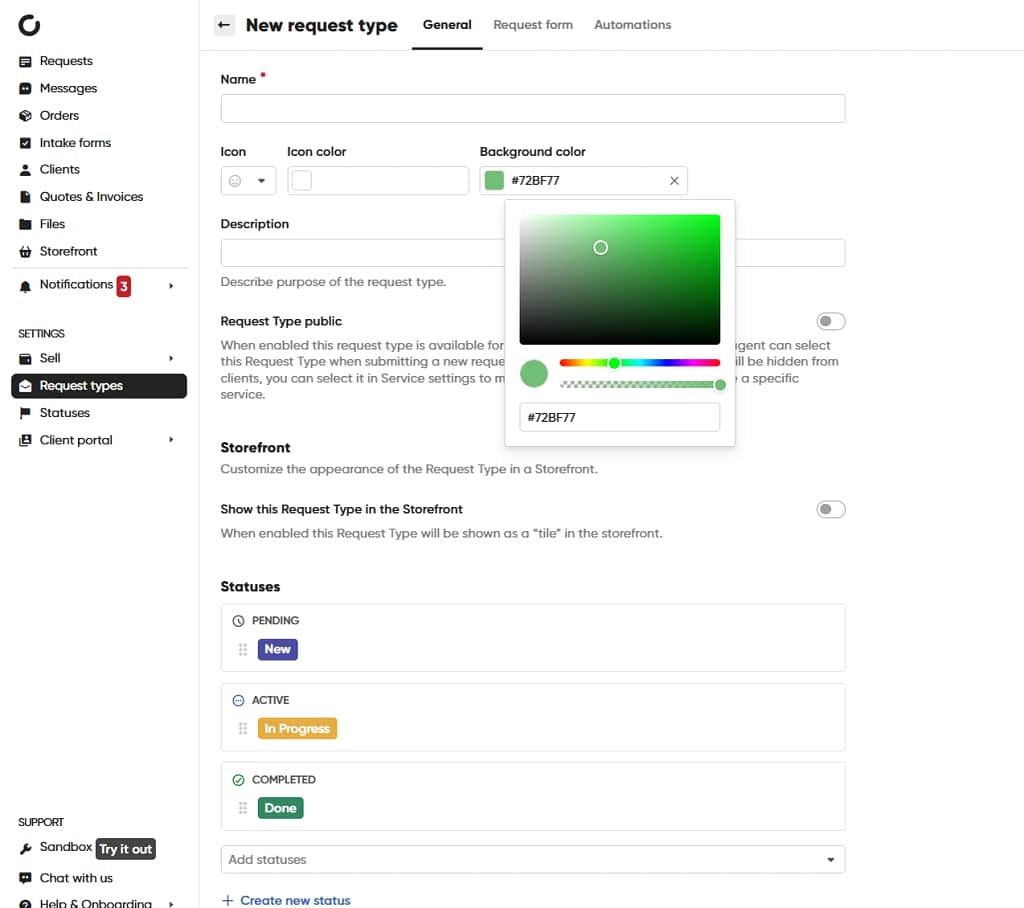
When it comes to free request management software, most tools offer heavily restricted plans that limit users, requests, features, or branding. Zendo takes a very different approach.
Zendo’s Free Forever Essential plan provides a fully functional service request management and client portal experience at no cost, making it one of the most generous free offerings on the market.
G2 rating: 4.9/5 stars
Pros and Cons of Zendo
We’ve already discussed pros and cons of Zendo based on G2 reviews in the previous mention of this platform.
In the context of it being a free management software platform is A) it’s extensive free forever Essential plan with many features available at no cost and B) the modern and user-friendly UI of the platform.
Zendo’s key features
The best features you get in Zendo for free (on the free forever plan) are going to help you improve service management heavily without spending a dime. You’ll get:
- Unlimited clients and service requests: manage as many customers and incoming requests as you need without usage caps.
- Productized and custom services: create fixed-scope services or tailor requests to individual client needs.
- One-off and recurring billing cycles: support both single payments and ongoing subscriptions out of the box.
- Custom order forms: collect all required request details upfront with fully customizable intake forms.
- Quotes and invoices with no transaction fees: send quotes and invoices without Zendo taking a cut of your revenue.
- Custom fields, statuses, and workflows: shape request data and progress stages to match how your team actually works.
- Multiple request views (List, Table, Kanban): manage requests visually or in detail depending on your workflow.
- Saved views with filtering and search: quickly surface the right requests using filters, sorting, and full-text search.
- Basic white-labeling: add your logo and branding to deliver a more professional client experience.
- Centralized client portal: communicate with clients, share files, and track progress in one shared workspace.
Pricing
Zendo uses simple, transparent pricing with a generous Free Forever plan.
The Essential plan (free) includes 1 internal user, unlimited clients and requests, service catalog, custom workflows, quotes and invoices, and basic white-labeling at no cost.
The Pro plan starts at $49/month, adding advanced white-labeling, custom domain and email, integrations (Zapier, Rewardful), and support for growing teams.
The Max plan costs $199/month and includes unlimited internal users, full white-labeling, and priority access to upcoming features.
For custom needs, Enterprise plans start at $999/month.
Best for
Zendo is best for freelancers, agencies, and service-based businesses that want a powerful request management system they can use for free.
7. Best Project Management Software (Asana)
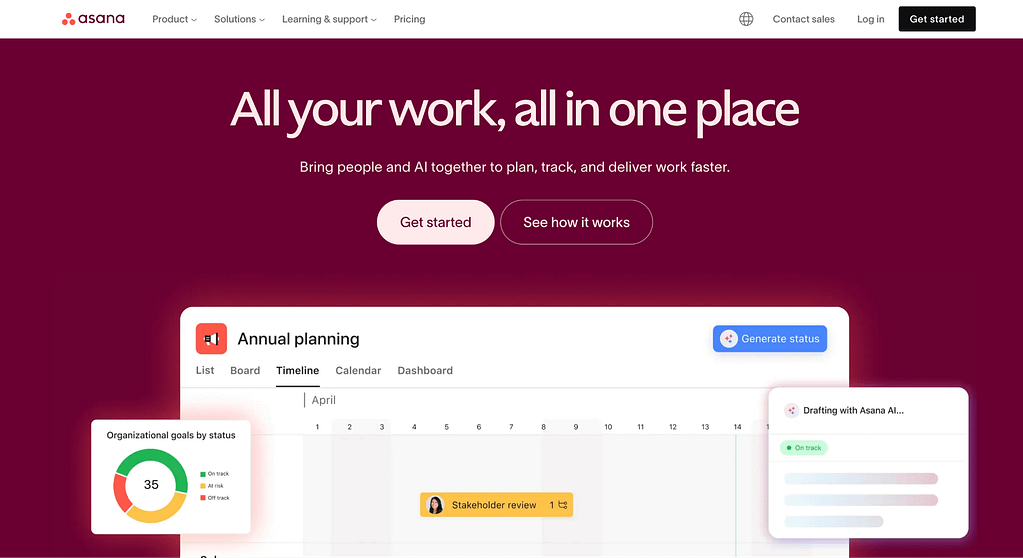
Asana is a widely used project management and work collaboration platform that helps teams plan, track, and manage work from simple tasks to cross-team strategic initiatives.
It offers flexible views, automation, integrations, and tools to keep work organized and visible across the org.
G2 rating: 4.4/5 stars
Pros and Cons of Asana
The pros and cons of Asana listed on the G2 review platform clearly show us that the strengths of this SaaS tool correlate perfectly with its core: project and task management.
| Pros | Cons |
|---|---|
| Project and task management | Learning curve |
| Ease of use | Missing or limited features |
| Team collaboration | Non-intuitive |
For example, users who appreciate those features say:
“I like that Asana helps me keep track of projects efficiently. I appreciate the customized fields which allow me to organize my tasks in any way that I would like using filters and sort features. This makes it easy to group together similar tasks and see how many jobs are in one particular area, as we add a location field to each job.” G2 review
Another big part of Asana’s reviews on G2 is the team collaboration aspect (mentioned across over a thousand reviews as a benefit of Asana), with users saying specifically:
“I appreciate how Asana helps keep our team connected, even though we all work remotely for a significant portion of the week. It enables us to communicate in real time as we progress through different projects, making it invaluable for our creative collaboration across all departments in a small nonprofit.” G2 review
As downfalls, faced by many powerful platforms, are issues revolving around ease of use or steep learning curve (mentioned across over 800 reviews). Users report back on:
“Sometimes Asana can feel a bit overwhelming for new team members because there are so many views and options. A few features are slightly hidden in menus, so it can take a minute to figure out where things are.” G2 review
But also, limited and/or missing features (mentioned across nearly a thousand reviews), with users saying:
“I dislike that Asana does not allow assigning multiple people to tasks, which is a limitation in cases where collaboration from team members across different departments is necessary.” G2 review
Asana’s Key Features
The key features of Asana revolve of course around its project management solution, with several functionalities we can mark as essential, including:
- Task & Project Management: create, assign, schedule, track, and prioritize tasks.
- Multiple Views: list, Board, Calendar, Timeline/Gantt for flexible planning.
- Automation & Workflows: custom rules and workflows reduce repetitive work.
- Collaboration Tools: comments, attachments, mentions, project inbox, and team messaging.
- Reporting & Dashboards: visualize progress, workload, and bottlenecks across projects.
- Integrations: connect with Slack, Teams, Salesforce, Zapier, cloud storage, and more.
- Portfolios & Goals (Paid): track work across teams, align with strategic goals.
Asana Pricing
- Personal: free forever, supports up to ~10–15 users with unlimited tasks and basic views.
- Starter / Premium – $10.99 per user/month (billed annually): adds Timeline, custom fields, advanced search, and basic automation.
- Advanced / Business – $24.99 per user/month (billed annually): adds portfolios, workload, advanced integrations, and expanded automation.
Enterprise: custom pricing, includes advanced security, controls, and support.
Best for
Asana is best for teams of any size that need structured project planning, cross-functional collaboration, visibility across initiatives, and automation for complex workflows.
8. Documentation Management Software (Notion)
Notion is a flexible all-in-one workspace that combines notes, documentation, databases, wikis, and lightweight project organization into a single platform.
It’s widely used by teams and individuals to build structured knowledge bases, SOPs, internal documentation, and collaborative workspaces without rigid templates or complex software.
G2 rating: 4.6/5 stars
Pros and Cons of Notion
The pros and cons of Notion are…
| Pros | Cons |
|---|---|
| Ease of use | Learning curve |
| Features and AI features | Missing or limited features |
| Organization | App functionality |
Besides the fact that Notion users find it easy to use (mentioned across nearly four thousand reviews!), many users also mention specific features and AI features as the benefits of the platform and how they empower them.
For example:
“The biggest shift is the move from “Notion AI” being a fancy text generator to what they call a Notion Agent. Seriously, it’s like hiring a power-user intern for your workspace.” G2 review
Organization and document management is often praised too, like this user saying:
“What I like most about Notion is its flexibility. It allows me to organize everything in one place—from managing emails and clients to tracking insurance and auto equity.” G2 review
According to G2 reviews, Notion can have a bit of a learning curve (mentioned across over 1400 reviews). Other downsides included missing or limited features, and interestingly enough ‘app functionality’.
From, to some users, intrusive AI features, like…
“I used to enjoy writing in Notion, but the flexibility is a curse here—it can do so many things that it’s not the best place for focused writing anymore. And the somewhat intrusive AI features keep accidentally getting activated…it’s disruptive, in a bad way.” G2 review
To how slow the platform can get when databases become large or internet access is lacking:
“As databases grow larger, Notion tends to become sluggish, particularly when filtering or making updates. The offline support also leaves much to be desired, which can be frustrating if your internet connection is unreliable.” G2 review
Notion’s Key Features
- Rich Text & Documents: create structured documentation with embeds, formatting, and linkable pages (pages within pages even).
- Databases & Tables: build relational databases for tasks, trackers, knowledge bases, and more.
- Custom Dashboards: combine views (lists, boards, calendars) and widgets for tailored information hubs.
- Collaboration Tools: comments, mentions, shared workspaces, and version history for teamwork so that it can fully deliver exceptional service.
- Templates & Integrations: thousands of community templates and connections to popular apps.
- Permissions & Access Control: manage viewing and editing rights at page and workspace levels.
- AI-Enhanced Tools: built-in AI to assist with writing, summarizing, and organizing content.
Noton Pricing
Notion offers tiered plans to fit different needs:
- Free: best for individuals managing personal projects. Includes core Notion features, basic forms and sites, databases, calendar, mail (Gmail sync), and a trial of Notion AI.
- Plus – $12/user/month: for small teams. Adds unlimited collaboration, file uploads, charts, custom forms and sites, and basic integrations. Includes everything in Free + AI trial.
- Business – $24/user/month: for growing companies. Includes advanced permissions, private teamspaces, SAML SSO, premium integrations, verification tools, and AI features like agents and meeting notes.
Enterprise – Custom pricing: for large organizations needing maximum security and control. Adds SCIM provisioning, audit logs, advanced security/compliance, domain management, and more.
Best for
Notion is best for teams and individuals who need a flexible, all-in-one workspace for documentation, knowledge bases, planning, and customizable workflows.
Start…for free
Service request management software isn’t one-size-fits-all, and that’s the point.
The right tool depends on your team size, workflow complexity, and the type of requests you manage. Whether you need a simple free solution or an enterprise-grade platform, the tools above show how structured request management can turn scattered asks into clear, scalable processes.
But if you want to start with the best service request management software tool without any risks, start with Zendo. For free.
Sign up today.