
Dubsado is genuinely good at a lot of things. It started as a tool built by photographers who knew firsthand what creative business owners actually struggle with, and that origin story shows.
You get project management, task boards, scheduling, contract management, invoices, and a client portal, all under one roof, for a price that doesn’t make you wince.
It holds a 4.3-star rating on G2, and for good reason.
As a CRM platform, what Dubsado offers genuinely covers a lot of ground and for solo freelancers with a handful of clients and no plans for business growth, it’s probably fine.
But here’s the thing about all-in-one tools: the broader they go, the shallower some features get. And Dubsado is no exception.
The Pains of Dubsado
Dubsado includes solid foundations, like Dubsado starter gets you invoicing, forms, client portal, and workflows, but as your needs grow, Dubsado lacks the depth that more specialized tools offer.
The client portal is a good example of this.
It’s there, it’s included in both plans, and you can customize it.
But dig a little deeper and the cracks appear: setup is unintuitive (hidden inside Projects, not Settings—good luck finding it the first time), clients can only view past email conversations, not actually send messages through the portal, there are no client notifications, and the UI feels like it’s had a rough decade.
And that’s just the portal.
Across the wider platform, users have run into payment horror stories, auto-billing setups that require awkward manual opt-ins, workflows that don’t play well with drip campaigns, scheduling that can’t handle multiple team calendars, and multi-user permissions that get genuinely messy when someone leaves the company.
None of these are dealbreakers for everyone. But depending on what your business actually runs on, one of them might be a dealbreaker for you. Dubsado may work fine for years, until one of these gaps becomes the thing that’s actively costing you clients or time.
Best Dubsado Alternatives, Our Approach
So instead of a generic “best Dubsado alternatives” list, we did something different.
We matched each alternative to the specific pain point it actually solves, sourced straight from G2 reviews from real Dubsado users. Whether you need a better client portal, smoother payments, proper email campaigns, or a mobile app that doesn’t feel like a punishment, there’s a tool built for exactly that.
All without juggling multiple business apps or duct-taping your stack together.
This guide is for freelancers and small businesses who’ve hit a wall with Dubsado and need to select a Dubsado alternative that actually fits how they work.
The following Dubsado alternatives include everything from lightweight CRM tools to full CRM and business management platforms, so choosing the right platform comes down to knowing which specific pain point you’re solving.
Let’s get into it.
#1 Zendo: Best Dubsado Alternative for Client Portal
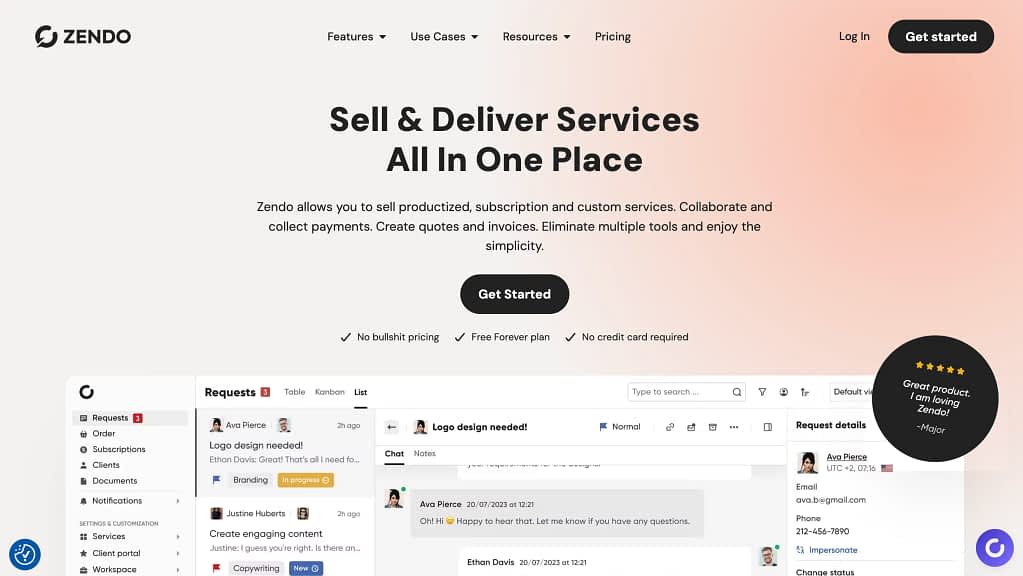
Dubsado User Pain Point
Dubsado is basically a fantastic CRM, but not a client portal:
“I really wish the client portal and task features were more usable as a client portal and project management tool. They do have a client portal and you can set tasks and reminder but it doesn’t really work all that well.” G2 review
If you’ve ever heard a client say “wait, where do I find that file again?”—you know exactly what we’re talking about here.
Dubsado does have a client portal, but G2 users are pretty clear about how it holds up in practice: “It doesn’t really work all that well.” The portal exists. The experience? Less so.
It’s similar to our thoughts when testing Dubsado’s client portal.
Tl;dr, Dubsado’s client portal is, at its core, an overview tool. Clients can see their invoices, check incomplete forms, browse past email conversations, and fill out their profile.
That’s it.
They can’t message you through it. They don’t get notifications. And the setup? Hidden inside a project panel so small and unintuitive that Dubsado’s own help center has to explain where to find it.
What Is Zendo and How Is It Different?
Zendo was built around the opposite philosophy: the client portal is the core product, not a feature bolted on.
Clients land in one branded space where they can interact with the platform and the business fully. They can chat, order services, approve quotes, pay invoices, and pull up files, without a single “can you resend that?” email.
Unlike Dubsado, where client and project data live in separate, disconnected views, Zendo keeps everything in context—client profile, order history, files, invoices, and chat in one place.
G2 rating: 4.9/5
Highlight Features
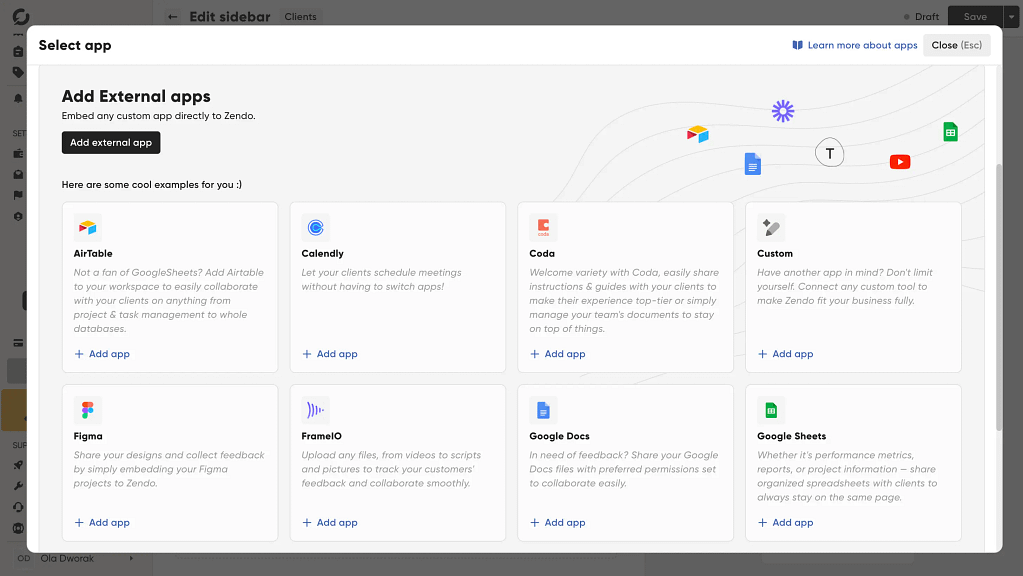
- Full white-labeling per client or client group—customize colors, logos, tabs, and even embed external apps (Figma, Calendly, you name it) so each portal feels purpose-built for that client. Custom fields on order forms mean you collect exactly the information you need upfront, with extensive customization options that go well beyond banner colors.
- Real-time chat with full context—every conversation sits alongside order details, notes, and form responses. No inbox chaos, no switching tabs, no back-and-forth emails.
- Kanban-style request management—drag-and-drop orders between statuses so you and your team always know what’s in progress, waiting, or done.
Pricing
Free forever (Essential), $29/mo (Core), $59/mo (Pro), $99/mo (Agency)—all roughly 20% cheaper on annual billing. No transaction fees on any plan, which matters more than it sounds when payment volume grows.
Best for
Productized service businesses—agencies, consultants, coaches—who want a client-facing experience that actually impresses their customers instead of being static or outdated.
#2 HoneyBook: Best Dubsado Alternative for Easy Set Up
Dubsado User Pain Point
Dubsado is powerful, but onboarding it is a project in itself.
One Dubsado user says specifically:
“Sometimes the tool can be quite buggy. Pages load with old information on them, and they don’t update quickly enough. The initial setup was quite confusing and took a long time, and I had to go to the Facebook group to get help.” G2 review
When your CRM needs its own community support group to get started, that’s a sign.
What is HoneyBook and How Is It Different?
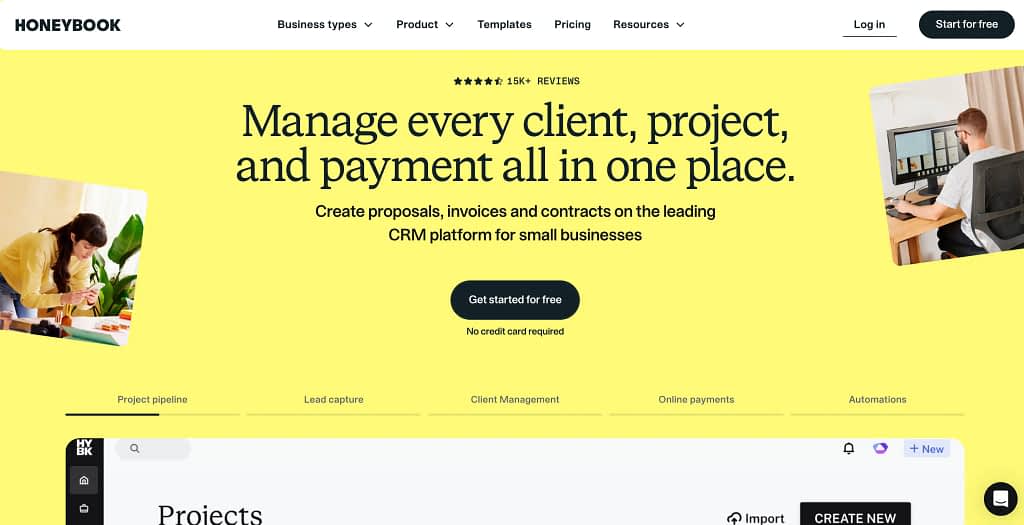
HoneyBook takes a different approach: it’s designed to feel familiar from day one. The interface is clean, the flows are intuitive, and going from signup to first project is just a few clicks away.
And it’s not just the setup. The whole experience is built around making things work together, rather than throwing features into one bucket and calling it a day.
Projects, tasks, automations, scheduling, and documents all connect into a coherent flow—nothing feels like a random independent feature stapled on as an afterthought.
G2 rating: 4.4/5
Highlight features
- Guided onboarding: HoneyBook walks you through setup with smart defaults, so you’re not staring at a blank CRM wondering where to start.
- Modern, polished UI: everything from proposals to contracts looks good out of the box, without heavy customization work. Plus, you do get dummy data not to wonder what a given feature should actually do.
- HoneyBook offers an integrated CRM system: that connects contacts, projects, and communications with no switching between a CRM and a project tool.
A sweet extra: HoneyBook will actually recreate your existing documents into their templates for you. For free. That alone removes one of the biggest setup headaches when switching from another tool.
Pricing
Pricing: Starts at ~$36/mo (Starter), $59/mo (Essentials), $129/mo (Premium). US and Canada-based businesses only.
HoneyBook offers a 7-day free trial, which is short, but just about enough to confirm it’s going to fit your business needs before committing. Especially since this tool is quite easy to set up.
Important to note are also its processing fees. Card fees start at 2.9% + 25¢ and bank transfers at 1.5%.
Best for
Freelancers and small creative businesses (photographers, event planners, designers) who want to get up and running fast without a setup rabbit hole.
#3 HubSpot: Best Dubsado Alternative for Email Campaigns

Dubsado User Pain Point
Dubsado’s workflows are built for client management, not email marketing.
As one G2 reviewer put it bluntly:
“If you’re looking for Dubsado to work for an email campaign, it’s not really what it’s set up for. Its workflows do not work well for a drip campaign with triggers that we would normally see or ‘if-then” type modeling.” G2 review
What Is HubSpot and How Is It Different?
HubSpot is the other end of that spectrum, because it’s a full CRM platform that combines CRM features with marketing automation in a way Dubsado simply isn’t built for.
Email is where it started, and it shows—segmentation, A/B testing, behavioral triggers, drip sequences, and CRM-synced personalization are all native. HubSpot offers robust reporting and segmentation that allows you to manage client data across your entire pipeline.
It is designed to help freelancers and small businesses scale their outreach, but it’s equally capable for businesses of all sizes, from solo consultants to full marketing teams with complex workflows. It all depends on the plan you choose.
G2 rating: 4.4/5
Highlight features
- Full email campaign suite—drip sequences, triggered sends, A/B testing, and simple surveys, all in one place.
- CRM data syncing—every email interaction ties back to contact records automatically, so your outreach is always informed by actual client behavior.
- Stripe and PayPal integrations—alongside dozens of other payment and business operations tools via native connectors.
Pricing
Free CRM with limited email tools; actual Marketing Hub starts at $15/mo per seat, scales up significantly for full automation.
Best for
Service businesses that rely heavily on email marketing, like agencies, coaches, or consultants managing both client relationships and audience nurturing in the same tool.
#4 Zendo: smooth payments & service selling
Dubsado User Pain Point
Payments should be the most boring part of running a service business. Send invoice, get paid, move on.
Except Dubsado managed to make it genuinely stressful.
One G2 reviewer described their client nearly being charged 100x the invoice amount through Stripe, with neither Dubsado nor Stripe willing to take responsibility:
“I had my first health coaching client and I issued an invoice using stripe on Dubsado. My client was almost charged 100 times more than what I sent invoice for. I contacted to stripe but stripe asked me to contact Dubsado and Dubsado never admitted or was able to explain their fault. So I’m considering of switching to a different CRM system” G2 review
What Is Zendo and How Is It Different?
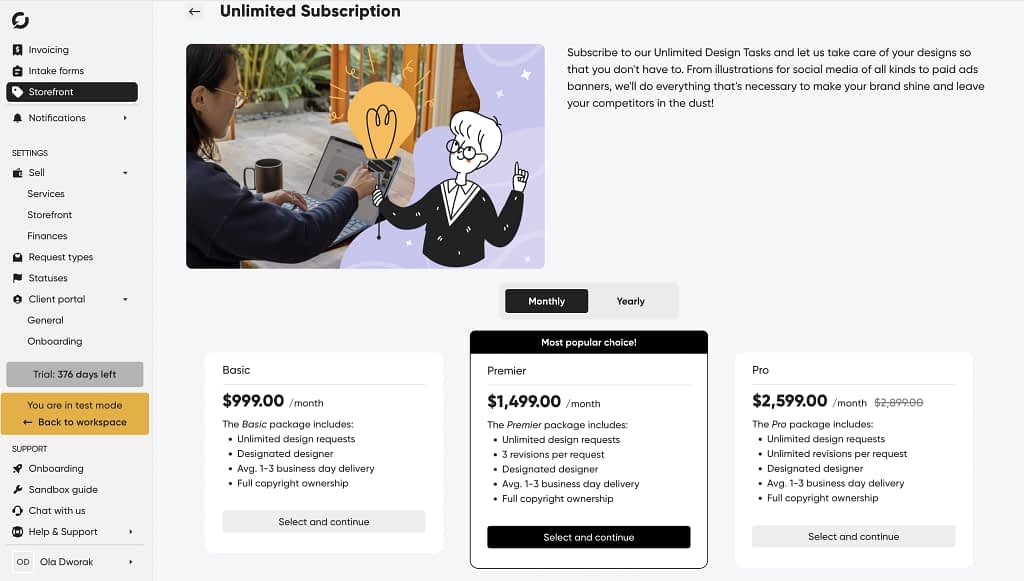
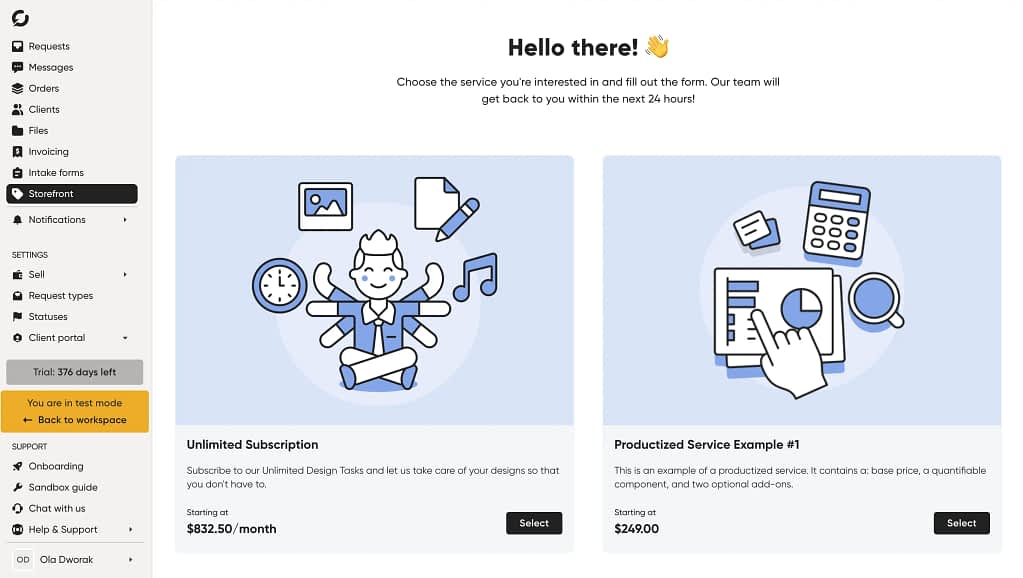
Zendo approaches payments from a completely different angle: instead of bolting invoicing onto a CRM, it wraps payments directly into the service-selling flow.
Clients browse, select, checkout. It’s closer to buying from a SaaS product than wrestling with a freelancer’s invoice system.
G2 rating: 4.9/5
Highlight features
- Built-in service storefront—clients can self-serve and purchase directly from a branded catalog, no manual invoice required.
- Different service types and checkout options—each service gets its own checkout flow, complete with add-ons, quantities, and package tiers with the option to set up different service types, from subscriptions to one-offs or fully custom services based on quotes and invoices.
- Clean payment processing—no horror stories. Payment requests, quotes, and invoices are sent automatically as part of the workflow, not as a separate manual step.
- Stripe and bank transfers are supported, so clients aren’t limited in how they pay. And if you use Zapier, you can connect Zendo to the rest of your stack—accounting tools, project boards, even QuickBooks, without any code.
Pricing
Free forever (Essential), $29/mo (Core), $59/mo (Pro), $99/mo (Agency)—all roughly 20% cheaper on annual billing. No transaction fees on any plan, which matters more than it sounds when payment volume grows.
Best for
Productized service businesses: think agencies, design studios, or consultants, who want selling and getting paid to feel as smooth as a proper e-commerce experience.
#5 vcita: Best Dubsado Alternative for Scheduling
Dubsado User Pain Point
When a Dubsado user complains that “multiple calendars can’t be connected”…you have to find an alternative.
Scheduling is a daily-use feature for many businesses. If it’s clunky, you feel it constantly. One user said specifically:
“I’m not happy with the scheduler and I wish that multiple calendars could be connected so a team’s availabilities could be managed. I also can’t believe there is no auto save option on forms.” G2 review
What Is vcita and How Is It Different?
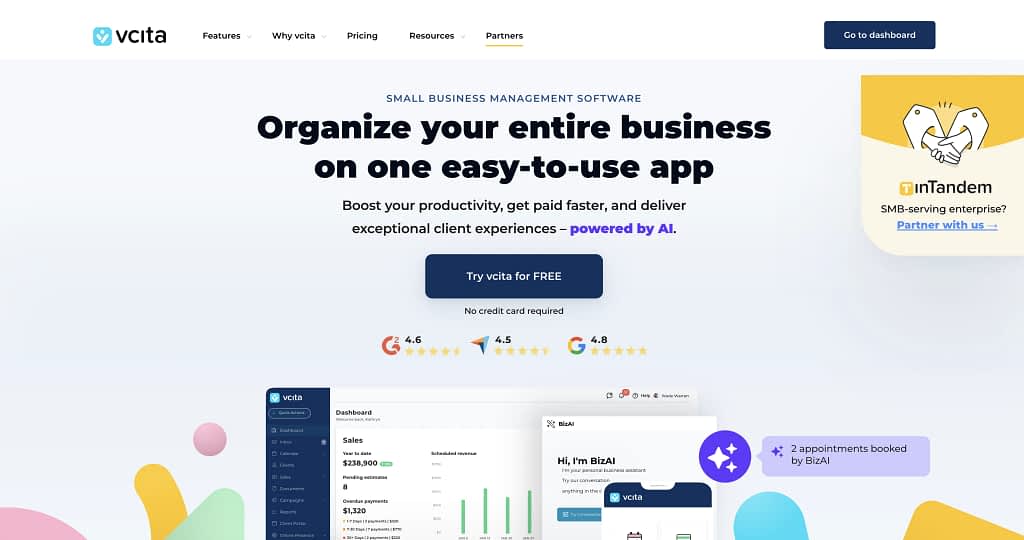
vcita was built specifically around scheduling, including multiple calendar management.
Calendar management is more flexible and the whole flow from “book a call” to “fill out intake” to “pay deposit” is tighter than Dubsado’s version.
“I like that VCita can do all the essential day-to-day tasks, such as payments from our clients; all our scheduling goes through VCita, we can choose our own schedule and update as often as we need to, but most importantly, our clients have their own private portal so they can track ever everything themselves.” G2 review
It also integrates with Google Calendar so everything stays in one view.
G2 rating: 4.5/5
Highlight features
- Multi-calendar scheduling—connect team calendars, manage availability across members, and let clients self-book without the back-and-forth. Google Calendar sync keeps everything in one view so nothing falls through the cracks.
Pricing
Starts at ~35 EUR/mo (Starting plan), scales to ~$110/mo (Platinum) for full features—worth noting that meaningful automation is gated behind higher tiers.
Best for
Solo service providers and small teams. From coaches, consultants, to therapists, whose entire workflow starts with a scheduled call and an intake form.
#6 Bonsai: Best Dubsado Alternative for Mobile
Dubsado User Pain Point
“There is no app for this crm yet and sometimes, it’s hard to use the website on a mobile phone or tablet. I am looking forward to the launch off their app for mobile phones and tablets.” G2 review
That review was left a while ago (2023)—and Dubsado did introduce a mobile app since then. A mobile app that has fairly good reviews on both App Store and Google Play Store.
However, if it’s just not doing it for ya, like it didn’t in this Dubsado review: “The Dubsado mobile app is fairly new, so compared to HoneyBook, it really lacks some key features.”, you still have alternative options.
What Is Bonsai and How Is It Different?
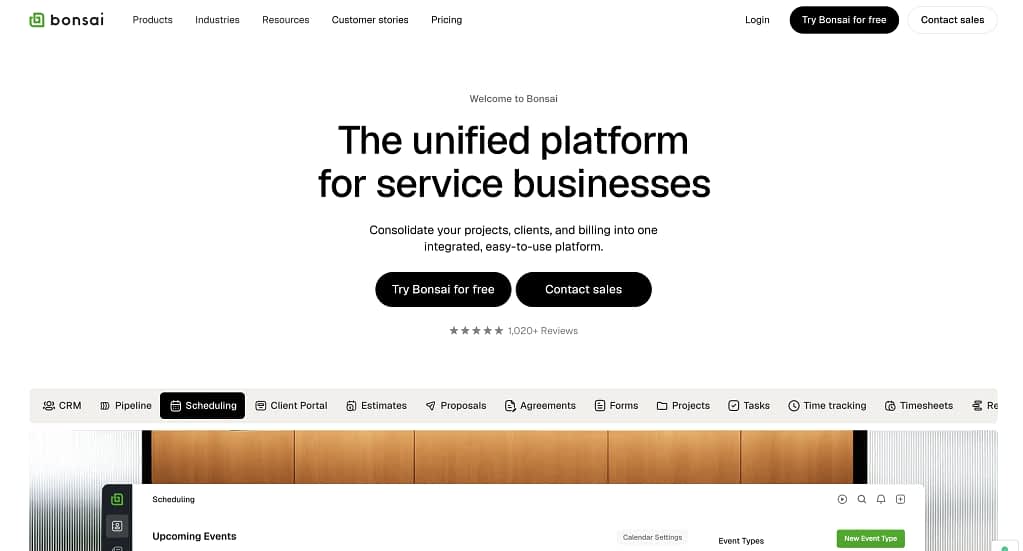
Bonsai is one of the few freelancer-focused tools that took mobile seriously from the start.
The app is clean, functional, and covers the things you actually need on the go, from checking project status, sending invoices, reviewing contracts, all the way to responding to clients.
Although a bit poorer reviews on AppStore and Google Play Store, it has double the downloads, certainly making it worth checking out (especially since SaaS tools rarely do come with mobile apps, mostly relying on desktop experience).
Now, overall, Bonsai is designed specifically for creative freelancers and solopreneurs, so it’s not primarily an accounting and invoicing tool, but it covers enough of both that most solo operators won’t need a separate solution.
G2 rating: 4.3/5
What makes Bonsai stand out beyond mobile is the time tracking.
It’s genuinely the best in class in this category: a persistent timer in the top right corner of every page, cross-platform (browser extension + mobile app), with the ability to log hours by project and task and turn them straight into an invoice. For anyone billing hourly, this alone is worth serious consideration.
Highlight features
- Fully functional mobile app (iOS + Android)—invoice, track time, review contracts, and message clients without opening a laptop.
- Best-in-class time tracking—log hours by project and task, with one-click invoice generation from tracked time. Essential for anyone billing hourly.
- Accounting + tax overview—income and expense categorization, accountant sharing link, and optional tax tracking add-on for US freelancers.
Pricing
Starts at $15/mo (Starter), $25/mo (Essential), $39/mo (Premium), $59/mo (Elite).
Bonsai offers a 7-day free trial, one of the few tools on this list with a proper trial period before you commit to a pricing model.
Best for
Freelancers and solo service providers who are frequently away from their desks, and especially those juggling client work across multiple locations or time zones.
#7 SPP (now Wayfront): Best Dubsado Alternative for Subscriptions and Invoicing
Dubsado User Pain Point
Although lengthy, this G2 review deserves to be read in full, because it’s not one frustration, it’s a breakdown.
“I have to set up each client in the Project section. But I don’t go by projects or job, I go by clients. Clearly, this isn’t a platform for high-ticket coaches, more for freelancers or people who invoice after a job.
It also didn’t allow for different currencies, instead, the team will give you a whole new Brand for the currency you want.
I am ultimately leaving Dubsado because of the way they set up auto-billing. I felt like it was against small businesses.
A customer had to opt-in manually and there was a message that said “by setting up auto-pay, you are agreeing to let us save your card information…”… that just sounds bad, like the business has the power to fraudulently bill them since we save their card information. While that’s technically true, clients don’t need to know that, they just need to know how many times we will auto-bill them.
My clients would pay their first payment and forget ALL the time to enable the auto-pay.
Also, I quote from the Dubsado CS regarding paused auto-billing:
“Unfortunately, once a recurring invoice is stopped, it can’t be restarted with the client’s card information and will need to create a new recurring invoice.”
The reason for my paused invoices is that sometimes a payment needs to be changed, there are not enough funds on a customer’s debit card, etc. There are all sorts of reasons, and ultimately, Dubsado just isn’t a good fit for my business needs” G2 review
But tl;dr for those who need it, issues mentioned in the above-presented review are:
- Auto-billing that requires manual client opt-in.
- Messaging that accidentally signals the business could fraudulently charge clients.
- Recurring invoices that can’t be restarted once paused.
- Currency handled by creating an entirely new brand.
What Is SPP (Service Provider Pro, Now Wayfront) and How Is It Different?
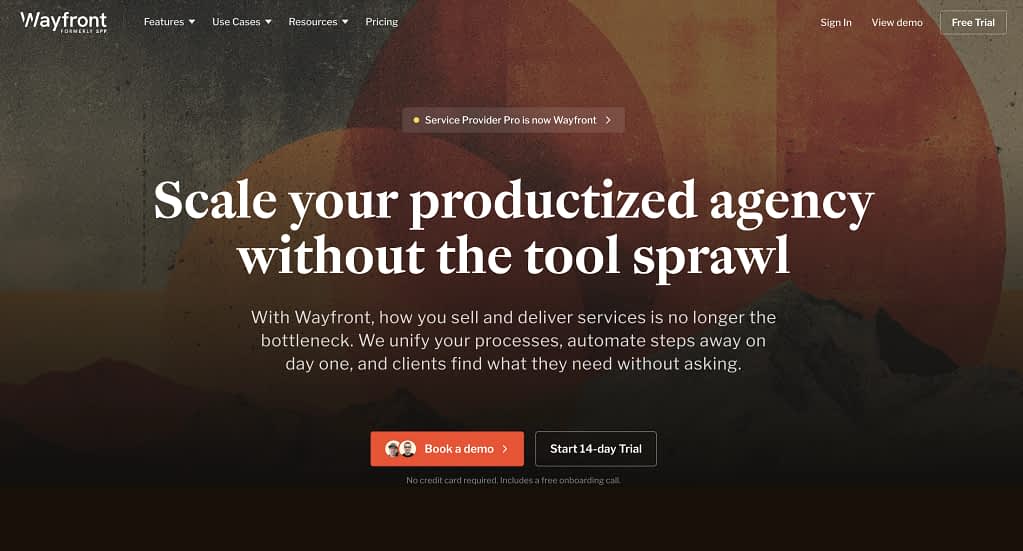
SPP or Wayfront was built by someone who experienced exactly this problem firsthand.
Chris Willow created it in 2014 as an internal tool for his own video production agency selling productized services, then opened it up when it worked.
That origin story matters: recurring billing, retainers, and subscription management aren’t edge cases bolted on, but a reason an entire SPP platform exists in the first place.
The service setup reflects this.
Wayfront’s automated workflows handle the subscription lifecycle end-to-end, from first checkout to renewal reminders to failed payment recovery with invoicing tools built specifically for recurring revenue, not one-off projects.
So you get a clean 4-step process: add service details, set pricing (one-time or recurring, with tiered options), build an intake form, and create a task checklist for your team as a delivery blueprint. Subscriptions, failed payment handling, and multi-currency are all native.
Dubsado offers some customization around billing, but Wayfront goes deeper. It’s a robust CRM built around the subscription and retainer model, allowing you to automate the entire recurring revenue cycle.
G2 rating: 4.7/5
PS, you’re reading this and thinking: “wait a damn minute 🤨” this tool sounds hella similar to Zendo? Ding, ding, ding!
That’s because they’re pretty much the same category, except Zendo combines perfect subscription and productized service offering management with a top notch client portal.
You can get to a full comparison between the tools here.
Highlight features
- Subscription-first billing—set up recurring charges, handle pauses, restarts, and failed payments without the manual workarounds Dubsado forces.
- Per-service task checklists—create a delivery blueprint tied to each service, so your team always knows exactly what “done” looks like for that specific offering.
- Tiered pricing per service—offer pricing options within a single service without creating separate services for each variant.
- Handle contracts and intake in the same flow—no switching between tools to get a client from signed to started.
Pricing
Starts at $129/mo—positioned for established agencies rather than solo freelancers. For reseller white label program, advanced integrations, or team and role management across 10 seats, you have to pay $299 on the Pro plan.
Best for
Agencies and service businesses running subscription retainers, recurring billing, or high-ticket coaching packages who need billing infrastructure that actually works at scale.
#8 SuiteDash: Best Dubsado Alternative for Multi-User Access and Security
Dubsado User Pain Point
The review that inspired this entry is genuinely painful to read (and not because it’s written poorly).
Basically, an admin locked out of billing settings because the original account owner left. No way to transfer ownership. Support recommending logging in under someone else’s credentials. For a business tool, that’s pretty much a security liability.
Here’s what this Dubsado user had to say:
“I’m an admin on my account and haven’t been able to make any adjustments no matter how many times I explain that there’s no way to access the email address that setup dubsado originally.
Having an ‘owner’ account by default because it’s the email that set things up and no other users can be given any access to change billing, even if they’re given the highest access, is stupid.
It defeats the purpose of having multi user access. It’s standard for email addresses to be retired, people leave positions etc, and even when processes are followed (eg someone else is set up as admin) the advice is to reactivate the old account, set up a redirect and access another person’s emails to log into dubsado under their name. It’s a ridiculous expectation to place on paying customers because they aren’t providing a reasonable service. It’s not even really ethical nor good cyber security practice.” G2 review
What Is SuiteDash and How Is It Different?
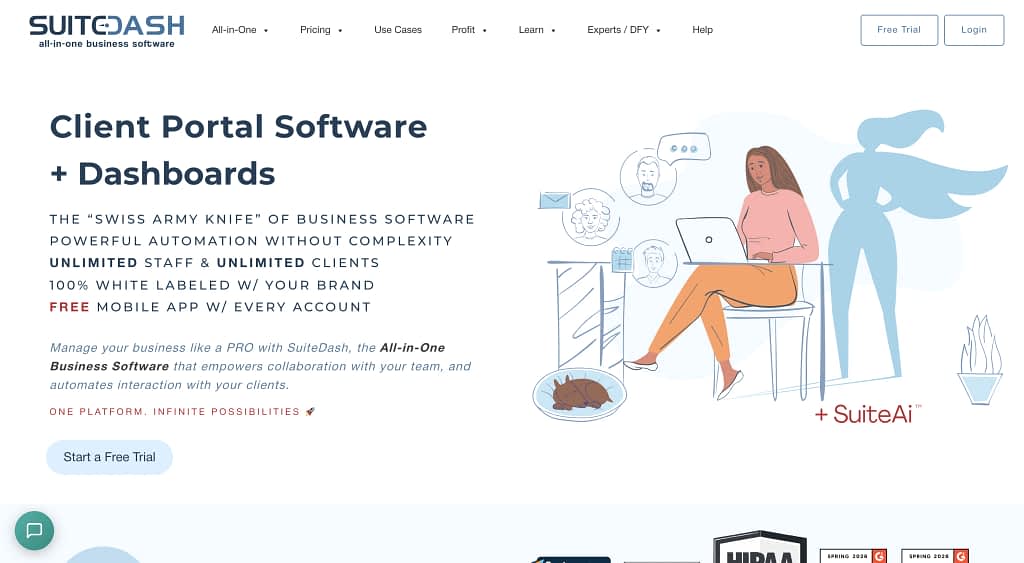
SuiteDash takes permissions seriously. Role-based access control is granular, ownership transfers are handled properly, and the platform is designed from the ground up for teams—not a solo freelancer setup that later tried to add multi-user as a feature.
It allows you to manage client data, business operations, and team permissions from a single dashboard, rather than cobbling together multiple apps.
What makes SuiteDash particularly interesting is how deep the client relationship management goes.
You’re not just inviting clients to a portal—you can assign them roles (Lead, Prospect, Client), each with their own permissions.
Prospects get portal access; only confirmed Clients can receive invoices and documents. You can assign a Coordinator and a Salesperson to each account as a named point of contact, and group clients into Circles for targeted resources or email campaigns.
The honest caveat: SuiteDash is a behemoth. The best features, including automations, onboarding flows, LMS, are locked behind the Pinnacle plan at $99/mo, and the interface carries its 2012 origins visibly.
G2 rating: 4.8/5
Highlight features
- Granular role-based permissions—Leads, Prospects, and Clients each get different access levels. Ownership and billing access are properly separated from operational access.
- Circles for client grouping—group clients beyond company affiliation (by tier, newsletter, industry, anything) and share targeted resources or run campaigns per group.
Pricing
Starts at $19/mo (Start), $49/mo (Thrive), $99/mo (Pinnacle), all plans include unlimited clients.
SuiteDash offers robust automation at the Pinnacle tier, including triggers across onboarding flows, CRM features, and email campaigns.
Best for
Growing agencies or small teams with multiple staff members, especially those who’ve experienced the pain of access and permission issues firsthand.
#9: 17hats: Best Dubsado Alternative for Workflows and Project Management

Dubsado User Pain Point
Dubsado’s workflows and automations are there, and they are often praised, however, some users also mentioned that although powerful, they are HARD to master.
“The workflow is not very intuitive but the Dubsado team are really helpful.” G2 review
17hats handles the automations in one of the most simple ways possible.
What Is 17hats and How Is It Different?
17hats leans hard into the operational side of running a service business. Workflows, task automation, and project management are where it genuinely earns its reputation.
Particularly for businesses with repeatable, multi-step processes (think photographers with a shoot-edit-deliver cycle, or planners with a consultation-proposal-contract-execution flow).
This platform offers branching logic, task dependencies, and a pipeline that allows you to automate multi-step client journeys end-to-end.
G2 rating: 4.6/5
Highlight features
- Deep workflow automation—triggers, action steps, and pause points that actually reflect how real service delivery works. All as simple as ever.
- Task management baked in—to-do lists tied to projects and workflows, not floating in a separate module. Create tasks tied to workflow steps, set task dependencies, and manage projects end-to-end without a separate PM tool.
- Pipeline with tag-based organization—up to 10 pipelines with five stages each, color-coded and flexible enough for complex service businesses. The pipeline view allows you to manage projects across stages with a clear visual overview of where every client stands.
Pricing
$60/mo (monthly), ~$50/mo (annual), ~$33/mo (two-year plan), giving us flat pricing, full features, no tiered unlocking.
Best for
Creative freelancers and small service businesses—photographers, wedding planners, DJs—with repeatable workflows they want to automate end-to-end.
Bonus: 17hats Marketplace sells niche-specific templates, including for proven workflows for a given niche! built by professionals in your field.
#10: HoneyBook: Best Dubsado Alternative for Beautiful Proposals
Dubsado proposals get the job done. They’re just not that pretty. And in creative industries especially, a proposal is part of the pitch—if it looks like a generic PDF from 2014 on an outdated UI, just undercuts everything else you’ve built.
Dubsado User Pain Point
This time, we’re presenting an opinion not from G2, but from a Dubsado user nevertheless.
“I know it’s functional,” I would say. “But it’s really, really ugly and confusing.” Blog review
What Is HoneyBook and How Is It Different?
HoneyBook’s document and proposal builder is one of the best in this category.
Templates are modern, layouts are flexible, and the flow from proposal → contract → invoice is seamless—all in one smart file the client moves through without printing, signing, scanning, or emailing anything back.
G2 rating: 4.4/5
Highlight features
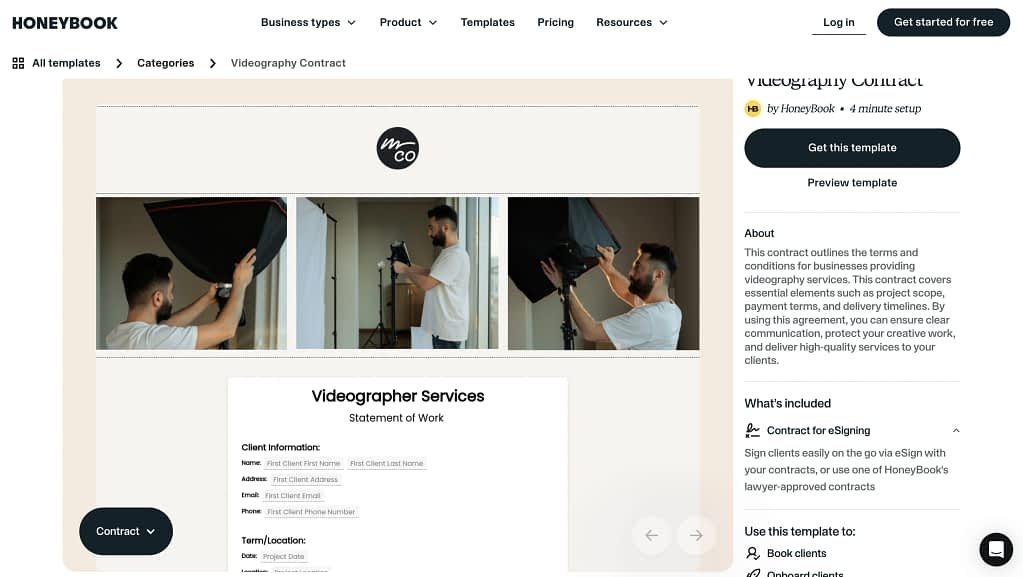
- Smart files—proposals, contracts, and invoices combined into a single branded document flow that clients complete end-to-end online. Automations with smart files have triggers, and the ability to attach proposals and contracts to automated workflows, so you’re not manually nudging every new client through the process.
- Modern, polished templates—genuinely nice-looking starting points, not just functional placeholders, which you can browse through even without creating a HoneyBook account.
Pricing
Pricing: Starts at ~$36/mo (Starter), $59/mo (Essentials), $129/mo (Premium). US and Canada-based businesses only.
HoneyBook offers a 7-day free trial, which is short, but just about enough to confirm it’s going to fit your business needs before committing. Especially since this tool is quite easy to set up.
Important to note are also its processing fees. Card fees start at 2.9% + 25¢ and bank transfers at 1.5%.
Best for
Creative professionals, including designers, photographers, and brand strategists where the proposal itself is part of the client experience and needs to look the part. More for people working on estimates-basis.
Who shouldn’t switch from Dubsado?
Shortly on that…
Honestly, if you’re a solo freelancer with 3 clients and no plans to grow, Dubsado is probably fine to use.
End of message.
10 Best Dubsado Alternatives In a Comparison Table
Whether you’re here to discover the best Dubsado alternative for a specific pain point, or comparing the top Dubsado alternatives side by side, the common downsides of Dubsado are the same: limited depth, clunky billing, and a client portal that doesn’t do enough.
For a quicker overview, check the comparison table between all of the Dubsado alternatives listed in our article.
| Pain Point | Best Alternative | What It Does Better Than Dubsado | Key Strength | Best For |
| Weak client portal | Zendo | Fully interactive, branded client portal with chat, orders, payments, and files in one place | Client experience-first platform | Agencies, consultants, freelancers, productized services |
| Complicated setup & onboarding | HoneyBook | Guided onboarding, intuitive UI, fast setup without external help | Ease of use | Freelancers, creatives, small businesses |
| Poor email marketing & drip campaigns | HubSpot | Advanced email automation, segmentation, A/B testing, CRM-based triggers | Marketing automation | Businesses running email campaigns alongside CRM |
| Payment issues & clunky invoicing | Zendo | Built-in service storefront with seamless checkout and automated payments | Smooth selling + payments | Productized service businesses |
| Limited scheduling | vcita | Multi-calendar scheduling and management | Scheduling + intake | Coaches, consultants, service providers |
| Mobile experience | Bonsai | Fully functional mobile app + best-in-class time tracking | Mobile + time tracking | Freelancers working on-the-go |
| Broken subscriptions & recurring billing | SPP (Service Provider Pro), now Wayfront | Native subscription management, recurring billing | Subscription-first billing | Agencies, coaches, retainers |
| Messy multi-user permissions & ownership issues | SuiteDash | Granular roles, proper ownership transfer, secure team access | Permissions & security | Teams, agencies with multiple users |
| Weak workflows & project management | 17hats | Strong automation, task dependencies, and structured workflows | Workflow automation | Creative service businesses |
| Ugly / outdated proposals | HoneyBook | Modern, polished proposal templates with seamless client flow | Proposal design | Designers, photographers, creatives |
Want to start over, for free?
Dubsado is a solid all-in-one CRM, and for many freelancers, it does exactly what it promises.
But as your business grows or your needs become more specific, the cracks start to show—whether it’s the limited client portal, clunky workflows, billing friction, or lack of proper marketing tools.
That’s why the “best” alternative isn’t universal, it depends on what’s slowing you down.
Whether you need better client communication, smarter invoicing tools, or a CRM platform that handles contracts, subscriptions, and automated workflows without the friction, there’s a purpose-built alternative on this list.
And if your biggest gap is the client experience—how clients communicate, buy, and interact with your services…then Zendo is the one worth testing first.
You can try it for free and see what a truly client-first workflow feels like in practice.
FAQ
What Exactly Is Dubsado?
Dubsado is a CRM and business management platform designed specifically for creative freelancers and service businesses, think photographers, coaches, designers, and consultants.
It combines invoicing, contracts, forms, scheduling, and a client portal in one tool. For small businesses and freelancers just getting started, it covers a lot of ground at an affordable price. The limitations tend to show up as businesses scale.
Is Dubsado or HoneyBook Better?
It really comes down to how you like to work. Dubsado is more flexible and powerful under the hood when it comes to the CRM part. But that flexibility comes at the cost of complexity.
HoneyBook, on the other hand, is designed to feel intuitive from the start. HoneyBook is also powerful, but much easier to set up and actually use day-to-day, especially if you don’t want to spend hours configuring everything or figuring things out. HoneyBook is also a much better option for those that prefer more modern visuals for their proposals.
Why Do People Switch Away From Dubsado?
A common pattern you’ll see across Dubsado reviews is frustration with the initial setup, which can feel overwhelming and time-consuming.
Others run into issues with the client portal feeling limited, workflows being harder to manage than expected, or features like email campaigns and billing not behaving the way they need. Over time, these small friction points add up, especially as a business grows.
What Is The Best Dubsado Alternative Overall?
There isn’t a single “best” alternative because it depends entirely on what you feel is missing. If your biggest issue is the client experience, tools like Zendo stand out. If you care more about email marketing, HubSpot is in a completely different league. For simplicity and ease of use, HoneyBook is usually the go-to.
Is Dubsado Too Complicated for Beginners?
For a lot of people, yes. One of the most repeated themes in community discussions is that getting started with Dubsado can feel like learning a system rather than using a tool.
Can Dubsado Handle Email Marketing and Drip Campaigns?
Not in the way most people expect. Dubsado does include workflows and automated emails, but it’s not built as a true email marketing platform. Users often point out that it lacks advanced logic, segmentation, and campaign-level controls. That’s why businesses that rely on nurturing leads or running campaigns usually end up pairing it with—or replacing it with—something like HubSpot.
Can I Use Dubsado Just for Invoices and Contracts?
You can, and many people do. Dubsado can be used for forms, contracts, and invoicing while ignoring the rest. The trade-off is that you’re paying for a much larger system than you’re actually using. At that point, it’s worth asking whether a simpler, more focused tool would get the job done with less overhead.
What Should I Consider Before Switching from Dubsado?
The best advice that comes up again and again is to map your workflow before choosing a new tool. Think about how you sell your services, how you communicate with clients, and how much automation you actually need. Switching tools won’t fix a broken process—it just changes where the friction shows up. The businesses that are happiest after switching are the ones that choose a tool aligned with how they already work, not the one with the longest feature list.