According to Axios HQ, the cost of ineffective communication adds up to over $15,000 per employee every year, or $2 trillion annually in the US.
And while as a small business owner you won’t feel too concerned, it’s a sign that there’s one thing that’s universally lacking: good communication. And it can struggle because of little things, too.
How often does a project get stuck because someone assumes another person is handling a task? Or because unclear requirements lead to unnecessary iterations? All that and more can cause delays, increase frustration, and even ruin the overall customer experience.
All that can be avoided by getting rid of outdated, manual processes and investing in collaboration platforms that can facilitate communication with teams and keep clients in the loop at the same time.
Here’s a quick TLDR for those in love with summaries.
| Best Client Collaboration Software (categories) | Company | Plans start at | Notable features |
|---|---|---|---|
| Overall | Zendo | $0 | ✅ Storefront ✅ Subscription management ✅ Sandbox |
| For detailed project planning | Flowlu | $0 | ✅ CRM ✅ Financial management ✅ Knowledge Base |
| For project visibility | Accelo | custom quote | ✅ CRM ✅ Business intelligence ✅ Resource management |
| For micromanagement | Scoro | $23.90 (per user, per month) | ✅ Reporting ✅ Sales pipeline ✅ Client retainer management |
| For agencies | Zendo | $0 | ✅ Custom sidebars ✅ Client organizations ✅ Onboarding |
| For free | Notion | $0 | ✅ Templates ✅ Databases ✅ AI Agents |
What is Client Collaboration Software?
A client collaboration software is a platform that helps team members work more efficiently with each other and their clients. It can easily track the workload, keep projects organized, and streamline delivery. It can also facilitate brainstorming, providing a workspace where everyone can share files, exchange feedback, and join online collaboration sessions.
At the moment, there are plenty of SaaS options available on the market. And while they do share common features, they all bring their own unique flavor; some tools focus on project management, some might take advantage of AI and automation, while others try to centralize all business processes.
Some even try to do all that and more.
That’s why it’s so important to get your priorities straight before investing in any web-based collaboration tools — what features are considered must-have in your case, and which are simply ‘nice’? This way, you won’t get swayed by the hype (looking at you, AI!) and pick the tool that truly solves your business needs.
Why Do Businesses Use Client Collaboration Software? 7 Benefits
Businesses use collaboration software tools to centralize processes, onboard clients, facilitate data access, set permissions, and much more. Let’s make a quick overview to give you a big picture.
| Benefit | Business POV | Client POV |
|---|---|---|
| Centralized space for all your business processes | You don’t have to keep switching between different tools — you can manage projects, assign tasks, share files, exchange messages, issue invoices and get paid, all in one place. | Clients don’t need access to several different tools to work with you or to find updates on their projects; they can log in to one platform and enjoy the transparency. |
| Easily accessible data | All data stays within easy reach for everyone involved. No one needs to look up several different tools to find that one document. | Clients can find all their documents (quotes, invoices, contracts, questionnaires, and multimedia files) in their own Client Portal. |
| Different permission levels for better management | Assign your team members different roles. Decide what they can do and what they see throughout the platform. | Don’t worry about clients seeing something they shouldn’t; you decide what they can access. |
| Quick and painless onboarding | Your new team members, or those returning from holidays, can quickly get up to speed on all projects and get clear insights on processes and workflows. | Clients don’t need a complicated introduction to several different tools; they can simply learn how to use one. |
| Scale & grow | Client and team collaboration tools are designed to scale effortlessly: add users, handle more client requests, and count on steady feature updates and support. | You can provide a smoother experience for all your clients, no matter how many projects you have to tackle all at once. |
| That professional look | Boost morale by keeping up with the times. Make your employees proud to be on your team! | Customize the platform to impress your clients with a modern, white-label platform that proudly represents your brand. |
| Elevated customer experience | You and your team members can easily keep your clients in the loop, reacting quickly to new messages, jumping on calls at once, and automating everything else. | Inviting clients to their own space and essentially making them part of the team will make them feel in control, increasing trust. |
What are Key Features of Client Collaboration Software in 2026?
What are the core collaborative features necessary to make your investment pay off?
- Internal communication channel. You need to be able to talk to your team and clients directly on the platform, not just via email. A real-time chat that enables file and document sharing is usually the perfect choice.
- Client Portal. A Client Portal is a password-protected space you invite your own clients to. There, they can track project progress, send a message to your team, and look up their files. The more advanced tools will also allow clients to make payments, submit new requests, and manage their subscriptions, among others.
- Storage space. You do need easily accessible space for all documents and files ever shared, no matter if it’s between teammates or them and your clients. Make sure there are filters to help you find what you need.
💡 This is especially important for video creators and editors; make sure your chosen platform can store all that heavy files!
- Permission levels. For example, a content marketing specialist shouldn’t have any access to billing — make sure everyone sees just what they need and not a page more.
- Automation features. Don’t settle for a tool that still requires manual input on every step and doesn’t enable workflow automation. Get your money’s worth by ensuring all the repetitive tasks can be automated, leaving to you the actual creative work.
- Project and task management features. Whether that’s a Kanban board, a Gantt chart, customizable pipelines, or to-do lists, see if the tool you’re considering has your favorite features.
- Integrations. Sure, a good customer collaboration tool should be an all-in-one type of software, but if you need that one extremely niche solution (or just Zoom, Miro, or ClickUp), make sure it supports integrations with it.
Best Client Collaboration Software Tools — Top 6 Ranking
Finally, let’s get to the ranking of our favorite tools.
1. Best Client Collaboration Software Overall: Zendo
Zendo is primarily a Client Portal software designed for smaller teams to collaborate. It doesn’t have a long history, which plays into one of its biggest strengths: it doesn’t come with the legacy baggage other solutions struggle with. Moreover, as a tool widely used for creatives, it takes care to present modern, polished looks that can be fully white-labeled and customized.
Key Features
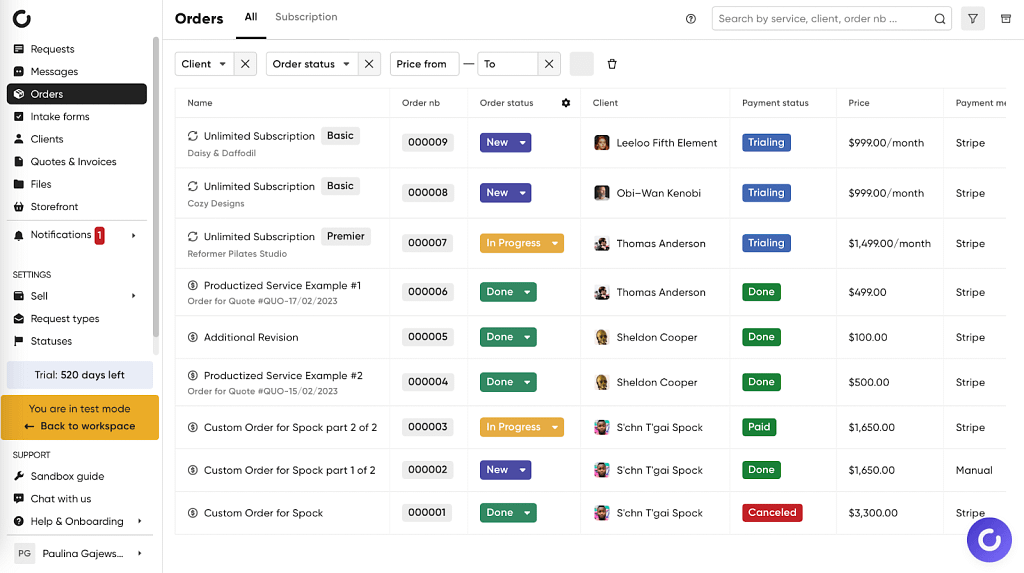
- Built-in Client Portal. Some collaboration tools integrate Client Portals years after launch, making it a separate component rather than a core feature the rest of the system depends on — and it shows. In the case of Zendo, the Client Portal is smoothly integrated with the whole system, allowing clients to become part of the team.
- Multitasking chat. Firing off a quick message is just the start; clients can make payments directly in chat, accept or reject quotes, and share files, while team members can exchange notes that are invisible to clients and issue completely new invoices right off the bat.
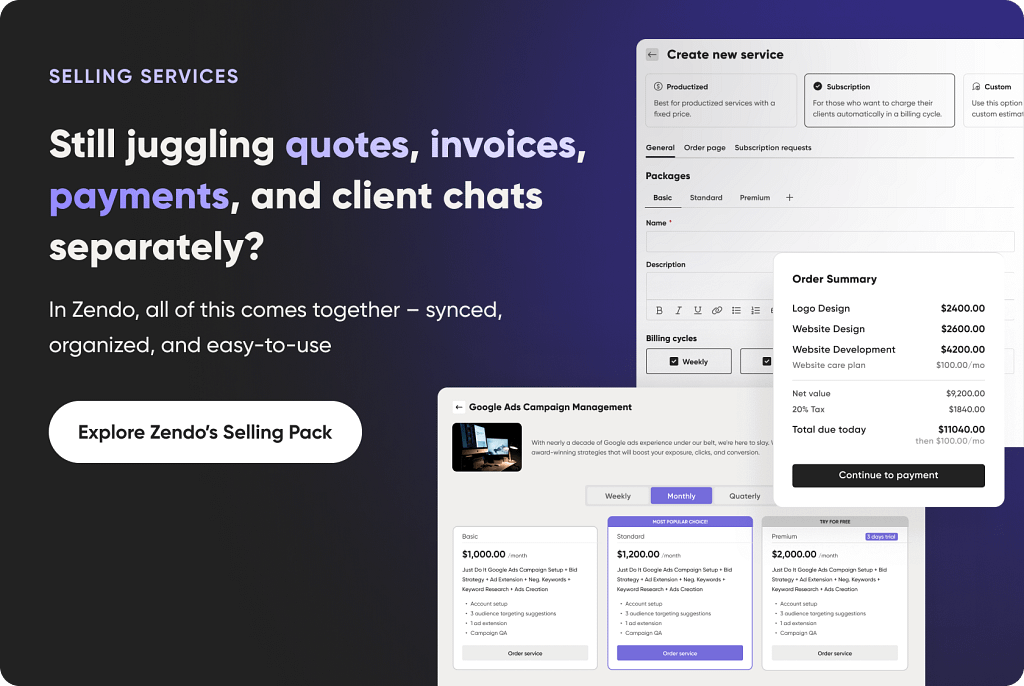
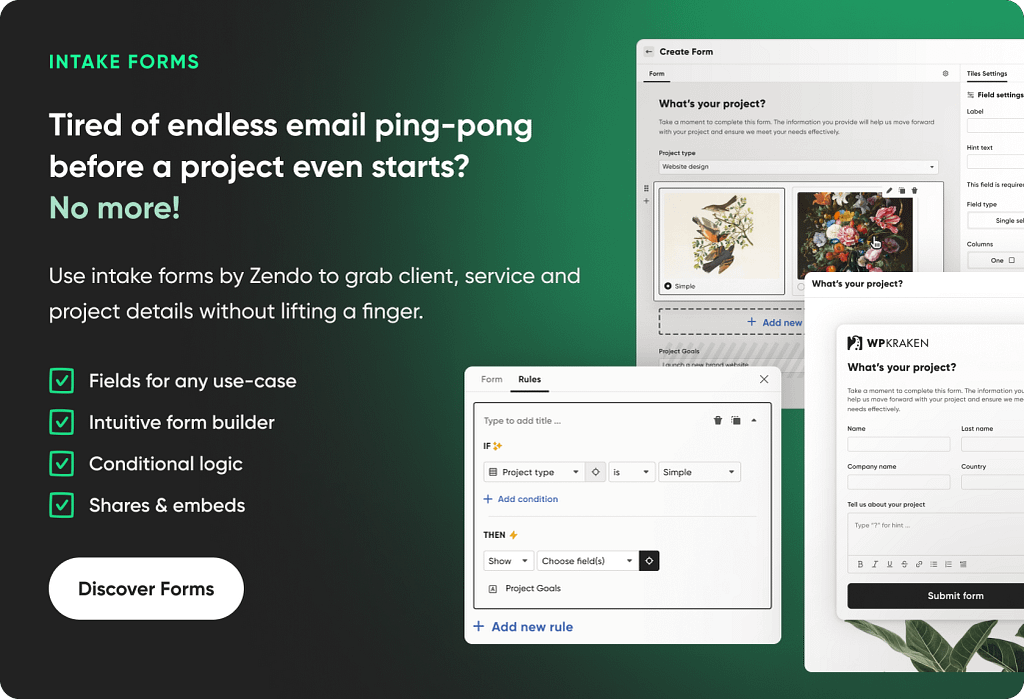
- Storefront. Forget about exchanging back-and-forth emails while trying to explain what you can and cannot do. Instead, lead your clients to your Storefront, where all your services — productized, custom, and subscription-based — can be presented. Your clients can choose to include add-ons, fill out intake forms with the necessary information, and finalize the purchase if upfront payment is involved.
- Subscription management. There are many tools that help sell subscriptions. But Zendo goes one step further by including two neat features: a subscription pause, allowing clients to stop the service delivery with no consequences, and request limits, so that your clients don’t go overboard with the number of submitted orders.
- Sandbox. This innovative feature isn’t to be found anywhere else — usually, while learning the software or testing new workflows, you have to make the right mess of your own workspace. But in Zendo, you can switch to the testing environment anytime to safely try out your wildest ideas.
Pros & Cons
Zendo’s biggest strength is its approach to digital collaboration — it’s a whole ecosystem that focuses on communication and transparency. All its features are interconnected, so that if you share a file in one place, it will appear in another; something that seems obvious in hindsight, but what’s often overlooked or difficult to pull off in the case of enterprise solutions.
Sadly, Zendo still lacks analytics that could help business owners track their money, including expenses, income, revenue, and other financial KPIs. Thankfully, that issue can be solved with integrations, some of which can be even embedded directly into the platform.
Pricing
Zendo is on the affordable side, offering three plans:
| Per Month | Per Year | Number of users | Notable features | |
|---|---|---|---|---|
| Essential | Free | Free | 1 user | ✅ all types of services included ✅ unlimited client requests |
| Max | $49 | $444 | 2 users with the option to buy more ($15 per user per month) | ✅ automation features ✅ custom domain ✅ integrations ✅ rich customization options |
| Pro | $199 | $1788 | Unlimited | ✅ full white-label experience |
2. Best Client Collaboration Tool For Detailed Project Planning: Flowlu
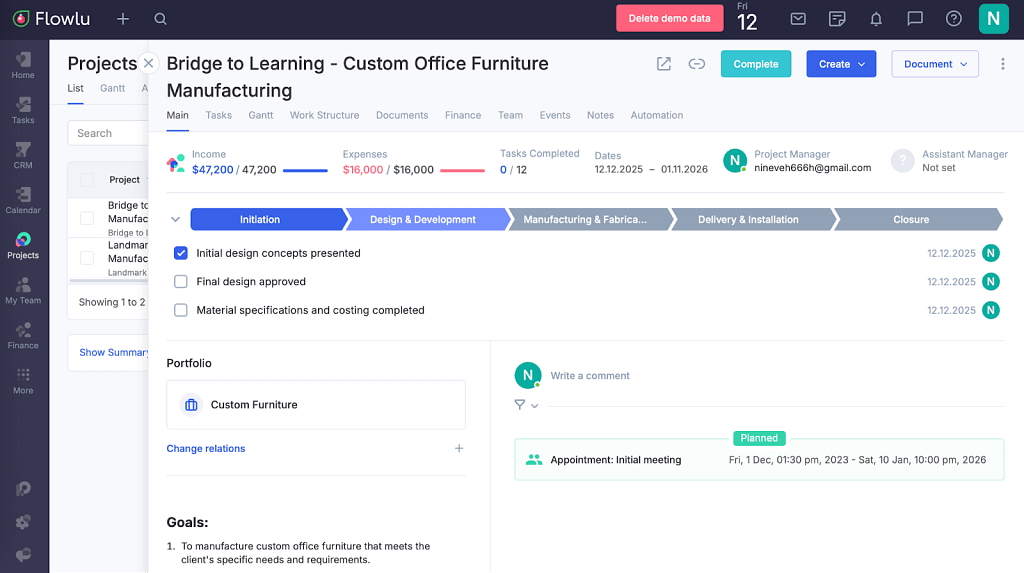
Flowlu is a unified business platform for marketing agencies, business consultants, educational institutions, event planners, legal professionals, and even for the manufacturing sector, among others. Flowlu shines when it comes to complex projects; if you want every detail mapped out and the ability to view your work from multiple angles, this is the tool for you.
Key Features
- Project management. As we already mentioned, that’s Flowlu’s strongest asset, allowing you to quickly switch between different views: a Work Structure view, a Gantt chart, a Task Board and a Task list, which can be also filtered. It also includes a glimpse into your finances, showing your income, expenses, balance, and profitability.
- Financial management. Flowlu gives you a detailed overview of the financial aspect of your business. You can, among others, track your cash flow over a specified period of time, see the invoice funnel to check for bottlenecks, and inspect accounts payable to vendors by supplier.
- Workflow automation. Thanks to this feature, you can automatically schedule and automate repetitive administrative tasks such as creating new projects, events, tasks, and notifications, updating fields, and sending Slack messages. For example, you can notify your entire team the moment a project moves forward or create a new project as soon as a client submits payment, making workflow automation easier than ever.
- CRM. It’s a space to manage all your leads from the moment they get in touch with you. To make it easier, you can count on the automation feature to speed things up, allowing you to quickly react in real-time. This way, you won’t miss any opportunities due to a lack of sufficient attention.
- Internal & external Knowledge Base. Flowlu allows you to create accessible knowledge for all the important information — sharing your social media management rulebook or marketing strategy — empowering both teams and clients. With it, you can eliminate basic questions you have to handle; and if it’s updated frequently enough, you can use it for your AI chatbots!
Pros & Cons
Flowlu is a modern tool for growing businesses that like to tackle complex projects. Project managers might especially love it, thanks to how easy it is to assign a team member, track progress, and keep an eye on your finances at all times.
But that complexity makes Flowlu difficult to master. If you’re switching from another project collaboration software, you’ll have to train your team on how to use it properly; if someone keeps categorizing leads incorrectly, even the best tool won’t deliver results. Thankfully, Flowlu comes with dummy data and many tutorials to make the learning process as easy as possible.
Pricing
Flowlu seems extremely affordable at a first glance — but beware, the prices are calculated per user!
| Per month, per user | Per year, per user | Team of 5, billed monthly | Notable features | |
|---|---|---|---|---|
| Free | Free | Free | $0 | ✅ CRM ✅ finance management ✅ collaboration tools for business |
| Essential | $12 | $144 | $60 | ✅ time tracking ✅ customization ✅ basic team organization |
| Advanced | $22 | $264 | $110 | ✅ automation ✅ 10 project workflows ✅ 7 sales pipelines |
| Ultimate | Custom | Custom | Custom | ✅ 20 project workflows ✅ 20 sales pipelines ✅ 300 automation rules |
3. Best Client Collaboration Software For Project Visibility: Accelo
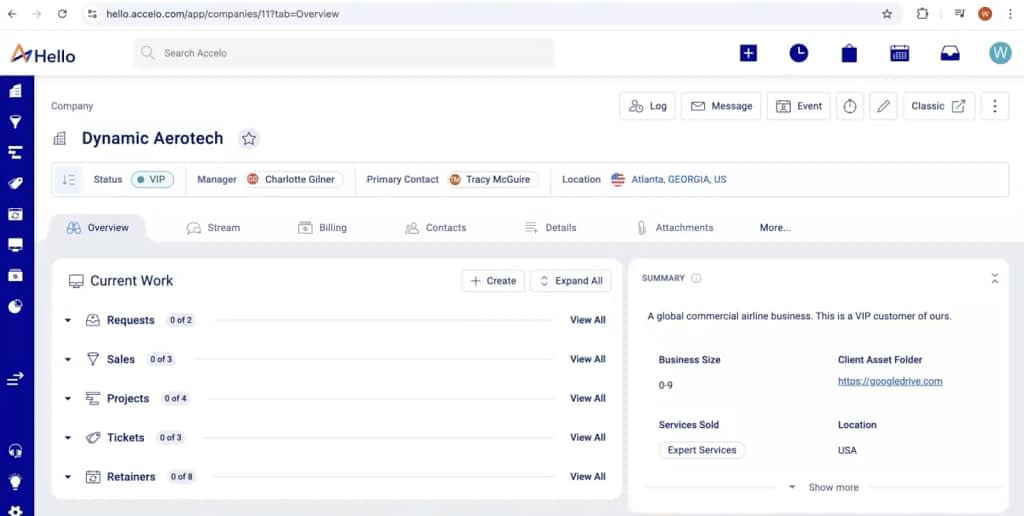
Accelo is one of the best cloud collaboration tools built for professional services teams such as consultants, agencies, IT providers, and engineering firms. It excels in managing long, interconnected client engagements, where time tracking, contracts, and delivery must stay tightly aligned. If you need structure, accountability, and full visibility across every client relationship from first contact to final invoice, Accelo is designed for that kind of work.
Key Features
- Client management (CRM). Accelo aggregates all communication channels, increasing visibility and transparency; this way, you won’t miss a single message, no matter its source. You can also easily track key metrics across client engagements, as well as client profitability.
- Business intelligence. This enables real-time tracking throughout the entire sales-to-payment workflow, including measuring performance, monitoring logged billable time, and identifying risks well ahead of time.
- Project management. In this tool, project management is all about metrics and control thanks to data-driven alerts, different views for project phases, time tracking, and most importantly — automated workflows.
- Resource management. This feature allows you to visualize workflows, view team availability for better management and maximizing billable hours, as well as forecasting contractors needs.
- Dynamic scheduling. Best part yet, Accelo automatically adjusts task start and due dates as you log time or reschedule work, evenly distributing remaining work across the schedule. Time can be assigned to a specific day or left to auto-schedule.
Pros & Cons
Accelo will delight any Project Owner or Project Manager with all its features for work and resource management. It helps ensure each teammate is busy without overwhelming them, keeping you up-to-date on all deliverables.
But while Accelo comes with many interesting features, it also comes with a steep learning curve. On G2, the average time to implement this software as reported by users is 2 months — and that’s just the setup. Training your team members to use the tool correctly usually takes much longer; coming up with a smart onboarding system will be a must.
Pricing
Another downside to this client management tool is its pricing. Despite its mission to increase transparency and visibility, it does require a custom quote — which might be a sign that Accelo might not be too affordable.
| Price | Notable features | |
|---|---|---|
| Professional | Custom | ✅ project, sales, quote management ✅ time tracking ✅ financial insights dashboard |
| Business | Custom | ✅ shared request inbox ✅ expenses & materials ✅ unlimited Client Portal users |
| Advanced | Custom | ✅ custom workflows ✅ advanced triggers & automation ✅ smart scheduling |
4. Best Client Collaboration Software For Micromanagement: Scoro
Scoro is a PSA (Professional Services Automation) software that can be used to collaborate with clients. But mostly, it helps teams plan, track, and deliver work efficiently. It gives real-time visibility into client retainers, sales pipelines, team workloads, and project progress. With automated billing, custom dashboards, and built-in collaboration tools, teams can stay aligned, make smarter decisions, and ensure no deal goes neglected.

Key Features
- Client retainer management. Retainer periods and budgets are created automatically, making it easy to track actuals against targets for each period. You can set time and financial budgets, monitor burn-down over time, and automate the entire billing process to save time and effort.
- Sales pipeline. Scoro allows you to keep track of every deal from quote to close, getting instant notifications along the way. You can quickly check where each opportunity stands, how long it’s been open, and which ones need a nudge. You can also spot your top performers and identify your most profitable services.
- Reporting. You can customize your dashboard to track the KPIs and metrics that matter to you the most. And your team members can do the same, helping you all stay aligned across all projects.
- Resourcing and capacity. Scoro gives you a real-time view of your team members’ availability and workload, helping you plan future projects without worrying of over or underutilizing your available resources.
- Collaborative features. Everyone works in one place, so you don’t have to chase updates or wonder what’s going on. You can assign tasks to more than one person, give everyone clear roles, and keep sales, delivery, and finance on the same page. All conversations and files sit right next to the work, so the right information is always within reach.
Pros & Cons
Scoro works well as an internal software for teams looking to manage their complex processes. But those who want to focus on selling services — be it one-off deals or subscription bundles — may find Scoro way too advanced. It has everything you need to get your workflows in order, but it does require some time getting to know the platform and to set everything up correctly.
Pricing
Scoro is a great tool, but it comes with a great price — especially when you’re managing a huge team.
| Per month, per user | Per year, per user | Team of 5, billed monthly | Notable features | |
|---|---|---|---|---|
| Core | $23.90 (minimum 5 users) | $238.80 | $119.50 | ✅ Gantt chart & dependencies ✅ detailed work reports ✅ bills, invoices, receipts |
| Growth | $38.90 (minimum 5 users) | $394.80 | $194.50 | ✅ project budgets and templates ✅ retainer management ✅ detailed financial reports |
| Performance | $59.90 (minimum 5 users) | $598.90 | $299.50 | ✅ revenue recognition and forecast ✅ cost and profit forecast ✅ team performance report |
| Enterprise | Custom | Custom | Custom | ✅ company budgets and forecasts ✅ approval flows ✅ time locking |
5. Best Client Collaboration Software For Agencies: Zendo
When it comes to the best collaboration tool for agencies, we have to give it once more to Zendo.
Why?
Agency work is rarely predictable. Priorities shift, scopes evolve, clients change direction, and new opportunities come up fast. Teams need to adapt without losing control of time, budgets, or quality. Therefore, if an agency settles for a complex management software — tools like Scoro or Accelo — it will find itself in a tight spot, navigating the set in stone workflows, unable to adjust on the spot.
That’s why software like Zendo — on the simpler side and easy-to-use — can be a much better choice for agencies. It comes with the level of flexibility and customization that’s perfect for unpredictable work and scaling businesses.

Because we already went through Zendo’s key features, we’ll just highlight three more:
- Sidebar customization. You can decide what the sidebars should look like for both your clients and team members (taking into account roles and permission levels; meaning, for example, that your agents can have different sidebars than admins). This way, you make the platform even easier to navigate, ensuring everyone gets access to what they need and not a page more.
- Team & client onboarding. Moreover, you can create an onboarding page that will be visible on the main dashboard. With images, rich text, images, and checklists, you can help Zendo users get started, telling them what they need to set up to make the most out of the platform. Onboarding clients has never been easier!
- Client organizations. Sometimes, your clients might need to bring more decision-makers onboard. For that reason, Zendo has introduced client organizations, where a group of users have the same access to all orders, files, and data, ensuring transparency and facilitating collaboration.
Pros & Cons
Zendo’s simplicity and flexibility speak in its favor. But on the downside, a typical Project Manager might find it lacking in terms of analytics — you’d have to set up an integration with another software to gain insights from all your sales, expenses, and revenue, if that’s what you need.
6. Best Client Collaboration Software with a Free Plan: Notion
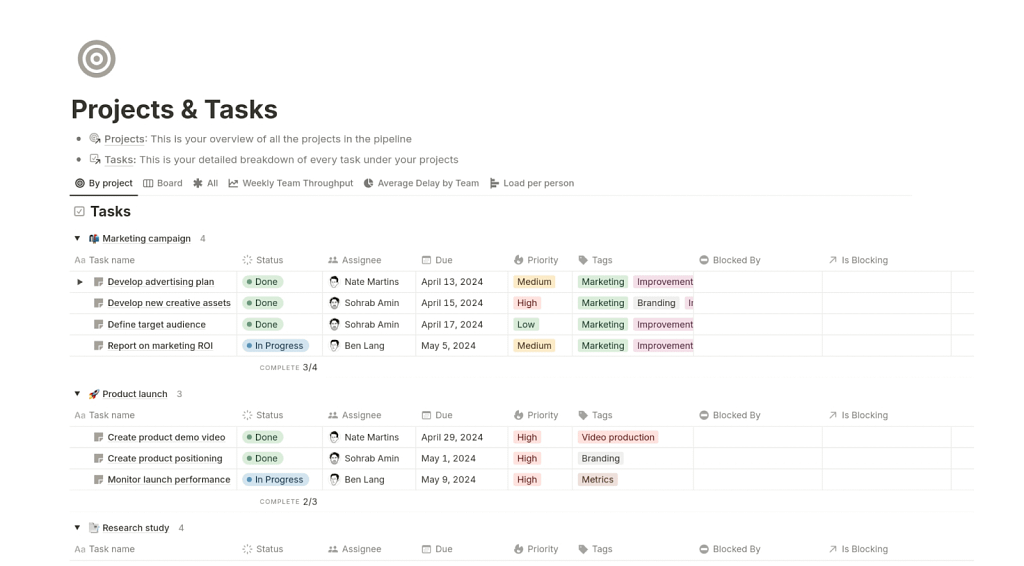
Notion is a collaboration workspace that teams can use to work with clients. It’s primarily designed to help organize information and collaborate in one place: sharing docs, project plans, notes, and simple task boards, giving everyone a clear view of what’s happening. You can invite clients to specific pages and ask for their comments right there, without the need to switch to a messaging tool.
Key Features
- Template library. Notion doesn’t want you to reinvent the wheel — you can quickly fill out your workspace with different boards and pages, from a Kanban board and Gantt charts to calendar views and robust databases. And because Notion comes with an active community, you can count on someone else to come up with a brilliant solution to your problem.
- Databases. You can create your own data sources with filterable properties and add different views for better visibility. For example, you can prepare an all-in-one database for all your client information in the form of a CRM or a project management hub, where you can track your team’s progress.
- Built-in scheduling. Sync your calendars with Notion to avoid double booking and to see deadlines and project timelines right next to your events. Manage them easily using the drag-and-drop feature, as well as share your availability with others.
- Built-in email inbox. Manage your email threads directly from Notion, which aggregates your communication. With the right settings, it can also automatically sort your emails by priority and save reusable responses for faster responses.
- AI Agents. Notion keeps up with the times by introducing Notion Agent, which can be used to create and edit multiple pages, search and analyze information, as well as build, query, and edit databases.
Pros & Cons
Notion is a delightful tool that keeps being developed. With its rich template library, AI features, and many customization options, it can serve many different purposes for various business types.
But frankly, it’s not meant for building Client Portals. Still, you can treat it as a workaround to not bleed your budget dry and to try out different options before choosing a proper business management software.
How to Choose the Right Client Collaboration Software?
Seeing the variety of available software, it might make one head’s spin. It’s easy to get swayed by marketing tactics and promises, so it’s important to stay level-headed and make the decision calmly. Here are some things to keep in mind at that stage:
- Budget. Once you decide how much you’re willing to pay for software, your available options will narrow down significantly.
- Must-have features. Decide upfront what you truly need to improve your business processes; don’t settle for a tool that doesn’t cover these needs (do you really need mapping or ideation features?).
- Migration. If you use another software, check if the new one can make the migration easier in any way.
- Knowledge base. The more complex the software, the more important it is to have access to well-written and up-to-date articles, guides, and tutorials. It’s also a good moment to test the software’s support!
- Future growth. If you plan to scale your business soon, make sure the platform will handle that.
Conclusions
While the market is overflowing with client collaboration tools, each presents different benefits, advantages, and challenges — from steep learning curves and complex pricing to different workflows and user restrictions. And it’s no trivial investment either; such a tool can bury your business or help it thrive, so do your research before making decisions.
And the best way to do that is to try out all the tools yourself. As a reminder, Zendo has a free plan and a testing mode to learn all the ins-and-outs easily.
FAQ
What are the Types of Client Collaboration Software?
Client collaboration software includes communication tools, project and task management platforms, file sharing and document collaboration tools, as well as Client Portals. Some solutions focus on one feature, while others combine multiple ones into an all-in-one platform for managing all client interactions.
What is the Best Client Collaboration Tool?
The best client collaboration tool is Zendo — an all-in-one client collaboration and service delivery platform that lets you communicate with clients via real-time messaging, manage requests, share files, sell services, and collect payments all from a branded client portal, reducing the need for multiple separate tools and keeping everything in one place.
What is the Best App to Keep Track of Clients?
The best app to keep track of clients is Scoro, a Professional Services Automation software that combines CRM‑style client tracking with project planning, time tracking, and billing in a single system. It lets you organize contacts, monitor deals and client interactions, link clients to projects and invoices, and see real‑time dashboards of client activity and financials.
Does Microsoft Have a Collaboration Tool?
Yes. Microsoft has several collaboration tools through its Microsoft 365 suite, with Microsoft Teams as the main platform. Teams combines video chat, file sharing, and app integrations, while tools like SharePoint, OneDrive, and Microsoft Loop support document collaboration, file storage, and shared workspaces.