A client portal for small business — that is, 99% of businesses in the European Union (Eurostat) and 99.9% in the USA (U.S. Small Business Administration Office of Advocacy) — is a big deal.
It tends to be a huge investment that promises a lot of benefits: a professional look, impressed clients, smoother workflows. And most importantly — automation.
But it can also be a source of disappointment, especially when the chosen client portal platform turns out to be slow, buggy, and lacking necessary features. Overpromising and underdelivering are prominent things in the SaaS market.
Some of them also require complex, time-consuming setups. The realization that you have wasted not only money but also time is a bitter pill to swallow.
How to avoid that fate?
Read our guide on the best client portal software to learn who actually brings value to the table and then test them out yourself.
What is a Small Business?
What qualifies as a small business? It’s a simple question until law gets involved; all countries have their own standards, considering the average number of employees, annual revenue, or both.
For the sake of this article, we’ll follow the UK’s standard: less than 50 employees and an annual turnover under €10 million, which makes for a perfect target audience that could use a client portal.
Freelancers and tiny teams — with less than 10 employees and an annual turnover under €2 million — fit into the ‘microbusiness’ category. Our guide will be appropriate for both small and microbusinesses.
Why Small Businesses Need Client Portals?
Let’s take a look at Joe, a graphic designer who, until now, worked as a freelancer.
To his surprise, he’s quite successful. He has a strong social media presence and a beautiful website he created from scratch. His main project management tools are AirTable and Trello, both on the free plans. It’s a bit of a cumbersome setup, but it works.
The problem is, Joe’s schedule is filled to the brim with projects. He has no capacity to handle another one, and saying ‘no’ to clients — while an impressive skill for sure — feels like a missed opportunity, especially since stability is hard to come by in the freelancing world.
If Joe worked faster and more efficiently, he could have taken on more clients. But that’s impossible when it comes to the creative side. But what about the administrative tasks? After all, answering emails, issuing and sending invoices, task management, booking meetings, and sending updates on project progress take much of the work. Automating this in any way could free up even a whole workday!
In the case of a small creative agency, the struggles might be different. While there’s always the option to hire a new designer to handle more clients, there are other problems rearing their ugly heads, such as a lack of secure file sharing, an endless sludge of back-and-forth emails, all the information being scattered over different collaboration tools, and difficulty in onboarding new team members.
In both cases, a secure client portal could make a world of difference, saving time, increasing productivity and efficiency, as well as smoothing out all the kinks in team & client communication.
How is that possible?
- A client portal software combines different features of various tools, resulting in a comprehensive center of operations for your business; communication, collaboration, file storage, and project & task management are usually the core features of such software. Furthermore, when these tools are accessed through a secure browser for enterprises, it ensures that all internal data remains protected while team members collaborate.
- A client portal collects all the information in one place, from conversations and notes to files and documents. This way, not only is the data easily accessible, but also highly reliable (often enough, scattered information is outdated or even contradictory). In other words, your chosen client portal can become a single source of truth.
- A client portal isn’t just a place for a team to work together — it’s also a professional space where you can invite clients, giving them access to appropriate information and ensuring they know at all times what’s happening with their project; it’s a great way for staying in touch, especially when a chosen client portal app comes with its own communication channels.
💡 90% of small business leaders report improved productivity, client experience and company revenue related to using new technologies (Small & Medium Business Trends Report, Sixth Edition, Salesforce).
How to Choose The Right Client Portal Software for Small Business? Comparison Methodology
Choosing the best customer portal software for your business depends first and foremost on your requirements. On top of it, many popular tools are tailored to the needs of specific industries, making them difficult to compare; a feature that’s a benefit in one context might be a drawback in another. That’s why our listed client portal tools are considered winners in their own categories, after having evaluated them based on the following criteria:
- How well does a client portal answer the target audience’s needs: no portfolio for a creative? Pass.
- Ease of use: do you have to jump over hoops to set up a simple workflow?
- Automation level: what’s the point of a client portal if you have to do all the work?
- Scalability: is there room for growth, or will you be forced to switch to another tool?
- White label: can you make the platform truly yours, erasing every sign of the third-party provider?
- Pricing: does it restrict the tool to enterprise-level businesses only?
The Best Client Portal for Small Business — Top 4 Platforms
Let’s take a closer look at our winners how met the aforementioned criteria.
1. Sprout Studio: For Photographers In Need Of a Shop
Sprout Studio welcomes new users with a powerful tagline: “You’re a photographer! Do more photographer-y things.”
Right from the start, we know that Sprout Studio understands the number one issue of this profession: you spend more time handling administrative tasks than actually doing the work you’re being paid for.
This understanding of photographer’s challenges seems present throughout the whole tool. It includes such crucial features as design proofs, gallery, an online shop, and scheduling on top of traditional client and project management.
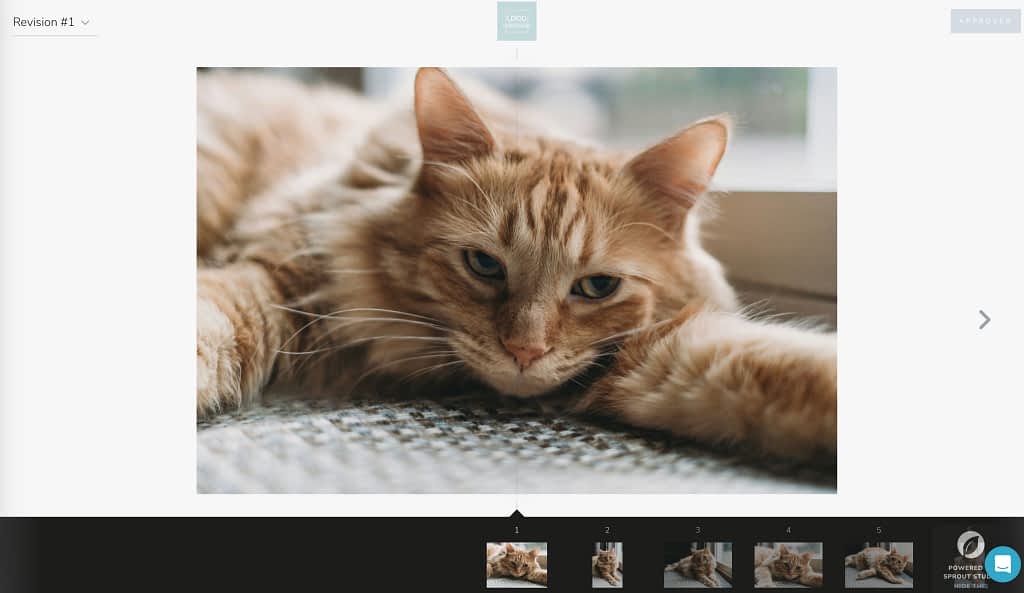
Design proofs are shown as a flip book (with optional animations!) that clients can browse through. They can approve the presented designs and leave comments, which can help streamline collaboration. Once you’ve got the final version, you can create a gallery.
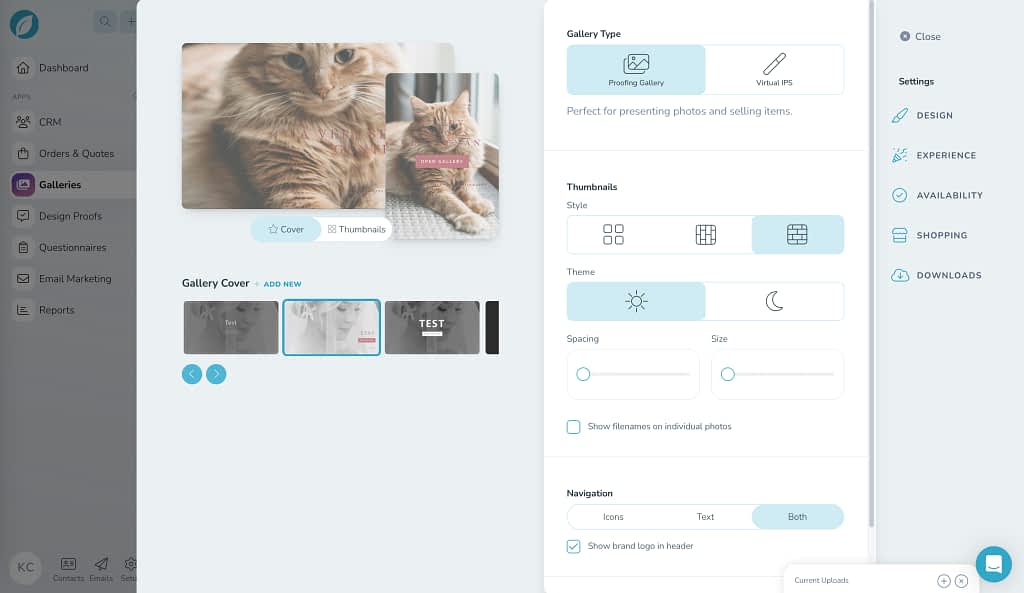
Any gallery that you create can be either attached to a specific shoot or unattached entirely. The former can be used to easily share the results, allowing clients to pick their favorites, while the latter can be shared as a portfolio, be it on a personal website or across social media platforms.
There are many options to customize your gallery. You can choose different gallery covers and how your work is going to be presented — horizontally, vertically, or as tiles. You can also spice things up with slideshows and videos.
You also get to decide who can view your gallery and for how long, making it private or restricting to specific clients or registered users only. And with an expiration date set in place, you don’t have to worry about taking back access manually.
If you’re worried about your photos being stolen, you can add a watermark to protect it!
But while many tools for photographers come with their own galleries, it’s the online shop that takes the cake.
This feature allows clients to buy prints, products, services, and even whole packages. This means that you can sell files and entire galleries, shooting sessions, books and albums, as well as prints and canvases, which can also be framed. It’s up to you if you’d like to use the in-house lab of Sprout Studio or your own local one.
And of course, Sprout Studio helps you bring order to all your leads & shoots through an interconnected, automated system. You can promise a seamless experience of being guided through bookings, proposals, questionnaires, contracts, and payments. Combined with email automation, this can become a powerful tool in the right hands.
Here’s the catch: Sprout Studio isn’t the easiest tool for photographers. But because of its superb features, we just had to feature it. If you’d prefer something much simpler, Studio Ninja is another strong competitor in this category.
💡 86% of clients are ready to pay more for products or services provided in a way fostering better experience (Experience is Everything: Here’s How to Get it Right, PwC report).
2. Bloom: For Artists In Need Of a Built-In Portfolio
What about these creatives that heavily rely on portfolios, but aren’t necessarily photographers? In that case, Bloom should be worth looking at, especially since it’s recommended by such famous people as Chris Do or Joel Grimes.
Bloom offers three different themes that can be used for the portfolio; they’re all clean and professional-looking options, devoid of any clutter. You can further adjust it by choosing how you want to present your work — in rows, columns, as squares, as a feed, and as a slideshow. So, for example, if most of your work is Instagram-friendly, the square format will work wonderfully.
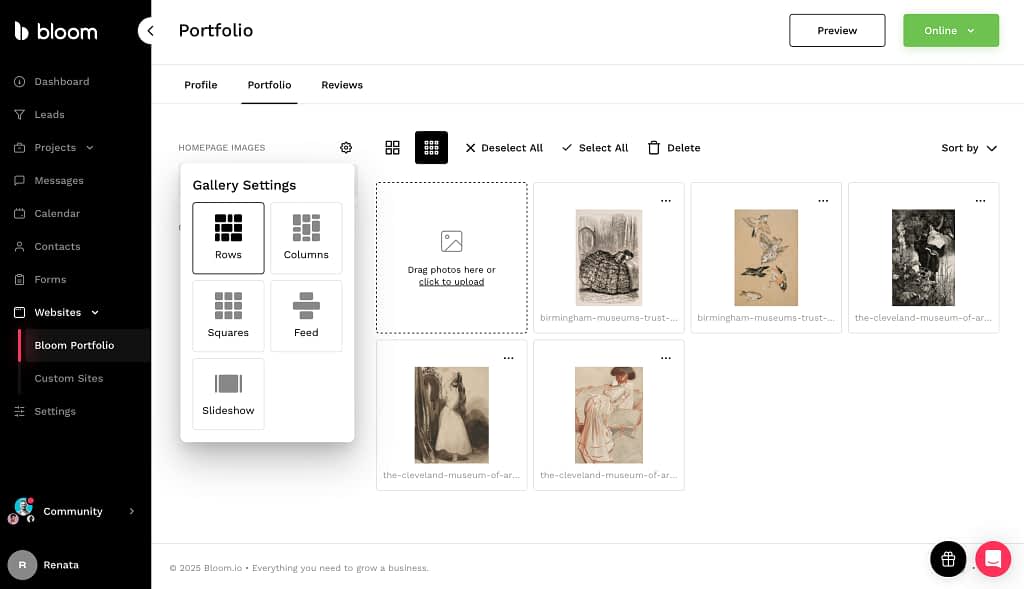
Moreover, you can add primary CTA, pick a default form — like website lead capture form, project questionnaire, or a 30-min discovery call booking — as well as information for both the home page and the ’about’ you page, which can also include images and photos.
If that’s not enough, you can create a fully customizable website using Bloom’s website builder, which comes at an extra cost of $14 dollars per month. Here, you can craft your website from scratch or use one of many premade templates, tailored to sushi restaurants, cleaning services, veterinary clinics, dentists, and even escape rooms, among others.
When it comes to customer experience, you can give your clients access to their own portals, where they can check on their invoices, contracts, and general project information. From there, they can also finalize any payments, sign documents, download shared assets, and get in touch with you through a messenger.
The messenger is another huge point in Bloom’s favor. It can be turned on and embedded anywhere you wish, from invoices, contracts, forms, and portfolio to your branded client portal and any external website that allows embedding. Thanks to it, your clients can quickly reach out to you from multiple places, making them feel well-taken care of.
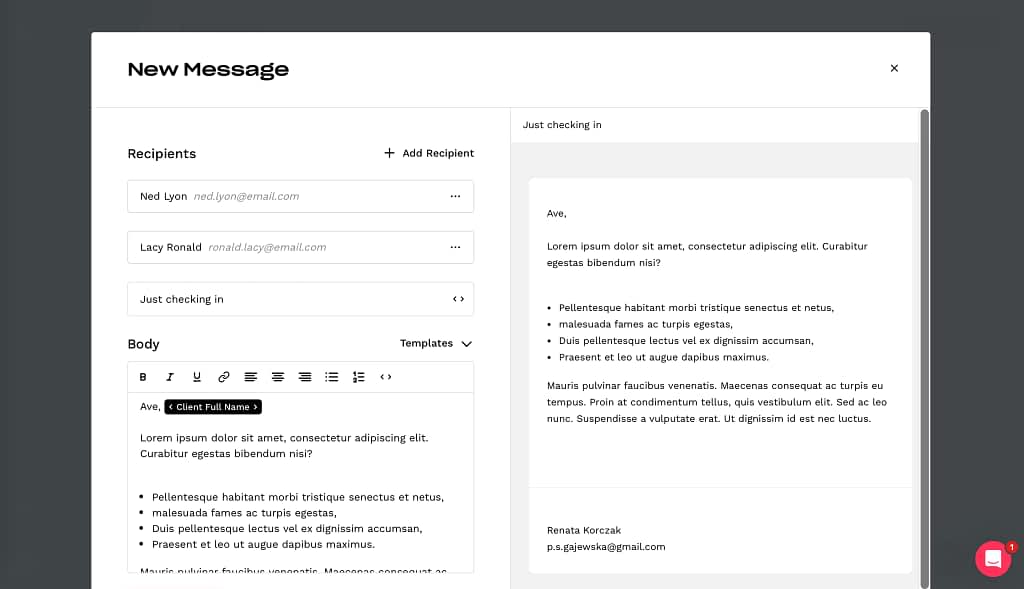
On the other hand, you can use the messenger feature to fire off quick messages to multiple clients at once. Thanks to merge tags, you can make sure your messages are personalized properly.
All in all, Bloom is a truly affordable solution for those who don’t want to spend too much time or money on custom solutions, especially if they’re getting their business off the ground.
3. Zendo: For Productized and Subscription-Based Services
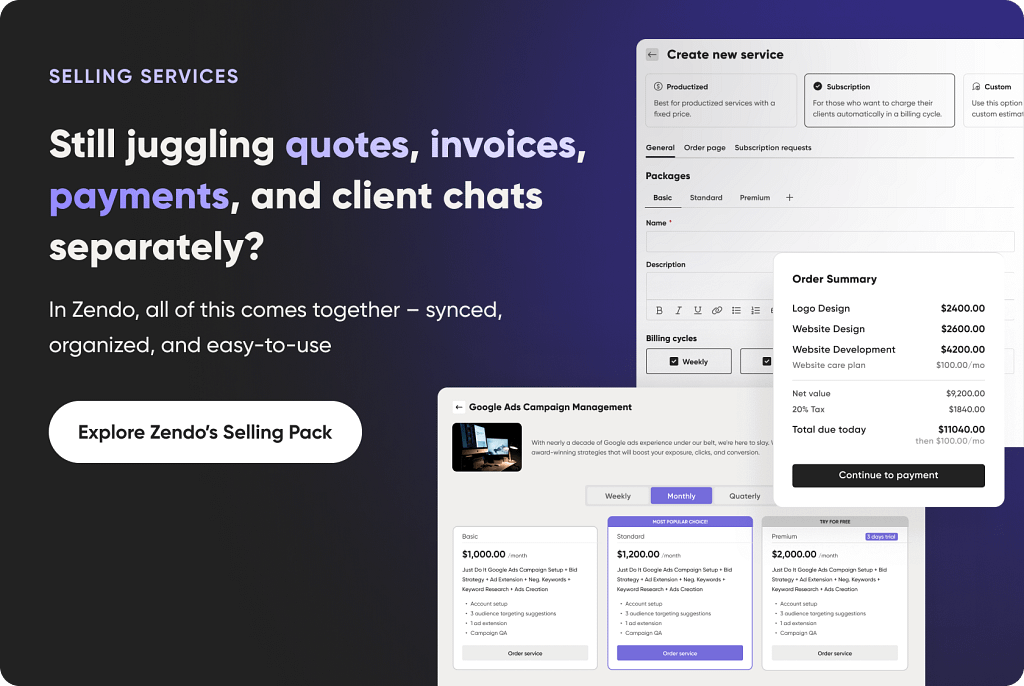
Our next proposition — Zendo — doesn’t have a specific niche in terms of a profession. But it’s perfect for small businesses that focus on selling productized, custom, and subscription-based services, no matter the job description. If you want to focus on automating the selling part, Zendo will be a solid choice.
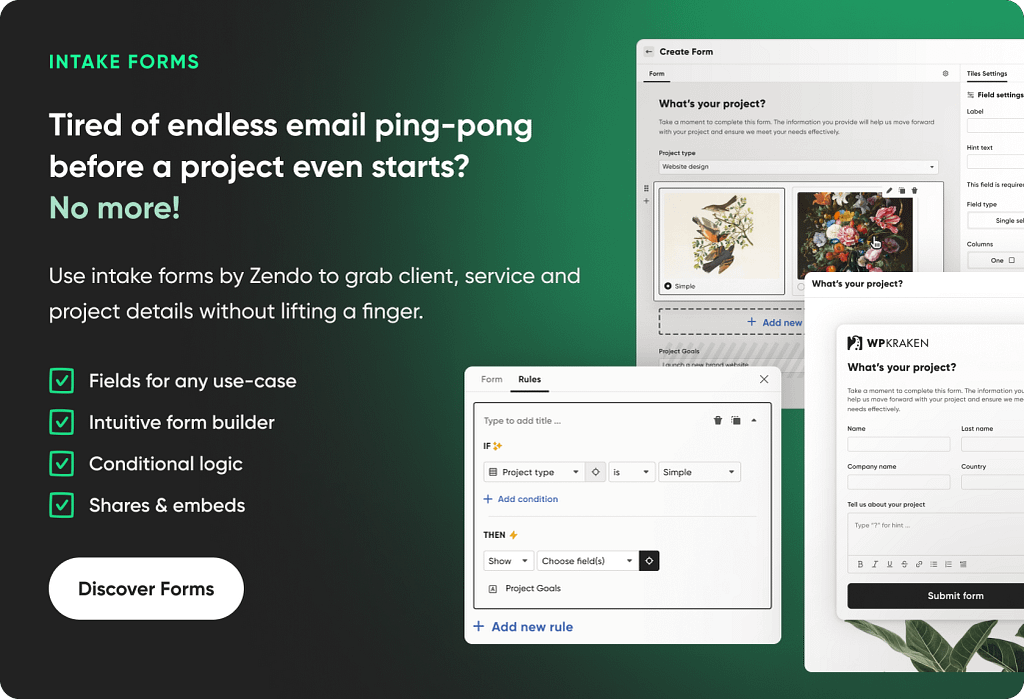
First of all, Zendo comes with a customizable Storefront. It’s a place that can be accessed by registered on non-registered clients — up to you — who can place their own orders and finalize payments without your involvement. This form of self-service cuts down on the needless exchange of emails, allowing potential clients to browse your services at their own pace. They can read up on the terms & services, compare bundles, and read the rich descriptions you can add to each service.
Depending on the type of service, your clients can describe their own needs or adjust the order’s scope through a customizable order form. For example, you can decide that your clients can order anywhere between 2 to 12 illustrations per one order, and your clients will have to pick an exact number during the checkout process. The dynamic pricing will also ensure no extra calculations are needed.
You can also spice up your offer with add-ons, which can cost extra or be free.
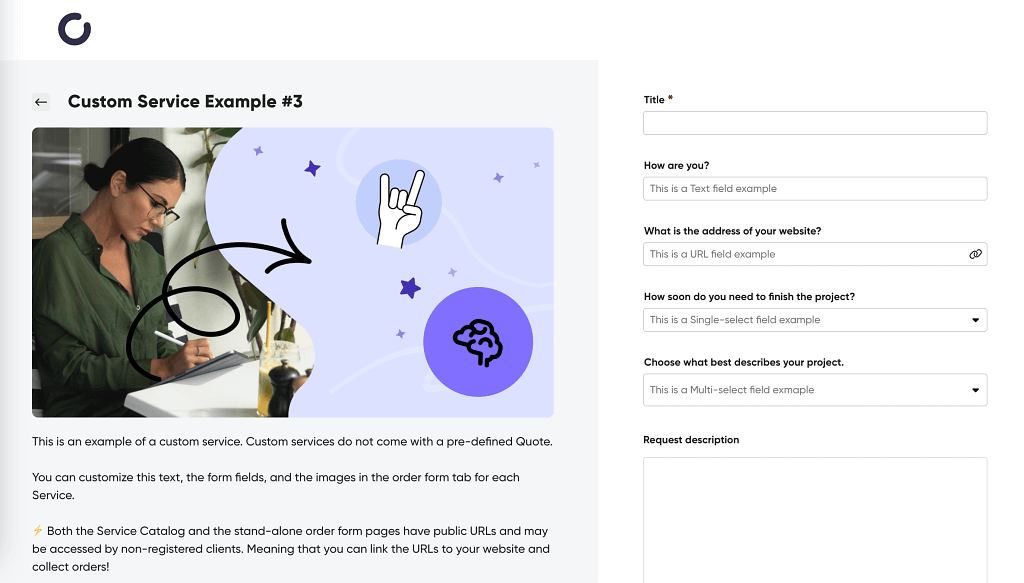
In the case of subscriptions, you can create different bundles that can be paid for weekly, monthly, or yearly, showing off your flexibility in terms of payment. This way, you can attract new clients with smaller purchases, and then convert them along the way into the pricey, long-term subscriptions.
In these scenarios, your clients can pay upfront, meaning the whole process from browsing to paying can take just a few minutes. But what if someone places a custom order? Then they can simply submit their request and wait for your estimation. The payment itself will then happen on the platform, right in Zendo’s main communication channel — a chat.
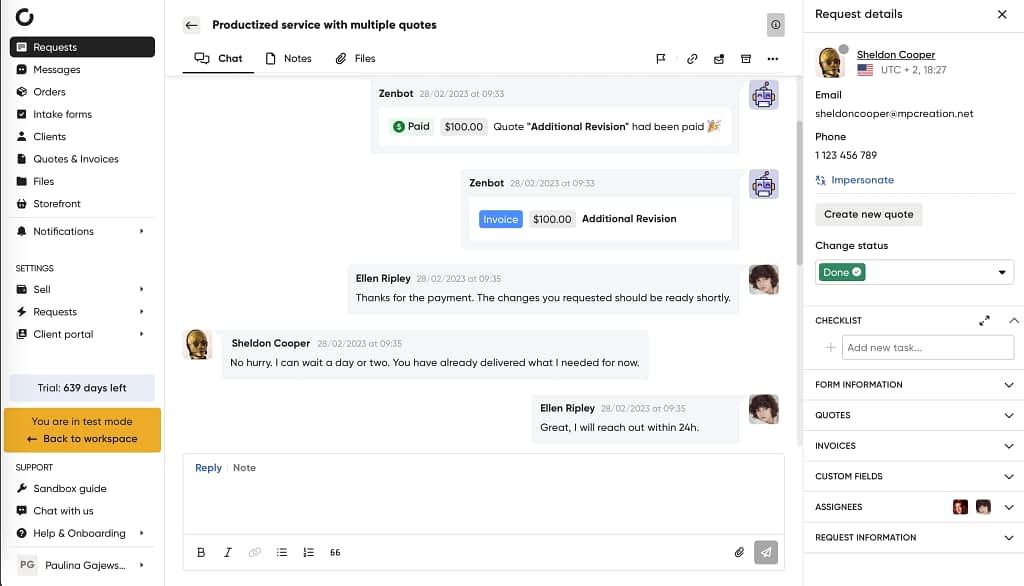
The chat is at the center of project management. It’s a place to talk not only with your client, but also converse privately with teammates in the same conversation. Moreover, you can find all the shared documents there, including:
- invoices,
- quotes,
- videos,
- and images.
But instead of wasting time scrolling through the conversation, all the files can be easily accessed on the right sidebar and in the relevant tab in the main menu.
Issuing invoices, accepting quotes on the client’s side, and finalizing payments also happen right in the chat. This means that you can forget about checking your email inbox entirely, since everything of importance happens in one client portal, making it the true all-in-one solution for small businesses.
4. Paperbell: For Consultants and Advisors
Next on our list is a solution created with consultants and advisors in mind; a tool that can be used by healthcare providers, accounting firms, and law firms, among others, to allow their clients to schedule meetings and consultations with no fuss.
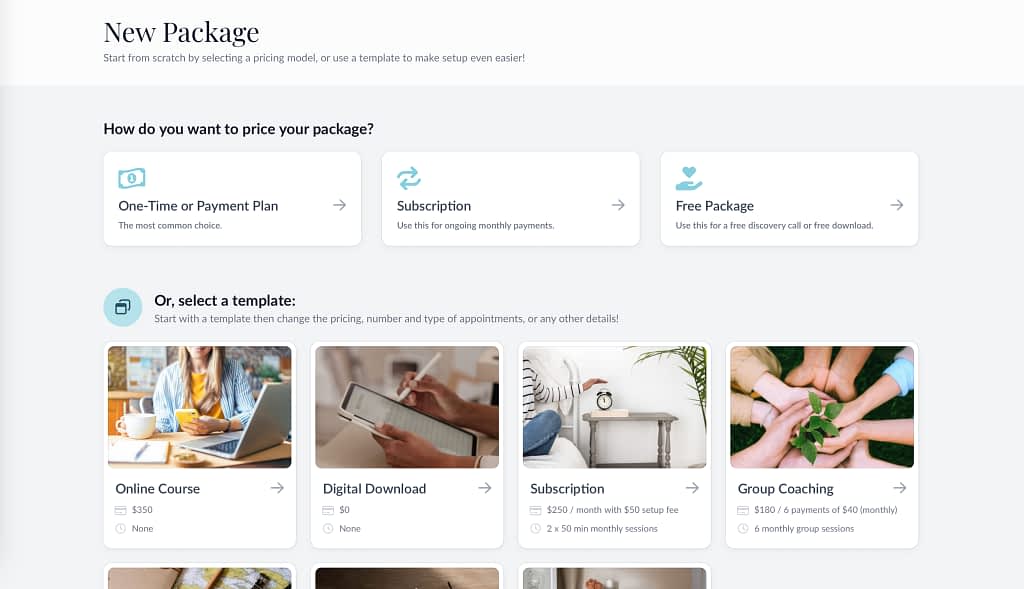
At the core of Paperbell are packages and bookings. You can create free packages, subscriptions, and one-time bundles. To speed things up, you can use premade packages, such as online courses, discovery calls, group coachings, breakthrough sessions, and more — or at least get inspired if you ran out of ideas!
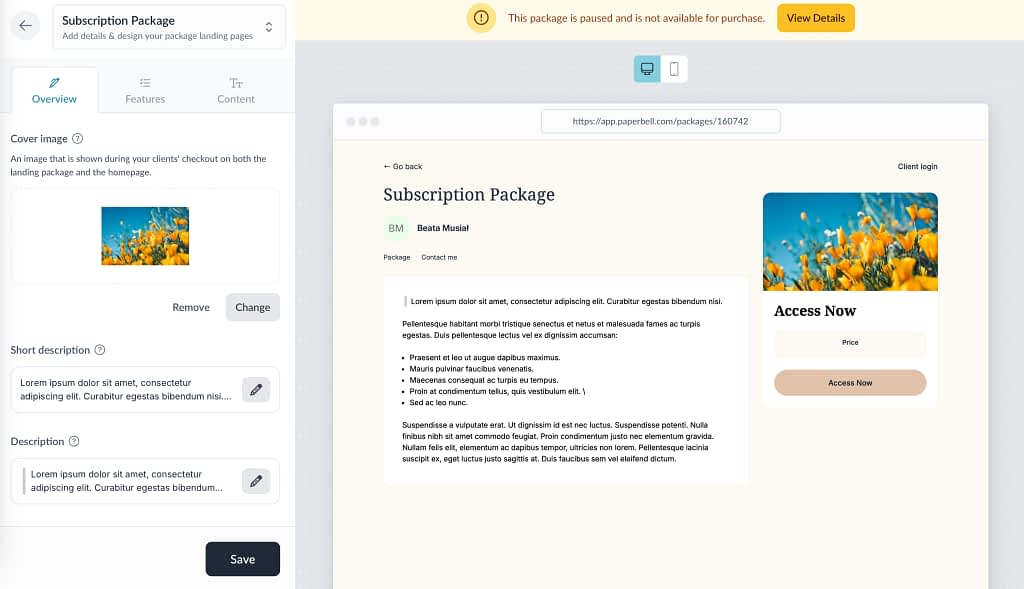
Additionally, it’s up to you if a package should be active or invite-only, meaning they won’t show up on your page, but you can still share a direct URL with specific clients — which is perfect for exclusive deals! You can also add an expiry date to make a package inactive on a given day, so that you don’t have to remember to turn it off manually later on.
For each package, you can pick purchase options & pricing, select appointments and group sessions, as well as include surveys. This will help elevate the client experience by leaps and bounds; they can complete three steps in one.
To make your offer all the more attractive, you can add coupons and spread the payments out over weeks or months. For truly special clients, you can even gift them packages, which is a lovely gesture for long-term clients or a form of reimbursement.
When it comes to bookings, first you can connect your Google Calendar, Microsoft Outlook, or Apple Calendar to ensure no double bookings or other accidents happen. Then, you can set up your availability: you can pick a specific time slot, decide if it repeats, and which package it should apply to.
And what about emails? Thankfully, Paperbell comes with email automation that responds to set triggers. This client portal software can automatically send reminders about an upcoming appointment, follow-ups after sessions, purchase confirmations, and more.
Did you get the feeling that Paperbell is a rather simple software? Sure it is! But it answers the needs of its niche and has all the necessary features to smoothen out your booking process. Sometimes, the simplest solution is the best solution.
Final Thoughts
We’ve presented four different client portal tools that can become essential to your business, automating your processes and enabling transparent communication:
- Sprout Studio: a feature-rich solution for photographers who not only want to showcase their work and schedule shoots, but also to sell prints and other personalized accessories;
- Bloom: a simple project management tool that stands out with its portfolio and custom website features, making it perfect for visual creatives;
- Zendo: a universal and secure client portal for business owners, who primarily work with teams; its biggest strength lies in its customizable Storefront and a chat built around client requests, facilitating communication;
- Paperbell: a simple tool for consultants and coaches of all industries who need help with optimizing their processes that rely on selling sessions, consultations, and appointments.
This set clearly shows the range of client portals; nowadays, there’s a tool for every type of business, no matter its industry, team size, preferred workflows, or budget. Now all that’s left is to try them out yourself — after all, one’s favorite tools can be someone’s nightmare.
| Target audience | Best Feature | Free Trial | Free Plan | Lowest Price | |
| Sprout Studio | Photographers | Gallery & shop | ✅ | ❌ | $17.42 |
| Bloom | Visual Creatives | Portfolio | ✅ (requires credit card) | ❌ | $14 |
| Zendo | Teams | Storefront & Selling Services | ✅ | ✅ | $37 |
| Paperbell | Consultants | Packages | ✅ | ❌ | $57 |
FAQ
What Is The Best Client Portal for Freelancers?
The best client portal software for freelancers is Zendo. It helps sell small to medium businesses custom projects, subscriptions, and productized services while streamlining communication with both clients and teammates. Zendo takes a modern approach to project management, turning clients into empowered partners who can make purchases and finalize payments on their own. Combined with Zapier integration, you can turn your workspace into a powerful, semi-automated center of all operations.
How Much does Client Portal Software Cost for a Small Business?
Prices range from $0 (limited free plans) to $100–200/month for premium tools. Most small-business-friendly options land between $15–60/month. Watch out for per-client vs. per-user pricing — it makes a big difference once you start scaling.
What is the Difference Between CRM and Client Portal?
A CRM is built to manage sales pipelines and track client interactions, while a client portal focuses on giving clients direct access to the projects they have commissioned, allowing them to check in pending payments, project updates, invoices, and their own account info. Small businesses don’t usually have a need for CRM; a good customer portal software should include rich enough client management features to help you handle everything you need for daily work.
What Features should a Small Business Prioritize?
The non-negotiables: secure file sharing, client messaging (chat or threaded comments), e-signatures, white-label branding (your logo and colors), and a clean client-facing dashboard that requires zero training. Everything else — invoicing, task management, forms — can come later or be integrated.
How Long Does it Take to Set Up a Client Portal for a Small Business?
Simple SaaS tools can be live in 1–2 days: add your branding, invite clients, and you’re off. More complex setups with custom workflows and integrations can take 2–4 weeks. The most important thing is that the client’s first experience is frictionless — run a pilot with one client before rolling out to everyone.
Can I Use Google Drive as a Client Portal?
While you can use Google Drive to share, store, and upload files, it lacks the client portal features businesses rely on, like built-in communication, knowledge base, payments, and project tracking. A dedicated solution such as Zendo delivers enterprise-grade security, integrates with other apps, and creates a true all-in-one hub for professional customer interactions. Using Google Drive for such a purpose may also make a bad impression, making you look like an amateur.
How do I get clients to actually use the portal instead of emailing me?
Lead with a clear client benefit: “All your documents and invoices in one place, available 24/7.” A short onboarding video or GIF walkthrough helps. Most importantly — be consistent. If you keep replying by email anyway, clients won’t see the point. The portal has to become the default, not the exception.