Running a small business means taming all the chaos that brews on all fronts: booking meetings, managing unruly team members, figuring out taxes, or hunting down missed payments. It’s no easy task, especially when the number of projects or clients — or both at the same time — keeps growing.
Thankfully, the days of noting everything down on paper is over. We can take advantage of the constantly evolving technology to make all the internal processes as easy as possible, lessening the chance of costly mistakes. But around the corner, new challenges arise, such as the rising cost of SaaS software or the abundance of tools that lead to app fatigue.
That’s why we’ve prepared a list of trustworthy tools to make the decision process easier. They serve various purposes and business cases, solving project management issues, booking concerns, or helping team members stay connected.
Enjoy!
Why Good Business Organization Matters?
At first, having complex, automated workflows might not seem like a priority. After all, small business owners have more than enough on their plate, doing their best to promote their services online and grow their client base. But soon enough, small mistakes might start popping up: missed deadline, lost files, double-booked meetings.
If you stay on top of all your administrative tasks from day one, you’ll get to experience the following benefits:
Accessible Data
First of all, you’ll never have to waste precious time on hunting the right files or information ever again. Having a logical, intuitive system set in place — a set of folders, ordered by client names or dates, for example — along with properly named files, will help you find what you need at a moment’s notice.
Imagine the following scenario: after a year of collaboration, your client asks you to send an animation used in the previous project. Now you need to figure out where the animation is in the first place (in an email thread? In one of the archived Slack channels? Or maybe somewhere on Google Drive?) and which version is the final one (“client_final_ultimate_FINAL2.mp4” or “client_final_the_real_ultimate.mp4”?). And if the file is no longer accessible, because it was hoarded by your ex team member — good luck trying to get that back.
If you keep order across all your files — preferably, you ensure there’s a single source of truth — this will never happen, making your job so much easier and your clients so much happier.
💡 According to McKinsey, people waste roughly 1.8 hours per day searching for the right information at work.
Quick Onboarding
Now imagine another scenario.
You’ve invited a content writer to your team. You tell them, “you can base your article on our knowledge base”. But when they send you the finished piece, you’re confused — the information is severely outdated, the business context is missing, and the tone of voice is off-key. After a tense, awkward conversation, you get to the heart of the issue: no one has been updating the knowledge base. The right visuals are on Figma, accessible only to the graphic designer, and all the right information is stored inside the Senior Developer’s mind.
Sounds familiar?
Not only have you wasted your new writer’s time — costing you money — but now you have to help them get all the data they need, pulling everyone from their task. And if they don’t coordinate (after all, nobody takes documentation seriously) you’ll end up with mediocre articles, no matter how talented their author is.
If you document everything from the start, bringing new people into your team, assigning tasks, and taking over someone else’s work becomes much less of a headache.
💡 Freshly hired employees waste more than 200 hours on chasing knowledge, including unwritten rules and who’s responsible for what.
Better Customer Experience
If you work closely with your clients through the whole business relationship — especially when you work on custom projects or provide subscription services — then there are more opportunities to both shine and fail. If you constantly forget to send updates, reply to messages after days of silence, or even mix up the numbers on your invoices, your clients will get more and more dissatisfied. Even if the end product turns out great, you might still lose clients due to abysmal experience. Regaining lost clients is always a hard nut to crack…
In that case, there are many different apps that can help improve the overall experience. A neat Customer Relationships Management (CRM) tool or an all-in-one Client Portal will do the job just fine — providing a shared workspace and a bunch of features that facilitate collaboration and bring transparency into the project.
A good customer experience also depends on the set expectations. All the promises that you make upfront, you’ll have to keep; from timely updates and specific deadlines to the number of revisions and meeting sessions. Stay as clear as possible on all the terms and conditions so that both parties know exactly what they signed up for, erasing the chance of misunderstanding.
Easy Scaling
What happens when you grow your business rapidly, doubling or even tripling the number of your employees, but your internal processes stay the same?
Chaos takes over.
Because there are no set standards, everyone uses their tools differently; mixing up tasks and epics on Jira or hoarding files on their own Google Drives, instead of using the dedicated folder, or keeping key information in private Slack threads where no one else can find it. And that leads to trouble, especially when combined with no documentation.
But if you carefully build all your processes from the start, scaling will turn out to be much easier. Onboarding will be a breeze, delegating will only take but a few minutes, and finding any data won’t be a challenge.
Saved Time and Money
All the aforementioned benefits lead to the final one: good organization saves both time and money. It’s especially clear when working on an hourly basis — wasting time on hunting down documents or explaining over and over again what needs to be done to a coworker literally means wasting client’s money. The same time can be spent on doing the actual work, finding new clients, or researching the best business organization apps.
8 Best Business Organization Apps in 2026
Now that we understand the importance of such a quest, let’s take a look at what the market has to offer.
1. Best Client Management App: Zendo
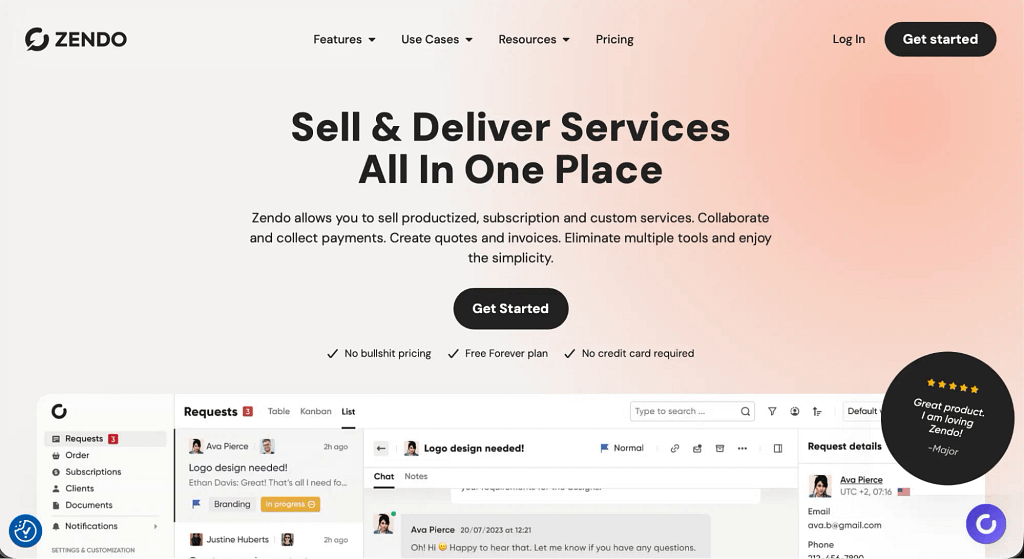
A client management app is a software that facilitates collaboration, communication, and onboarding of your clients. Some of them are more passive in nature, gathering all client information in one place, while others allow your clients to log in to their own curated dashboard. There, they can leave feedback, download documents, and even submit new orders and finalize payments. This way, you can elevate the experience even more and help your clients feel in control — which will be appreciated in the case of more complex, custom projects.
In this category, the one tool we can wholeheartedly recommend is Zendo. Note though that its capabilities go beyond client management; it also enables selling services of all kinds on top of facilitating team collaboration, ensuring your business is well taken care of on all fronts.
Main features
What can you expect from Zendo, when it comes to client management capabilities?
- Customizable Dashboard: first of all, clients can log in to their own personalized workspace to check on their projects, submit new orders, make payments, chat with the team, or upload files of any kind. And with the option to customize sidebars, you can ensure your client has the right access to all the tools they need for a successful collaboration.
- Client Onboarding: never leave your client stranded by including an interactive onboarding set up on their dashboard, pointing them in the right direction and explaining the collaborative process.
- Client Profile: all data about each client you have will be saved in the client profile. This includes all the files exchanged in chat, issued invoices, notes left by your team members, subscription statistics, and more. Every piece of information is saved automatically.
- Client Organizations: let clients create their own teams when there are more stakeholders or decision-makers involved. Everyone in an Organization gets the same access to the submitted requests, ensuring transparency.
- 2FA Authentication: enjoy the increased security, sleeping well knowing no data will ever leak from the platform and that no uninvited guests will never wreak havoc in your business.
Strongest Point
What separates Zendo from other similar tools is its approach to collaboration — that’s why the focus point of the platform is the feature-rich chat. But the most delicious cherry on this cake is the Storefront, a place where clients can submit their own orders, from start to finish. This way, there’s no need to exchange another bath of back-and-forth email messages to complete the process.
Weakest Point
Zendo doesn’t come with robust analytics, so those who count on counting their finances on the daily need another software to do so. The workaround for this issue is to use the Zapier integration to connect Zendo with a bookkeeping tool.
Price
Zendo is extremely affordable. Since its target audience are small to medium businesses and not enterprises, the subscription plans are plenty attractive to those just starting out:
- Essential (free version) — best for lone wolves or those just checking the platform out.
- Core ($300 a year or $29 per month) — with basic white-label features, Stripe integration, and custom features.
- Pro ($588 a year or $59 per month) — advanced white-label features, Zapier integration, and automations.
- Agency ($948 a year or $99 per month) — full white-label features and forms conditional logic.
If Zendo caught your attention, feel free to check it out on your terms; no credit card information required, no time limit to make your testing rushed.
2. Best App for Centralizing Knowledge: Notion
We talked a lot about the issue of lost or scattered data. The simplest thing to do, besides running Google Drive with an iron fist, is to invest in a knowledge hub like Notion.
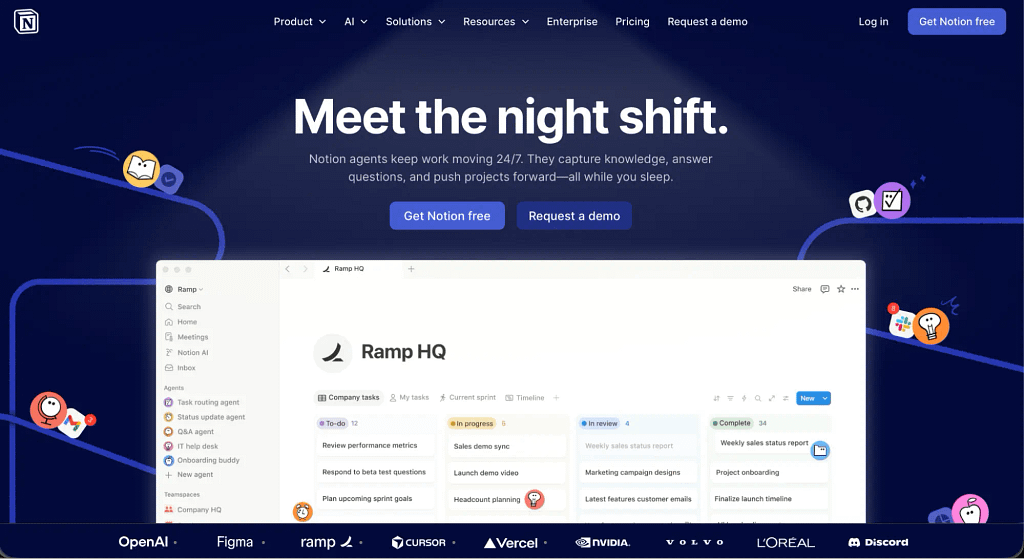
Don’t be fooled — at the moment, Notion heavily promotes its AI features, going as far as to call itself an AI workspace. And while that’s not a lie, Notion still remains, first and foremost, a platform for centralizing information and sharing it with others.
Main Features
Outside of AI features, you can expect the following delights:
- Synced Blocks: if you have the same content in several different spaces, and you update one of them, others will follow. Thanks to this, you won’t have to worry about outdated information cluttering the platform.
- Template library: no need to start from scratch — use the templates already prepared by the Notion team and Notion users. Notable examples include: meeting notes, design system, project requirements, pitch deck, and more.
- Databases: combine multiple data sources to prevent information silos. You can organize your data in different ways (list, table, calendar, chart) and customize properties to include context, labels, and more.
- Project visualization: see at a glance the status of all your projects through different lenses, such as timelines with a bird’s eye, colorful charts, or the classic Kanban board.
- Integrations. Connect Notion to a variety of tools, including Jira, Slacks, GitHub, Asana, Zapier, and more. This way, you’ll gain insights into your tickets and projects directly from your dashboard and will help you automate your workflows.
Strongest Point
Creating highly customizable and personalized databases is, without any doubt, the strongest point of Notion. It really feels like the sky is the limit — you can create your own project trackers, content pipelines, CRM, onboarding hub, and so much more. And you can of course use what’s already available, such as the “Founder OS — All-in-One Startup Operating System”, “SaaS feature prioritization roadmap (ICE)”, or “Social Media Manager Content System and Asset Bank”.
Weakest Point
Is there such a thing as too much customization? Indeed, there is — and Notion is the prime example. Endless possibilities make it tempting to spend hours perfecting dashboards, creating the illusion of productivity while not actually moving the business forward.
Pricing
As one of the Redditors has mentioned, the best part of Notion is that it’s free! But for a business owner, paid plans should be more appropriate. Bigger teams are in for a surprise; the prices, based on the number of users, can easily add up to a staggering amount.
- Free — perfect solution for running personal projects, where basic features are more than enough.
- Plus ($114 per member, per year, or $11.50 per member, per month) — comes with unlimited charts, custom sites, custom forms, and basic integrations.
- Business ($234 per member, per year, or $23.50 per member, per month) — includes Notion Agent, AI Meeting Notes, private team spaces, and premium integrations.
- Enterprise (custom pricing) — contains security & compliance integrations, domain management, and advanced integrations, among others.
3. Best App for Internal Communication: Slack
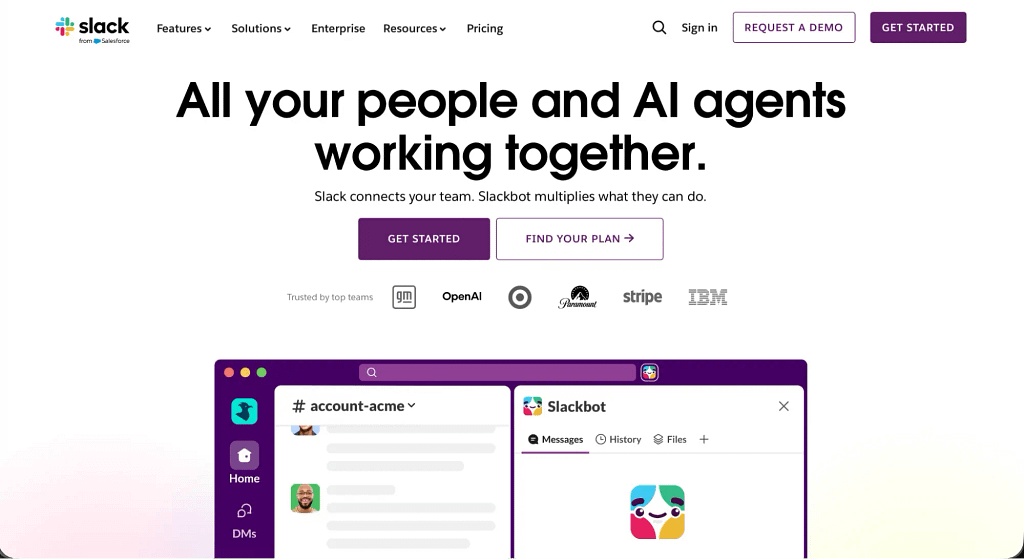
Both small teams and entire communities can make themselves comfortable on Slack, one of the leading communication platforms. And no wonder — it’s intuitive, easy to use, doesn’t require much onboarding, and it keeps adding more and more features to improve the experience even more.
Currently, the estimated number of daily users is 47.2 million, with the number of monthly active users going up to 79 million in 2025.
Similarly to Notion, it also advertises AI features, although they can be treated as the icing on top of a delicious cake.
Main Features
What makes Slack extra special?
- Huddles. Sometimes, writing in channels or exchanging private messages isn’t enough; for more complex matters, jumping on a voice call is much more efficient. And that’s what Slack offers — quick video chats with or without your camera. You can quickly share your screen and even highlight specific parts to guide your team member’s attention.
- Slack Connect. You can invite your business partners, third-party vendors, and customers to your channel, without the hassle of adding people as internal users or managing guest access. This way, you’ll make Slack the central hub of your operations, forgoing email or other external communication channels.
- Slackbot. This AI-powered personal assistant will help you create accounts, update existing records, log calls and notes, generate summaries, and even draft follow-ups — as long as all the data stored on Slack is up-to-date and relevant.
- Workflow builder. You can create robust workflows to make onboarding new users a breeze, streamline repetitive tasks, and set up real-time alerts every single time a new ticket shows up on Jira or you get an email message, for example.
- Task management. Monitor the progress of your projects and ensure accountability by creating lists, while detailed explanations and briefs can be included on canvases. And you can use the premade templates to get started so much faster.
Strongest Point
Slack truly does bring people together, helping them collaborate, stay on the same page, and quickly align through video calls. It’s easy to use and convenient; you can bookmark important messages, quickly turn them into tasks, and thread conversations to ensure nothing gets lost during heated discussions. But it does require some internal discipline; some people like to use Slack the way they use Discord, so make sure to enforce ground rules.
Weakest Point
While Slack tries its best to become an all-in-one type of software, its project management capabilities still leave much to be desired. It works for basic things, but it’s not at the point of substituting Asana or Jira — especially when your business keeps growing and new team members keep joining.
Pricing
Slack offers four plans, wildly attractive to most:
- Free — the simplest option, excluding AI and automation features; perfect for those needing a space to chat.
- Pro ($8.75 per user, per month) — comes with AI conversation summaries and admin analytics dashboards.
- Business+ ($18 per user, per month) — comes with advanced AI features, CRM capabilities, and advanced automation tools.
- Enterprise+ (custom pricing) — includes unlimited workspaces, advanced compliance, and admin-created templates.
4. Best App for Cross-Functional Collaboration: Asana
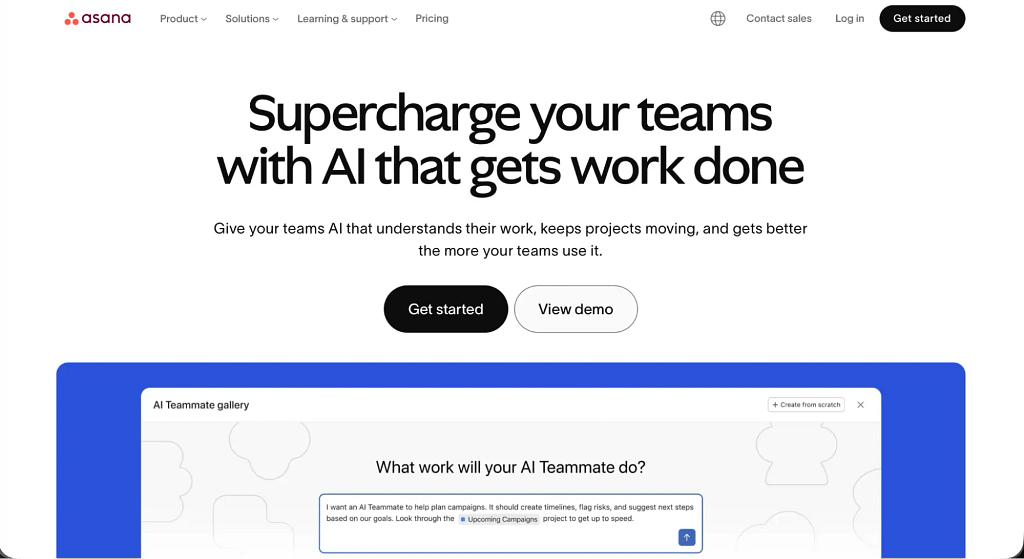
Who hasn’t heard of Asana? This project management platform — although now it emphasizes human and AI collaboration aspect — helps teams all over the world track progress, assign tasks, and organize all internal processes. Most importantly, it ensures visibility across cross-functional, complex projects, which is extremely useful to bigger, even international organizations.
On its About Us page, Asana boasts of having over 170,000 customers made of such household names like Amazon, Anthropic, or Suzuki. When it comes to revenue, the results for the fourth quarter and fiscal year 2026 show Q4 revenue of $205.6 million, up 9% year over year. Pretty impressive!
Main Features
What to expect from Asana for cross-functional collaboration?
- Project management. Choose between a list, calendar, timeline, Gantt chart, or Kanban board to see what’s currently happening in your business. Ensure clear accountability by assigning tasks in one shared hub for transparency; everyone knows who’s responsible for what, or where a task got stuck.
- Reporting dashboard and goals. Don’t bother manually looking up each project. Instead, get a detailed overview of how well your team is doing, notice bottlenecks, and quickly compare the current month to the previous ones.
- Resource management. No need to ask your team members for their availability; you can see who’s working hard and who could pick up another task at a glance. This will make planning next projects so much easier, eliminating the risk of plans going awry.
- Permissions and access control. Decide what users can access, ensuring no clients see sensitive data, and no team members see each other’s payrolls. You can also give limited access to guests and set a time limit; after a specific date, they’ll be automatically removed from the workspace.
- AI chat. Is it too much to check on every teammate and every project? In that case, simply ask the AI to give you the summary of all important updates and use it to delegate new tasks.
Strongest Point
Asana’s strongest point lies in coordinating complex work and simplifying it. For example, a marketing team can prepare a campaign by including brief, design, copy, approvals, and launch — each part has its own owner and deadline, so everyone sees exactly what’s done and what’s stuck. A product team can manage a feature launch with dependencies, while handling customer requests can be turned into repeatable checklists.
In the right hands, Asana can become a true powerhouse, helping you improve productivity and stay organized.
Weakest Point
Asana can quickly become a hindrance if your work often strays from rigid paths. Then, you’ll struggle to navigate already existing processes and dependencies, leading to chaos and mistakes. Your team might end up spending too much time maintaining tasks, updating statuses, and managing structure instead of focusing on their own work.
Pricing
If Asana sounded too good to be true, here’s the kick — it’s on the pricier side.
- Personal (Free) — perfect for personal projects, offering basic features for 2 users.
- Starter (€13.49 per user, per month, or €131.88 per user, per year) — with no user seat limits or guests, it offers automations, reporting dashboards, and custom templates.
- Advanced (€30.49 per user, per month, or €299.88 per user, per year) — comes with time tracking, forms branching, goals, and unlimited portfolios.
- Enterprise (custom pricing) — comes with SAML authentication, capacity planning, service accounts, and the highest number of credits to use in the AI Studio Basic.
5. Best App for Simple Task Management: Trello
Some businesses though don’t require complex automations or convoluted workflows. They make do with far more simpler set-ups, using tools like Trello.
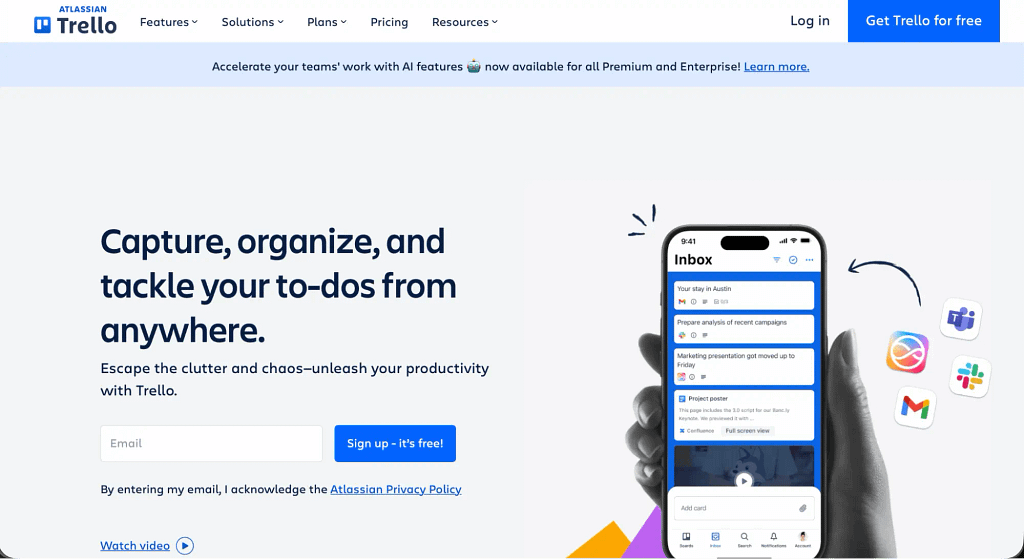
Trello, in simple words, is one huge Kanban-style workflow, where users move tasks across columns (for example: To Do → In Progress → Canceled → Approved → Done). This makes it easy to see progress at a glance, making it ideal for lightweight project management, small team coordination, and personal task tracking.
And if someone wants something extra special, they can always integrate Trello with other apps to automate their workflows.
Main Features
Let’s talk about what Trello has to offer in more detail:
- Inbox. Once integrated with other apps, the inbox will collect messages, tasks, and requests from different sources; your work email, Slack channel, form submission, or even a quick note you add on your phone, so you can review and turn them into actionable tasks.
- Planner. Schedule time blocks to complete your tasks and set up meetings. For convenience, you can view your Planner right next to your board. And to avoid the danger of colliding with your personal life, you can connect multiple accounts.
- Automations. Set up rules, buttons, and commands to take the weight of administrative duties off of your shoulders; including automated reminders, moving cards to different columns once triggered by another action, or assigning tasks to team members.
- Power-ups. Browse the integration collection to connect your favorite tools together, such as Salesforce, Harvest, Slack, Microsoft Teams, Gmail, and more.
- Templates. Use pre-made resources to kickstart your business even faster. You’ll find studying planners for vet students, SEO content creation workflow, user story mapping template, photography order production tracking, and more.
Strongest Point
Less is more, says Trello — there’s no need to bring a pneumatic drill when a single hammer will do. This tool won’t overwhelm you with options and will keep reminding you what’s the most important: moving the work forward.
Weakest Point
Trello works great for freelancers and small teams. But once you scale, you can quickly outgrow the platform, making it more suitable as an additional tool in your arsenal than your business’ main hub. And if you put too much work on setting up your perfect workspace, migration won’t be easy.
Pricing
Even simple tools have their price.
- Free — comes with unlimited cards across 10 boards per Workspace, in addition to unlimited storage.
- Standard ($6 per user, billed monthly, or $60 per user, per year) — offers unlimited boards, planner, advanced checklists, custom fields, and more.
- Premium ($12.50 per user, billed monthly, or $120 per user, billed annually) — includes AI, different views (calendar, timeline, dashboard, map), admin and security features, among others.
- Enterprise ($17.50 per user, billed monthly, or $210 per user, billed annually) — has unlimited workspaces, organization-wide permissions, multi-board guests, and free SSO, just to name a few.
6. Best App for Time Tracking: Harvest
For bigger teams and even bigger businesses, or those whose work is billed by the hour, time-tracking becomes a must. In that case, a tool such as Harvest can ensure no minute goes without notice.
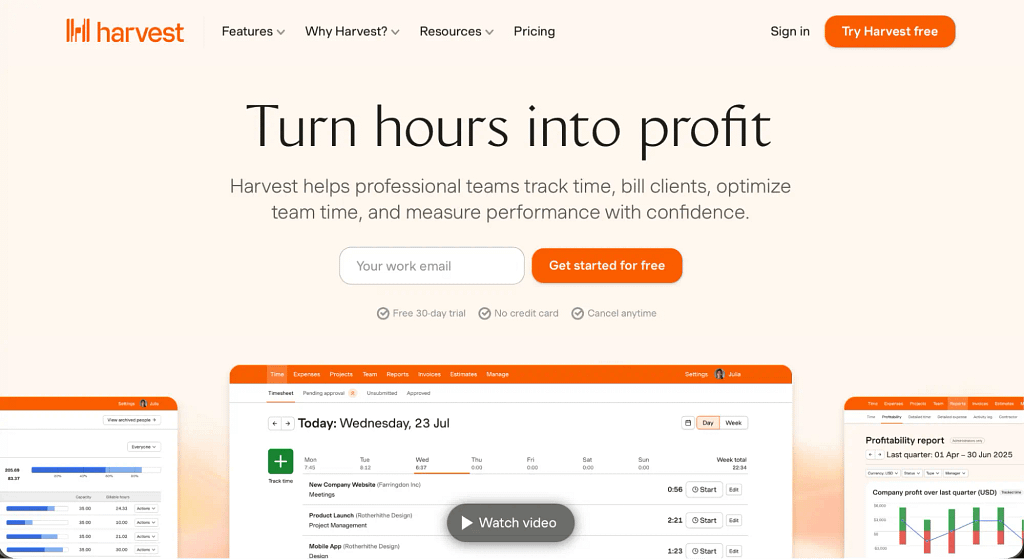
But Harvest goes beyond tracking time. It also turns timesheets into invoices, making the finance side of business so much easier. That’s why more than 70,000 businesses use this tool on a daily basis, including Claire’s, FedEx, Domino’s, and Yale.
Main Features
What can you expect from a deceptively simple tool like Harvest?
- Project reporting. Get in-depth insight into how much money has been spent in real-time, get alerts when certain thresholds get reached, and see how internal costs impact your budget.
- Resource management. See which team members are overwhelmed with work and who could use some extra tasks to fill up their timesheets. Use that knowledge to better plan for future projects, ensuring you never run out of capacity.
- Custom reports. Make stakeholders happy with custom reports, where you can easily compare past results with current ones. You can also use them to increase team morale — show them their hard work has been worth it!
- Bookkeeping. Make copies of your invoices and payments automatically thanks to the integration with both QuickBooks Online or Xero. Take your pick!
- Integrations. If you don’t want your team distracted from using too many apps, integrate Harvest with tools like Asana or Jira to track time on one platform only.
Strongest Point
As long as everyone keeps using it correctly, Harvest offers an intuitive experience that doesn’t require much onboarding. It’s extremely useful day-to-day, especially since it connects so smoothly to invoicing and other apps in use.
Weakest Point
Harvest is a one-trick pony. Mind you, it excels at time-tracking, but project management, advanced reporting, or deeper automation will have to be handled elsewhere, racking up the costs.
Pricing
As it’s usually the case with such tools, Harvest’s pricing grows along with your team.
1. Free — created for freelancers working alone, includes 2 projects and expense tracking.
2. Teams ($11 per user, per month, or $108 per user, per year) — comes with unlimited seats, team reporting, and accounting & payment integrations.
3. Enterprise ($17.50 per user, per month, or $168 per user, per year) — includes profitability reporting, timesheet approvals, activity log, and more.
7. Best Business Organization App Overall: Zendo
Now, you’re ready to take your pick of the most promising tools to help you run your business. But if you want to combine most of the aforementioned features, you can invest in an all-in-one tool like Zendo.
We’ve talked about Zendo right at the start, but let’s take another look at it from a new perspective.
Main Features
Besides client management features, it also offers the following functionalities:
- Real-time chat: this built-in communication channel allows users to exchange messages, files, quotes, invoices, and forms in one place. Most importantly, it enables finalizing payments in one window, making the purchasing process as smooth and frictionless as possible.
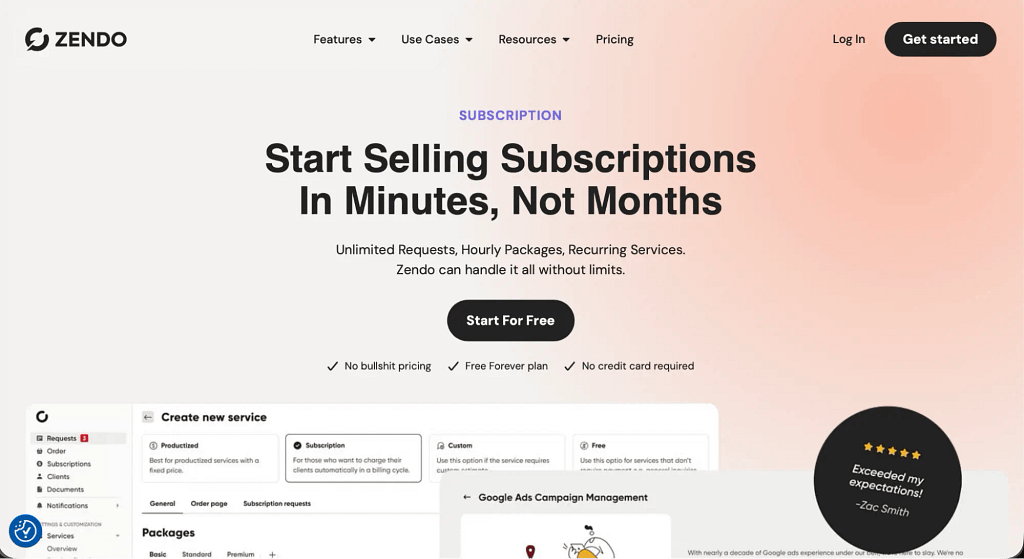
- Subscriptions: besides selling custom and productized services, Zendo users can also sell subscriptions. Different limits clearly define terms of creating a subscription queue and clients can pause the service any time, removing the worry of getting exploited.
- Kanban board: see where all your projects are on a widely beloved Kanban board. Decide if you want your clients to be able to move their projects around, deciding for themselves if a project is ready to proceed, needs another iteration, or should be discarded entirely.
- Customized sidebar: personalize the experience for both your clients and teammates by ensuring they have all the right pages within easy reach; and with the option to embed external apps, you can share YouTube videos, Figma prototypes, Miro boards, and more.
- Zapier integration: make your business run itself by creating complex automations across all the apps that you like to use, including household names like Google Docs, Gmail, ClickUp, Slack, Discord, Messenger, Zoom, and more.
Strongest Point
Zendo is all about collaboration. If you want to make your clients part of the process, as well as facilitate teamwork among your own team, then this platform will help you achieve these goals. Enjoy increased transparency, clear overview of daily tasks, and empowered clients, who can manage their orders on their own!
Weakest Point
Zendo doesn’t like micromanagement. There are no timesheets or activity logs to keep track of who’s doing what and when — that’s why team members that already trust each other well will make the best use of the app.
Pricing
We’ve already gone over Zendo’s subscription plans. The main takeaway? If you’re unsure if Zendo will meet your needs, check out its forever free plan which comes with no time limits or credit card information requirement.
How to Pick the Right Apps for Your Business Operations?
Here’s a helpful checklist of what you need to check out before investing in a business management tool:
Does it include all the core features you need (e.g., CRM, project management, invoicing)?
✅ Are there any unnecessary features you’ll be paying for but not using?
✅ Can it scale as your business grows?
✅ Is the interface intuitive and user-friendly?
✅ How steep is the learning curve for you and your team?
✅ Are there tutorials, onboarding, or training resources available?
✅ Will it reduce or increase the need for manual data entry?
✅ Does it integrate with your existing tools and systems?
✅ Is pricing transparent and predictable?
✅ What is the total cost (subscription, setup fees, add-ons)?
✅ Does it adapt to your business processes or force you to adapt to it?
✅ Can you test it with real business scenarios before committing?
Conclusions
Creating your own business ecosystem isn’t easy. There are many factors to consider: the budget, the learning curve, teaching yourself — and your team — how to use it efficiently, and adapting it to your changing needs as your business scales and grows. Hopefully, this guide will make at least some of your choices easier.
Remember: most tools sound great on paper, but whether they will support or hinder you will become apparent while testing specific use cases. Don’t spend your money needlessly on tools you’re unsure about; do your research first!
FAQ
What are the Best Organization Apps for Small Businesses?
One of the best organization apps for small businesses is Zendo. It has all the features needed when growing a small business without overwhelming users with too complex functionalities. It’s an app that allows teams to work smarter and faster, simplifying business processes, introducing intuitive automation, and increasing transparency.
What are the Best Organization Apps for Enterprise-Level Businesses?
For enterprise-level businesses, some of the best organization apps include Microsoft 365 and Google Workspace, as they offer comprehensive ecosystems for communication, collaboration, and document management. These platforms integrate seamlessly with various marketing tools and support scalability, making them suitable for large teams and complex workflows.
What are the Best Organization Apps for Remote Teams?
The best organization apps for remote teams combine communication, collaboration, and work management to help distributed employees stay aligned and productive, with some notable examples being Zendo, Asana, or ClickUp. Such apps are essential for organization and productivity, allowing any great business to prioritize tasks, improve transparency, and maintain effective work management even when teams are fully remote.
What Features Should a Good Organization App Have?
A good organization app should include features that make it easy for teams to stay organized, manage tasks, and improve efficiency. It should also support collaboration through shared workspaces, real-time updates, and integrations with other productivity apps. Additionally, built-in reporting and analytics help turn data into actionable insights, enabling better decisions and continuous improvement.
How do Organizational Apps Help Minimize Manual Tasks?
Organizational apps help minimize manual tasks by automating repetitive processes and streamlining everyday operations. A planner app, for example, can automatically schedule tasks, send reminders, and update progress. These tools help businesses manage their workflow more efficiently, especially when the AI tools come into play; allowing teams to focus on strategic work instead of manual data entry.
How can Organizational Apps Improve Your Productivity?
Organizational apps can significantly improve your productivity by helping you structure your work, prioritize tasks, and reduce mental clutter. A to-do list feature allows you to clearly track your upcoming tasks, ensuring nothing important is forgotten. Built-in reminders help you stay on top of deadlines by sending timely alerts, so you can manage your time more effectively. Overall, these productivity tools make it easier to plan your day, focus on what matters most, and maintain consistent progress toward your goals.