
Your communication style can make or break a business relationship.
Slow response time? Unprofessional, overly friendly voice? Overpromising yet underdelivering?
All that can add up to a subpar customer experience. Even if you deliver a solid project, your communication preferences can leave a bad taste in a client’s mouth, making them wish they had contacted your competition instead.
If you wonder why your clients don’t come back or why they aren’t too willing to leave excellent reviews, lacking communication might be your answer.
💡According to SuperOffice, the average customer service response time is 12 hours and 10 minutes; meanwhile, 88% of customers expect a reply within 60 minutes.
But you’re in luck! In this article, we’ll go over effective client communication strategies to step up your game and wow your clients.
What is Client Communication?
Client communication refers to all interactions between you and your clients, from how you speak during calls and how you write on your chosen communication channels to the frequency of check-ins and response time to your client’s questions.
It also includes how you manage expectations, deliver updates, handle feedback, and address issues or challenges. Effective client communication:
✅ ensures clarity,
✅ builds trust,
✅ strengthens relationships.
And ultimately, it supports successful project outcomes and long-term client collaboration.
6 Examples of Client Communication
While it may seem overly simple, client communication includes, but is not limited to:
- In-person meetings: depending on the type of your business, meeting in person may or may not be required. How you book the meeting, the way you dress, how you present yourself – it all makes the difference in how you’re being perceived.
- Communication channels: pick the ones that fit your business best; for some, sending WhatsApp messages might feel too personal, while for others, email messages might seem outdated. Some might be already used to communicating via a Client Portal, for example.
- Onboarding: if the ordered project is more complex and time-consuming, preparing an onboarding process for clients is a must to make them feel included and well-informed of the workflow, milestones, and deadlines.
- Client communication tools: if the project requires close collaboration, giving your clients the tools to keep in touch, leave feedback, and view updates is generally a good move; it increases transparency, limits misunderstandings, and empowers clients.
- Customer support: your response time and the tone of voice of your replies decide how you come across; are you patient and helpful, or clearly annoyed at yet another question?
- Email newsletters: do you keep in touch after everything is said and done? Offering support even after your business relationship ends, asking for feedback, or sending a simple ‘Thank-you’ message can do wonders for your image.
All of these are examples of client communication. Plus many more you can now easily imagine.
Why is Client Communication Important?
Client communication is important, as it shapes the overall customer experience. According to Salesforce, 80% of customers find their general experience with a business to be as important as the quality of the delivered products or services. This sentiment is shared by Forbes, saying that up to 96% of customers are willing to leave a brand or a company due to a bad service.
While it may be difficult to compete among similarly talented graphic designers — for example — offering a great experience can give you a strong competitive edge. And the communication methods don’t need to be overly complex or unique to be effective; they just need to be aligned with your target audience’s needs and wants.
13 Client Communication Best Practices to Follow
But what does strong client communication look like in practice? Here is the set of crucial client communication best practices and tips that you can apply to your own strategy.
1. Clear Expectations
Setting clear communication expectations from the start helps avoid a misunderstanding when it comes to your availability and project delivery. Don’t leave your client guessing — tell them how and when they can get in touch with you, as well as explain all the milestones and the frequency of future updates.
It’s best to prepare a document that outlines your process in detail; thanks to that, no one will accuse you of negligence. Don’t forget to include response times, escalation paths, and preferred channels so nothing is left open to interpretation. When expectations are clearly documented and agreed on from day one, you protect both sides and minimize the risk of friction later on.
💡 In Zendo, you can prepare a personalized onboarding experience for each client, which may include a checklist, helpful images, and walls of richly formatted text. Moreover, you can embed pages on your client’s dashboard leading to YouTube videos, your calendar on Calendly, or a moodboard in Figma.
2. Clear Payment Rules
Similarly, make sure your clients know exactly what they’re paying for. That includes:
- Number of revisions. If you’re, for example, a web designer, mention that your service includes up to two free revisions. For more, your clients have to pay extra (define how much!).
- Scope of work. Clearly define what is included in the project and what isn’t. This prevents misunderstandings and scope creep later on.
- Payment terms. Specify the total price, payment schedule (e.g., 50% upfront, 50% upon completion), and accepted payment methods.
- Additional costs. Be transparent about any potential extra fees, such as third-party tools, hosting, rush delivery, or ongoing maintenance.
This will help you navigate complex, delicate situations where clients ask for more than they signed up for.
💡 In Zendo, you can set up request limits for subscription services. Thanks to that, clients can’t bombard you with too many orders, and they gain clarity on just how many requests they can order and which are in the queue.
3. End with Action
Never leave your clients unsure of what the next step is.
Ending a meeting? Let the clients know when they can expect to hear from you again. Better yet, include that in the summary of the meeting that you’ll send them.
Received feedback on your latest work? Tell your client when you’ll have the new version ready, so that they know exactly when you’ll get in touch.
Even when you get a simple message, inform your client when you’ll get back. This way, you avoid the situation where your client is left guessing on what’s happening with the project.
💡 In Zendo, each request has its own Status, such as ‘Paid’, ‘In progress’, ‘Done’, ‘Waiting for Payment’ — and they’re all customizable, too! By giving your clients access to the Client Portal, they can check on the project themselves, removing any doubt from the equation.
4. Knowledge Base
You don’t really want to spend your time answering basic questions? Centralize all your knowledge in one place, be it a Wiki, a PDF document, or in a project management software. There, you can reiterate everything your client may need to know at one point or another: where to find their files, how to get access, when the invoices are due. And each time you get a basic question like that, add it to your Knowledge Base for future use!
Just remember to include the links in many places; if you hide that resource, nobody will use it.
💡 Mind you, many clients might still prefer to ask you directly instead of browsing through your resources, but it still can lessen the number of messages.
5. Client Portal
Going one step further, you can invest in a Client Portal that comes with a wealth of benefits, including:
- A separate communication channel,
- Automated messages to never leave your client waiting,
- Automated workflows to delegate the administrative work,
- A personalized experience that starts with onboarding and ends with a customized dashboard,
- Empowering clients by giving them the means to finalize payments, order new services, or pause their subscriptions,
- One place for all your data and files, accessible based on role permission levels,
- One space to collaborate with both clients and your teammates to replace all the other apps.
Most importantly, a white-label Client Portal emphasizes the image of a true, knowledgeable professional that has everything figured out, top to bottom.
6. Automated Messages
But even if you don’t decide in the end to invest in a Client Portal or a similar software, you can steal some ideas from them — such as implementing automated messages.
When your clients message you, they expect the answer to come sooner or later; no matter if it’s the middle of the night or on a pleasant Sunday evening. And while an automated message isn’t as good as your own, it’s still better than nothing. And in the text you can reiterate your communication rules and where they can expect your reply, as well as helpful links to guides or Wiki pages.
Going one step further, you can invest in an AI chatbot to handle simpler queries. However, for it to work effectively and avoid hallucinations, it needs to be powered by proper resources. If they’re outdated, the answers will be outdated as well!
7. Flexibility
Not everyone will be happy to use the communication channels you provide.
Some clients don’t want to bother with logging into their own Client Portals, no matter how polished they are. Instead, they might prefer exchanging back-and-forth email messages. Some prefer jumping in for quick calls over Zoom or to communicate through WhatsApp.
That’s why you should offer several means of communication. Don’t be a pushover — unless you scored a very important client — but allow for some leeway when it matters.
But at the same time…
8. Consistency
…you need to stay consistent.
If you say one thing but do another over and over again, your clients will realize your words don’t mean much to begin with. This might make them question your reliability or even trustworthiness; so if you come to an agreement (‘yes, we can have evening calls on Wednesdays’), stick to it.
Consistency also matters when it comes to your tone of voice. If you send automated messages that are highly polished, but then follow-up with an overly friendly message, it might give your clients whiplash.
9. Regular Updates
Regular updates shouldn’t be just about the project’s new milestones — you should also inform your clients of any delays, changes to your policy, and holidays. Don’t assume everyone takes leave for the same holidays, especially in an international environment.
A quick heads-up keeps expectations aligned and prevents surprises, showing your clients that you’re proactive and reliable. Over time, this builds trust and makes collaboration smoother for everyone.
💡 In Zendo, you can send group announcements in cases like these, saving you the trouble of contacting each client individually. Also, it will make sure you don’t forget about anyone!
10. Transparency
Is your client hunting you for updates, but you have nothing but weak excuses? Are you struggling with technical issues, but don’t want to admit anything’s wrong? Or did one part of the job turned up to be way too difficult to pull off?
While admitting all your bad deeds isn’t a good look either, it’s better to fess up when things don’t go your way instead of sweeping everything under a rug. Sooner or later, your clients will notice something is wrong; delayed work, no regular updates, shifty behavior (which is particularly easy to notice during in-person meetings).
That’s why your client needs to know if anything’s wrong. And trust me — they’ll appreciate the courage to own up your mistakes much more than flimsy lies.
11. Underpromise and Overdeliver
We want to impress our clients right from the start. But it may lead us to bending the truth when it comes to our capabilities or end results, hoping that somehow, along the way, we’ll manage to bridge the gap.
A much better strategy (although it may feel counterintuitive) is to actually do the reverse: underpromise and overdeliver. This way, you’re not setting yourself up for the inevitable failure — if you manage to do anything extra, great! If not, you’re still hitting all the boxes your client asked for. It’s a win-win situation with no risk involved.
12. Client Feedback
There are several reasons why you should ask for feedback:
- Clients get proof that you care about their experience: even if there were mistakes or delays, if you ask for feedback, it means you care enough to improve your processes.
- You can reuse the feedback in review or recommendation: if it’s positive, you can — with your client’s permission — post the feedback on your website or your social media. Social proof, after all, influences 90% of buyers.
- You learn what works and what doesn’t straight from the source. A happy client can still have valid feedback on your processes; that they would have appreciated getting more updates, that they had trouble signing in to their Client Portal, or that the files had vague names.
And when it’s best to ask for client feedback? Leave it for last, but don’t unnecessarily delay the process. Gather insights as soon as a meaningful part of the work is complete, so the client can provide useful input without slowing progress. Regularly checking in along the way also keeps them engaged and ensures there are no surprises at the end.
Should you ask broad questions? Better keep it concise — vague questions will give you vague answers. Focus on specific aspects you need feedback on, and structure your questions so the client can provide actionable insights. Clear, targeted questions save time and help drive real improvements.
13. Keep in Touch
On average, 65% of a business’s revenue comes from repeat customers.
Moreover, the chance of selling to an existing client falls between 60-70%, while the chance of snatching a new one is only 5-20%.
The difficulty, especially when selling services, lies in making people trust you. But if someone has already made that journey and ended up happy with your service, they’ll be much easier to convince to give you another shot.
That’s why it’s so important to nurture all your business relationships, be it through small communities (like Patreon or Discord), newsletters, or regular social media posts. Stay visible and memorable, so that when your client base thinks of anything related to your services, they’ll give you a call!
What are Common Mistakes in Client Communication?
With that out of the way, what are some common mistakes that will ruin your chances of closing a deal, despite following the earlier advice?
Being Pushy
While it’s crucial to keep clients in the loop when it comes to their projects, you can’t cross the line of being too overbearing. Sending a flurry of messages might feel overwhelming, leading to missed messages and an impression of a spam machine. Be sure that when you communicate, it’s with a clear goal in mind — don’t send pointless messages, even if the client seems extra friendly.
Breaking Promises
One of the worst things you can do in business relationships is to keep breaking promises. If you miss one deadline or forget to share a file, your client might be disappointed, but understanding. But if it becomes a pattern, you’ll lose all the accumulated goodwill faster than you can make your apologies.
If you know you won’t make a deadline, make sure to inform your clients as soon as possible; don’t delay the inevitable. But make sure it never happens again.
Oversharing
Some small business owners take apologies a little too far.
If something goes wrong, own it. But don’t share your life story; your client isn’t your friend, and they don’t care that your cat got sick, your car broke down, or your laptop almost exploded while editing a video. Keep it clean and keep it professional — apologize, offer a recompensation, and move on.
Unprofessional File Names
This might seem trivial, but remember that the devil lies in the details.
Sending over a final_version_45(1).mp3 is hardly professional. Moreover, when your client downloads it and looks for it later, their chances of finding it lessen — and it’s also true for you. If you dump all your files with vague names in one folder, mixing different projects and clients together, you’ll waste time trying to find what you need; especially when it’s been some time.
Make sure your files are named properly and are always easy to find. Using a business management software — like Zendo — can make it so much easier.
Technical Issues
If you wanted to enhance your client communication so much you’ve invested in a Client Portal, or you’ve prepared a separate Slack channel just for your clients, but they struggle logging in, then most probably they won’t use it.
Even if you use the best tools on the market, but don’t take the time to set them up properly — filling out the space with lorem ipsums, default logos instead of your own branding, and vague texts where onboarding messages should be posted — then your clients won’t benefit much from the online platform.
💡 In Zendo, you can use the impersonation feature to temporarily take over another account. This way, you can see what’s wrong in your client’s software in no time at all, performing actions on their behalf — excluding finalizing payments, of course.
No Post-Delivery Support
Don’t leave your clients stranded!
Even if your business relationship has ended, treat your past clients with the respect they deserve. So if they get in touch and ask after one of the files, don’t neglect them — maybe they’re not ready to make another purchase, but they might return soon enough. Being unhelpful after everything is said and done won’t work in your favor; unless your goal is to burn the bridges, forever.
How to Improve Client Communication with Zendo?
There are many effective client communication techniques — and the more you learn, the more you realize just how complex the matter is. You need to find the right balance between being genuinely helpful but never pushy, informative but not overwhelming, and friendly yet professional. And of course, each client will require a different approach; matching their style in communication is important.
To make all that work so much easier, you can try out different software that combines project management with a Client Portal. This way, you can not only improve all your internal processes, but also ensure your client experience is top-notch.
What can you expect from Zendo, specifically?
- Better communicationin real-time. By using Zendo’s core feature — chat conversations connected to each client request — you can easily sort through all the messages and reply at once, making your clients feel heard. Better yet, all your exchanged messages, files, and documents will be saved on the platform automatically, so that they’re always at hand, ready to be viewed and downloaded by both your team and your clients.
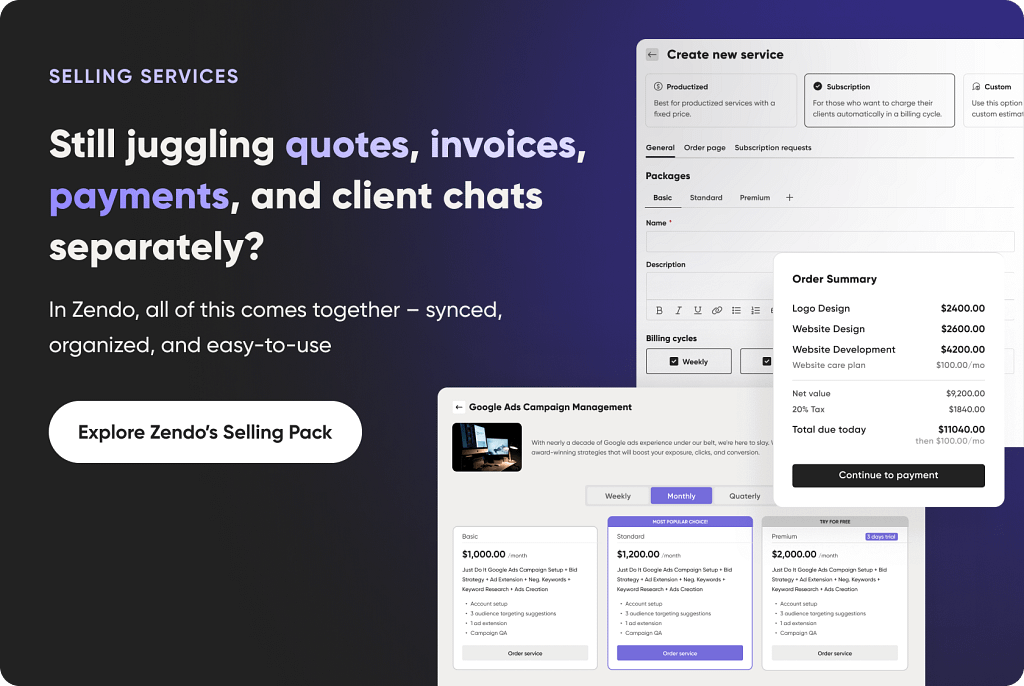
- Ease of payment. Your clients can with just a few taps accept a quote, get an invoice, and pay for it at once thanks to Stripe integration. All these actions happen in one conversation, ensuring a smooth, frictionless flow that will surely wow your clients.
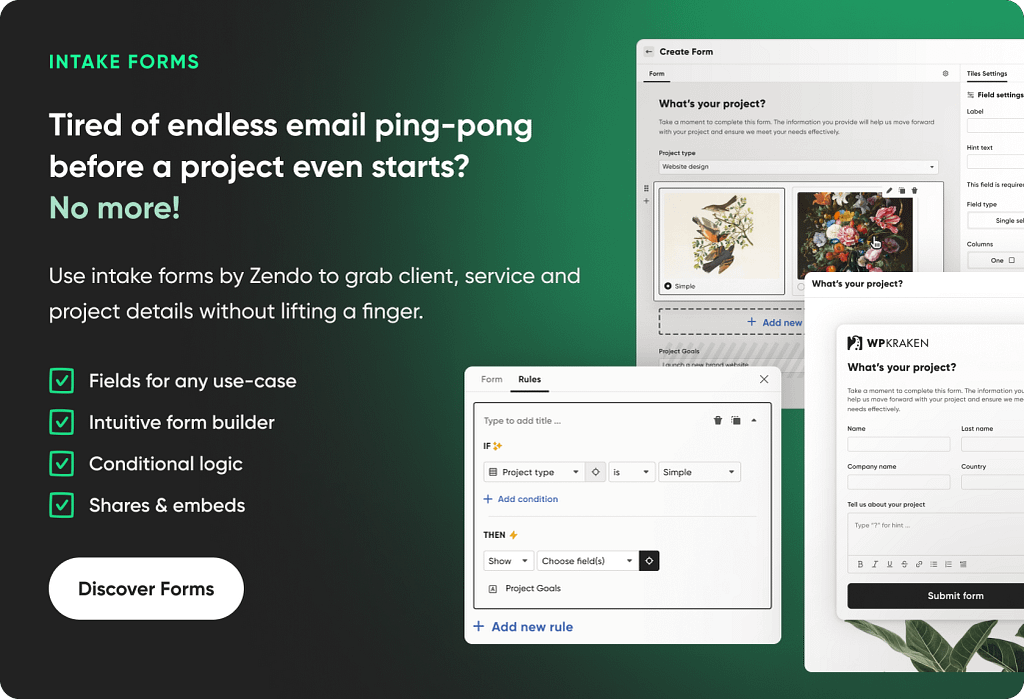
- Storefront. Clients don’t have to wait for you to purchase requests or submit their orders — they can do so on their own, even if they don’t have a Zendo account. They can browse through your custom, productized, and subscription-based services in their free time on the customizable Storefront, leaving you out of the purchasing process entirely. If they like what they see, they can fill out a form and pay for the service, or submit an order and wait for your estimation.
- Automated workflows. Forget about sending out messages, updating statuses, or issuing invoices manually — in Zendo, all these events and more can be triggered automatically. That’s how you can ensure everything is accounted for, letting you forget about the administrative side of running a business.
- Zapier integration. If you use more apps, you can create complex automation sequences across different platforms, including such household names like Slack, HubSpot, Notion, Google Forms, Stripe, Airtable, and more.
See the list of new features and improvements in Zendo’s changelog.
Zendo offers a proven way of streamlining all your processes. If you have ever dreamed of a platform that takes away all the administrative woes, give Zendo a shot — it has an entirely free plan that you can test out yourself without having to provide any credit card information.
Enjoy!
FAQ
What are 5 Pillars of Client Communication?
The five pillars of client communication are clarity, consistency, transparency, responsiveness, and empathy. Be clear about scope and expectations, communicate regularly, share progress and risks openly, respond in a timely manner, and understand the client’s perspective. Together, these principles build trust and prevent misunderstandings.
What are Different Styles of Client Communication?
Different styles of client communication include formal, consultative, collaborative, proactive, and data-driven approaches. A formal style focuses on structure and documentation, while a consultative style emphasizes guidance and expertise. Collaborative communication involves co-creating solutions with the client, proactive communication anticipates needs and addresses issues early, and a data-driven style relies on facts and metrics to support decisions.
How Can I Improve My Client Communication Skills?
To improve your client communication skills, focus on active listening skills, setting clear client expectations, and adapting your style to the client’s needs. Communicate proactively, confirm mutual understanding, and follow up consistently. Seeking feedback and reflecting on past client interactions also helps you refine your approach and build a stronger client relationship.
How Do You Automate Client Communication?
You can automate client communication by using client communication software like Zendo. You can use it to set up automated workflows, status updates, reminders, and follow-ups, while keeping room for human interaction in complex or sensitive situations.
How Can AI Help Automate Client Communication?
AI can automate client communication by generating personalized emails, powering chatbots that handle common questions 24/7, summarizing meetings, and triggering smart follow-ups based on client behavior or sentiment. It can also analyze every interaction to suggest next best action, prioritize leads, and tailor messages at scale.
How to Create a Client Communication System?
To create a solid client communication plan, start by defining clear goals, strong communication channels, and response standards. Map key touchpoints across the client journey (such as onboarding, project updates, feedback, and follow-ups) and assign ownership for each stage. Use templates and automation tools where appropriate, document processes, and regularly review performance to optimize client communication as much as possible.
How to Share Bad News with Clients?
To share bad news with clients, communicate early, be clear and factual, and take responsibility where needed. Explain what happened, outline the impact, and most importantly, present a concrete plan to resolve the issue. Stay calm, empathetic, and solution-focused — clients are more likely to trust you when you are transparent and proactive rather than defensive or vague.