Every kitchen needs a system, right?
Mise en place. A prep station. A place for the knives, a place for the pans, a place for the client feedback that used to live in seventeen different email threads.
That’s the pitch behind Kitchen.co: a single, branded client portal where your projects, files, invoices, and conversations all live under one roof, instead of being scattered across Slack, Google Drive, and whatever tool your client’s cousin recommended in 2019.
And on paper, it sounds like exactly what a lot of freelancers and small agencies are hungry for.
The reviews back that up too, 4.9 out of 5 stars across 119 reviews on Capterra is nothing to scoff at, and plenty of users rave about the clean interface, the white-labeling, and a price tag that’s hard to beat (monthly plans that are dirt cheap, a free tier, and a lifetime license that’s floated around $300).
So we did what any chef worth their Michelin star would do: we got our hands dirty and actually cooked with it.
We set up a workspace, poked around every settings menu we could find, tried to invite a client, tried to send an invoice, and tried to figure out why some of the most basic ingredients felt locked away in a pantry we didn’t have the key to.
Below is our honest take on where Kitchen.co falls short. (A second course covering what it actually gets right is coming, because to be fair, there’s a reason it’s sitting at a near-perfect rating too.)
And if you’ve already tested what Kitchen.co offers yourself and know it’s just not the tool for you, feel free to jump to the best Kitchen.co alternatives at the end of the article. 😉
Our Honest Review of Kitchen.co. Why It May Not Be the Best Option?
First, let’s go through what stuck out as bad. Our main resource being hands-on testing, but also quotes from actual user reviews.
It’s a Lot Of Chopping Before You Get To Cook
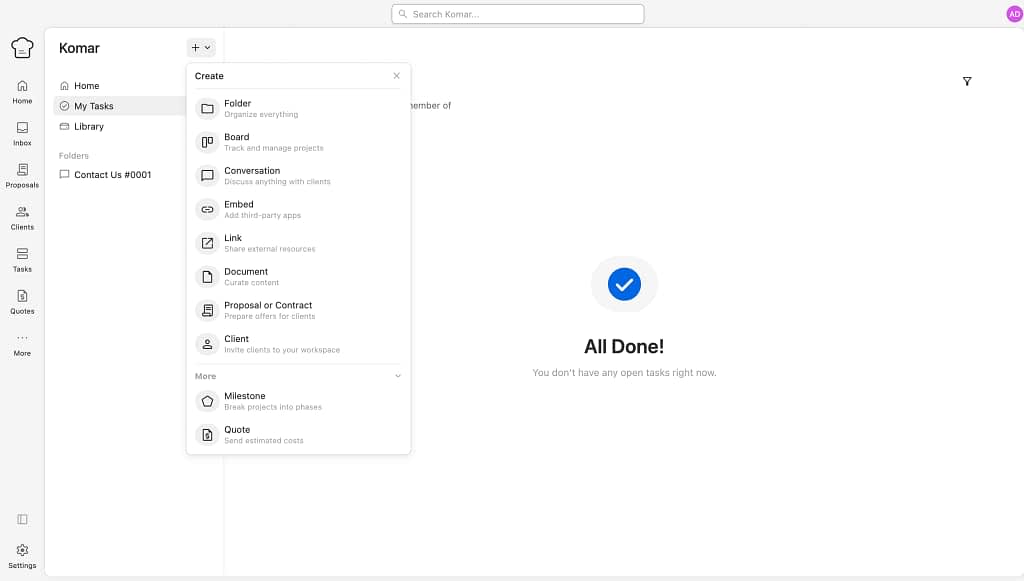
Kitchen.co markets itself as simple, and structurally, it is. Especially when you first look at its clean navigation.
It feels like a breath of fresh air.
But “simple” and “fast to set up” aren’t necessarily the same thing.
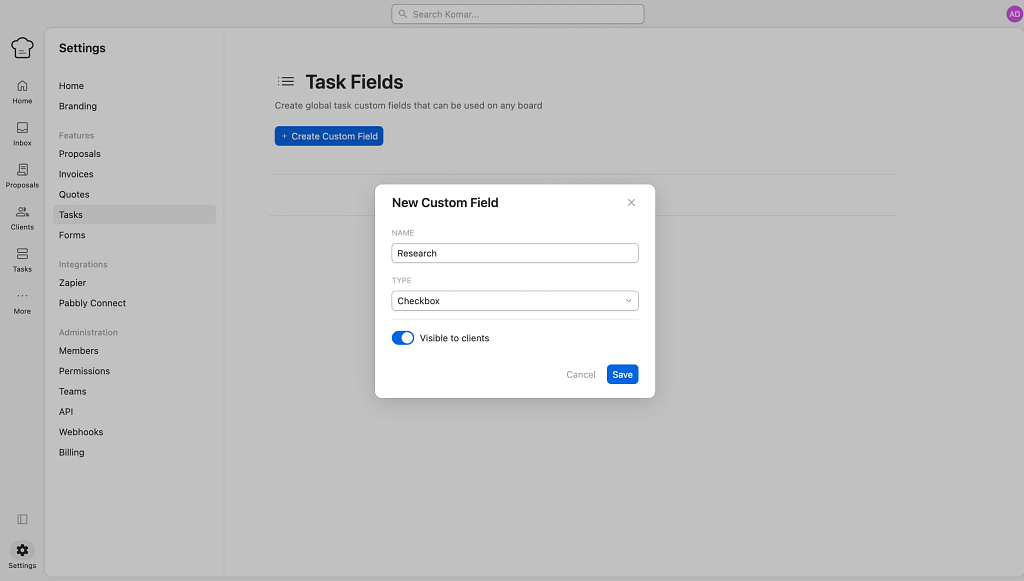
Getting your workspace client-ready involves a tedious amount of manual clicking: creating folders, naming them, styling them, and then adding every client to every folder, conversation, and document you want them added to. The last part is what hurt the most ngl.
Then, of course, hunting through menus to find the setting you swear was there a minute ago.
Or finding where to add tasks has been particularly difficult, because even though there’s a “My tasks” tab, actual tasks live inside boards.
So it’s not “walking into a fully stocked kitchen” and more “assembling the kitchen yourself, one drawer at a time…without a manual.”
One reviewer, Morgan M., put it gently:
“I think that the help documentation could be built out a bit more ( at the time of this review anyway ) I struggled with a few set up and capability questions that were not answered in the documentation. However the support chat was really helpful and went above and beyond to answer my questions.”
The Invoices and Payments Are Locked
Do you know the drama with HP’s printers’ ink subscription?
In case you haven’t heard, the brand of one of the most annoying appliances in the world managed to make them even more annoying (as if that was possible??). Basically, anyone who decides to opt out of the monthly HP ink subscription gets their printer remotely shut down by the HP team.
Sounds insane, right?
Well, Kitchen.co has its own little version of that, but way more common for SaaS tools (and not as annoying).
And it has to do with its invoices feature.
Try as we might, we could not find a way to enable invoices or payments inside our own account.
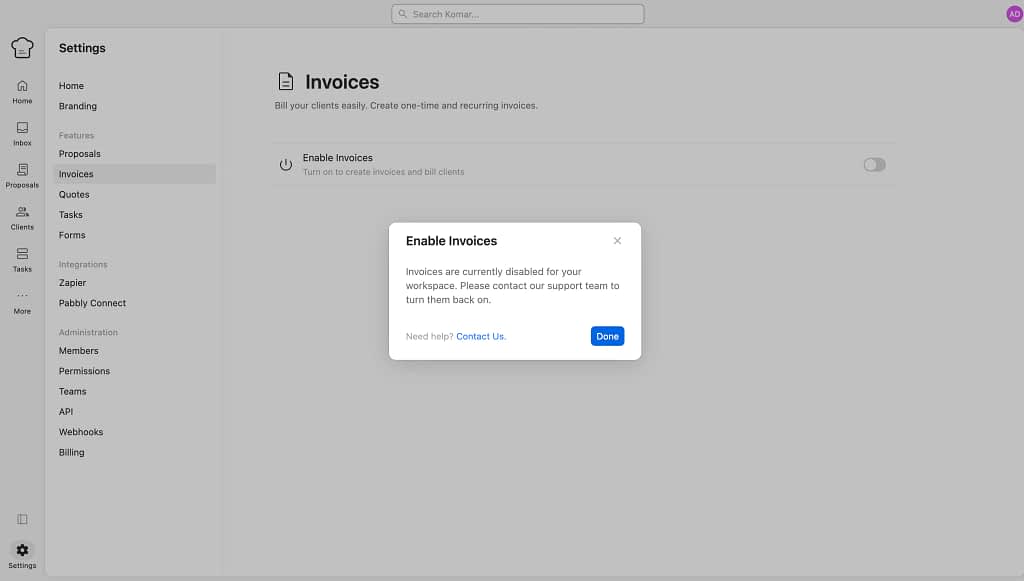
The toggle was there, but it wasn’t working without any explanation really. Just a simple: “Invoices are currently disabled for your workspace.”
It’s a strange thing to hide, since invoicing is table stakes for anyone running a client-facing service business.
A few reviewers echo the same frustration from a different angle.
Jacques O. says:
“It lacks an e-commerce system supported by the SA market like PayFast, Yoco etc for payment collection but that’s not the end of the world – just bill your clients through the built in quote / invoice system.”
He ends the sentence saying to bill clients through the built-in quote and invoice system instead of a “real” e-commerce setup, which implies that even when the feature is reachable, it’s a workaround, not a full solution. For us, it wasn’t even reachable.
But it did switch a light bulb, especially connected with the next paragraph.
You Need a Separate (Paid) Tool Just For Proposals
Creating proposals in Kitchen.co apparently requires a third-party integration that you have to pay for separately.
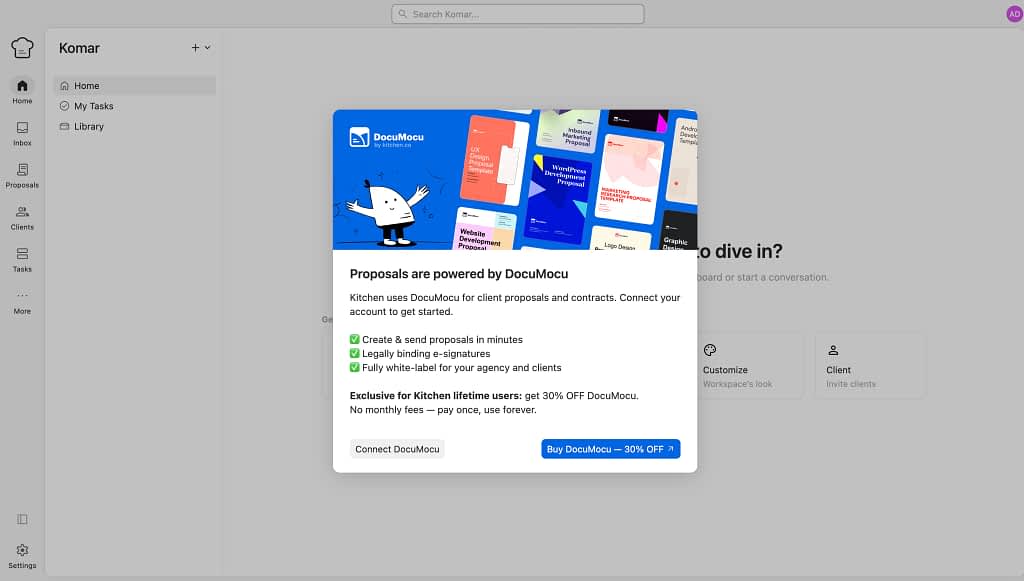
And it’s likely the same reason invoices and payments have been locked to us. Because we were supposed to purchase “DocuMocu” separately.
If the core “sell your services” loop depends on bolting on an outside tool and an extra subscription, that’s a meaningful gap for a platform positioning itself as an all-in-one client hub.
Nothing Lives In a Shared Client Area (By Default)
In most project tools, you set up a workspace, add your client, and they can see what’s inside their “folder” or “project” by default.
Kitchen.co doesn’t work that way.
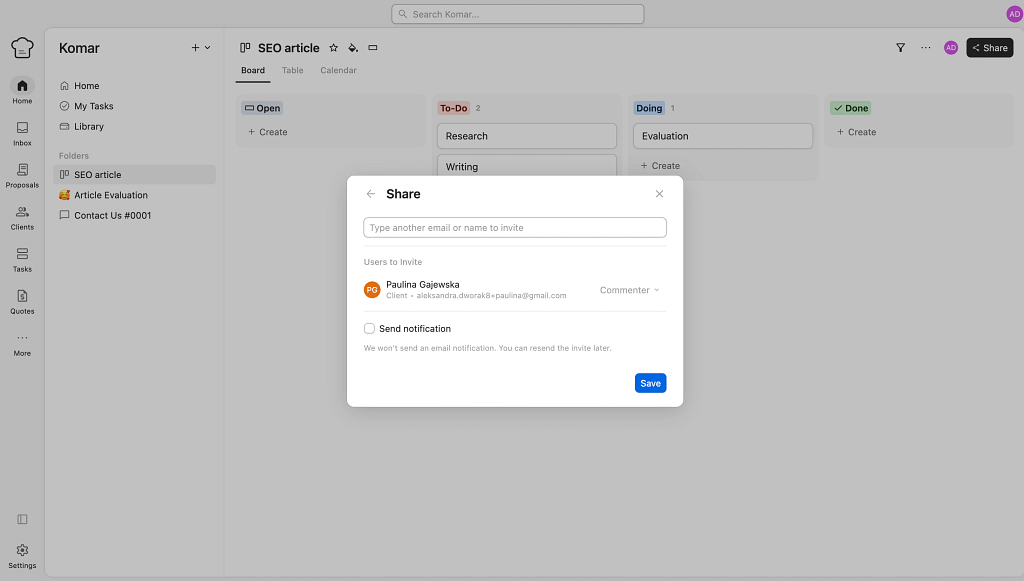
Every board, every folder, every document, every conversation you create is its own sealed container, that is until you individually grant access to it for every client who needs to see it.
Create a new folder for a project update? Grant access.
Start a new conversation thread? Grant access again.
It’s less a shared kitchen and more a series of individually locked cabinets, and remembering which ones you’ve handed the key to gets old fast, especially in the first few weeks when you’re still learning where everything lives.
The Whole System Is Built Around Folders, And Folders Are Confusing
Kitchen.co organizes almost everything around a nested folder structure, and if you’ve ever tried to cook a five-course meal using a filing cabinet instead of a counter, you’ll recognize the friction.
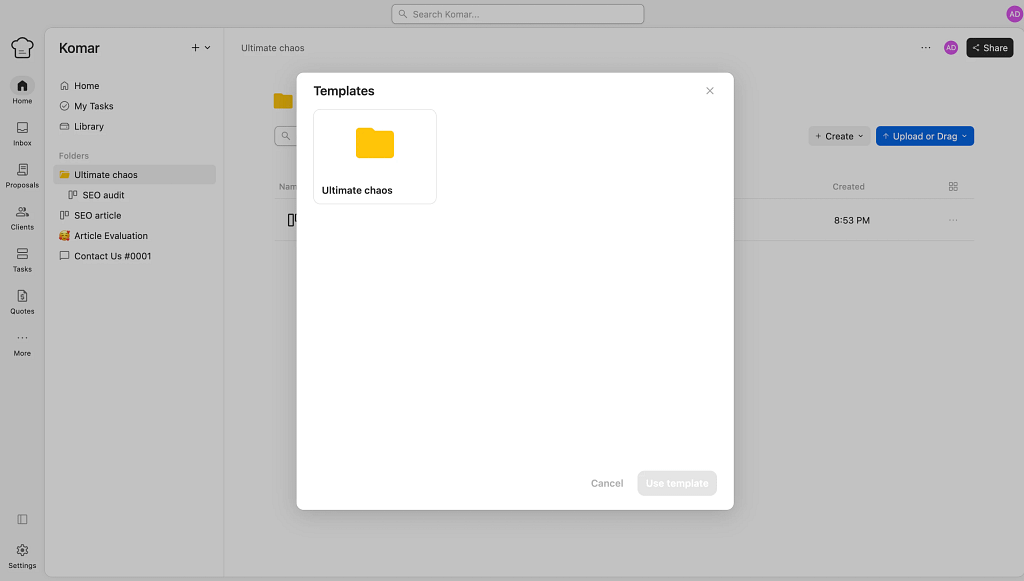
It’s not that folders are inherently bad, it’s that combined with the access-granting issue above, building out a logical structure for a multi-client business takes real trial and error.
Jake K., a Design Director who’s used the platform for 6-12 months, points to a related symptom: the “My Tasks” view meant to show your work across projects is really just one long, unsorted list, so:
“If you are just using Kitchen for project task management, it feels hard to zoom out and see what’s going on across your org.”
Branding Is Real, But It’s…Painful
Now let’s get to the decorating part of this software platform.
And Kitchen.co does let you white-label the experience.
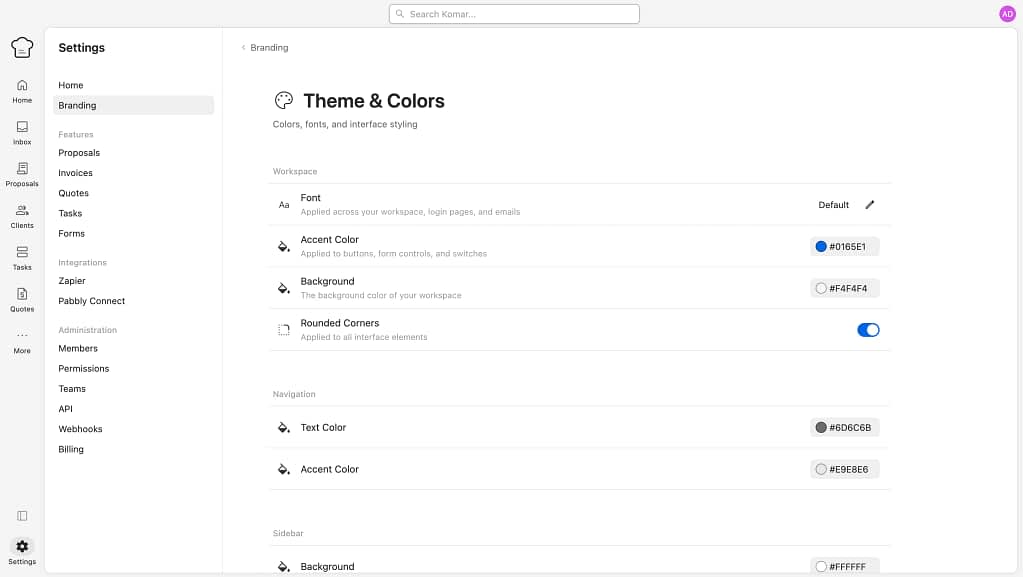
You can add in your logo, colors, fonts, change the folder names (as painfully described above), re-name conversations, embed external files (like a Google Docs document), get rid of the Kitchen.co branding, or set up a custom domain.
That’s genuinely nice, and several reviewers on Capterra single it out as a strength.
But in practice (and especially in comparison with other client portal tools), setting this all up is just painful.
Applying all the branding options consistently across every folder and conversation is, once again, a manual, click-by-click process rather than something that flows through automatically.
The story would be completely different if there was an option to create client groups or workspaces you could work on from one tab, instead of having to individually change things up and then individually share with each client.
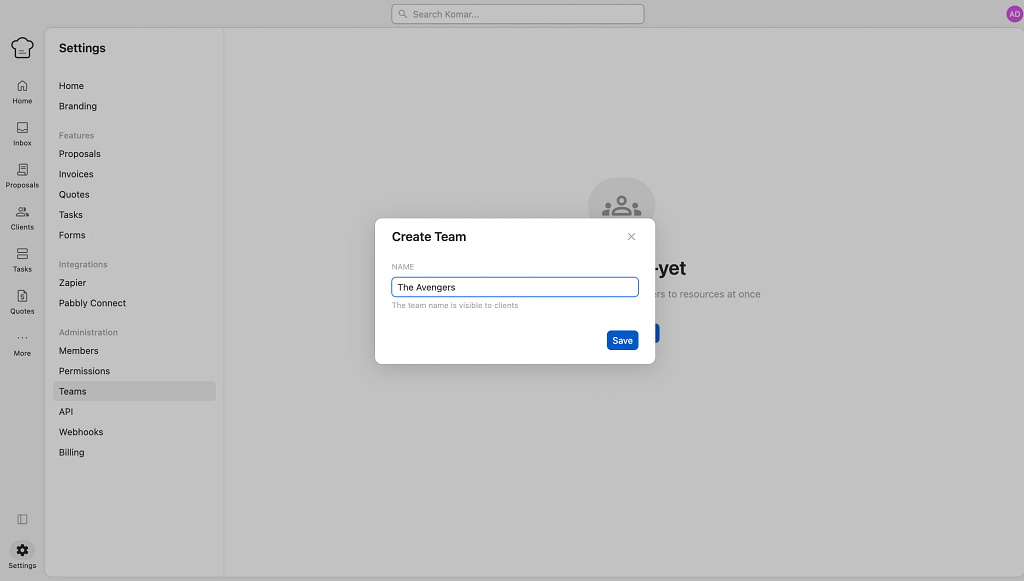
Which is quite interesting that it’s not there because you can create internal teams for employees. 🤔
Selling Isn’t Really Self-Serve
Now to our very last point about what seems “worst” about Kitchen.co when exploring it is… the service selling.
We are adamant fans of productizing your services.
It makes the whole difficult job of selling something so intangible much more concrete, much easier to sell. Because it’s templated, because it’s packaged.
And of course, that’s not to say that your whole offer has to be fully productized. In our opinion, there is still space for custom projects, even with a productized offer. BUT.
If you productize even half of what you offer, your life will get so much easier.
Instead of the regular flow of request → quote → change in the request → quote #442367 → scope change → additional quote → work done → edits in place → invoice issued → invoice paid…
You get a system where your clients browse a finely selected and crafted by you offer, purchase something super tangible (like a 3000-word article + SEO audit package) and pay upfront.
No back-and-forth emails required, no quotes, no estimates, no pain.
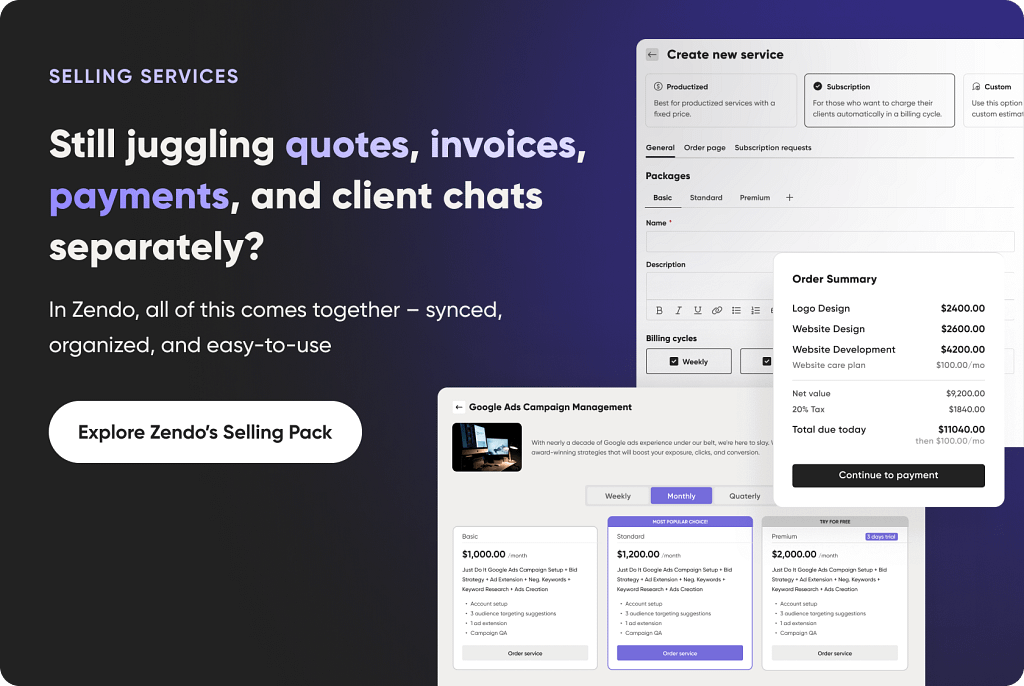
Which is why it’s so painful to see that a productized, self-serve offer is not something that can be done with Kitchen.co.
You can sell services through one-time or recurring quotes and invoices (when you can get to them), but there’s no self-serve checkout experience for the client the way there is with some competitors.
Every sale still routes back through you, manually approving, sending, and following up. Fine if you like being the only line cook in the kitchen. Less fine if you were hoping the platform would take some of that prep work off your plate.
What Kitchen.co Actually Gets Right
Now.
None of the above means Kitchen.co is a bad kitchen to cook in, plenty of the 119 reviewers on Capterra are clearly thriving in it, and the price point alone makes it worth a taste test.
Any good chef gives credit where it’s due, and Kitchen.co isn’t all locked cabinets and confusing floor plans. There’s real substance under the hood, and a few things it does better than platforms twice its price.
First…
The Minimalist Look And Feel
Whatever friction exists in finding your way around, the plating is genuinely nice once you get there. The interface is clean, uncluttered, and doesn’t try to overwhelm you with fifteen widgets fighting for attention on every screen.
Quite the contrary actually.
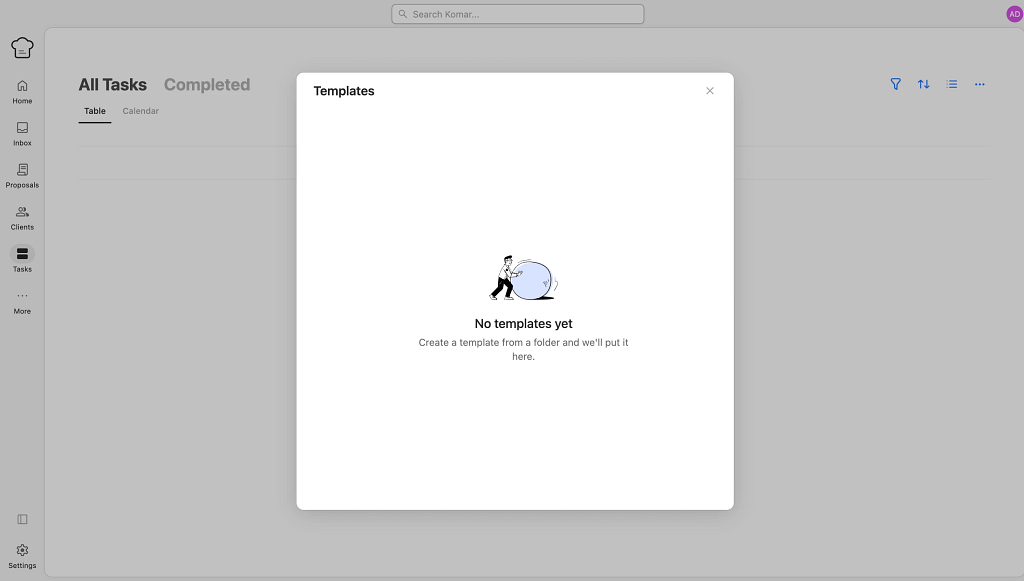
There are quite a bit of empty states you’ll run into when setting up your kitchen. Like in tasks, templates, or clients tabs. Some are pointing you to solutions, others are adding even more confusion.
Oh…
We were supposed to be all positive in this section! Sorry! Fixing it right up with the next paragraph.
But all jokes aside, Kitchen.co is truly nicely designed. 😉
The Learning Curve Is There, But It’s Not a Steep One
All in all, Kitchen.co is still super easy to figure out.
Sometimes less is more, right?
Those who prefer an authentic carbonara with parmigiano reggiano, guanciale, egg yolks, salt, pepper, and pasta + pasta water, instead of faking it with the heavy cream, know exactly what we’re talking about.
Here’s the paradox of Kitchen.co: if it weren’t so weirdly, unproductively detailed in places (looking at you, per-item access granting), the learning curve would basically be zero.
The core concepts, folders, boards, conversations, aren’t complicated on their own.
But it’s the tedium of assembling them that adds friction, not the difficulty of understanding them. Still, even given these small hurdles, it’s a really easy to grasp software platform, which we totally appreciate.
The Essentials Are Genuinely There
Strip away the rough edges and Kitchen.co covers all the basics a client-facing business actually needs.
Adding clients and sharing folders and files with them? Check.
Task and project management with Kanban boards? Check.
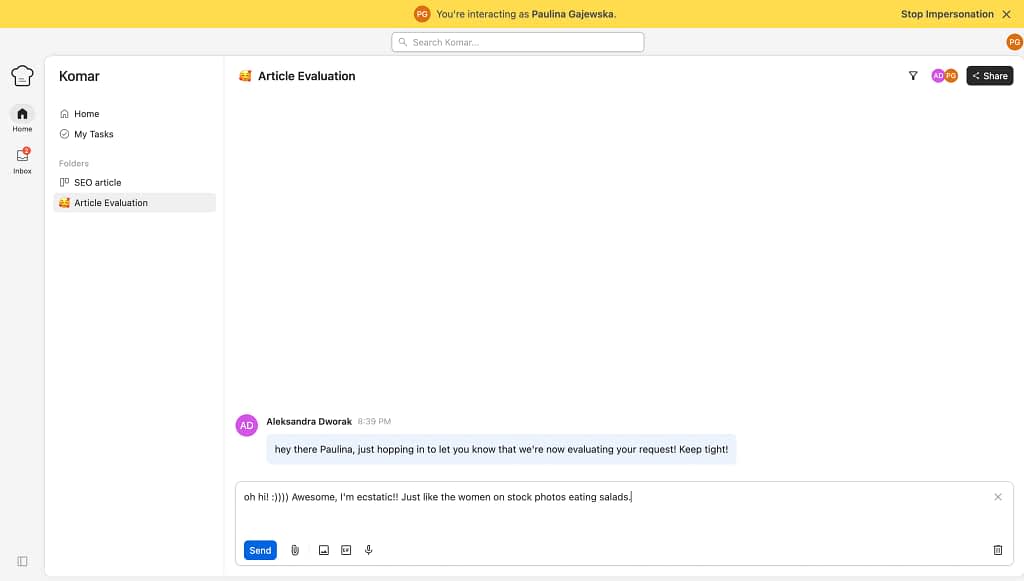
Real-time threaded conversations and internal team notes? Check.
Quotes, invoices, payments? Check.
It’s not trying to be a ten-course tasting menu, it’s aiming for a solid, dependable set of staples, and for the most part, it delivers on that.
The Price. Come On.
We can’t talk about Kitchen.co without talking about the price, because it’s genuinely one of the best deals on the market.
Cheap monthly plans, a usable free tier, and a lifetime license that’s hovered around just $300.
For solo designers and small agencies watching every line item, that price point alone buys a lot of patience for the parts that feel clunky.
The Impersonation Feature
One of the more useful, less-talked-about tools is the ability to impersonate a client’s view, letting you see and act inside the portal exactly as they would.
It’s a great way to sanity-check what you’ve built before a client ever logs in.
(Small catch: it seems to hiccup if you try to send a GIF while impersonating someone, which is a strange bug to have, but a minor one in the grand scheme of things.)
Roles And Permissions That Actually Let You Build From Scratch
This might be Kitchen.co’s best-kept secret.
Instead of a rigid set of pre-made roles, you can create custom roles from the ground up, toggling access permission by permission: who can create folders, boards, conversations, documents, invoices, quotes, milestones, you get it.
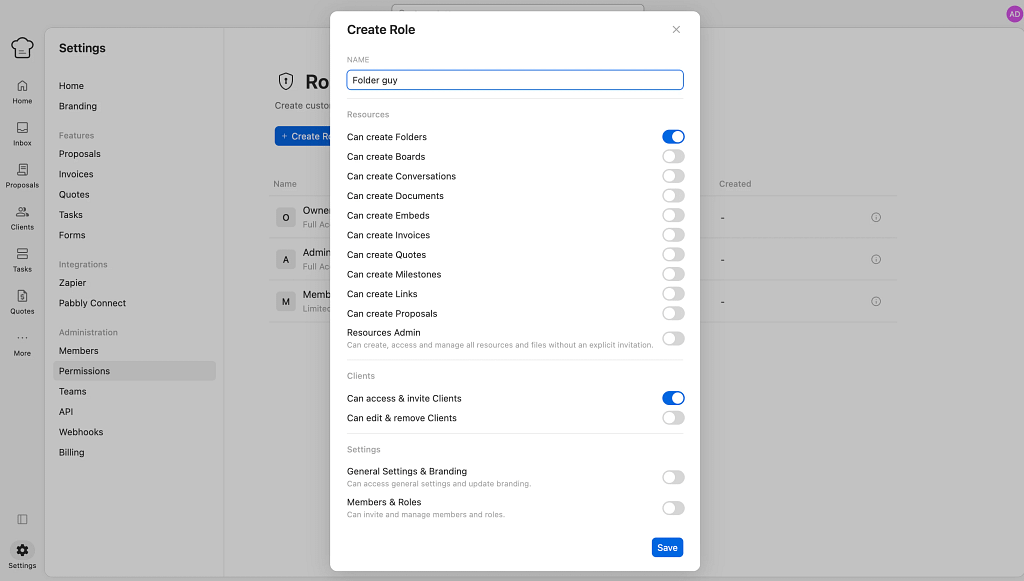
It’s genuinely granular.
For agencies with a mix of internal team members, contractors, and client-side stakeholders, that level of control is hard to find at this price point.
Kitchen.co Pricing
Now let’s talk numbers in a bit more detail (we’ve mentioned pricing as a major Kitchen.co pro already), but this is where Kitchen.co genuinely earns some of its five-star praise.
So, we’ve got these subscription and non-subscription options.
Free, forever, for up to 2 internal users. This isn’t a watered-down trial either, you get unlimited clients and projects, 2GB of storage, projects, conversations, tasks, boards, docs, invoices, price quotes, and a client portal. For a solo freelancer just getting their kitchen in order, that’s a great way to start!
Agency White-label, which runs at $29/month per internal user, and adds the ingredients most small agencies will actually need to scale: 500GB of storage, file feedback and approvals, recurring invoices, custom roles and permissions (the feature we praised above), advanced branding, unbranded emails, a custom domain, and a custom email domain. It’s the tier where Kitchen.co stops being a home kitchen and starts looking like a proper commercial one.
Then there’s the Lifetime plan, which is really two different lifetime plans wearing the same trench coat. You can choose to pay $149 twice (or $299 once) for 5 internal users, or $199 three times (or $599 once) for unlimited internal users, and you get every Agency White-label feature, permanently. No monthly bill. Ever. Again.
Worth noting: Kitchen.co’s own pricing page currently has a banner warning that lifetime plans are “retiring soon, last chance to pay once and use forever.”
If you’re the type who likes owning your equipment outright instead of renting it, this is a genuinely compelling price.
If you’d rather not gamble on a one-time purchase from a smaller company (lifetime deals are only as good as the company’s ability to stay in business and maintain the platform), the free and monthly tiers are still hard to argue with on price alone.
Kitchen.co Integrations, Webhooks, and API Situation
If Kitchen.co is your kitchen, its API is the delivery entrance around the back, the one that lets other tools drop off ingredients without you manually carrying trays back and forth.
The API itself is a fairly standard REST setup. Coverage is broad on paper too. There are endpoints for folders, conversations (plus their messages, notes, and attachments), boards, tasks, milestones, invoices, docs, embeds, and users, covering most of what you can do by hand in the interface.
One reviewer though mentioned working around missing API endpoints when trying to automate client onboarding:
“Limited API for exchanges with other applications. The billing system is a very good idea but isn’t adapted to French legislation and requires stepping outside of Kitchen.co.”
Webhooks are where things get more useful. Kitchen.co can notify an external system in real time whenever something changes, a new board gets created, an invoice gets paid, a client gets added, and so on.
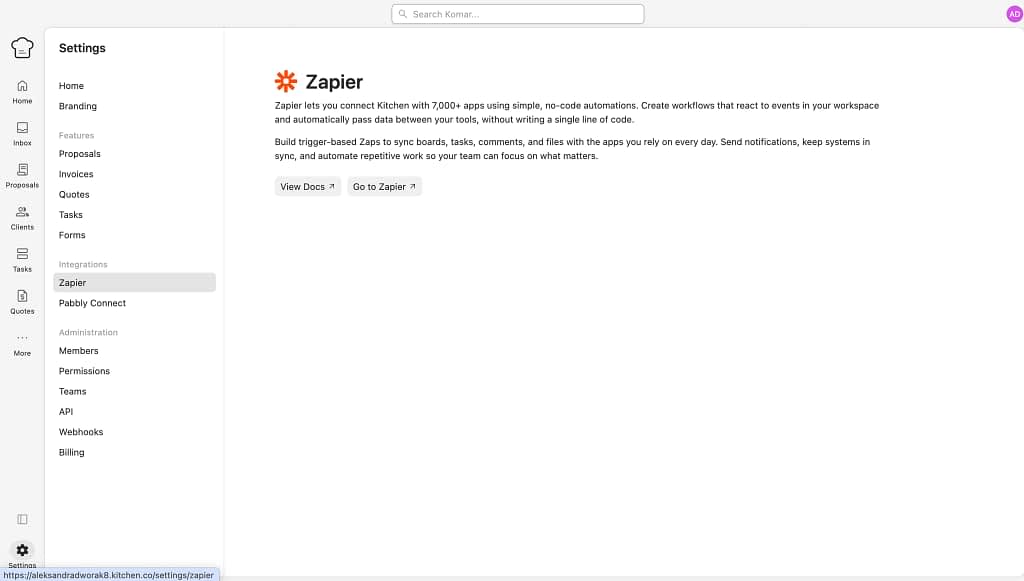
Native integrations currently cover Zapier and Pabbly, and both expose roughly the same surface area as the API itself: triggers and actions across folders, conversations, boards, tasks, milestones, invoices, docs, embeds, clients, and companies.
There’s no mention of a public app marketplace or native integrations with the usual suspects, like Slack, Google Workspace, or accounting software, beyond what Zapier and Pabbly can bridge.
But you still can embed any shareable links into the platform yourself, like a Figma URL with the newest project your agency is working on.
What Other Users Are Saying: Kitchen.co’s Pros & Cons
We’ve shared plenty of our own opinions in this review, so let’s step back and let the 119 Capterra reviewers speak for themselves.
Here’s what real Kitchen.co users, in their own words, say they love and what still bugs them.
What they love:
- It’s saved them real time. Simeon S., an Owner in Accounting who’s used Kitchen.co for over two years, says it “saves my business a lot of time,” and credits the team for constantly shipping improvements based on user feedback.
- Clients get it immediately. Harrison R., Founder and Lead Designer at a design firm, called the learning curve “almost non-existent”—not one client they’ve invited has had a question or issue navigating the portal.
- The support team actually listens. Danny S., Co-Founder in Marketing and Advertising, says the team “squashed a bug within hours of reporting it”, a response he calls rare and appreciated.
- It replaced a mess of scattered tools. A Design Director (listed as both “Jake K.” and “Verified Reviewer” across different views of the same August 2025 review) described years of juggling Basecamp, Asana, ClickUp, and Monday before landing on Kitchen.co, calling it “the light at the end of a many-year-long tunnel.” Just beautiful.
- The white-labeling holds up. Bruce P., Owner in Marketing and Advertising, highlighted “seamless domain and email configuration” for a fully white-labeled setup, making sure clients never see Kitchen.co branding.
- It’s secure. Simeon S. again—same reviewer as above—specifically flagged MFA support and reliability as reasons he trusts the platform with client documents.
What still bugs them:
- Task management needs work. Jake K., Design Director, we’ve mentioned above, said there are “no timeline/gantt views,” and that the My Tasks view is “kind of just a giant list of everything” rather than something that helps plan out the week.
- Invoicing and quotes feel limited. The same reviewer noted invoicing and quotes are “quite limited right now,” pushing them to a separate accounting tool.
- The API isn’t quite there yet. Danny S., Co-Founder in Marketing and Advertising, said the API “isn’t yet as robust as we’d like,” and that his team had to work around missing endpoints for onboarding automation.
- Documentation has gaps. Morgan M., Owner in Design, said the help documentation “could be built out a bit more,” though support chat filled in the gaps quickly.
- Per-client branding could go further. Filip C., Creative Director in Design, wanted more granular per-client branding options, plus a simple “Make a request” button so existing clients could kick off new projects without extra back-and-forth (it’s basically the lack of the self-serving for clients we talked about earlier).
- Support has occasionally been slow. Bett J., Accountant in Renewables & Environment, flagged delayed customer support response times as “a major setback.”
None of these are dealbreakers on their own, but stacked together, they paint the same picture as our own testing: a tool with a loyal, happy user base that’s still waiting on a few core pieces (billing flexibility, task visibility, documentation, a simple button to create requests for clients) to catch up with everything else it does well.
3 Alternatives Worth Tasting (With Receipts)
If the locked pantries and folder-by-folder access-granting sound like more prep work than you signed up for, here are the best Kitchen.co alternatives (in our opinion).
We’ll go through exactly what each alternative costs, what it includes, and where it actually beats Kitchen.co feature for feature.
#1 Zendo: Easy On The Eye, The Wallet, And the Brain… But Powerful
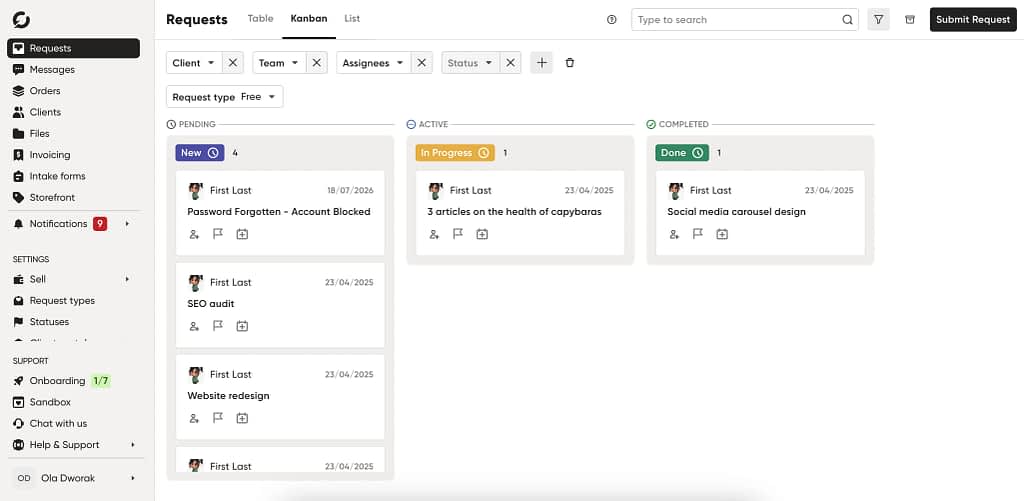
Zendo is a complete client portal software that goes super advanced when it comes to customizing your platform and operating from within it.
It covers all the features you’ll need.
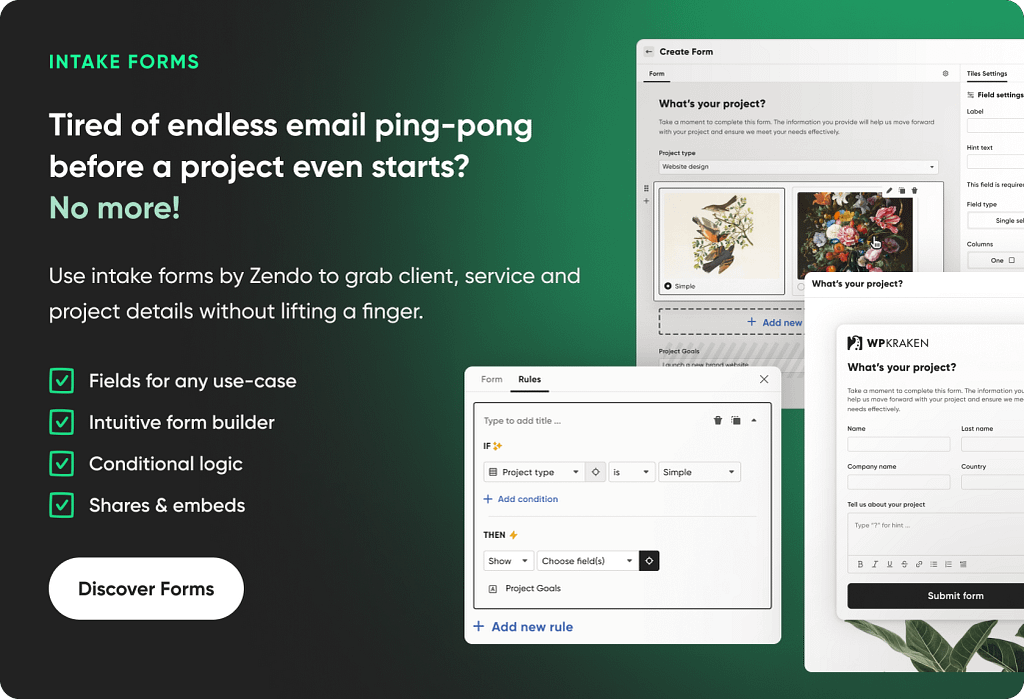
From setting up a secure and white-label client portal (without the need to individually grant clients access to each folder you create), through a complete suite for selling productized and custom services, to a fully efficient request management system (Kanban boards, real-time chat, intake forms, and a single source of truth for each project included).
Zendo’s Pricing
Now, let’s take a look at another factor that makes Zendo one of the best Kitchen.co alternatives: the price.
| Plan | Price | What you get |
|---|---|---|
| Essential | Free forever, no credit card required · 1 internal user included | 3 clients · 1 published service · all service types · quotes, invoices & payments · 2 request types · no watchers · 1GB storage (1GB/file upload) |
| Core | $29/mo ($25/mo with annual billing) · 1 internal user included · +$8/mo per additional user | Everything in Essential, plus: unlimited clients · up to 3 published services · sidebar customization (per user/team) · custom statuses, fields & checklists · 5 request types · 2 watchers per internal user · 100GB storage |
| Pro (most popular) | $59/mo ($49/mo with annual billing) · 1 internal user included · +$12.50/mo per additional user | Everything in Core, plus: unlimited services & request types · custom domain & email · automations · client teams & onboarding · Zapier, Rewardful & app embeds · advanced white-label features · intake forms · 500GB storage |
| Agency | $99/mo ($79/mo with annual billing) · 1 internal user included · +$17/mo per additional user | Everything in Pro, plus: “Powered by Zendo” badge removed · conditional logic on forms · custom CSS & JS injection · public API (coming soon) · 5TB storage |
For a quick comparison with Kitchen.co, Zendo’s Agency tier isn’t flat-rate—it’s $99/mo for one user plus $17/mo per additional seat, so a 5-person team runs about $167/mo, versus roughly $145/mo on Kitchen.co’s $29/user Agency White-label tier. Where Zendo pulls ahead on price is the free tier, which now includes invoicing and payments out of the box, something Kitchen.co doesn’t reliably offer at any price.
Where Zendo Beats Kitchen.co Specifically
Taking a look at the features, the two seem pretty similar. The main difference is that Zendo goes way beyond Kitchen.co in feature depth.
So, let’s take a closer look.
| Kitchen.co | Zendo | |
|---|---|---|
| Invoices & payments | Present on paper, but we couldn’t actually enable either during testing | Built-in, Stripe or bank transfer, no toggle-hunting |
| Proposals | Requires a separate paid third-party tool | Built-in |
| Real-time chat | Not a core feature, but available | Single source of truth for every project, with all the related details and actions available |
| Access model | Every folder, board, and conversation needs individual client access grants | Client access is portal-level, not item-by-item (you can also create client groups and create whole dedicated sidebars/portals for each, granting access to different tools/folders/sidebars at once) |
| Selling model | Manual quotes/invoices only, no self-serve | Storefront you can customize + productized, subscription, and custom offers clients can browse and buy on their own |
| External apps | Embed shareable, public URLs, like a Google Docs document | Embed Figma, Calendly, Google Docs, and more directly into the sidebar |
Zendo also leans further into productized and subscription-style service selling than Kitchen.co does, with intake and order forms, a full service catalog, and custom statuses and workflows.
The one trade-off: task management sits on the lighter side when compared with Kitchen.co. With Zendo, you do get Kanban boards but rather for project management than task management, as it is in Kitchen.co.
Best for: service pros and creative agencies who want the selling and the portal in one place, without needing a second subscription just to send a quote.
#2 Softr: Skip the Blank Canvas, Start From What You’ve Already Got

Softr skips the “pre-built kitchen” model entirely and hands you the raw ingredients instead.
It’s a no-code builder that turns data you already have, Airtable, Google Sheets, Notion, Supabase, SQL, into a fully custom client dashboard or portal.
As of its latest version, you don’t even start from a blank canvas anymore; you describe what you want in a short AI-guided setup, and it generates a working first draft for you.
Softr’s Pricing
| Plan | Price | What you get |
|---|---|---|
| Free | $0/mo | Up to 3 builders, 40 integrations, 5 AI credits/mo, unlimited apps/databases/workflows/forms |
| Basic | $25/mo | 1 builder included (+$6/mo each add’l), 40 integrations, 10 AI credits/mo, custom domain, conditional form logic, API & MCP access |
| Pro | $119/mo | 2 builders included (+$12/mo each add’l), 45 integrations, 50 AI credits/mo, branding removal, granular permissions, custom code & API connectors |
| Business | $395/mo | 3 builders included (+$24/mo each add’l), 52 integrations, 100 AI credits/mo, 2FA, domain-restricted signup, mobile app (PWA), priority support |
| Enterprise | Custom | 54+ integrations, SSO/SCIM, custom limits & SLAs |
Kitchen.co’s Free plan supports 2 internal users out of the gate, while Softr’s Free plan caps builders at 3 but doesn’t limit app users on paper. Once you’re paying, Softr charges per builder seat ($25–$395/mo tiers) rather than Kitchen.co’s flat per-user pricing on its White-label tier—so the better comparison depends on how many people on your team need builder (editor) access versus just viewing/using the finished app.
Where Softr Beats Kitchen.co Specifically
| Kitchen.co | Plan | |
|---|---|---|
| Structure | Rigid, pre-built folder system you adapt to | You design the structure around the data you already use |
| Setup | Manual, click-through-every-menu | AI-assisted first draft generated from a short chat |
| Data source | Manual data input or embedded shareable files, like a Figma project | Connects to Airtable, Google Sheets, Notion, Supabase, SQL, REST APIs |
| Mobile/desktop preview | ❌ | ✅ |
The main trade-off here is that, structurally, it’s a whole nother system to sync and maintain if you’re not already living inside Airtable or Sheets.
Best for: DIY builders who’d rather construct their own portal around data they already track than adapt to a rigid, pre-set structure.
#3 HoneyBook: One Pipeline, Every Document Built In
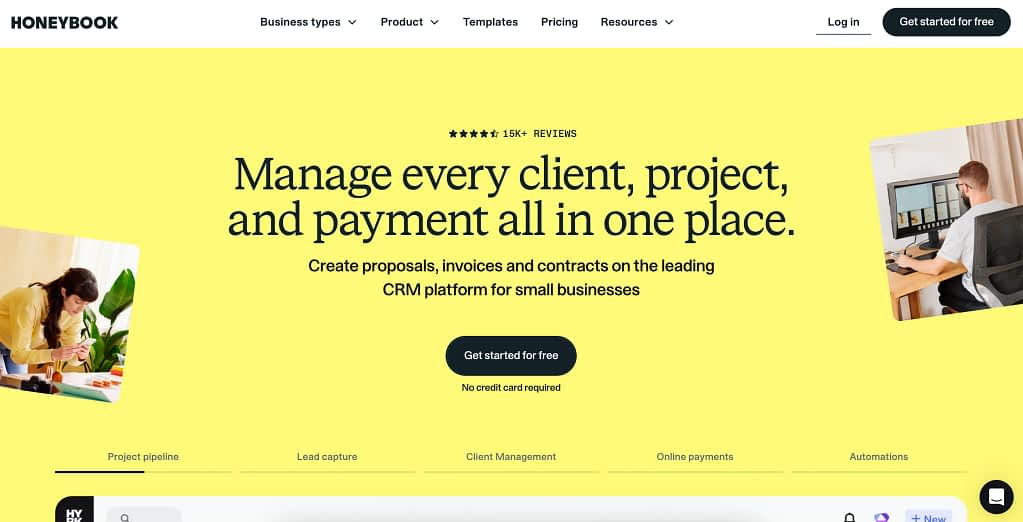
HoneyBook takes the opposite approach from Kitchen.co: instead of folder-centered collaboration, everything revolves around a single customizable project pipeline, with proposals, contracts, invoices, and payments as first-class citizens from day one.
HoneyBook’s Pricing
| Plan | Price | What you get |
|---|---|---|
| Starter | $36/mo | Client & project management, invoices, contracts, scheduling, templates, client portal, basic reporting, limited lead forms, AI tools |
| Essentials | $59/mo | Workflow automations, scheduler, QuickBooks integration, SMS reminders, branding customization, more lead forms, up to 2 team members |
| Premium | $129/mo | Unlimited seats, advanced reporting, unlimited lead forms, multiple companies, priority support |
(Card payments start at 2.9% + 25¢ on every tier; ACH runs 1.5%.)
Unlike Zendo and Softr, HoneyBook doesn’t have a free-forever tier so the comparison starts higher up immediately.
HoneyBook’s $36/mo Starter plan lands a bit above Kitchen.co’s $29/mo-per-user White-label plan for a single user, but includes contracts and full invoicing out of the box, no separate paid tool required.
Where HoneyBook Beats Kitchen.co Specifically
| Kitchen.co | HoneyBook | |
|---|---|---|
| Proposals & contracts | Needs a separate paid integration | Native, drag-and-drop editor, built into every plan |
| Invoices & payments | Unreachable in our testing | Fully built in on every tier, including the entry Starter plan |
| Pipeline visibility | Folder-based, item-by-item access | Kanban-style pipeline with up to 20 custom stages, drag-and-drop; clients access projects |
| Automation | Not a core feature | Rule-based automations across scheduling, files, bookings, and milestones |
The catch: HoneyBook is currently restricted to freelancers and businesses in the US and Canada, and there’s no internal chat or team communication layer, so like Kitchen.co, you’ll still lean on outside tools for real-time back-and-forth. It’s built more for a single operator or a very small team than a larger collaborative agency.
Best for: US/Canada-based freelancers who specifically want proposals, contracts, and invoicing to just work, without hunting for a hidden toggle or paying for a third-party plug-in.
Highlight Feature for Each Alternative
HoneyBook: Document Templates That Do the Heavy Lifting
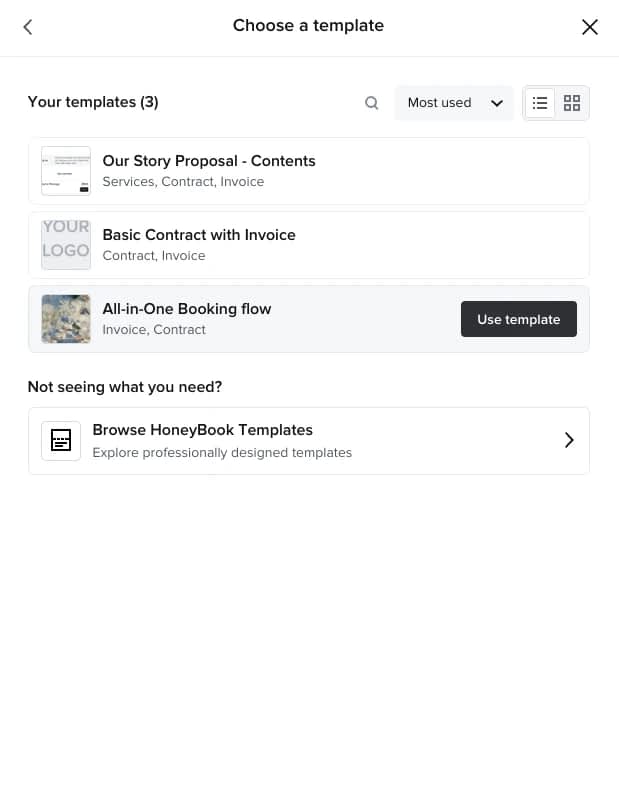
If Kitchen.co makes you cook every proposal, contract, and invoice from a blank page (or, in your case, hunt down a paid appliance just to make one), HoneyBook’s whole personality is built around never starting from scratch again.
Every document type, proposals, contracts, invoices, questionnaires, comes with a library of pre-made templates you can customize once and reuse forever, dragging modules around, swapping fonts and colors, and slotting in your own copy. Most importantly, you can combine different types of documents into one, coherent flow for the client.
Once a template’s built, it doesn’t just sit there looking pretty: it plugs directly into HoneyBook’s automation rules, so a client accepting a proposal can automatically trigger the matching contract, which triggers the invoice, which triggers the payment request, all without you touching a single new document.
Zendo: One Portal, Every Way You Sell, Fully Yours
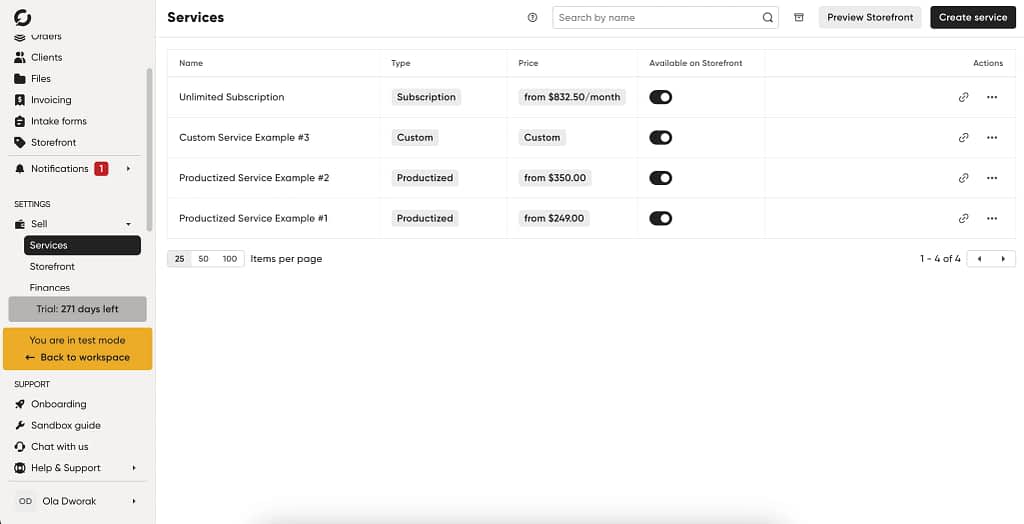
This is really where Zendo separates itself from everything else on the list, including Kitchen.co.
Kitchen.co lets you sell through quotes and invoices, manually, one at a time.
Zendo lets you sell everything, one-off productized packages, ongoing subscriptions with pause/resume built in, or fully custom quoted work, all from the same Storefront, and all inside a client portal that’s genuinely yours from top to bottom.
You’re not just swapping a logo and picking a color like Kitchen.co’s branding options; you’re designing the entire client experience, sidebar sections, connected apps, onboarding flow, page by page and client by client if you want to.
A brand-new client can land in a clean onboarding portal with a welcome video and an intake form, while your long-term retainer client sees invoices, real-time chat, and shared files, all under one white-labeled roof, no “Powered by Zendo” badge in sight.
Softr: AI Builds Your Portal Straight From the Data You Already Have
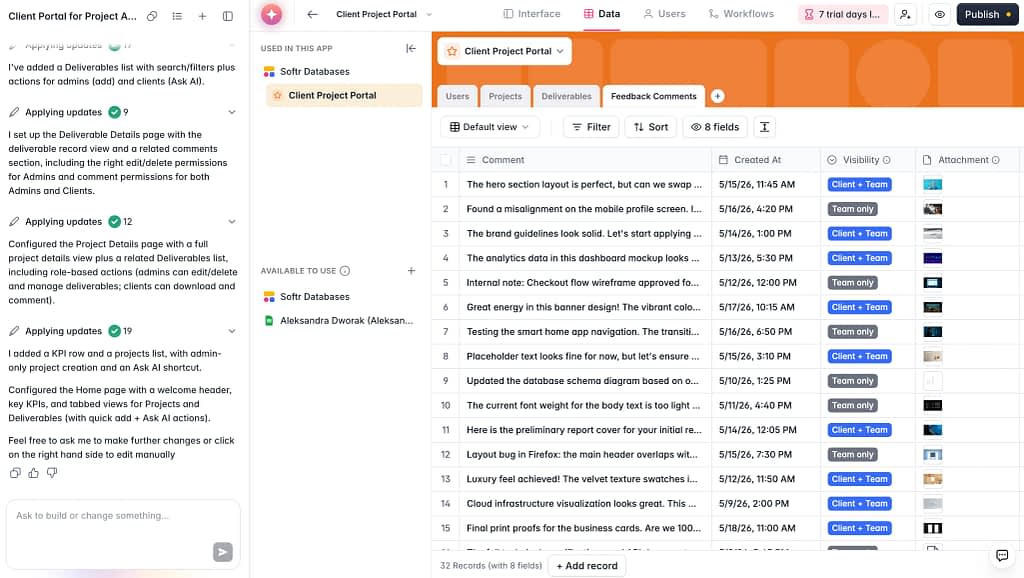
Where Kitchen.co asks you to learn its folder system from scratch, Softr flips the whole premise: instead of adapting to someone else’s kitchen, you tell it what you’re trying to build in a short guided chat, and it generates a working, polished first draft of your portal automatically, pulling directly from data you already have in Airtable, Google Sheets, Notion, or a database.
No blank canvas, no rebuilding your client list from zero.
If your projects already live in a spreadsheet, that spreadsheet becomes the client dashboard, login pages, portal views, and all, in minutes rather than the days of manual folder-building Kitchen.co demands.
You can preview it instantly on desktop or mobile.
Quick Comparison: All Three vs. Kitchen.co
For a speedy comparison if you’re not for all the reading above, just jump into the table below!
| Kitchen.co | Zendo | Softr | HoneyBook | |
|---|---|---|---|---|
| Starting price | Free forever | Free forever | Free | $36/mo, no free plan |
| Top paid tier | $29/mo per user | $99/mo + $17/internal user/mo (Agency) | $395/mo (Business); Enterprise is custom-priced above that | $129/mo |
| Invoices & payments | Present on paper, not reachable in testing | Included from the free Essential tier—quotes, invoices, and payments are now bundled in | Invoices + Stripe payments | Native, every tier |
| Proposals | Needs paid third-party tool | Built-in | Build a generator for proposals | Native, drag-and-drop |
| Real-time chat | ✅ | ✅ | ⚠️ Buildable, not native | ❌ Email-based communication in projects |
| Self-serve client checkout | ❌ | ✅ (Storefront) | ⚠️ Buildable, not native | ❌ |
| Access model | Per-item, manual grants | Portal-level | Depends on build | Clients access projects |
| Best for | Folder-lovers with patience | Agencies that sell & deliver in one place | DIY builders with existing data tools | US/Canada solo freelancers |
At the end of the day, Kitchen.co is a lot like a budget kitchen appliance: genuinely capable, priced to make you smile, and just tedious enough in the setup that you’ll want to decide up front how much elbow grease you’re willing to put in before the first course is ready to serve.
If the locked invoicing and paid third-party proposal tool are the parts that turned you off, Zendo and HoneyBook both solve that out of the box, and if it’s the rigid folder structure you’re after fixing, Softr lets you build the kitchen around ingredients you’ve already got.
The Final Verdict
So, is Kitchen.co worth your appetite?
If you’re a solo freelancer or a tiny agency who wants a clean, affordable, white-labeled space to share files and manage a handful of clients, and you’re willing to spend an afternoon learning where everything lives, Kitchen.co delivers a lot for very little money. The custom roles and permissions, the impersonation tool, and the sheer value of the free and lifetime tiers are genuinely hard to beat.
But if invoicing, proposals, and self-serve selling are core to how you run your business, and not something you’re willing to work around or bolt on with a separate paid tool, Kitchen.co is going to leave you hungrier than you started.
In that case, Zendo, Softr, or HoneyBook are all worth a proper taste test, each solving a different piece of what Kitchen.co gates behind a locked cabinet or a folder you haven’t found yet.
You can give Zendo a try, for free, here.
FAQ
Is Kitchen.co actually free?
Yes. The Free plan is free forever, not a time-limited trial, and includes unlimited clients and projects, 2GB of storage, and a working client portal for up to 2 internal users. Just don’t expect invoices and payments to be reliably reachable, based on our own testing.
Does Kitchen.co have invoicing and payment processing?
Invoices and price quotes are listed as included features, but during our testing we could not find a way to actually enable either invoicing or payments inside our account. Several reviewers echo similar friction, particularly around limited support for regional payment processors.
Can I sell proposals through Kitchen.co?
Not natively. Creating proposals appears to require a separate, paid third-party integration, which is an unusual gap for a platform marketed as an all-in-one client hub.
Is Kitchen.co good for agencies with multiple clients?
It can work, but be prepared for a folder-based structure where every board, document, and conversation needs its own individual client access grant, rather than a single shared client workspace. That gets more tedious as your client list grows.
What’s the best free alternative to Kitchen.co?
Zendo is the closest match in spirit—its free Essential plan includes quotes, invoices, and payments out of the box, something Kitchen.co couldn’t reliably enable at all in our testing. The trade-off: Zendo’s free tier caps you at 3 clients, so it suits someone just starting out more than someone scaling a full roster.
Is Kitchen.co worth the lifetime deal?
At $299 for five users or $599 for unlimited users, the lifetime plan is priced well compared to most competitors’ lifetime deals. Just know that lifetime deals are only as good as the company’s ability to stay in business, and treat any “limited time” urgency messaging around it with a healthy dose of skepticism.
Does Kitchen.co support recurring or subscription billing?
Kitchen.co supports recurring invoices on its paid Agency White-label tier, but it’s not built around a productized or subscription-first selling model the way, for example, Zendo is, where packages, billing cycles, and pause/resume are core, dedicated features.