The last time we visited Aligned, it landed on our list of the best free client portal software platforms. And although it did put an emphasis on closing sales deals back then already (helping revenue teams onboard customers and close deals faster), it seems to have doubled down on that angle even more so now.
Right now, Aligned’s key message is for you to stop losing deals between meetings, with an AI deal workspace.
So let’s re-visit this digital sales room, see what it’s all about in the turn of 2026 and 2027, and follow up with the best Aligned alternatives for sales teams, depending on your reason to switch, whether that’s pricing, CRM integration, or a deal room with a bit more under the hood.
Testing Aligned in late 2026: Why This Digital Sales Room May Not Be Ideal
When we first tested Aligned, we were fascinated by its idea of creating rooms for customers, taking us back to the times where you’d create such spaces in RPG games.
Looking at the platform now, the idea of creating rooms remains central and easy to operate.
One major addition now is definitely the MCP connector to LLMs, like Claude or ChatGPT that Aligned added alongside other AI features.
So, let’s take a closer look at it all.
Rooms
The idea of creating rooms in Aligned is essentially what makes this platform that intuitive to use. Especially given its execution.
We get to easily create different spaces for different customers, and build them out block by block, similarly to building out pages in Notion.
If that’s not something you want to spend your time on though, there are also plenty of templates to choose from.
We can’t really complain about these at all. The embedding works perfectly fine, there are plenty of options, and the whole thing is pretty aesthetically pleasing.

The only thing we could wince at a little bit is communicating with clients and team within the rooms, because it happens through a bit-hard-to-notice comments.
You can mention specific people or tag everyone in a given room within those comments, as well as add files and/or emojis. If you wish, you can also create internal team notes within the comments.
Still, comment-based communication like this will never be as effective as a real-time chat, see our comments about a similar case when analyzing HoneyBook.
MCP (Enterprise) + AI Features
Now, to the part that’s new since our last visit: the AI layer.

The MCP connector lets you hook Claude, ChatGPT, or Glean up to Aligned and then query or build your deal rooms in tools you’re already working and actively thinking in.
But, despite being a great feature, it is an enterprise-available thing only, so don’t count on it on lower tiers.
Now, you don’t necessarily have to go into Claude to use AI with Aligned, though.
Inside the platform itself, there’s now an AI Studio that can generate sections for you, and we took the ROI calculator for a spin as an example.

It was built in no time, and it’s properly interactive: you tweak the inputs (users, employees, time spent, hourly cost, research cost, project price) and the total benefit, net benefit, ROI, and payback update right there on the page.
Our dummy numbers even gave us a negative ROI, which at least proves the math is live. That’s a handy thing to drop into a room when a buyer wants to see the business case, instead of sending a separate spreadsheet.
The same menu also offers a pricing table, a competitive comparison matrix, and an FAQ, plus a second batch of AI-built sections (business case, meeting recap, executive summary, onboarding plan, POC plan, project plan) that carry “Try Free” tags, so it seems some of them are metered.
Then there’s AI Client Assist, currently in beta, a little chat assistant that can be made visible to your clients, so they can ask questions right inside the room instead of pinging you.
We like where this is going, since it fits the whole “stop losing deals between meetings” pitch.
Still, as one G2 reviewer admitted, plenty of users haven’t even gotten around to trying the AI side yet, so it remains to be seen how much of it ends up being used in day-to-day selling.
What Aligned Users Are Saying About Buyer Engagement, CRM, and AI
Our testing can’t be taken for a word of worship though, so let’s check what long-time Aligned users say about the platform.
On G2, Aligned has a total rating of 4.6 out of 5 stars (at the time of writing this article), with nearly 80% of over 1300 reviews being 5-star ratings.
Users are generally rather satisfied with the platform naming its many pros.
For example, the fact that Aligned gives its users one link instead of a graveyard of email attachments is considered a major benefit.
Ievgen G., a Strategic Account Executive, says:
“What I like most about Align is the concept of the digital sales room. It creates a clear, organized space for sharing information with clients and makes it easier to track their engagement throughout the sales process.”
Dakshata M. (Junior Analyst) echoed the time-savings angle, saying that:
“It’s a great client collaboration app and fairly simple to use for both our team and clients. I can duplicate rooms and set templates so it saves me 2-5h of work each week that I can now do in 10 min or less.”
The mutual action plan gets name-checked constantly too.
Rae T., an Enterprise Account Executive, said:
“One of my favorite features is the mutual action plan, which is a living, breathing document that I can easily edit after each meeting or task to keep us aligned and on track.”
Aligned users also view it as fairly easy to use (not everyone sees the learning curve this way of course).
Tiffany H., a Marketing Manager, says:
“Aligned is a very easy to use tool and super intuitive. I didn’t need onboarding or training to start using it on day 1.”
As every platform, Aligned has its cons too. Some more painful on the day-to-day, some rather checkpoints on an ideal software’s wishlist.
One thing that’s mentioned as a possible improvement to Aligned has to do with its integrations.
Ievgen G. said:
“The biggest drawback for me is the weak Salesforce integration. In practice, it often feels like we need to maintain two separate sources of truth, with no seamless way to sync Align notes, comments, back into the CRM.”
Others wish for more integrations, for example with platforms like Fathom or GoHighLevel.
Another common pain point with Aligned has to do with the analytics side of things, which, although covering the essentials, could be more powerful to some.
One verified user said:
“One area I’d like to see improved is reporting and analytics. The engagement insights are helpful, but I’d really like more detailed reporting on buyer activity and content performance so it’s easier to see what’s influencing deals and what isn’t.”
Another user was a bit more specific, saying:
“I love how Aligned shows you who’s viewing your content and how long they spent in the sales rooms, but I wish the platform could tell whether a prospect was actively engaging with the content or if the page was simply left open in the background. Sometimes I’ll see a 20-minute visit and wonder whether they were actually looking at it for the full 20 minutes, or if it was just sitting open while they did something else.”
Besides the analytics, we also have to mention the learning curve again. It’s obviously subjective, so although to some Aligned is quick to grasp, it’s not always the case.
Bernadette F. (Regional Sales Manager) admitted that it wasn’t very easy to learn at first:
“My main con is that I haven’t fully learned how to use the tool yet, and it wasn’t very easy to learn at first—I needed a coworker’s help to get started. I also haven’t learned how to utilize the AI functionality yet.”
The very last point we have to make here is one Paola M. (Sales Development Representative) mentioned:
“It would also be great to have more flexibility when creating rooms. Being able to customize them beyond the predefined sections provided by Aligned would allow us to better adapt the workspace to our specific project needs and workflows.”
Because although very easy to build and offering many blocks to arrange the rooms/workspaces, Aligned is not that flexible in terms of customizing the platform.
TL;DR: Aligned’s Pros and Cons
If you don’t feel like reading all that, check out the pros and cons of Aligned in the table below for a compact comparison based on G2 reviews and our own thoughts when testing the platform.
| Pros | Cons |
|---|---|
| Clean, intuitive interface. Several users say they needed little to no onboarding. | Initial setup has a learning curve to some, especially first room/template structure isn’t obvious without help. |
| Centralizes buyer materials (decks, recordings, proposals) into one shared link instead of scattered email threads. | Room/layout customization often feels rigid; users want more control beyond predefined sections. |
| Mutual action plans keep both sides accountable on complex, multi-stakeholder deals. | Salesforce integration is a recurring sore spot, described as shallow or one-directional, forcing two “sources of truth”. |
| Strong native integrations (HubSpot, Slack, Gong) streamline follow-up and tracking. | Some integrations are still missing (Fathom, Go High Level) |
| Templates and duplicate-room features save real time on repeat deals. | Reporting/analytics depth wanted for more granular buyer-activity insight |
| Engagement visibility (who viewed what, for how long) helps prioritize follow-up and spot new stakeholders. | Engagement analytics are surface-level only. Aligned can’t always tell if a long visit meant real attention or a forgotten open tab. |
| Responsive, hands-on customer support during rollout. | Enablement/training resources feel thin for driving org-wide adoption. |
| AI Studio generates interactive sections quickly (the ROI calculator is your proof point), so a business case can live in the room instead of in a separate spreadsheet. | Some AI sections carry “Try Free” tags, so they appear to be metered. |
| The MCP connector lets you query or build rooms from Claude, ChatGPT, or Glean. | MCP is Enterprise-only. |
| AI Client Assist lets buyers ask questions inside the room instead of pinging the rep. | AI adoption looks low, going by the G2 reviewers who hadn’t tried it yet. |
| Comment-based communication. |
7 Best Aligned Alternatives for Sales Teams: Free and Paid Options
Aligned is a solid deal room software, but it isn’t for everyone.
Maybe you want a free option that does a bit more, or you want e-signatures and proposals built right into the room, or you need an AI that does the work around the deal instead of just building the room for you.
So we went through the seven best Aligned alternatives, from a $0 workspace you’ll have to bend into shape yourself to an enterprise quote-to-revenue platform with a hidden price tag.
Whichever way you’re leaning, one of them should fit.
Aligned Alternatives Compared: All 7 vs. Aligned
| Tool | Free plan | Starting paid price | Native e-signature | Mutual Action Plan | Engagement tracking | Best for |
|---|---|---|---|---|---|---|
| Aligned (baseline) | ✔️ (Starter) | $35/seat/month (29 annual) | No (PandaDoc on Pro) | ✔️ | ✔️ | Teams that want a build-it-yourself room |
| Notion | ✔️ | $12/seat/month | ❌ | DIY with a database | ❌ | Solo sellers who want a $0 stopgap |
| Zendo | Yes (3 clients, 1 service) | $29/mo ($25 annual) | ❌ | ❌ | ❌ | Freelancers and small agencies |
| Arrows | ❌ | Custom quote | ❌ | ❌ | ✔️ | HubSpot-centric, AI-oriented teams |
| Trumpet | Yes (10 Pods) | $45/user/mo | ✔️ (Scale, $100) | ✔️ (all plans) | ✔️ | Teams wanting a near-identical room plus heavier AI |
| GetAccept | ❌ (free trial) | $49/user/mo (5-user minimum) | ✔️ | ✔️ | ✔️ | Teams of 5+ with proposal-heavy deals |
| DealHub | ❌ | Custom quote | ✔️ | ✔️ | ✔️ | RevOps-led teams needing CPQ and billing |
| FuseBase | Yes (1 portal) | $39/mo | Yes | ❌ | Advertised | Professional-services shops |
Methodology: How Did We Choose The Best Alternatives?
We looked at each tool from three angles.
First, we tested Aligned, Notion, and Zendo ourselves, since these are the ones we could get hands-on with, and Notion’s MCP especially got a proper trial run.
Second, G2 reviews. For every tool, we went through what real users say about each digital sales room software, what they like and what drives them up the wall, and we pulled the ratings and review counts as they appeared at the time of writing.
Third, product websites and help centers, for pricing, plan limits, and feature lists.
When a vendor shares a stat about its own results (like Arrows and FuseBase do), we say so. And when a tool wouldn’t let us in without an account or hides its prices, like DealHub, we say so instead of pretending.
Of course, things like pricing changes often, so double-check the vendor’s page before you buy.
And now, without further ado, let’s get into it.
Free Options
#1 Notion: Not Built For This, But Free and Flexible If You Need Something Today

Notion isn’t a digital sales room, obviously.
It’s a general-purpose workspace, mainly used for all kinds of document management.
And if you’ve never tried to repurpose one into a client-facing hub, it’s worth knowing upfront that you’re building the room yourself, page by page, instead of clicking “new room” the way you would in Aligned adding ready-made sections.
That said, for a solo seller or a small team not ready to pay for a dedicated tool, it’s a real option. You can build a shared page per deal, embed a Loom or a deck, add a task database as your own version of a Mutual Action Plan, and share it with a guest.
One main catch, though, is the fact that on the Free plan, pages and blocks are only unlimited for individual use (hence it’s best for a solo seller). A workspace with two or more members runs into a block limit, so a small team will probably need Plus fairly quickly.
We’d summarize it this way: it gives you a whole lot of freedom, but also a whole lot of clicking.
Unless…You’d use Notion’s MCP in a tool like Claude, which you can do on the free Notion plan.

Notion’s Pricing
| Plan | Price | What you get |
|---|---|---|
| Free | $0 | Unlimited pages and blocks for solo use (limited for 2+ members), up to 10 external guests, 7-day page history, 5 MB file uploads |
| Plus | $12/seat/mo (billed monthly) | Unlimited guests, 30-day page history, 5 GB file uploads |
| Business | $24/seat/mo (billed monthly) | SAML SSO, 90-day version history, private teamspaces, advanced permissions, longer history |
| Enterprise | Custom | Advanced security, SCIM, unlimited history |
Notion vs Aligned: Which One Wins?
Notion has none of the purpose-built sales infrastructure Aligned ships out of the box: no buyer engagement analytics, no stakeholder map, no automated re-engagement emails when a buyer goes quiet, and no native CRM sync.
You’re also capped at 10 guests until you pay $12/seat/month, whereas Aligned’s free Starter plan already includes unlimited buyer-side stakeholders at no cost, since buyers never count as seats on either platform.
But it does still allow you to build your pages, even using the tool’s MCP to avoid the million clicks you’d otherwise need to make.

Best for: teams that already live in Notion and want a $0 stopgap, and are willing to trade away engagement tracking and buyer analytics to get it.
#2 Zendo: A Client Portal That Picks Up Where the Deal Room Leaves Of

Zendo is client portal software for people who sell services, including freelancers, productized-service businesses, and marketing agencies.
This platform isn’t a digital sales room in the way Aligned is, and it doesn’t pretend to be one.
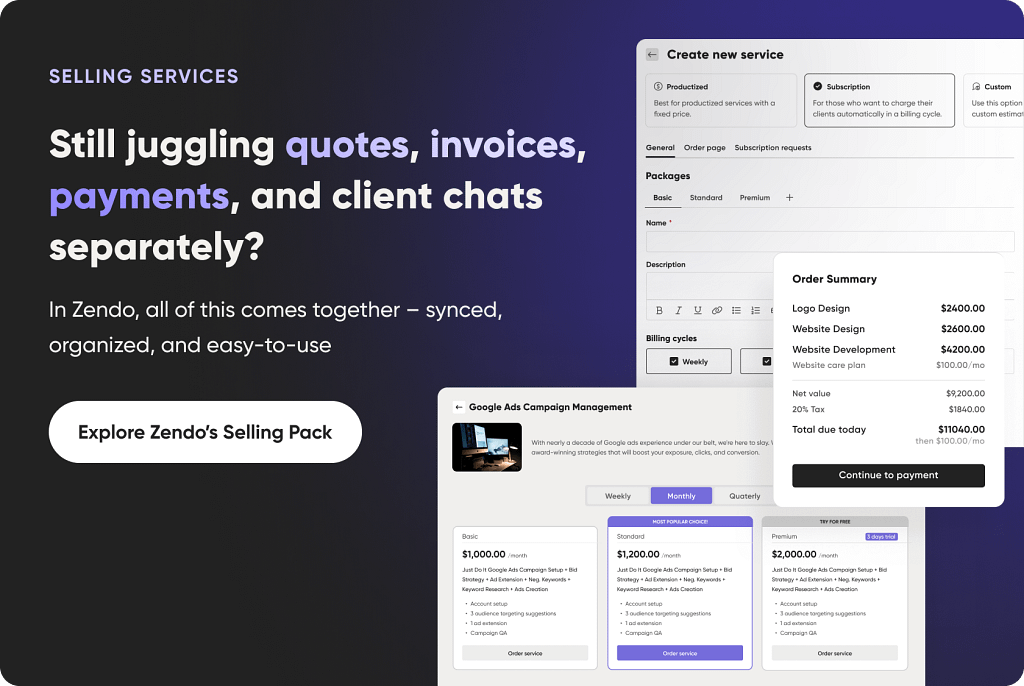
But its building blocks (a real-time chat at the center, a client portal, quotes, invoices, and payments in one place) cover much of what a small team needs from a deal room.
Its embeds and branding capabilities (240 customizable templates!), which make it feel more like a deal room, sit on paid plans (more on that below).
It’s also one of the few client portals on this list that carries on after the deal closes, into onboarding, subscriptions, and repeat orders.
A Chat, Not a Dashboard
Most portals put a dashboard at the center.
Zendo puts a chat there instead. That way, every new client request opens its own conversation thread, and quotes, invoices, payments, and messages all live inside it.

This is the clearest contrast with Aligned.
Aligned’s in-room communication happens through comments that are easy to lose.
In Zendo, the conversation is the interface, and the client doesn’t have to switch tabs to ask a question, approve a quote, and pay. Files go through the same thread, so a proposal or a signed document never has to leave the conversation.
What You Get on the Free Plan?

You can run a lightweight deal process on Zendo without paying anything:
- Chat and files: negotiate and share documents in the real-time thread.
- Quotes, invoices, and payments: build a quote, turn it into an invoice, and collect payment in the same place.
- One published service: all service types are available on the free plan, so that one service can be a Custom service, which suits deals where every client needs a different estimate.
- Request forms with dedicated questions: each service has an order or request form, so you can collect what you need from a prospect up front.
- A client portal: clients log in to see their requests (viewable as Kanban, list, or table), orders, quotes, invoices, and files, and they can upload files of their own.
- A mobile app to keep projects on track when you’re on the go.
The limits are there, of course and it’s: 3 clients, 1 published service, 2 request types, and 1 GB of storage.
Which is totally fine for a freelancer running a few deals at a time, but you’ll hit the client cap quickly with a busy pipeline (similar case to the Notion page).
Services, Subscriptions, and Quotes
This is something Aligned can’t do at all. Zendo lets you set up four kinds of services:
- Productized: priced items with add-ons and quantity options.
- Subscription: multiple packages, a highlighted favorite, cancel options, discounts, and billing cycles from weekly to annual. Free trials and pausing are available from the Pro plan.
- Custom: for projects that need an estimate and a quote.
- Free: for inquiries, support forms, or free samples.
Each service can have its own intake or order form and order page, and a storefront tab in the portal lets existing clients order more without leaving it.
You can also link your website’s buttons straight to a service’s checkout, so the path from quote to invoice to payment to subscription runs inside one tool. On the free plan you can publish only one service, and Core raises that to three.
Want to Take It to the Next Level Without Spending a Lot?
If you want to build actual deal rooms within the client portal, so customize it fully, e.g., by changing the sidebar and adding different external apps or embedded documents for each client or client group, you’ll need a paid plan.
But you don’t need the top plan to do it.
Here’s what each paid tier adds:
- Core ($29/month): unlimited clients, up to 3 published services, sidebar customization, custom statuses and fields, and 5 request types. Choose this if the client cap is your only problem.
- Pro ($59/month): this is where Zendo starts to feel like a true deal room, with unlimited services, external app embeds, onboarding flows, automations, and a custom domain and email. Extra team members cost $10/month on Core and $15/month on Pro.

Solving the deal room gap with embeds. On Pro, you can add apps to the portal sidebar as iFrame embeds, and Zendo’s guide names Google Docs, Google Sheets, Calendly, and Figma.
Sidebar customization itself already starts on Core, so you can tailor the sidebar per client, client team, or role, and each prospect or client only sees the elements meant for them.
Then, you can also build a welcome and onboarding experience on top of the portal, with a welcome message, images, audio, video or documents, and a checklist clients can tick off.
A lightweight deal room in Zendo on Pro might look like this:
- Welcome page: an onboarding message with a short video and a checklist of next steps.
- Sales materials: your proposal or deck embedded in the sidebar.
- Scheduling: a Calendly embed for the next call.
- Communication: the chat thread for questions and negotiation.
- Closing: a quote, then the invoice and payment, all in the same thread.
In the end, you get a branded, single-link space per client, which solves the “graveyard of email attachments” problem Aligned users praise it for solving.
The difference is that you assemble it from embeds rather than from purpose-built sections.
What Zendo Users Are Saying?
On G2, Zendo has a 4.9 out of 5 rating across 12 reviews.
The praise is consistent: ease of use, responsive support, and time saved.
One reviewer calls the free tier “way more than enough for any freelancer” and says the Kanban board works even better on mobile.
The complaints are small but recurring:
- Design flexibility: several reviewers want more design customization.
- Pricing jump: one reviewer says the gap between the free tier and the first paid tier is too big, especially month-to-month.
- Invoicing: one reviewer says invoicing doesn’t work very well yet, though it’s improving.
- Setup: one mid-market reviewer calls implementation complex and slow.
Zendo’s Pricing
| Plan | Price | What you get |
|---|---|---|
| Essential | Free | 1 internal user, 3 clients, 1 published service, all service types, quotes, invoices and payments, 2 request types, 1 GB storage |
| Core | $29/mo | Unlimited clients, up to 3 published services, sidebar customization, custom statuses and fields, 5 request types, 100 GB storage. Extra users $10/mo |
| Pro | $59/mo | Unlimited services and request types, automations, client teams and onboarding, intake forms, embeds and Zapier, custom domain and email, advanced white-label. Extra users $15/mo |
| Agency | $99/mo | Everything in Pro, plus badge removal, conditional-logic forms, custom CSS/JS. Extra users $20/mo |
Prices shown are monthly, and annual billing saves up to 20%. Zendo charges no transaction fees on any plan, and every plan includes one internal user. Every new workspace also starts with a 14-day Pro trial, no credit card required, and then moves to the free Essential plan with all its data intact.
Zendo vs Aligned: Which One Wins?
Zendo’s free tier includes quotes, invoices, and payments from day one, something Aligned’s Starter plan doesn’t touch.
Aligned has no native payments feature regardless of tier.
Zendo’s real-time chat is also a stronger way to talk to clients than Aligned’s comments, and its subscriptions, service catalog, and storefront cover the “what happens after the deal” that Aligned leaves out.
The trade-off is sales-specific depth.
You won’t get buyer engagement analytics, a Mutual Action Plan, a stakeholder map, native e-signature, or native CRM integrations, though.
If tracking who viewed what and for how long is central to how you sell, Zendo won’t replace Aligned.
Best for: freelancers and small agencies whose “sales room” need is really about winning over simple deals (especially on the free Zendo plan), then onboarding and servicing clients. Start free for chat, files, quotes, and invoices, then move to Pro when you want proposals and scheduling embedded in a branded portal. This isn’t the tool for a multi-week enterprise sales cycle with buyer engagement tracking.
Paid Alternatives
#3 Arrows: The Aligned Alternative for HubSpot That Works Your Pipeline

Arrows’ pitch is to take your best AE’s playbook and run it on every deal, with a living “gameplan” per opportunity, work prepared in the background, and reps approving the output before anything ships.
Sales rooms are still part of it, but they’re now one output of the system.
Arrows builds and maintains them automatically, tracks buyer engagement, and feeds those signals back into the gameplan. Around that, it drafts follow-ups, prepares pre-call briefs, proposes CRM updates, and nudges stalled deals.
It connects to CRMs, AI notetakers (Granola, Fireflies, Gong), and email and calendar.
Arrows’ Pricing
Arrows doesn’t publish plans or prices. But pricing is scoped in a planning session around three things:
| What gets scoped | What it covers |
|---|---|
| The work | Which repeatable tasks Arrows takes on: research, prep, follow-up, CRM updates, deal nudges |
| The coverage | How many active deals it monitors, and which teams and motions they belong to |
| The context | Which CRM, call, email and internal knowledge sources it needs |
Arrows says outright that it isn’t “another seat to hand every rep,” so pricing isn’t per seat. You get a quote after the planning session, with an Agent Architect helping with implementation.
Arrows vs Aligned: Which One Wins?
Aligned is a room you build and your reps work in. Arrows is closer to a teammate doing the work around the room.
So stuff like follow-ups, CRM updates and call prep get drafted automatically instead of when a rep remembers. Aligned’s AI Studio and MCP connector, by contrast, mostly help you build things when asked.
If you crave specific results, an example customer story Arrows shares shows Forecastr, a HubSpot-based team, reporting 20% faster sales cycles and a 10% higher average deal value with sales rooms (vendor-reported).
The catch is that you give up transparency and self-serve. There’s no free tier, no public price, and no trying it solo on a Friday afternoon.
Everything starts with a sales-led planning session, so you can’t compare costs against Aligned’s published tiers. If you want a room you can build yourself today, Aligned is easier to start with.
Best for: AI-oriented teams that are HubSpot-centric and want deals follow-through automated, not just a shared room. You should also be fine with a scoped, sales-led purchase instead of a published price.
#4 Trumpet: Personalized Sales Rooms to Close Deals, With Louder AI

Trumpet (heck of a name we tell ya, it was so hard to find their website, they clearly hate website presence and SEO), is another tool for revenue teams, based around, you guessed it…AI.
Trumpet has spent the last several G2 review cycles trading the #1 Digital Sales Room spot with Aligned, and its feature set will look familiar: auto-personalized rooms, a Mutual Action Plan equivalent, buyer engagement tracking, and an AI layer for building rooms faster.
It seems to be a bit more complex with the amount of features it covers, from e-signatures to building personalized sales Pod content for you.
On G2, Trumpet holds a 4.7 out of 5 rating across 1,403 reviews, with 82% of them 5-star. That’s a hair above Aligned’s 4.6.
The praise sounds a lot like Aligned’s.
Lauren Kate C., a Commercial Account Executive, likes that “nothing gets buried in email threads” and that Pod activity shows her a quiet prospect is still looking at things.
Engagement tracking is the feature people rely on most.
Toshio A., a Commercial Account Executive, gets alerts when a prospect opens a Pod and shares it internally. That has surfaced “a new stakeholder I didn’t know was involved” before a deal went quiet.
The complaints are more specific than Aligned’s, and a lot of them are about video.
Simon S., an AE who otherwise gave Trumpet a 10 out of 10, admits “Sometimes the videos don’t always embed and work as they should.”
Toshio A. says call recordings occasionally won’t load inside a Pod, which defeats the point of keeping everything in one place, and he adds that Pods with lots of content can load slowly.
Integrations aren’t flawless either.
Neil S., a UK & Ireland Sales Consultant, ran into “Some of the integration elements were buggy especially around Gong”.
Trumpet’s Pricing
| Plan | Price | What you get |
|---|---|---|
| Free | $0, free forever | 10 Pods per account, unlimited users, Mutual Action Plans, basic analytics, 40+ integrations |
| Pro | $45/user/mo | Capped at 5 users. Unlimited Pods and templates, CMS, Pro analytics, AI engagement score, CRM integrations |
| Scale | $100/user/mo | Built-in e-signature, proposals & quotes, video/screen recording, surveys & forms, AI content writer, DocuSign & PandaDoc, Gong integration, advanced analytics |
| Elite | $160/user/mo (book a demo) | AI Copilot, Ask AI deal assistant, MCP client, AI org charts, SSO/SCIM, white labelling, custom domains, dedicated customer success |
Trumpet vs Aligned: Which One Wins?
The headline isn’t cheaper pricing, because Trumpet’s paid tiers aren’t cheaper. Pro costs $45/seat/month and stops at 5 users, so it already sits above Aligned’s $35/seat Basic tier on monthly billing. By Scale you’re at $100/seat, and Elite is $160/seat.
What the extra money buys is feature depth we mentioned at the beginning, though.
E-signatures, proposals and quotes, and forms are built into Scale, whereas on Aligned, e-signature starts on Pro and runs through a PandaDoc integration.
Trumpet’s AI layer (Copilot, Ask AI, org charts) is also more developed. And on social proof, G2 rates it slightly higher and has named it a #1 Digital Sales Room.
The trade-offs are the per-seat math, which climbs fast on a bigger team, a free tier capped at 10 Pods, and the top AI features gated behind Elite and a demo.
Best for: teams comparison-shopping specifically against Aligned who want a near-identical room experience plus built-in e-signature and heavier AI, and can budget for per-seat costs that rise with each tier.
#5 GetAccept: AI Digital Sales Room for Proposals and E-Signatures

GetAccept now calls itself an “AI Digital Sales Room,” and its pitch is to run every deal like your best rep.
The AI starts from your meetings. It turns call notes or transcripts into a meeting recap, business cases and buyer-ready content, and it drafts Mutual Action Plans from the conversation.
Rooms also track which stakeholders are engaged, and buyers can invite legal, IT or procurement into them.
Compared with Aligned, the difference is where the room ends.
Proposals, pricing tables and contracts live inside the room, so buyers can review, comment and sign without leaving it. Aligned stops earlier and routes signing through PandaDoc. E-signature is part of that package, but it’s one piece of a broader deal workflow.
On G2, GetAccept holds a 4.6 out of 5 across 1,268 reviews, and roughly 79% of them are 5-star (1,003 of 1,268). That’s essentially level with Aligned.
The praise leans toward time savings and follow-up.
Christelle A., a Customer Success Manager, calls the automated post-meeting report “a considerable time saver after each meeting.”
Frederik R. says the HubSpot sync works well, with “deals, contacts, and document status sync cleanly” and no manual double-entry. That’s a nice contrast to Aligned’s Salesforce complaints, though the reviews we saw were HubSpot-based.
Worth noting: many reviewers describe GetAccept as a document tool first.
One review is titled “Easy and efficient document signing platform.” G2’s own comparison suggestions (PandaDoc, Proposify, DocuSign) point the same way.
The room is real, but the product’s roots are in proposals and contracts.
Now, the complaints center on setup and depth.
Franck T., a RevOps lead who otherwise gave 5 stars, admits “The initial setup isn’t always straightforward,” and Frederik R. mentions templates and field mapping taking patience.
The sharpest critique comes from a Higher Education user who liked the rooms but found that once you try to automate them, “complex cases quickly become very technical.”
They also say the public documentation doesn’t cover advanced cases. The same user adds that technical identifiers change between rooms, which makes integrations fragile.
GetAccept’s Pricing
GetAccept publishes per-user pricing in USD, GBP and EUR. The important detail is that the cheapest tier is an e-signature plan, and the room features start one tier up.
| Plan | Price | What you get |
|---|---|---|
| eSign | $25/user/mo | Unlimited e-signatures, in-app editor, contract management, engagement video, automated reminders, chat, templates. No deal rooms, MAPs or AI. |
| Professional | $49/user/mo (5-user minimum) | Everything in eSign, plus deal rooms, GetAccept AI, Mutual Action Plans, meetings, pricing table (3 product library items), advanced stakeholder engagement, edit after send, CRM integrations |
| Enterprise | Custom | Everything in Professional, plus CPQ, unlimited product library, SSO, conditional content, API read access, payment and HR integrations |
There’s no free plan, only a free trial (G2 lists it for 10 users).
The comparison grid also shows several things as add-ons on Professional: unlimited AI content, AI contract management, SSO/SAML, Salesforce and Dynamics integrations, and a dedicated customer success manager. So…check what your setup needs before assuming $49 is the all-in number.
GetAccept vs Aligned: Which One Wins?
AI that starts from the meeting. GetAccept builds rooms, recaps and business cases from call transcripts, and it integrates with meeting tools like Gong and Fathom. And Fathom happens to be one of the integrations Aligned reviewers said they were missing. Aligned’s AI Studio is good at generating sections on request, but GetAccept leans harder into drafting from what was actually said.
The paperwork lives in the room. Pricing tables, proposals, contracts and signing are all native. On Aligned, signing starts on Pro and runs through PandaDoc. If your deals need configurable pricing, GetAccept also offers CPQ (Enterprise or add-on), which Aligned doesn’t have.
The trade-offs are real, though.
You pay for rooms from day one, with a 5-seat minimum, so the realistic entry point is about $245/month, versus Aligned’s free Starter plan, which small teams get with MAPs and analytics included.
Several useful features are add-ons. Reviewers also flag setup effort and fragility once you push past standard room configurations.
Best for: teams of 5+ whose sales cycle runs through proposals, pricing and contracts as well as conversations, and who want AI that builds room content from call notes. If you mainly want a free, build-it-yourself room, stay with Aligned.
#6 DealHub: Deal Room With CPQ, Contracts, and Workflow Automation

Number six on our list, DealHub, is a different category of tool wearing similar clothing.
It now markets itself as “DealHub AI,” an agentic quote-to-revenue platform.
AI-powered CPQ (configure-price-quote), contract management, subscription management, billing, and revenue recognition come first, with the Digital DealRoom as one module on top.
That’s the opposite order of priorities from Aligned, which starts with the room.
But that’s not to say that DealHub’s DSRs are weak.
Here, you get branded rooms, a central content hub, in-room chat, mutual action plans, buyer qualification forms, and real-time buyer activity alerts via email and Slack.
It also includes built-in e-signature (plus a DocuSign integration if that’s what you’re already using and prefer) and real-time contract redlining. It syncs with Salesforce, HubSpot, and Microsoft Dynamics.
On G2, DealHub AI holds a 4.7 out of 5 across 867 reviews, with roughly 85% of them (739) being 5-star. A pretty good score if you ask us.
The praise centers on people and flexibility. Several reviewers single out onboarding and their customer success manager.
One RevOps manager said they “would have been completely lost” without their onboarding team.
Others like how well it handles complex catalogs, approval rules, and pricing logic, and say reps can build quotes themselves without looping in the deal desk.
The complaints are more technical than Aligned’s. Reviewers mention:
- A steep learning curve, especially the conditional logic builder.
- Salesforce integration that needed more debugging than expected, including field mappings and subscription syncing.
- API connectivity that requires a separate playbook, which doubles implementation and maintenance work.
- A billing module that isn’t robust enough in its ERP/CRM integration and doesn’t flag invoicing errors.
- Occasional glitches and, for one user, unsaved data.
If we were to judge where the “steep learning curve” or the “occasional glitching” or the “it’s hard to find things on the platform” complaints come from, we’d say it’s from its design.
And how do we judge it?
Purely by the looks of their website 💀We know, that’s a bit nuts.
Unfortunately since we can’t test it , heck, we couldn’t even view its help center without an account set up, but if the platform works and looks similarly to the website…Well, we can’t help but notice maybe it’s the ever-present problem of many SaaS tools (especially legacy ones)—outdated, unintuitive UI.
Thought maybe their YouTube channel will help solve this mystery, but it just gave us lots of AI-generated videos with no actual product clicking, like the video with this lovely AI-lady presenter.
Okay, to be fair, not every video on their channel features an AI-generated presenter, they do have their RevAmp podcast featuring humans, but we still couldn’t find any platform screenshots or videos there.

G2 finally led us to some actual product screenshots, which…yeah. That may prove that theory.
DealHub’s Pricing
Unfortunately, DealHub keeps not only its product to build as high suspense as the kid in Sixth sense, but it also hides its prices. You request pricing and a demo, and the quote depends on your scope divided into two plans.
| Plan | Price | What you get |
|---|---|---|
| Growth | Custom quote | Governed revenue execution: AI CPQ, flexible quote creation, all sales models, parallel approval workflows, Digital DealRoom, contracts, subscription lifecycle framework, analytics |
| Scale | Custom quote | Everything in Growth, plus advanced billing control: subscription management, invoice generation and scheduling, usage and consumption billing, A/R and collections, revenue recognition |

Tired of the suspense and secrecy, we did some more digging and found that the average contract value for DealHub.io, according to Vendr, is actually floating around $44,400 per year. So, definitely not the most affordable of options, coming in at roughly $3,700 each month.
DealHub vs Aligned: Which One Wins?
If your sales process involves complex, configurable pricing (multiple product lines, tiered discounting, approval workflows), Aligned has no answer at any tier.
It assumes pricing happens elsewhere and gets embedded into a room as a PandaDoc or HubSpot quote. DealHub builds the pricing logic itself, then wraps the room, contract redlining, and signing around it.
The room is also more complete in places where Aligned’s is thin. Aligned’s communication happens through comments, while DealHub has in-room chat.
Aligned routes signing through PandaDoc on Pro, while DealHub signs natively. DealHub’s Salesforce setup takes real work, but it’s a deeper integration than the shallow sync Aligned reviewers complain about.
The cost of that depth is no free tier, no published pricing, and an implementation measured in months. Reviewers also describe an admin experience that’s powerful but clunky, and in one case a CRM restructure was needed before it worked.
Best for: RevOps-led teams that need quoting, contract lifecycle management, and billing in one platform with the deal room built in, not just buyer engagement tracking on top of pricing that happens elsewhere.
#7 FuseBase: A Client Workspace for the Whole Client Relationship

FuseBase (formerly Nimbus Note, then Nimbus Platform) has been around since 2014 and now calls itself an “AI-native” client portal and collaboration platform.
It combines branded portals, secure file sharing, forms, e-signatures, and AI agents with a workspace for your internal team.
It’s aimed at agencies, consultants, and professional services firms managing the full client relationship, from client onboarding to customer success, rather than just the pre-close sales cycle.
FuseBase has dedicated deal room pages with custom branding, personalized welcome messages, interactive document previews, and client-specific permissions.
It also advertises real-time activity tracking (views, downloads, comments), engagement scoring, automated follow-up reminders, AI meeting transcription and summaries, and built-in e-signature.
G2 lists it in the Digital Sales Room category alongside the Client Portal one.
FuseBase also claims its deal rooms close deals up to 30% faster.
On G2, FuseBase holds a 4.7 out of 5 across 114 reviews, with about 90% of them (103) being 5-star.
The praise centers on flexibility and the newer AI apps.
Reviewers like having portals, knowledge base, databases, and AI agents in one place. Several highlight Apps, where you describe a tool in plain English and an AI agent builds it.
One Head of Sales specifically built a business case calculator from his meetings in a few days. That’s the same job Aligned’s AI Studio ROI calculator does, so it’s a useful contrast.
Another reviewer says they connect Claude to FuseBase and it builds their frontend and database. Support also gets steady praise.
The complaints are fairly consistent, mentioning these themes:
- Mobile: reviewers call the mobile experience the biggest gap. One says the iOS app is dated and lacks the AI and automation of the browser version.
- Learning curve: the platform moves quickly, and one reviewer says documentation lags behind new releases.
- Blank-canvas setup: one reviewer wanted one-click templates instead of building from scratch.
- Smaller issues: occasional sync problems and speed.
- Compliance: one healthcare reviewer says HIPAA compliance and a BAA are gated behind Enterprise pricing.
FuseBase’s Pricing
FuseBase prices by plan limits rather than per seat, and every paid plan has a 14-day trial.
| Plan | Price | What you get |
|---|---|---|
| Free | $0 | 1 client portal, 1 workspace (up to 20 team members), 20 AI prompts, 20 automation runs |
| Solo | $39/mo | 1 member, 1 portal, 1 client, 1,000 AI requests, 1,000 automation runs, 5h transcription |
| Essentials | $99/mo | 5 members, 10 portals, 100 clients, 10,000 AI requests, 10,000 automation runs, 100h transcription |
| Advanced | $399/mo | 50 members, 100 portals (unlimited on request), 1,000 clients, 50,000 AI requests, 50,000 automation runs, 300h transcription, white label, granular permissions and groups |
| Unlimited | Custom | Unlimited members, portals, clients, AI requests and automation runs, plus the Advanced features |
Add-ons: extra portals are $20/mo each, 1,000 automation runs are $10/mo, 20 transcription hours are $10/mo, and FuseBase AI is $10/user/mo.
FuseBase vs Aligned: Which One Wins?
White-labeling has a published price here. It starts on the Advanced plan at $399/month, and FuseBase’s deal room page lists custom domains among its branding options.
Aligned only offers a fully custom domain on Enterprise, which is quote-only. If a self-serve price tag for a white-labeled client experience matters to you, FuseBase gives you one and Aligned doesn’t.
Pricing is also structured differently. Aligned charges per internal seat on Basic and Pro, while FuseBase’s Essentials plan covers five members, 10 portals, and 100 clients for a flat $99/month.
For a small team serving many clients, that math can come out ahead. FuseBase also covers what happens after the deal closes (client onboarding, delivery, knowledge base, invoicing), which Aligned doesn’t try to do.
The trade-off runs the other way on sales-specific depth. We couldn’t find a Mutual Action Plan equivalent or a buyer stakeholder map in FuseBase’s deal room feature list.
Its engagement tracking exists, but none of the G2 reviewers we saw mention using it, whereas Aligned’s Visitor Analysis and Timeline Analysis are core to the product on every tier.
The free plan is also tighter than Aligned’s Starter: one portal and 20 AI prompts. And a mobile app that reviewers describe as dated is a real drawback for reps working on the go.
Best for: professional-services shops that want one white-labeled portal covering both sales-adjacent collaboration and ongoing client delivery, not a tool purpose-built for the pre-close sales cycle alone.
Final Verdict: The Best Aligned Alternative for Your Sales Team
There’s no single winner here, because the best alternative depends on why you’re leaving Aligned in the first place.
You just want to pay nothing. Start with Notion if you’re a solo seller who’s happy to build your own pages, or Zendo if what you really need is a place to chat with clients, send quotes and invoices, and get paid. Neither one tracks buyer engagement, so you’re trading analytics for a $0 price tag.
You want to stay in the same lane as Aligned, but with more sales enablement muscle.
Trumpet is the closest match, with built-in e-signatures and a heavier AI layer, as long as you’re ready for per-seat prices that climb with each tier.
GetAccept is the pick if your deals live in proposals, pricing tables, and contracts, and your team has at least five seats.
You want the AI to do the work. Arrows is closer to a teammate working around the room than a room itself, and the price is a sales-led conversation.
You need pricing, contracts, and billing under one roof. DealHub is the heavy hitter here, with a hefty price and an implementation measured in months.
You manage clients long after the deal closes. FuseBase covers the whole client relationship, with a published price for white-labeling, which Aligned doesn’t offer.
And if none of this convinces you?
Aligned is still a free, easy-to-start room with mutual action plans and engagement analytics, and those are hard to find in a free plan. Switch for a specific reason, not just because.
FAQ: Aligned Alternatives for Sales Teams
Is there a free alternative to Aligned?
Yes, several. Notion, Zendo, Trumpet, and FuseBase all have free plans, but each has limits, from Notion’s 10 external guests to Trumpet’s 10 Pods and Zendo’s 3 clients and 1 published service. Aligned’s own free Starter plan is hard to beat for pure sales-room features, since it includes mutual action plans and analytics.
Which Aligned alternative has built-in e-signatures?
Trumpet (on the Scale plan), GetAccept, DealHub, and FuseBase all have native e-signature. On Aligned, signing starts on the Pro plan and runs through a PandaDoc integration.
Which alternatives work with AI tools like Claude through MCP?
Notion’s MCP works on its free plan, based on our own test. Aligned’s MCP connector is Enterprise-only.
Is Notion really a digital sales room?
Not really. It’s a general-purpose workspace that you can bend into a client-facing hub, but you’re building the room yourself, and there’s no buyer engagement tracking or CRM sync.
Which tool is best if I use HubSpot?
Arrows is built around HubSpot, and GetAccept’s HubSpot sync gets good marks from reviewers. Both are worth a look, though Arrows’ pricing is sales-led and GetAccept needs five seats.
Why switch away from Aligned at all?
The most common reasons we saw were shallow Salesforce integration, surface-level analytics, rigid room customization, and comment-based communication instead of real-time chat. If none of those bother you, there’s little reason to move.