SuperOkay – are you okay, honey?
The reviewers say so. The 4.6 rating on G2 hints at no major problems or issues that could make this platform unusable. Instead, people praise its sleek interface, easy-to-use features, and premade templates.
SuperOkay turns out to be quite okay, indeed.
But it’s not excellent. Just note the increasing number of people searching for SuperOkay alternatives.
SuperOkay is built to do one specific thing – turn proposals and documents into polished, interactive client experiences – but it won’t support you in selling productized services or provide you with built-in, real-time chat to talk to your clients directly. It also lacks some of the client management and project management features you might expect from a more comprehensive management platform.
So if you only need to build a rather simple, white-label Client Portal with basic file sharing and document sharing, use it! But if you feel it’s not sufficient enough to cover your specific needs, we’ve provided a list of 4 excellent tools that go beyond expectations when it comes to crafting customer experience.
For those in a rush, here’s a quick comparison of all the tools:
| Best For | Main Strength | Main Drawback | Starting Price | |
|---|---|---|---|---|
| Notion | Customizable Client Portals | Rich customization options & AI-powered organization | Requires setup and doesn’t handle the entire client relationship | $12 per user per month |
| Softr | Customizable and branded Client Portals | No-code portal and web app builder | Can be overwhelming to build and maintain | $25 per month |
| Moxo | Complex client workflows | Workflow automation & process management | More complex to configure and maintain | $99 per month |
| Zendo | Service businesses & client independence | End-to-end client experience, communication & payments | Limited analytics and reporting | Free |
#1 Notion: Customizable & AI-Powered
Our first proposition is a great option for those appreciating the DIY approach. Notion, an AI-powered workspace to collaborate with both teams and clients, works great as a makeshift Client Portal thanks to its highly customizable pages, databases, document-sharing capabilities, and flexible permission settings. While it does require some effort to build and maintain the experience yourself, that flexibility allows businesses to create a Client Portal tailored to their exact needs.
But you don’t have to build everything from scratch. Notion offers a rich library of templates, from professional-looking project dashboard with progress bars to aesthetic portfolios, giving you a ready-made foundation that you can customize to reflect your company’s charms.

What Problem Does It Solve?
Most all-in-one business management tools come with their own proposition on how you should run the ship; project tracking on a Kanban Board, adjusting internal processes to fit the imposed workflows, or integrating with brand-new tools, because the ones used by the team aren’t supported. This can lead to paying for a platform that’s mostly unused, or – in the darkest scenario – team members will refuse to use it, sticking to what they know.
Notion doesn’t impose much. Its biggest strength lies in its flexibility; you don’t have to bend over backwards to make your business fit the platform. Rather, you can tailor each and every page to your exact needs and easily delete or adjust them when needed. This makes it particularly useful for businesses that need flexible collaboration tools or want to turn their workspace into a client-facing knowledge base.
When built correctly, clients will appreciate the clarity and convenience of having all information collected in one place — especially after integrating your workspace with Slack, Google, Figma, GitHub, and other household names. And with adding the AI assistant into the mix, you won’t even have to manually update the client’s workspace; it’ll turn meeting notes into summaries, extract action items, create checklists, draft project updates, and keep information organized. This way, you won’t have to worry about outdated or missing data, while clients can check on their projects and track progress anytime they want, without having to dig through old emails or messages.
There’s a Catch
Notion is wonderful for creating Client Portals and organizing data, unlike SuperOkay. But selling services, leading discussions, and creating reports will have to happen elsewhere, outside the workspace. Most likely, you’ll still need dedicated tools to cover these gaps. In other words, Notion can become the client’s command center, but it isn’t the entire business relationship.
Best Use Case
Based on all the gathered data, we get a clearer picture of who could be Notion’s best client: small businesses that primarily need one centralized space to organize data and already use the tools Notion integrates with. All sorts of creative agencies that put effort into nurturing business relationships — but not too many of them! — will find Notion a nice addition to their already existing ecosystem.
Pricing
Last but not least, how much does Notion cost?
| Plan | Price | Best for | Features |
|---|---|---|---|
| Free | ❌ | individuals | Basic forms and sites, Notion Calendar, databases, and a trial of Notion AI. |
| Plus | $12 per member per month or $120 per member per year | small teams | Custom forms and sites, unlimited charts, collaborative blocks and file uploads, plus basic integrations. |
| Business | $24 per member per month or $240 per member per year | growing teams | Notion Agent, AI Meeting Notes, Enterprise Search, SAML SSO, granular database permissions, private teamspaces and premium integrations. |
| Enterprise | custom pricing | large organizations | Advanced security and administration features, SCIM, audit logs, domain management, zero data retention with LLM providers, and a dedicated customer success manager. |
For a Client Portal, Plus makes for the best starting point in most cases, while Business becomes more attractive for companies that need advanced AI, permissions, and security.
#2 Softr: Do It Yourself, But With Little Code
While Notion is a general-purpose workspace that you can turn into a data-filled Client Portal, Softr is specifically designed to help you build customer-facing portals and web apps. It’s a little more complex solution for the more demanding crowd, but it doesn’t require any coding knowledge whatsover.
What makes Softr particularly interesting is how it connects to data stored in platforms such as Airtable, Google Sheets, Notion, or SQL databases, then turns that information into a polished, customer-facing interface. Instead of giving clients access to your entire database – which can lead to serious security issues — you can create a dedicated portal where they get to see only what’s relevant to them.
That makes Softr a good middle ground: more structured and client-focused than Notion, but far less technical than building a custom portal from scratch. Its drag-and-drop builder makes it relatively easy to arrange pages and features, while granular permissions help you control access to information based on the client. On the downside, this requires a clear vision of what your business needs in order to pull that off successfully – when sky’s the limit, it’s easy to get lost among the clouds.

What Problem Does It Solve?
Softr is an answer to businesses all over the world that come with unique requirements. When the popular platforms — like HoneyBook or SuiteDash – don’t quite fit and turn out to be more trouble than they’re worth, building your own workspaces might be a nice solution to the ill-fitting tools.
And in contrast to Notion, you don’t have to stop at organizing and presenting data; you can build pages for checkout and billing, allowing clients to pay through Stripe or PayPal. This makes it possible to lead your clients through the entire customer journey – from discovering your services and reviewing proposals to booking meetings and making payments – instead of just providing them with spaces for automated project progress updates.
Moreover, the aforementioned Stripe integration can support much more than simple checkout. Users can use it to:
- Charge clients when they sign up through a secure login process or let them pay through custom checkout forms,
- Manage customers and payments from one central dashboard,
- Keep an eye on revenue by showing balances and recent transactions,
- Create and share coupons with specific groups of customers,
- Let clients check their payment history and access receipts,
- Offer memberships and subscriptions with different pricing options,
- Let clients manage their own subscriptions, including upgrading, downgrading, or cancelling,
- Handle invoicing automatically, from adding line items and creating invoices to finalizing, sending, and collecting payments.
There’s a Catch
A platform that lets you design the entire experience exactly the way you want it? That’s a nice dream. But the reality check can be brutal – unless you’re experienced in building client-facing pages, the number of decisions needed to be made can feel overwhelming. The structure, navigation, permissions, database setup, workflows, branding – it’s all on you.
Best Use Case
Based on that conclusion, it’s safe to say that Softr is best suited to businesses that already have a clear vision of what they want their Client Portal to look like, have some experience with no-code tools, and aren’t afraid of getting their hands dirty. If you enjoy figuring things out and want the freedom to build something truly tailored to your workflow, Softr can be incredibly powerful. If you’re looking for something you can switch on and start using immediately, its flexibility may feel more like a challenge than a benefit.
Pricing
How much does a fully personalized and custom experience cost?
| Plan | Price | Best for | Features |
|---|---|---|---|
| Free | ❌ | individuals | Unlimited apps, databases, workflows and forms, plus 5 AI credits per month. |
| Basic | $25 per month or $228 per year | small teams | Custom domain, conditional form logic, Softr API & MCP, and 10 AI credits per month. |
| Pro | $119 per month or $1,188 per year | growing teams | Softr branding removal, Google Sign-in and OTP, granular permissions, advanced user actions, comments, custom code and API connectors, plus 50 AI credits. |
| Business | $395 per month or $3,948 per year | large organizations | 2FA, domain-restricted signups, global data restrictions, a mobile PWA, push notifications, filtered user sync, priority support and onboarding, plus 100 AI credits. |
For those looking for a good SuperOkay alternative with the focus on a Client Portal, Softr’s Pro plan looks the most promising; this is where features such as granular permissions, comments, advanced user actions and custom integrations become available.
#3 Moxo: Whipping Processes Into Shape
Now, let’s go back to solutions that don’t require as much setup as our previous propositions — like Moxo.
Moxo offers a more interactive type of Client Portal; its purpose isn’t simply to present all the documents, updates, and project information, but to orchestrate the entire client workflow on top of it. Its project management features help teams organize complex processes, collect information, and get approvals in one place without getting drowned in the back-and-forth deluge of emails.
This means that Moxo users can set up client onboardings, approval processes, and account management with the help of automation to eliminate the repetitive tasks nobody likes. The result is a more structured experience where the right people are urged to take the right action at the right time.
This makes Moxo particularly interesting for businesses dealing with complex, multi-step client processes, especially those specializing in finances, consulting, legal, or healthcare.

What Problem Does It Solve?
Moxo’s biggest strength lies in cleaning up the collaborative process between the business and its clients, and then polishing it to perfection.
With so many documents flying around and circling back – forms, signatures, approvals, follow-ups, updates — it’s easy to find yourself in an extremely chaotic situation. If there’s no visibility whatsoever, team members might keep asking themselves: have we already sent the relevant files? In which email thread were the invoices sent? Did anyone even track the payment deadlines?
Or, in the worst case scenario: how did we miss this urgent message from the client?
Moxo helps prevent such costly mistakes by turning the entire mess into one reliable workflow with space for gathering client feedback. Every document, message, and action can become a clearly defined step, with everyone being able to see what has been completed, what is still pending, and who needs to act next. Automated reminders and integrations with tools such as CRM, invoicing, project and task management, storage, and communication platforms reduce the need for manual follow-ups even more. If daily meetings to keep everyone updated aren’t your thing, Moxo can help cut down on them, reducing the need for regular check-ins to weekly or even monthly updates.
Additionally, Moxo brings in proper automation to handle the heavy work for you. Once a client completes one step, the next can be triggered automatically; for example, submitting a form can update their record in HubSpot, an approved proposal can trigger an invoice in Stripe or QuickBooks, a newly uploaded document can be saved to Google Drive, or a completed milestone can create a task in ClickUp and notify the relevant team in Slack.
There’s a Catch
Moxo revolves around flows, actions, workspaces, permissions, automations, integrations and templates. That’s fantastic when you’re managing a complex process, but it also means there’s more to configure and maintain than with a simpler portal. Be prepared to crack open some tutorials and wiki articles to ensure your business is set up correctly on the platform.
The level of complexity will also require you to have all the internal processes already designed. Otherwise, if your processes are constantly changing or poorly defined, setting up Moxo can become another project in itself — and a neverending one at that.
Best Use Case
Based on all the collected information, Moxo seems to be best suited to teams with clearly defined, repeatable workflows. If your client process involves multiple stakeholders, documents, approvals, deadlines, and handoffs, Moxo can turn that complexity into a structured workflow that is easier to manage and automate. Especially professional service providers in regulated industries, where missing a document or deadline can have serious consequences – like legal or healthcare – could benefit from the platform the most.
Pricing
Now, let’s get down to earth. How much of an investment does Moxo require?
| Plan | Price | Best for | Features |
|---|---|---|---|
| Free | ❌ | teams | 2 flows per month, 500 AI credits, the workflow builder, basic AI tools, forms, approvals, eSignatures, file requests, magic links, notifications, and third-party integrations. |
| Business | $99 per month or $960 per year | growing teams | 10 flows per month, 1,000 AI credits, plus reporting dashboards and an AI Reporting Agent. |
| Pro | $499 per month or $4,800 per year (requires an annual commitment) | big teams with complex processes | 500 flows per year and 50,000 AI credits, advanced workflow features, payments, checklists, portals, messaging, SMS, custom domains, webhooks, REST APIs, SSO, audit logs, and a customer success manager. |
| Enterprise | custom pricing | large organizations | Advanced customization, including data tables, custom actions, custom portal pages, embedded apps, custom code, support for your own AI models/agents, and a forward-deployed engineer. |
If your goal is to build a Client Portal, you’d need to invest at least in the Pro tier. The Free and Business plans are more focused on setting up workflows that will lead your clients through the entire journey.
#4 Zendo: Self-Service Superiority
Zendo is another beast entirely, offering a completely different approach to running a client-focused business. Instead of treating clients like separate contractors that get passive insights into their own projects, they’re invited to take a much more active role in the process, from placing their own orders to forming teams with other users.
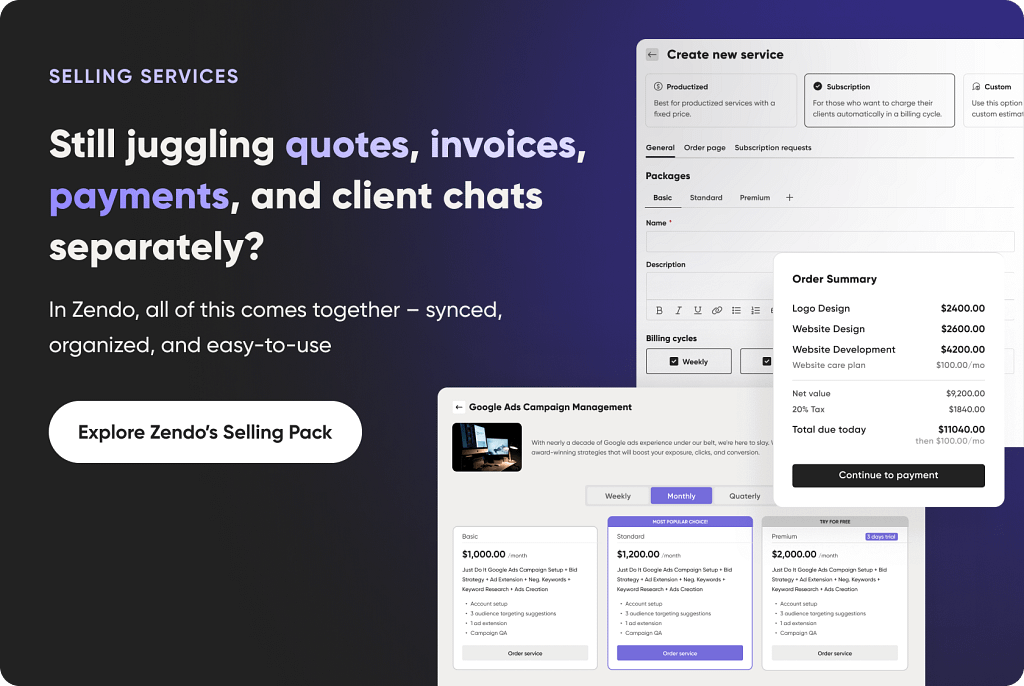
Moreover, Zendo revolves around creating workflows for productized, custom, and subscription-based services. And the whole process doesn’t start when the client signs the contract – it starts much earlier, with clients browsing through the business’ offer on their Storefront, adjusting orders and describing their wishes in detail before coming to the platform as an active participant.
This makes Zendo a truly special platform. It’s not there to bring some order to your processes with task lists and automated reminders; it reorganizes the entire structure, offering one space for communication, collaboration, and finalizing payments in one platform.

What Problem Does It Solve?
Zendo shakes things up in the business management realm by overhauling the customer experience, starting with its Storefront – the fully customizable space for presenting all of your services in the best light. Once a client understands what’s on the table, they can select one of them – in the case of subscriptions, users can additionally choose between different packages – fill out the customizable forms and hit the submit button. The order will show up on the platform, which clients can sign up for.
This solves several bottlenecks: first of all, Zendo users don’t have to bother with creating a complex website for their business. They can get comfortable on Instagram or TikTok, depending on their audience, and drive all the traffic directly to the Storefront.
Secondly, this removes all the email hassle. Forget about long threads of muddled communication that frequent our email inboxes – instead, invest in a space where clients can take action on their own, without any of your input. This will be especially useful in the international setting where time zones come into play, delaying the process even more. Here, clients submit their requests while you sleep.
But that’s only the start of the journey. Users get a warm welcome on the platform thanks to a client onboarding that can be quickly set up, offering all the important information alongside a helpful checklist. They can get directed to all the relevant sites and spaces embedded in the Sidebar, so they get easy access to all the right tools: Figma, Miro, Zoom, Excel sheets, and more. And of course, they’re but a click away from getting in touch with you at all times.
All created requests open new conversation threads in real-time chat. It’s a unique form of communication that doesn’t stop at a simple message exchange; it goes much further than that. On top of sharing files with clients, users can easily issue invoices, accept or reject quotes, finalize payments thanks to the Stripe integration, and look up all the forms linked in the sidebar for convenience.
And those who sign up for a subscription service get an extra treat that can become your Unique Selling Proposition: subscription pause. When you turn it on – it’s up to you – it allows clients to put their subscription on hold and save money when they don’t need your services. Think of it as a temporary hiatus, giving clients a more flexible option than forcing them to cancel their subscription entirely. Clients don’t get taken advantage of and you keep your business partners close!
There’s a Catch
While Zendo handles this part of business like a champ, it does have its shortcomings. Those people who really care about rich analytics that can generate appropriate reports for various stakeholders will be disappointed to hear that it’s not part of the deal. A possible workaround for this issue is to integrate an external app with Zendo, but it will require some work.
Best Use Case
Zendo will be a great choice for freelancers and agencies, particularly marketing agencies and other online service businesses that care about elevating customer experience to entirely new levels. It will also delight those looking for flexible processes and Zapier integration, allowing them to create an entire ecosystem of interconnected tools like Google, Facebook, WhatsApp, and other household names.
And of course, it’s a great fit for teams delivering custom, productized, or subscription-based services, especially those looking to make payments quick and easy while giving clients a clear view of what’s happening behind the scenes.
Pricing
Let’s take a closer look at Zendo’s pricing plans.
| Plan | Price | Best for | Features |
|---|---|---|---|
| Free | ❌ | freelancers and small teams | Up to 3 clients, 1 published service, quotes, invoices & payments, all service types, and 2 request types. Includes 14-day Pro trial with no credit card required. |
| Core | $29 per month or $300 per year | service businesses | Unlimited clients, up to 3 published services, custom statuses, fields & checklists, sidebar customization, and 5 request types. |
| Pro | $59 per month or $588 per year | businesses ready to automate and brand their client experience | Unlimited services & request types, custom domain & email, automations, client teams & onboarding, intake forms, advanced white-label features, Zapier, Rewardful, and app embeds. |
| Agency | $99 per month or $948 per year | agencies needing full control and white-label branding | Everything in Pro, plus removal of “Powered by Zendo,” conditional form logic, and custom CSS & JS. |
All paid plans include 1 internal user, with additional users charged separately. Zendo also offers 14 days of full Pro access for free, with no credit card required, after which you can either choose a paid plan or continue on the Free plan.
Conclusion: Best SuperOkay Alternative
So, is SuperOkay actually okay? Absolutely. But whether it’s okay for you is another story.
If all you need is a polished space to present proposals, documents, and project information, SuperOkay might be all you need. But once your business starts asking for more – payments, client communication, workflows, automation, subscriptions, or a more hands-on customer experience – you might find yourself bumping into its limits.
That’s where the alternatives come in.
Notion is the flexible one. It gives you plenty of room to build a Client Portal around the way your business already works, especially if you’re comfortable with a DIY approach. Just remember that flexibility comes with a price: you’ll be responsible for putting the pieces together yourself.
Softr takes that customization even further, allowing you to build a fully tailored client-facing experience without becoming a developer overnight. It’s a great choice for businesses with very specific requirements — although having endless possibilities can sometimes feel less like freedom and more like being handed a blank canvas and told, “Good luck, Picasso.”
Moxo goes in the opposite direction. Rather than giving you a box of tools and asking you to figure out what to do with them, it focuses on structured workflows, automation, and keeping complex client processes under control. If your business involves approvals, documents, multiple stakeholders, and plenty of moving parts, Moxo can bring some much-needed order to the chaos.
And then there’s Zendo, which completely overhauls client interactions. Instead of simply giving clients a window into what’s happening behind the scenes, it lets them actively participate in the entire service journey — from browsing and ordering services to communicating, approving quotes, and making payments. For businesses selling custom, productized, or subscription-based services, that can make a pretty big difference.
So, which one should you choose?
That’s the one question you’ll have to answer yourself. All the presented options offer ways of checking out their different features, with Zendo having a completely free plan on top of a typical free trial for the paid plans. Check them out now!
Frequently Asked Questions: 4 SuperOkay Alternatives and Competitors
What are the best SuperOkay alternatives for freelancers and agencies?
The best SuperOkay alternative depends on what you need from your Client Portal. Notion is a strong choice if you want flexibility, while Softr works well for businesses that want to build a customized client-facing experience. Moxo is better suited to complex workflows, while Zendo is particularly useful for freelancers and agencies managing services, communication, payments, and ongoing client work.
Do SuperOkay alternatives offer file sharing and document management?
Yes. Most Client Portal platforms support some form of file sharing and document management, allowing businesses to exchange files with clients without relying entirely on email. The exact management features vary between platforms, so it’s worth checking whether you need simple document storage or a more comprehensive system for organizing and accessing client files.
Do SuperOkay alternatives include built-in time tracking?
Not all of them. Built-in time tracking is more common in platforms designed around project or service management than in tools mostly focused on presenting documents and proposals. If you need to monitor hours logged, make sure time tracking is a native feature rather than something that requires an external integration.
Can I use a Client Portal for proofing and reviewing work?
Yes, although the available proof and review features vary considerably between platforms. Agencies working with designs, marketing materials, websites, or other creative deliverables should look for tools that let clients review work, leave comments, request changes, and approve final versions in one place.