Accelo is one of those project management software that try to do it all as an all-in-one solution. It centralizes and unifies the entirequote-to-cash operations, but the price for that ambitious undertaking is steep: the software is rather complex, requiring third-party help in setting up your workspace. This means your entire team will have to learn how to use the tool properly, extending the onboarding time and increasing the chance of mistakes.
And that’s no easy task — fewer than 10% of companies report providing adequate training on the software and tools their employees are expected to use.
At the same time, Accelo pricing isn’t very transparent. If you want to take a look around the software or even check if that potential investment fits into your budget, you have to request a quote or book a demo. It means that you have to invest time and effort upfront, while you could have been already exploring other, more fitting software.
Moreover, Accelo presents itself as a universal solution. Right now, there are many affordable tools on the market that are made with specific industries or professions in mind, ensuring you get access to the right features, pre-made templates, and workflows. So before you settle for a universal tool, check if there aren’t any industry-specific ones that would fit your needs better.
In this article, we’ll take a closer look at several tools for businesses of different types, sizes, and sectors, helping each business owner find something that fits their needs.
No enough time for studying details? No worry. Here is a short breakdown:
| Tool | Best For | Standout Feature(s) | Pricing* |
|---|---|---|---|
| Zendo | Marketing agencies, creatives, SMBs & freelancers selling services with client collaboration | Client Portal + Storefront with self-checkout; client chat; services and subscriptions management | Free (1 user), PRO $37/mo (annual), MAX $149/mo (annual) |
| Softr | SMBs/startups needing no-code apps/portals from Airtable/Sheets | Turn databases into web apps/portals; large template library | Free; Basic $49/mo; Pro $139/mo; Business $269/mo; Custom |
| Flowlu | Teams focused on collaboration & project tracking | Real-time team chat; client-collab mind maps; workflow automation | Free; Essential $12/user/mo; Advanced $22/user/mo; Custom |
| HoneyBook | Freelancers & small creative teams | Smart Files: contract → schedule → invoice → questionnaire in one flow | Starter $29/mo; Essentials $49/mo; Premium $109/mo (annual) |
| Scoro | Agencies/consultancies needing PSA & resource planning | Resource planning + Gantt; time & expense control | Core $18.90/user/mo; Growth $29.90; Performance $47.90; Enterprise custom |
What is Accelo?
Accelo is a professional services platform that aims to run end-to-end “quote-to-cash” operations in one system. It connects sales (quotes, pipelines), delivery (projects, tasks, time tracking), and finance (billing, invoicing, retainers) with reporting and permissions, positioning itself as an all-in-one PSA for agencies, consultancies, and service teams that want tightly coupled workflows.
Why to Consider Accelo Alternatives?
While Accelo offers an extensive, end-to-end suite, companies often find that the configuration effort, training requirements, and governance overhead outweigh the benefits for simpler service models. While Accelo offers an extensive, end-to-end suite, companies often find that the configuration effort, training requirements, and governance overhead outweigh the benefits for simpler service models. Here is a short overview of items that most frequently draw complaints from Accelo users.
Setup and onboarding can be heavy 🏗️
Because Accelo spans sales, delivery, and billing, initial configuration often touches pipelines, products/rates, project templates, timesheets, approval chains, and invoice rules. Many teams underestimate the effort, need admin champions, or bring in third parties—stretching timelines before value is realized.
Learning curve for everyday users 🧠
Beyond admins, rank-and-file users must learn projects, milestones, dependencies, time entries, and billing objects—and how they relate. If your processes are simple, this can feel like “enterprise overhead,” increasing the risk of partial adoption (people sliding back to email, spreadsheets, or chat DMs).
Opinionated workflows may not fit lightweight services 🔒
Accelo’s PSA model shines with tightly controlled projects and time/budget tracking. Teams selling productized or subscription services, or those needing rapid, client-facing self-service, may find the structure rigid—more steps than necessary to deliver straightforward work.
Trial friction and pricing clarity 💲
Evaluation often requires booking a demo or requesting a quote. That slows discovery if you prefer to self-serve a sandbox, check costs upfront, and validate fit with a small pilot before committing training time.
Change management and cross-team impact 🔄
Rolling out a tool that touches sales, PM, and finance means new habits for multiple departments (e.g., enforcing time logging, standardizing estimates, aligning invoice schedules). Without clear internal ownership, adoption can stall and benefits are delayed.
Integration surface vs. maintenance load 🛠️
While integrations exist, connecting CRMs, accounting, storage, and chat adds mapping work (fields, statuses, roles). If those systems change, you’ll maintain that glue—an ongoing cost compared to a narrower tool that slots in with less configuration.
Reporting and automation trade-offs 🤖
Accelo centralizes data, but meaningful insights still depend on disciplined inputs (tasks, time, budgets). If teams don’t log consistently, dashboards underperform. Similarly, automations can help—but require careful design to avoid notification noise or brittle rules.
Fit and total cost for SMBs 🧮
For smaller teams that primarily need clear client communication, simple approvals, and straightforward billing, the combined cost of licenses + implementation + training can outweigh the benefit versus a portal-first tool with leaner setup and faster time-to-value.
Methodology: How We Compared Accelo Alternatives?
We evaluated tools teams might choose instead of Accelo across client-work scenarios (client portals, PSA/PM suites, and no-code portal builders). Sources included product docs, pricing pages, in-app trials or demos, and qualitative scans of third-party reviews.
Our criteria focused on onboarding/time-to-value, client-facing capabilities (self-service, status, approvals, file sharing), project/task management, automation and request handling, collaboration/communications, payments/commerce, integrations/data, security/governance, pricing transparency, and fit by team profile (freelancers/SMBs vs. PSA-style orgs).
We ran a representative journey like “intake → collaborate → approve → invoice/pay → deliver”. Findings are synthesized qualitatively rather than scored; feature sets and pricing change over time, so this is a snapshot emphasizing day-to-day usability and predictable total cost of ownership.
5 Best Accelo Alternatives — Detailed Comparison
5 best alternatives of Accelo are Zendo, Softr, Flowlu, Honeybook and Scoro. Let’s take a closer look at these platforms.
1. Zendo: Bringing People Together
Zendo is a white-label Client Portal for selling custom, productized, and subscription-based services for small to medium businesses (SMBs). As a fairly new solution on the market — as it was founded in 2021 — it has a fresh, modern approach to running a business.
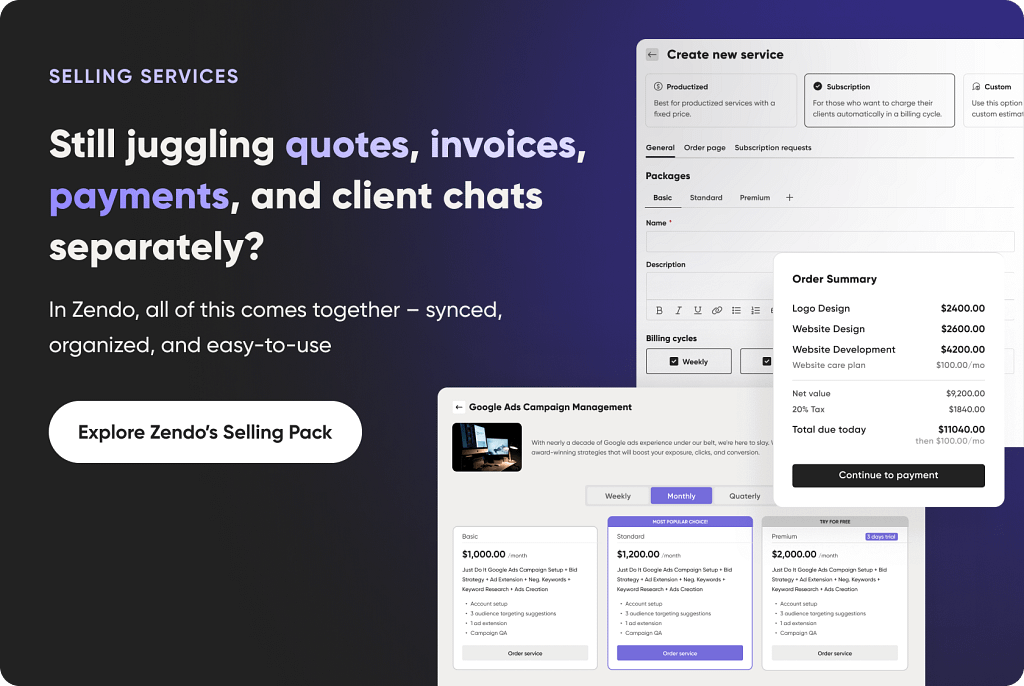
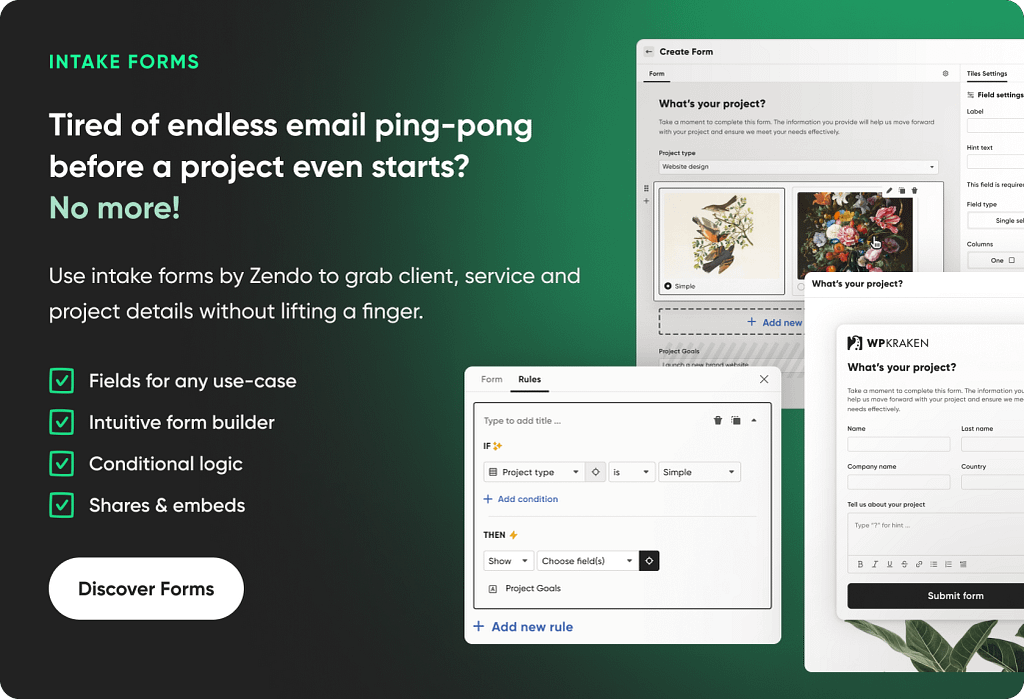
Instead of relying on back-and-forth email exchanges with clients (and we all know how messy it can get), as well as using a separate tool for team collaboration, Zendo offers one common space to do it all. From submitting requests and uploading files to issuing invoices and finalizing payments, everything happens directly in your workspace, if not within a client request — no switching between tabs necessary.
Zendo emphasizes simplicity and convenience for everyone involved. That’s why clients can manage their own projects, accept or decline quotes, make payments, pause or resume subscriptions, contact the team quickly, and create their own groups — called client organizations — so multiple people on their side can participate in the project.
Meanwhile, team members can enjoy having easily accessible data in one place instead of having it scattered across different apps and tools. Not only does it enhance collaboration, but it also helps teammates become more independent, allowing them to get up to speed quickly on their own. It also helps prevent one teammate from holding all the knowledge, which could be problematic if they leave the company.
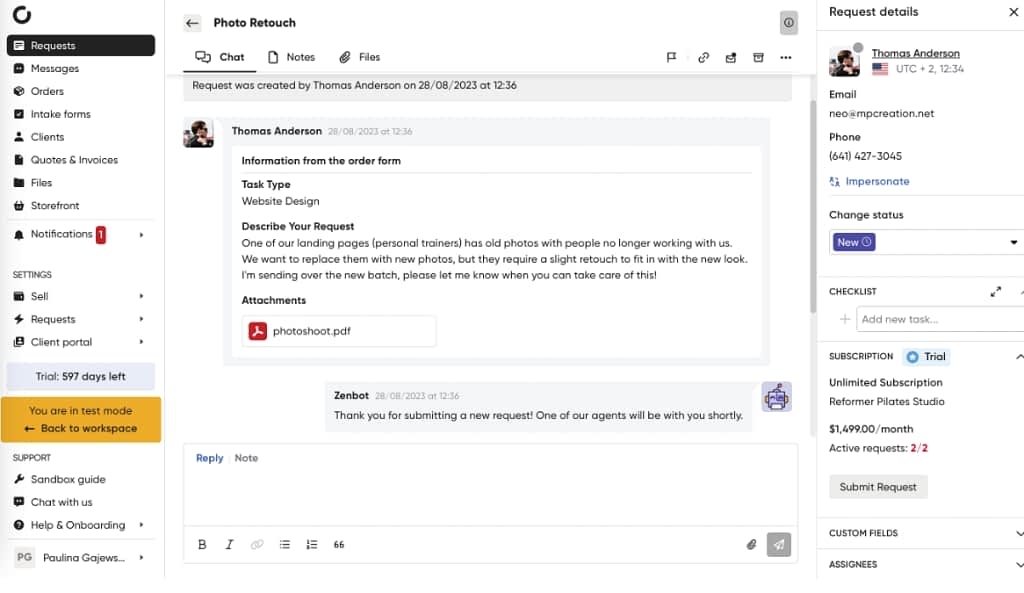
Zendo’s Quick Summary
- Target audience: small to medium businesses, creatives, and freelancers who want to focus on selling services in close collaboration with clients.
- Types of services for sale: can be used to sell productized, custom, and subscription-based services.
- Payment options for clients: Stripe & manual payments.
- Project management: includes automated & customizable workflows that can be viewed in a table or on a Kanban board. Projects can have different priorities assigned.
- Task management: all information about tasks is stored in one place. Teammates can be assigned to specific tasks as well, ensuring transparency and accountability.
- Team management: team members can have different roles assigned, resulting in different permission levels. Team members can also be impersonated for troubleshooting and a steady communication flow with clients.
- Communication channel: in-built chat that can be used to send individual messages and group announcements, as well as separate conversation threads per each client request. Teammates can exchange invisible to clients messages and write private notes.
- Strongest selling point: has a Storefront with self-checkout, so that clients can submit their own requests and pay for them at once. Those who purchase subscriptions can pause them anytime, on their own.
- Pricing: Zendo comes with three plans: Free (limited to one user), PRO ($37 per month, billed annually), and MAX ($149 per month, billed annually).
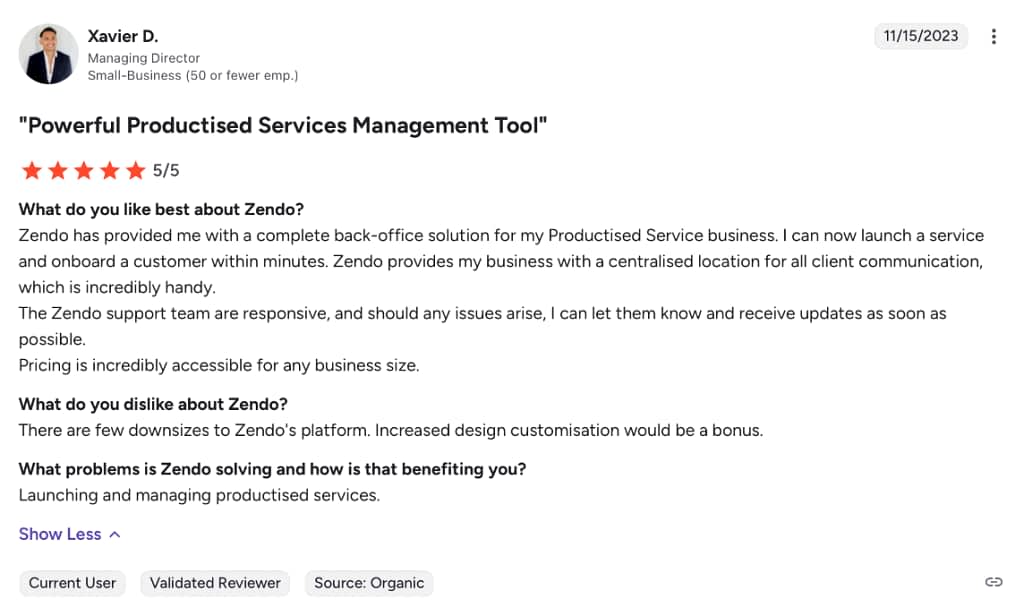
🎙️ What do users say?
2. Softr: Peak Customization
Most project management software dictates how users are supposed to use it. Testing the tool means figuring out how your business fits into the preexisting workflows, trying to bend the features to work in our favor. But not Softr — this extremely flexible solution resembles more of an app builder than an out-of-the-box software. Which, while surely isn’t everyone’s cup of tea, might make some over the moon.
Does it mean Softr requires technical skills, including coding? Not at all; it’s a no-code platform that can be learned by anyone. Still, we have to admit its learning curve is quite steep, compared to other tools. The advanced features offered here aren’t for the faint of heart.
Also, you don’t have to start entirely from scratch. Softr comes with a rich library of templates: you’ll find there premade SaaS Customer Portals, Enterprise Resource Planning (ERP), Sales CRM, Document Management System, or something much simpler — like a Content Calendar, Team Wiki, or Employee Directory.
If that’s still too much work, you can use AI to generate the app based on your prompt.
Moreover, if you rely on data — be it using Airtable, Google Sheets, Notion, BigQuery, or MySQL, just to name a few — you can easily connect it to Softr. Thanks to real-time updates you’ll stay in sync, ensuring your data stays reliable. You can also share it with others, but don’t worry; permission levels ensure nobody sees anything incriminating.
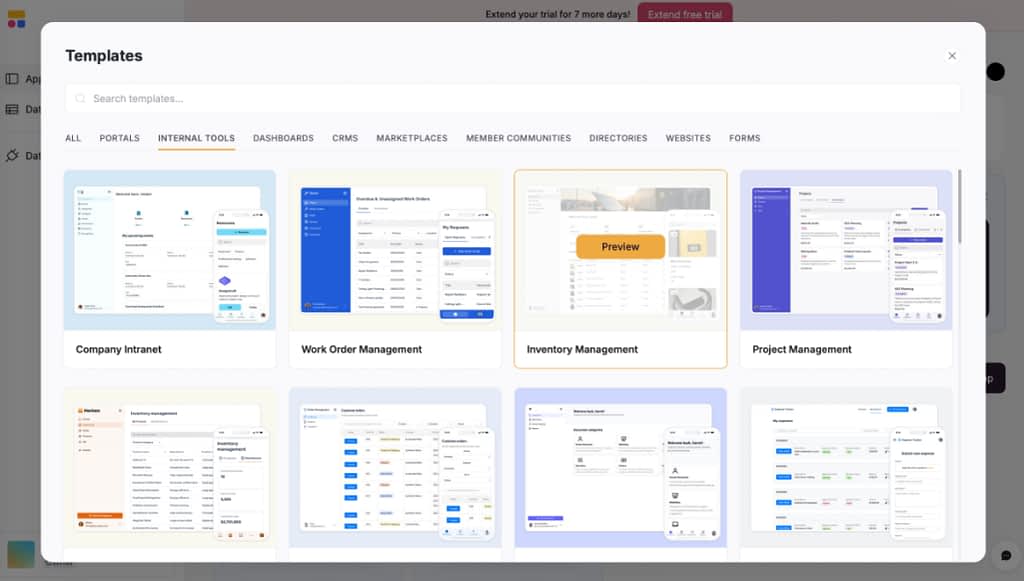
Softr’s Quick Summary
- Target audience: small to medium businesses, freelancers, and startups who want to build web apps, client portals, or internal tools without writing code.
- Types of services for sale: can be used to sell products, one-time and recurring services.
- Payment options for clients: Stripe & PayPal.
- Project management: create structured, internal project dashboards to track progress and view milestones after connecting with a database of choice.
- Task management: combines task management with time tracking features. You can create different views and dashboards to oversee project performance.
- Team management: has role-based access control and permission levels to enable or limit access to certain pages or data.
- Communication channel: doesn’t have its own communication channel, but a third-party one can be embedded.
- Strongest selling point: turns Airtable, Google Sheets, and other databases data into fully functional web apps or client portals quickly, with pre-built templates and blocks that make setup fast and code-free.
- Pricing: has five different plans: Free, Basic ($49 per month, billed annually), Professional ($139 per month, billed annually), Business ($269 per month, billed annually), and Custom (requires an estimate).
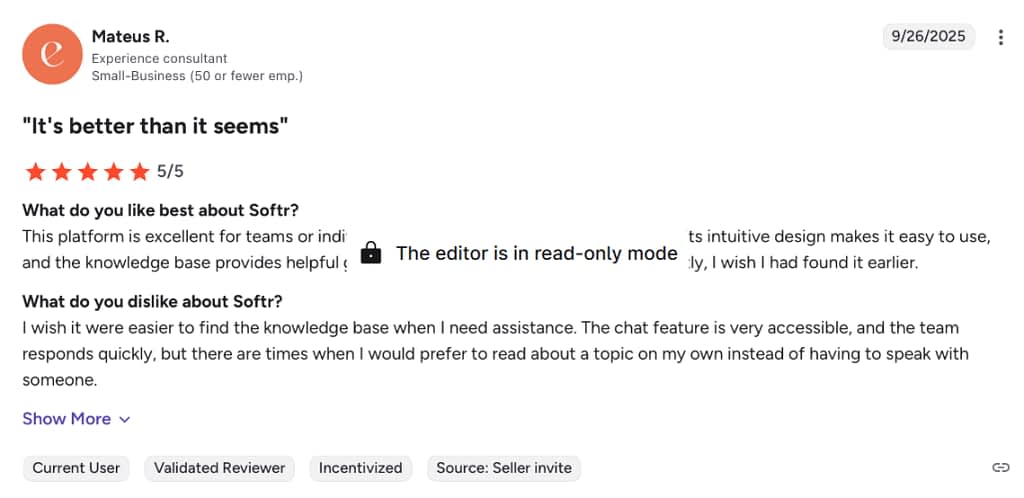
🎙️ What do users say?
3. Flowlu: Embracing Teamwork
Flowlu is a cloud-based business management platform meant to facilitate teamwork. it has a real-time team chat, allowing you to forget about the email inbox entirely. To make sure important information doesn’t get lost in the steady flow of messages, there are also dedicated project chats set in place. Team members can also communicate via comments left directly on files, making feedback so much easier to share.
Flowlu even goes as far as to introduce mind maps, which is unique for such a software. Team members can use them to brainstorm together and come up with new ideas in a visually structured format; especially helpful for creative or marketing teams! Adding description ensures all information is understandable, while leaving comments encourages feedback. Moreover, if the mind map is used for an already existing project, teammates can track progress of each node — helpful in identifying bottlenecks — as well as assign priority levels.
Clients can also be involved in their own projects. They can be invited to a brainstorming session and even to assign tasks on their own and upload content. Thanks to granular permission levels, users only see what they’re supposed to see, so there’s no danger of clients stumbling on sensitive data.
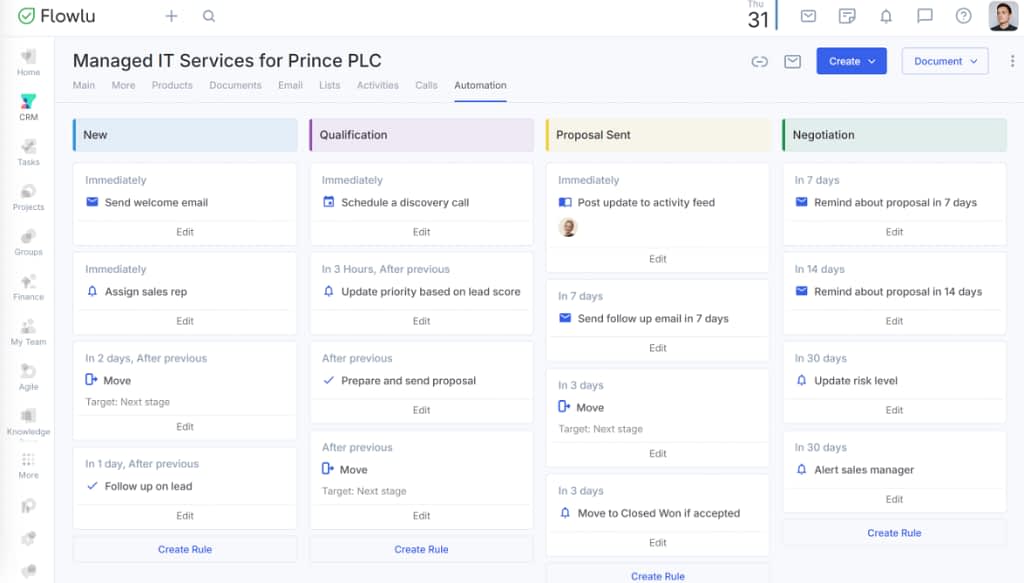
All that can be supercharged with automated workflows, which don’t require any coding knowledge to create. For projects, you can decide what happens when they move between specific stages; for example, you can set up automatic notifications, create tasks, or assign team members. Flowlu easily automates repetitive tasks like that.
Additionally, you can create automation rules for invoices. So, for example, when one gets approved, you can set up an entire project to be created. Or, if one gets partially paid, you can send an email or a Slack message, notify a teammate, or publish a comment — all automatically.
Flowlu’s Quick Summary
- Target audience: small to medium businesses looking to enhance teamwork.
- Types of services for sale: can be used to sell products, one-time and recurring services.
- Payment options for clients: PayPal, Stripe, Square, CloudPayments, WayForPay.
- Project management: includes automated & customizable workflows. Projects can be viewed and filtered on a board with displayed stages and milestones.
- Task management: has multiple views for tasks, such as to-do lists and Kanban boards. You can create repetitive tasks and hand out task assignments as well.
- Team management: has role-based access control and permission levels to enable or limit access to certain pages or data. Also tracks leaves and absences.
- Communication channel: has a real-time,in-built chat for team members. They can also send private messages and create group chats.
- Strongest selling point: allows collaborating on projects using mind maps alongside clients. You can also add descriptions, leave comments, and track progress of the discussed project directly in your mind map.
- Pricing: has four plans: Free, Essential ($12 per user, per month, billed annually), Advanced ($22 per user, per month, billed annually), and Custom (requires an estimate).
🎙️ What do users say?
4. HoneyBook: The Smart Files Convenience
HoneyBook is a client relationships platform for freelancers and small teams. Especially creatives will be happy with HoneyBook’s offer; while it doesn’t offer robust resource management features — something needed by bigger companies — it still gets the job done when it comes to managing simpler projects.
HoneyBook is also a solid choice for those who want to keep communicating through email. But, compared to similar customer relationship management tools, it takes a novel approach by introducing smart files; a way of combining various, interactive documents. This can help you avoid a situation where you drown your clients in too many attachments to count or that one file goes unsigned.
A smart file can include: contracts, invoices, session scheduling, service selection, questionnaires, pages, images, and videos. So, for example, if your client signs the contract, they can immediately book a meeting with you to kickstart the project — no need to send separate files to achieve that.
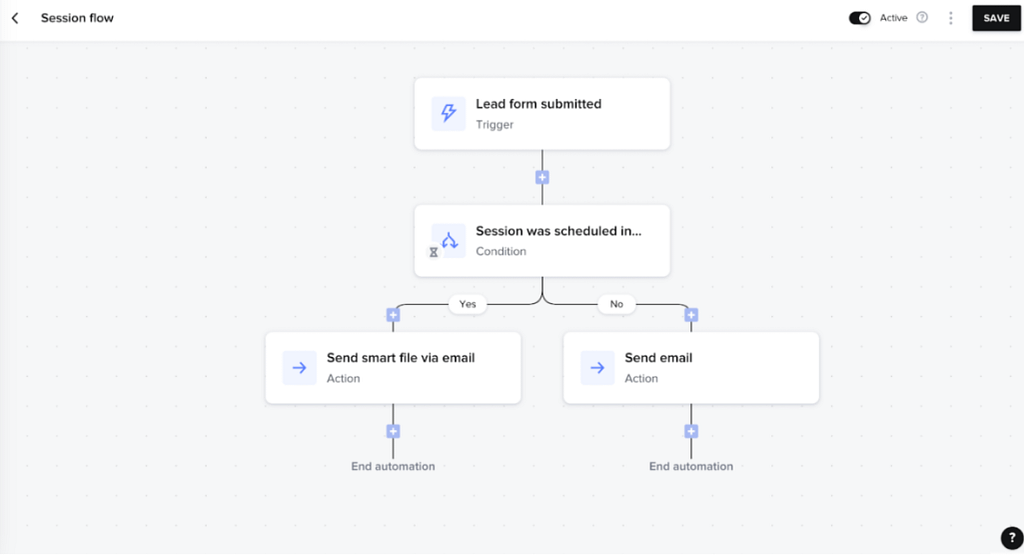
Smart files can also be automated. You can decide what happens when a specific trigger gets set off, be it filling out a questionnaire form or not replying for a specific amount of time (client goes quiet for a week? Let’s remind them of the invoice). That’s how you can achieve some peace of mind and minimize the risks of skipping an important step.
HoneyBook also jumped on the AI train and offers an AI of its own. It can be used to brainstorm new ideas, help with creating automation sequences, summarize meetings, personalize email responses, and more. While it’s not life-changing, its automation capabilities can help in small ways that add up to hours of extra work saved.
HoneyBook’s Quick Summary
- Target audience: freelancers and independent creatives.
- Types of services for sale: can be used to sell digital products, one-time and recurring services.
- Payment options for clients: using HoneyBook’s in-house payment processor (credit cards and ACH bank transfers apply).
- Project management: includes automated & customizable workflows. Projects are presented as “jobs” that can be viewed by collaborators and clients after providing a password.
- Task management: you can create tasks and assign them to collaborators and clients. You can set reminders so no one forgets a thing.
- Team management: you can set different team roles that come with various permission levels.
- Communication channel: users can exchange messages directly in projects.
- Strongest selling point: lets you combine many steps of the client experience into a single document (selecting services, signing contracts, scheduling, paying invoices, answering questionnaires, and more) in one seamless workflow.
- Pricing: has three plans: Starter ($29 per month, billed annually), Essentials ($49 per month, billed annually), Premium ($109 per month, billed annually).
🎙️ What do users say?
5. Scoro: Micromanager’s Dream
Scoro is a professional services automation software meant for consultancies, agencies, IT, architecture, and engineering, among others. It helps manage projects from top to bottom, including sales, delivery, and financials.
One of its core project management features is project templates, useful for automating project planning. Instead of having to set up each new project from the ground up, you can reuse old tasks and milestones to speed up the process. Moreover, thanks to a Gantt chart, you can visualize delivery project timelines to ensure alignment on all fronts.
But most importantly, you can quickly figure out who’s available for each part of the project. You can consider your current team’s capacity in the long-term: see who’s working way too much and who has some extra time to spare. Scoro’s system also tracks vacations, so that you’re never caught unaware by the lack of staff.
Moreover, you can also track your employee’s time. This is particularly useful for companies that work on an hourly-basis and their clients want to know exactly what they’re paying for, increasing transparency. Thanks to that information, you can also quickly figure out which tasks take way too long and spot opportunities for further workflow automation.
And yes, Scoro also does workflow automation. You can set up custom rules to trigger specific actions, such as being notified when an invoice gets paid or when a task deadline is moved. To up the level of control, you can add trigger conditions, so that you get notified of only previously specified invoices, for example. And if you lack ideas for automation, you can check out premade templates available on the platform. All these features have the potential to make workflow management a breeze.

Scoro’s Quick Summary
- Target audience: small to medium businesses that want to micromanage their teams.
- Types of services for sale: can be used to sell digital products, one-time and recurring services.
- Payment options for clients: Stripe.
- Project management: offers automated, customizable workflows, with projects displayed in an interactive Gantt chart for clear timeline visualization.
- Task management: you can create tasks, assign them to collaborators, and link them to projects or contacts. Automated notifications will keep everyone on track thanks to task dependencies.
- Team management: thanks to time tracking features, project managers can monitor workload, measure productivity, and ensure efficient resource allocation.
- Communication channel: Scoro doesn’t have its own communication channel.
- Strongest selling point: helps optimize your team’s productivity with its resource planning and expense management features, enabling efficient workload allocation and tracking of team progress.
- Pricing: has four pricing plans: Core ($18.90 per user, per month, billed annually), Growth ($29.90 per user, per month, billed annually), Performance ($47.90 per user, per month, billed annually), and Enterprise (requires an estimation).
🎙️ What do users say?

Which One Alternative to Accelo To Go For?
There are plenty of Accelo competitors vying for the title of the best Accelo alternative. But as always, the final word stays subjective; whether you seek to improve your marketing automation, pipeline management capabilities, or view project progress in different ways, you’ll have to pick different winners.
Let’s recap what we’ve learned so far:
- Zendo: an all-in-one tool with a user-friendly interface and a Storefront that empowers clients,
- Softr: a web app builder that can be used to create the perfect management solution of your own,
- Flowlu: one of better collaboration tools for teams and their clients, great at project tracking,
- HoneyBook: a great client management tool that’s doing waves in the freelancing circles,
- Scoro: an ideal project management tool for managers that mostly handle hourly-based client projects and want to have their team under control.
It’s clear that each tool brings its own strengths and weaknesses. Take the time to evaluate your priorities, try demos where possible, and choose the solution that will truly help your business run more efficiently. Don’t get swayed by a pretty drag-and-drop interface or project performance visualization that’s all tricks, no substance!
And one of the discussed solutions — Zendo — comes with an entirely free plan that you can try out right now. Use the Sandbox mode to test out even the more advanced features that are otherwise available only on the paid plans!